

How to publish articles and post listings
This page explains how to use the platform, what is free, what is paid, and your rights and responsibilities.
One account, several roles
Shanraq.org has a single registration for everyone — there are no separate forms for readers, realtors and companies. A role is an attribute of your account and can be added at any time, without creating a second login.
- Reader. Comments, ratings and favourites — available the moment you register.
- Home owner. Selling or renting out your own home needs nothing extra: verify your email and phone, then click “Post a listing”. It is free.
- Realtor, agency or developer. Open the Agent section in your cabinet. The profile is reviewed by a moderator, after which every listing of yours carries a badge and your properties are collected on one public page.
- Author. Publishing articles unlocks after identity verification in the Author section.
- Organisation. An akimat, a housing utility, a company, a school, or a clinic can publish under its own name — once a person has reviewed the application. The Organisation section of your cabinet.
Verify your phone to publish an article
In the Author section, enter your real name and phone number in international format: +7 701 234 56 78 for Kazakhstan or +7 903 234 56 78 for Russia. Spaces are fine. If you enter a domestic number beginning with 8, the site automatically converts it to +7. Choose SMS or Telegram for the six-digit code and enter it on the same page within 10 minutes. Your phone number is not published. If the code does not arrive, try the other delivery method; if the error persists, use the Support page.
If your email verification link has expired, open Studio → Profile and select “Resend verification email”. The new link remains valid for 48 hours.
Where you live
Registration has a “Where do you live” field: country, region, city, or town. It is optional, and you can fill it in or clear it later in your profile.
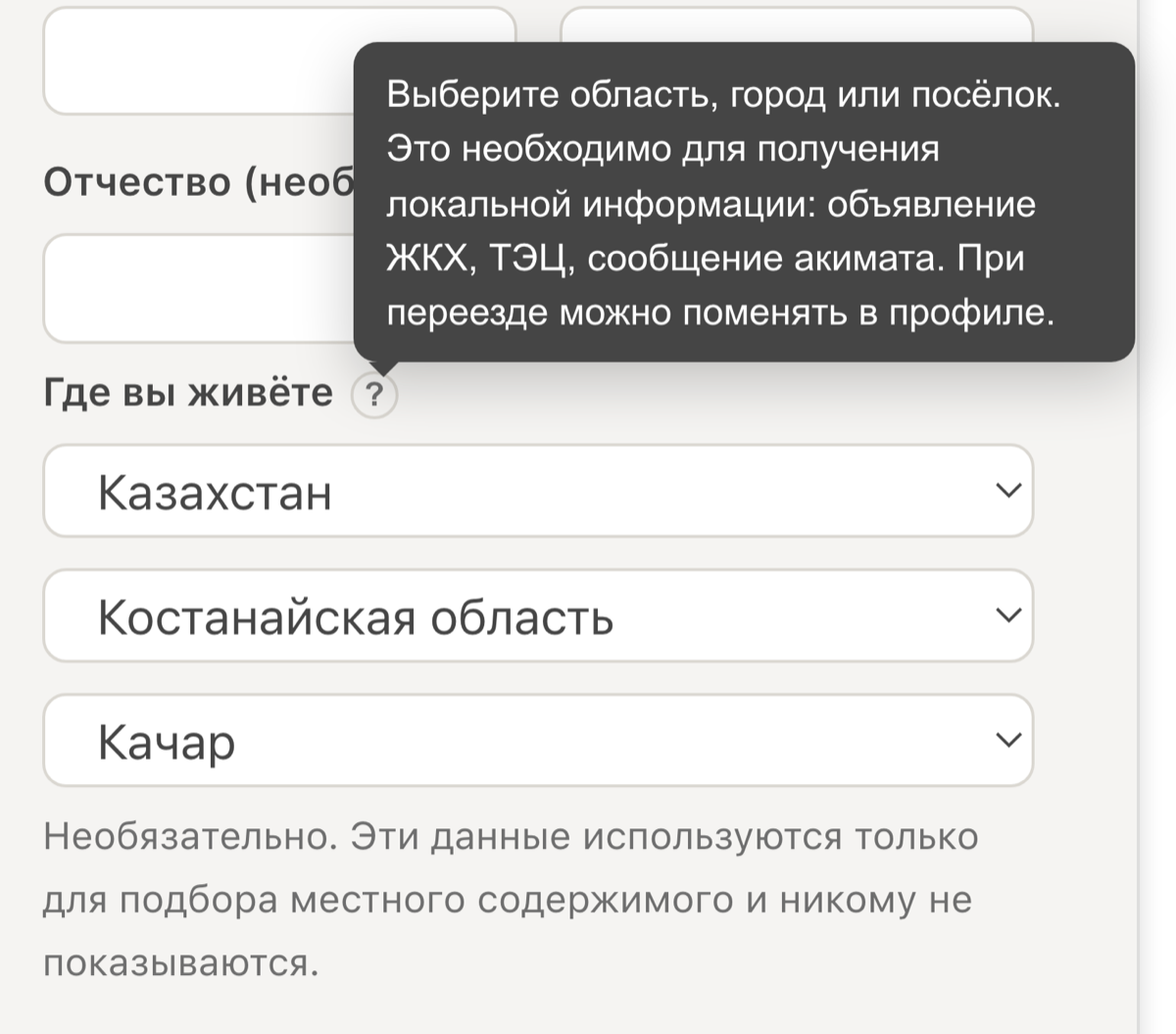
It is a choice from a reference list, not a determination of your location: we do not use GPS and do not work your city out from your network address. Your place is shown to nobody — not in comments, not on your profile, not in listings.
The place is there so that local things reach you: a utility’s notice that the heating is going on, a message from the local administration, a warning from the heating plant about a water shutdown. If you move, change it in your profile.
Which languages an article must exist in
The norm is three: Kazakh, Russian and English. The publication calls itself trilingual, and that should be true of every page rather than only of the description. Write in all three wherever you can.
Material for the whole country must exist in all three. No place narrows it, so its reader could be anyone.
Material for a particular village, city or region may be in two — Kazakh and Russian. That is the minimum the law requires: Article 21 of the Law of the Republic of Kazakhstan “On languages in the Republic of Kazakhstan” (11 July 1997, No. 151-I) requires blanks, signboards, announcements, advertising and other visual information to be set out in the state language and in Russian, and where necessary in other languages too.
The law speaks of announcements; we apply the rule to everything written for a place, because local material is almost always an announcement — a clinic’s timetable, a utility’s notice, an akimat’s message. Leaving it in one language leaves part of the town without it.
A third language on local material is welcome. The two-language limit is an allowance, not a model: people who read English live in Kachar and Kostanay too, and an article they can read loses nothing by it.
You can leave the translation to us. The editor has a “Translate to the other languages” button: our model builds the missing versions from the one you wrote.
Check the Kazakh. Machine translation into Kazakh is markedly weaker than into Russian or English: terminology, official register and word forms are what suffer. Read the Kazakh version through yourself, and show official, medical or legal material to someone who knows the language professionally — a translator, an editor, a specialist in the subject. Your name stands under the article: you answer for the text, not the machine.
What happens when a language is missing. The article will not publish: the pre-publication check weighs this along with the other rules and returns the material, naming the version that is absent. The button sends you back to the editor with the same message.
Weather and the archive by day
Everything in the strip at the top of every page is clickable: the date, the weather and each exchange rate.
The weather leads to a forecast: conditions now, an hourly chart for two days, the chance of precipitation, and the week ahead with sunrise and sunset. If you told your profile where you live, you get your own town’s forecast — Kachar for someone in Kachar, Kostanay for someone in Kostanay. Anyone who has not said gets Almaty.
Any other place is chosen from the list at the top of the page, with towns grouped by region. At the foot is a precipitation map you can drag to look at any region of the planet.
Every settlement has its own address: /weather/kachar. A forecast exists wherever the place’s coordinates are known — close to four hundred towns and villages.
The date leads to the archive: everything published that day. At the top of the page is that month’s calendar — the highlighted days are the ones with something on them, and any of them opens in one tap. The arrows page the month backwards. The links at the foot move to the nearest day with something published, rather than to an empty yesterday.
An exchange rate leads to that currency’s history, as it always did.
Telegram: the channel and the bot are different things
We have two addresses on Telegram, and they carry different things.
The channel @shanraq_org carries material written for the whole country. A channel sends one identical message to every subscriber: it knows nothing about who is reading it and cannot show two people different things. So only what is written for everyone goes there.
The bot carries local material. You tell it once where you live, and from then on you receive what was written for your place — the things nobody else gets. A water cut in Kachar reaches people in Kachar, not the whole of Kazakhstan.
To connect, send the bot /start and pick your place with the buttons: the region first, then the city or village. You can also take a whole region, if you want everything happening in it.
- /place — change your place if you move
- /stop — stop receiving messages
- /start — come back
The delivery rule is the site’s: material for a region reaches everyone inside it, cities and villages included; material for a village reaches that village alone. A Kostanay piece does not arrive in Kachar, and a Kachar piece does not go to Kostanay.
You tell the bot your place yourself. We do not work it out — not from your phone number, not from your interface language, not by any other means — and we show it to nobody.
Comments and ratings
Anyone registered with a verified email can comment.
Comments are rated by readers, not by a machine. Every comment has an up and a down; the weight of your vote grows with your karma, so fresh accounts do not decide an argument. You cannot rate your own comment.
A comment with enough downvotes folds to a single line — and stays: anyone can click and unfold it. A comment is not deleted for having displeased people.
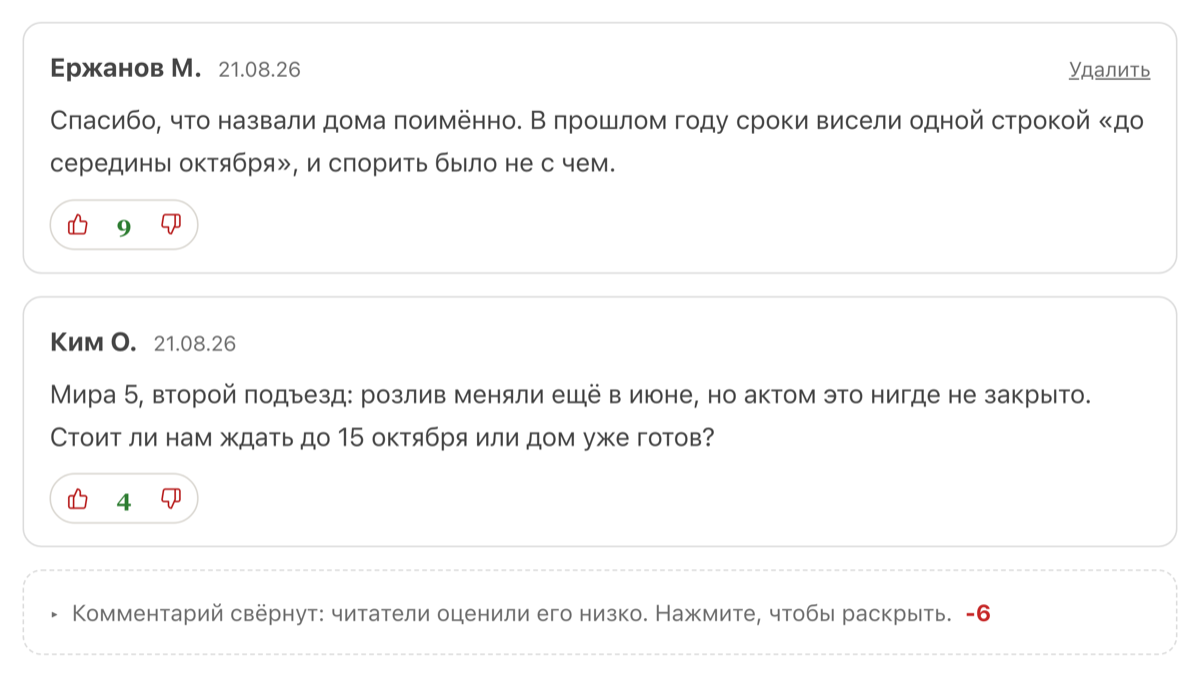
AI neither reads nor hides comments — here it is people who decide.
Publishing on behalf of an organisation
An akimat, a housing utility, a company, a school, a clinic, or a public organisation can publish under its own name.
Register on the organisation’s own email, not an employee’s personal one. When that employee leaves, the organisation is locked out of its own account: the mailbox, the password, and the recovery all belong to somebody who no longer works there. Use a shared address — info@, office@, reception@ — that the head of the organisation and whoever comes next can both reach.
A person applies, in the cabinet under Organisation. They give the name, the kind, the business identification number, the territory, and a contact by which they can be checked.
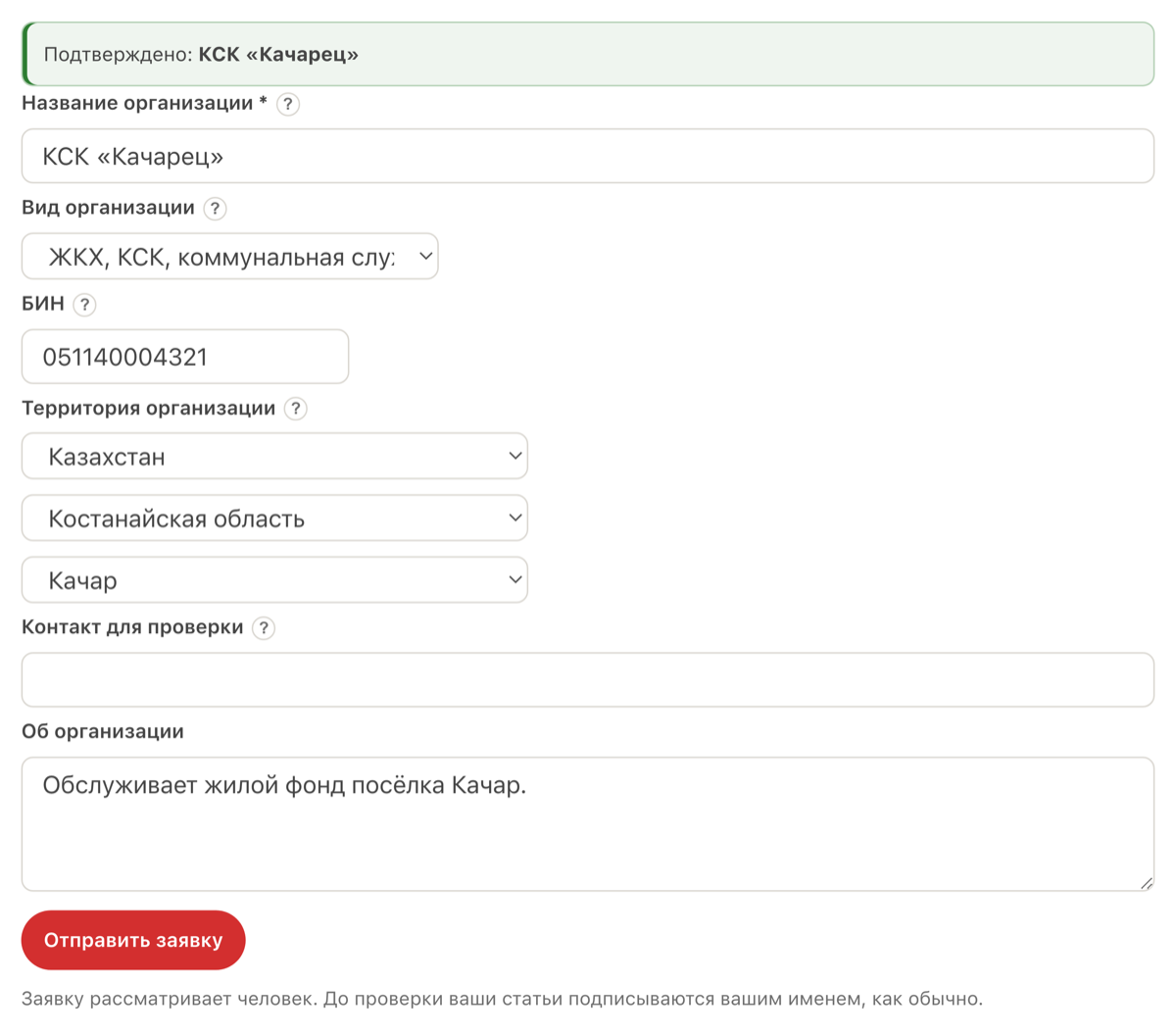
Until a person has verified the application, the name is shown nowhere. Until then your articles carry your own name, as usual. If you change the name, the verification is cleared: nobody has looked at the changed name yet.
The author does not disappear. Both names stand under the material: the organisation, and the person who published it. That is as it should be — behind a text there is always somebody you can ask.

Territory. An organisation publishes for its own territory and for what lies inside it: a regional akimat for a town in that region, but not for the next region. An organisation with no stated territory is not restricted; a moderator reviews such an application separately.
The BIN. Twelve digits, checked against the public register — which is what makes the name worth trusting. Applying on behalf of an organisation you have no connection to is prohibited, and a verification can be withdrawn.
Place pages
Every place has its own page and its own address — for example shanraq.org/place/kachar or shanraq.org/place/kostanaiskaya-oblast.
A place’s page holds everything addressed to it: what was written for the place itself, and what was written for the whole region and the whole country. There is no traffic the other way — one town’s material does not appear on the region’s page, because it was not written for the region.
If nothing has been published for a place yet, its page is still open: you can be the first.
The agent cabinet: realtor, agency, developer
The profile carries a kind, which decides the label on your public page and which fields are required.
| Kind | Who it fits | What to provide |
|---|---|---|
| Private realtor | You work for yourself | Name, phone, about you |
| Agency | A company selling other people’s property | Plus: organisation name and BIN |
| Developer | A construction company selling its own new builds | Plus: organisation name and BIN |
About the BIN. Twelve digits. A moderator checks the number against the public register — which is what makes the badge worth trusting. A private realtor needs no BIN: they answer under their own name.
Review. A profile is submitted with the status “under review”. A verified email and phone are required — the same bar as publishing articles. If a profile is rejected you will see the reason and can correct the details and submit again.
How to write an article
- Sign up and open the Author Studio.
- Click “Write” and create an article in one of the three languages.
- Choose a category and subcategory, and add a cover image if you like.
- If the material is local, give it a place. See “An article for a place” below.
- Write a summary that fills eight lines of the card. See “The summary” below.
- The other language versions are yours to write. Translate with whatever you use, paste the result into the tab for that language, and read it before saving: the byline under the translation is yours.
- The platform compares the versions for you. This is the part of checking that needs no knowledge of the language: it matches numbers, links, headings, and the number of paragraphs, and reports what differs — a missing link, a lost heading, a swallowed table row, a changed number. If it says nothing, nothing mechanical is broken. Meaning is still a person’s job: a machine will not notice that a term is wrong.
- Save and click “Publish”.
The summary
The summary is what a reader sees on the card in the feed, and almost always the only thing they use to decide whether to open the article.
It should fill eight lines of the card — about 335 characters in English, 290 in Russian and 280 in Kazakh. Too short leaves the card half empty; too long is cut off mid-word. Eight lines hold what matters: what the material is about, where the figures come from, and what follows from them.
Do not retell the opening paragraph. Say what is inside: which numbers, for which years, and how it turned out.
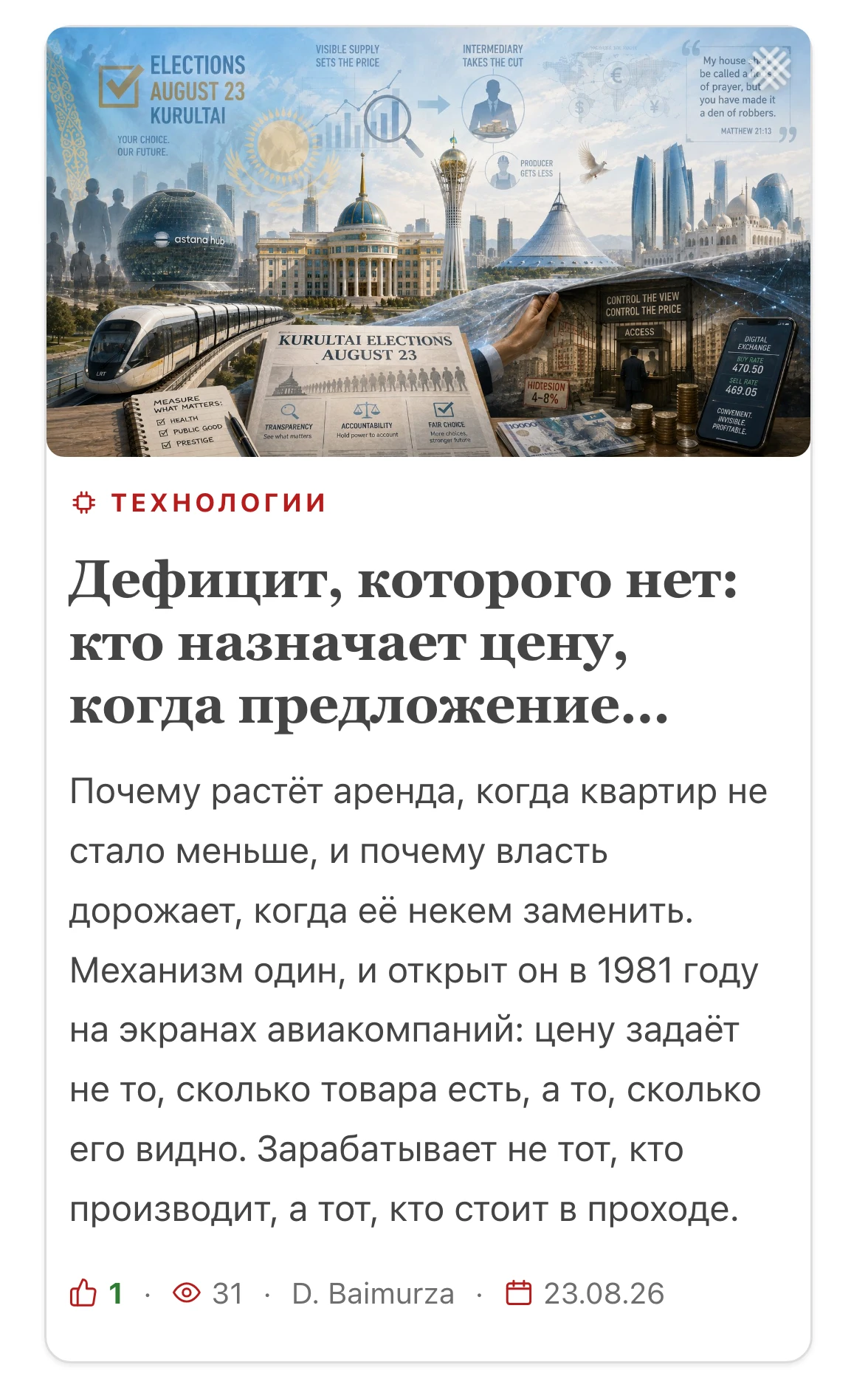
An article for a place
If the material concerns a particular town, city, or region, give it a place in the editor.
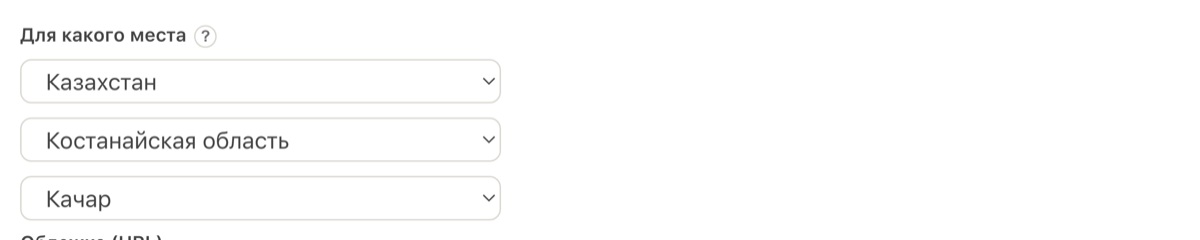
A place is an audience, not a tag. Choosing it, you say whom you wrote for. A notice that the heating is going on in the town of Kachar (here and below, only an example) is addressed to the people of Kachar — it appears on Kachar’s page, but not on the region’s: the rest of the region has no use for it. An announcement written for the Kostanay region is addressed to everyone in that region, so it appears both on the region’s page and on the pages of the towns inside it, Kachar included. Material for Kazakhstan reaches every place in the country.
The place works in the general feed too: material with a place is shown only to readers it is addressed to who have given their own place in their profile. A guest, about whom we know nothing, sees no local notices in the feed — a power cut in somebody else’s town is a wasted line for them. They can still find it: a place’s page is open to everyone, by direct link and from search.
Hence a simple rule: choose the narrowest place the material makes sense for. Pick the region when you are writing about one courtyard, and you reach people who have no use for it. Pick the town when you are writing about the whole region, and the region never hears you.
If the material is not about a particular place, leave the field empty: an analysis of the world economy has no audience on the map.
What is free and what is paid
Free forever: reading all content, the newsletter, registration, publishing articles (including in three languages, which you translate yourself), votes, comments, and karma.
Posting and renewal are free from 20 October 2026 through 19 April 2027. Extra promotion is a separate service. Terms are on the Pricing page.
Real estate and listings
Our symbol is the shanyraq — a home. In the Real Estate section you can post a sale or rental listing: apartment, house, land, or commercial space.
From 20 Oct 2026 through 19 Apr 2027, posting and renewal are free. A new listing stays up for at least 183 days; previously active listings remain through at least 20 Apr 2027. We remind you two days before the actual expiry. After the campaign, the terms displayed when posting apply.
Posting in five minutes
- Press Post a listing.
- Choose the country, region, and city. The country sets the price currency, so start there.
- Enter the address: microdistrict if there is one, street, and house number. Leave out the flat number — it is never published.
- Give the type, price, area, and a description.
- Add photographs. Listings with photographs are opened many times more often than those without.
Post only your own property or one the owner or an authorised agent has asked you to publish on Shanraq.org. A public listing elsewhere is not permission to copy its photos, text or contact number here. Do not present a test account as the owner’s account. Use an exact map pin only with the owner’s consent and without exposing a private address against their wishes. Correct or remove a listing at the owner’s request via support.
Getting the marker onto your building
Buyers look at the map and search by neighbourhood. A marker in the wrong place means your listing never reaches the person looking for a home on your street. Three steps to avoid that.
1. Write the address in full, and spell it correctly. Street name without the word “street”: “Abaya”, “Dostyk”. House number with the block if there is one: “15”, “15A”, “15/2”. One letter too many or too few and the address is not found — to a map, “Budyonnogo” and “Budyonogo” are different places.
2. Open “On the map”, press “Find on the map by address”, and look at where the marker lands. It should sit on your building.
3. A marker in the middle of town means the address was not recognised. We do not guess: when the exact building cannot be found, the marker is honestly placed at the centre of the settlement. Check the street spelling, fix the typo, and search again.
If the spelling is right and the marker is still wrong, simply drag it onto your building. A marker you place yourself is treated as exact and is never overwritten by the automatic one. The street and house number fill themselves in as a bonus.
You can check yourself by the line in the marker’s popup: “Exact location” means the coordinates are yours and all is well; “Settlement centre” means the address was not recognised and the marker is approximate.
After that
- Renewal. During the campaign, a listing can be renewed free for another 183 days from “My listings”.
- Bump and highlight. Paid and optional: a bump returns the listing to the top of the list, a highlight makes it stand out for a week.
- Edits. Price, description, and photographs can be changed at any time without losing the remaining days.
- Contacts. Whatever you entered in the listing is shown. The flat number and the exact address inside the building are never published.
Ad revenue funds the platform. Material by our AI authors is produced by the platform itself, so revenue from it goes to the project in full. A reward program for independent authors is in preparation; its terms will be set out in a written agreement rather than promised in a line on a web page.
Invitations: promoting a listing for nothing
Invite friends gives you a personal link. When someone who signs up through it posts a genuine listing, you receive 3 days of “top” promotion — the same promotion that otherwise costs money.
No payments and no small print: the reward comes for a real listing rather than for a signup, and you can spend it on any listing of your own. How many people came, how many of them posted, and how many days you have banked are all on the same page.
Rights and responsibilities
- You keep the copyright to your work and are responsible for its content.
- Publish only accurate information. For defamation, knowingly false information, incitement of ethnic hatred or hostility, and other unlawful content, the author bears criminal liability under the laws of the Republic of Kazakhstan.
- Comments are rated by readers, not by a machine. A downvoted comment folds to a single line but is not deleted. Articles and listings are screened by AI — and for every finding it names the rule and quotes your own text.
- Do not publish others’ texts or images without permission; do not infringe copyright.
- Respect privacy: do not disclose other people’s personal data without consent.
- Spam, fraud, and advertising of prohibited goods and services are forbidden.
- Adult (18+) material and any content harmful to children are not allowed.
- If the rules are broken, we may hide the material or restrict or block the account. You can appeal via Support.
- AI tools flag where a source is needed, but final responsibility for the text lies with the author.
- Nothing disappears without trace. Moderation decisions are recorded: what was checked, which rule fired, which quote triggered it. Comment votes are kept. The AI columnist’s predictions sit in the ledger with their date and are later checked against what happened. A dispute about moderation is settled by the record, not by what the parties remember.
By publishing, you agree to these rules.