

Python: от данных до своей сводки Урок 23 из 56
Расписание: аргументы, журнал, замок и код возврата
Двадцать третий урок курса по Python. Программа, которая работает ночью без вас: аргументы вместо правки кода, журнал с уровнями вместо `print`, замок против двух одновременных запусков и код возврата, который единственный и читает планировщик. Плюс cron, launchd и systemd — строкой каждый.
Зачем это нужно
Сводка научилась брать данные, складывать их в базу и отвечать запросами. Осталось последнее: чтобы всё это происходило без вас.
Программа, запущенная по расписанию, живёт в другом мире. Никто не видит её вывода. Никто не поправит день в коде. Она может запуститься дважды, пока предыдущая ещё работает. И единственное, что о ней узнает система, — число, которое она вернёт.
Поэтому урок не про cron. Он про четыре вещи, без которых cron бесполезен.
Сразу целиком
Файл kesteme.py. Запуск: python kesteme.py из окружения.
Обязательное — первые три блока: аргументы, журнал и замок. Четвёртый показывает код возврата, ради которого планировщик вообще смотрит на программу.
"""Урок 23: программа, которая работает без вас.

Сводку пора запускать по расписанию. Три вещи, без которых это не работа, а
надежда: аргументы вместо правки кода, журнал вместо print и один экземпляр
вместо двух.
"""

import argparse
import logging
import subprocess
import sys
from pathlib import Path

HERE = Path(__file__).resolve().parent
LOG = HERE / "svodka.log"
LOCK = HERE / "svodka.lock"

print("== аргументы вместо правки кода")
parser = argparse.ArgumentParser(description="Сводка за один день")
parser.add_argument("--day", default="сегодня", help="день в виде ГГГГ-ММ-ДД")
parser.add_argument("--dry-run", action="store_true", help="посчитать, но не записывать")
parser.add_argument("--verbose", action="store_true", help="подробный журнал")
# Список аргументов передан явно: так урок печатает одно и то же у всех.
args = parser.parse_args(["--day", "2026-01-15", "--verbose"])
print("день:", args.day, "| без записи:", args.dry_run, "| подробно:", args.verbose)
print("умолчания:", parser.parse_args([]).day, parser.parse_args([]).dry_run)

print()
print("== журнал вместо print")
logging.basicConfig(
    filename=LOG, filemode="w", encoding="utf-8",
    level=logging.DEBUG if args.verbose else logging.INFO,
    format="%(asctime)s | %(levelname)s | %(message)s",
)
log = logging.getLogger("svodka")
log.debug("подробность: разбираю %s", args.day)
log.info("день %s: взято 3 значения", args.day)
log.warning("курс за 2026-01-14 не найден, пропускаю")
try:
    1 / 0
except ZeroDivisionError:
    log.exception("деление на ноль при расчёте среднего")

# Время в журнале своё у каждого запуска, поэтому урок печатает то, что после
# него, а строки стека — те, что дописал log.exception, — вовсе не печатает.
for line in LOG.read_text(encoding="utf-8").splitlines():
    if " | " in line:
        print(line.split(" | ", 1)[1])
print("а следом в файле лежит стек ошибки — у каждого он свой")

print()
print("== один экземпляр вместо двух")


def start():
    """Занимает замок или отказывается работать."""
    try:
        LOCK.touch(exist_ok=False)
        return True
    except FileExistsError:
        return False


print("первый запуск занял замок:", start())
print("второй запуск при живом замке:", start())
LOCK.unlink()
print("после освобождения:", start())
LOCK.unlink()

print()
print("== расписанию важен код возврата")
worker = HERE / "rabota.py"
worker.write_text(
    "import sys\n"
    "sys.stderr.write('источник не ответил\\n')\n"
    "raise SystemExit(2)\n", encoding="utf-8")
done = subprocess.run([sys.executable, worker], capture_output=True, text=True)
print("код возврата:", done.returncode, "| в stderr:", done.stderr.strip())
print("ноль значит «всё хорошо»:", subprocess.run([sys.executable, "-c", "pass"]).returncode)

worker.unlink()
LOG.unlink()
Выводит:
== аргументы вместо правки кода
день: 2026-01-15 | без записи: False | подробно: True
умолчания: сегодня False

== журнал вместо print
DEBUG | подробность: разбираю 2026-01-15
INFO | день 2026-01-15: взято 3 значения
WARNING | курс за 2026-01-14 не найден, пропускаю
ERROR | деление на ноль при расчёте среднего
а следом в файле лежит стек ошибки — у каждого он свой

== один экземпляр вместо двух
первый запуск занял замок: True
второй запуск при живом замке: False
после освобождения: True

== расписанию важен код возврата
код возврата: 2 | в stderr: источник не ответил
ноль значит «всё хорошо»: 0
Разбор
Аргументы вместо правки кода
parser.add_argument("--day", default="сегодня", help="день в виде ГГГГ-ММ-ДД")
args = parser.parse_args(["--day", "2026-01-15", "--verbose"])
argparse превращает программу в инструмент: день, режим и подробность выбирают при запуске, а не редактированием файла. Для расписания это не удобство, а необходимость — в строке cron код не поправишь.
Три вещи, которые он даёт бесплатно: --help со всеми описаниями, ошибку с понятным текстом на неизвестный аргумент и умолчания, которые видны в одном месте. action="store_true" — это флаг: он либо есть, либо нет.
Обычно пишут parser.parse_args() — без аргументов, и тогда разбирается настоящая командная строка. В уроке список передан явно, чтобы вывод был одинаков у всех; в вашей программе скобки будут пустыми.
Образ. Ключ от машины. Программа с аргументами — машина, которую можно завести; программа с числом внутри — машина, у которой руль приварен к одному положению.
Журнал вместо print
DEBUG | подробность: разбираю 2026-01-15
INFO | день 2026-01-15: взято 3 значения
WARNING | курс за 2026-01-14 не найден, пропускаю
ERROR | деление на ноль при расчёте среднего
print пишет в никуда: ночью никто не смотрит в терминал, а cron в лучшем случае пришлёт вывод письмом. logging пишет в файл, и у каждой строки есть уровень и время.
Уровни — не украшение. DEBUG включают, когда что-то расследуют; INFO — обычный ход дел; WARNING — «работаем дальше, но заметьте»; ERROR — «не получилось». Уровень задают один раз, и --verbose из первого блока ровно это и делает: level=DEBUG вместо INFO.
log.exception(...) внутри except дописывает в файл стек ошибки — тот самый, который вы читали в десятом уроке. Это главная причина заводить журнал: наутро у вас есть не «программа упала», а строка, на которой она упала.
И маленькое, но важное: log.info("день %s: взято %d", day, n) — с процентами, а не с f-строкой. Так текст собирается только если этот уровень включён.
Замок: один экземпляр вместо двух
первый запуск занял замок: True
второй запуск при живом замке: False
Ночной запуск затянулся, наступило время следующего — и теперь их два. Оба читают тот же источник, оба пишут в ту же таблицу; в лучшем случае вы заплатите двойным трафиком, в худшем получите половину данных от одного и половину от другого.
LOCK.touch(exist_ok=False) создаёт файл и падает, если он уже есть. Это и есть замок: атомарная проверка «занято ли» вместе с занятием. Проверять if LOCK.exists() отдельно нельзя — между проверкой и созданием успевает вклиниться второй запуск.
Замок обязательно снимают в finally: программа, оставившая замок после падения, не запустится больше никогда, и чинить это придётся руками.
Код возврата: единственное, что читает планировщик
код возврата: 2 | в stderr: источник не ответил
ноль значит «всё хорошо»: 0
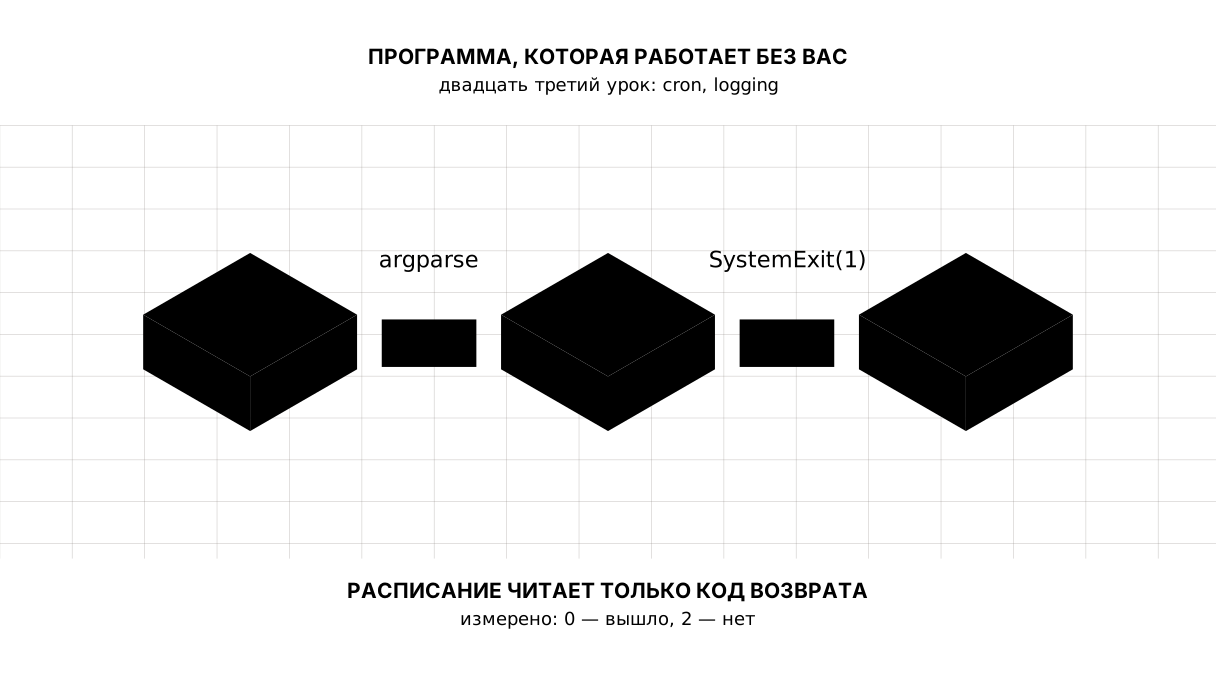
Планировщик не читает ваш журнал. Он смотрит на число, которое программа вернула: 0 — получилось, любое другое — нет.
Что с этим числом будет дальше, зависит от планировщика, и разница существенная. systemd действительно разбирает статус: у службы есть Restart=on-failure, и неудача видна в systemctl status. Обычный cron сам по себе не перезапускает ничего: он умеет отправить письмо с тем, что программа напечатала (MAILTO), и на этом его участие кончается. Повторный запуск, уведомление в мессенджер и мониторинг — это то, что настраивают отдельно; код возврата только даёт им повод сработать.
Поэтому у ночной программы есть договор: raise SystemExit(1), когда работа не сделана, и ноль, когда сделана. Печатать ошибку при этом лучше в stderr — cron отделяет один поток от другого.
Собственно расписание
Одна строка. В Linux и macOS — crontab -e:
# минуты часы день месяц день-недели  команда
30 7 * * *  /home/user/digest/.venv/bin/python /home/user/digest/main.py --day today >> /home/user/digest/cron.log 2>&1
Три правила, на которых спотыкаются все:
- Пути только полные. У cron нет вашего
PATHи вашей текущей папки — отсюда иPath(__file__).resolve().parentв программе, и полный путь к Python из окружения. - Часовой пояс — системный, а не ваш.
30 7на сервере в UTC — это 12:30 в Алматы. - Вывод перенаправляют. Без
>> ... 2>&1cron попытается отправить его почтой, которой на сервере обычно нет.
На macOS то же делает launchd (файл .plist в ~/Library/LaunchAgents), в современном Linux — systemd-таймер (пара файлов .service и .timer), в Windows — «Планировщик заданий». Различаются они синтаксисом; всё, о чём говорил этот урок, одинаково для любого из них.
Карта урока
Скажите своими словами
Не подглядывая, ответьте вслух или на бумаге. Ответы — в конце урока.
- Почему день выбирают аргументом, а не строкой в коде?
- Чем
loggingотличается отprintдля программы, которая работает ночью? - Зачем нужен замок и почему
if LOCK.exists()его не заменяет?
Разминка
Три коротких шага перед заданием: предсказать, дописать, починить. Ответы — в конце урока, но сначала ответьте сами.
1. Предскажите. Что напечатает эта программа?
import logging
import sys

logging.basicConfig(stream=sys.stdout, level=logging.INFO,
                    format="%(levelname)s: %(message)s")
log = logging.getLogger("demo")
log.debug("подробность")
log.info("сделано")
log.warning("что-то не так")
2. Заполните пропуск. Вместо ... задайте умолчание, которое напечатается при пустой командной строке.
import argparse

parser = argparse.ArgumentParser()
parser.add_argument("--day", ...)
print(parser.parse_args([]).day)
3. Почините. Планировщик запускает программу из своей папки, и файл рядом с ней перестаёт находиться. Сделайте путь таким, чтобы это не имело значения.
# программа кладёт файл рядом с собой, а потом уходит в чужую папку — ровно так
# её и запускает планировщик
import os
from pathlib import Path

(Path(__file__).resolve().parent / "dannye.csv").write_text("2026;8.0\n", encoding="utf-8")
os.chdir("/")                      # планировщик запускает из своей папки
print("нашли файл:", Path("dannye.csv").exists())
Задание
Обязательное. Напишите ночной запуск сводки. Нужны: аргументы --day (с умолчанием) и --dry-run; журнал в файл с уровнями и временем; функция run(day, dry), которая занимает замок, пишет в журнал, что делает, снимает замок в finally и возвращает 0 при успехе и 1, если замок занят.
Вызовите её трижды: обычный запуск, запуск при занятом замке (замок создайте руками) и запуск с --dry-run. Напечатайте код возврата каждого, а в конце — журнал без времени.
Ожидаемый вывод:
первый запуск, код: 0
запуск при занятом замке, код: 1
запуск без записи, код: 0
журнал:
  INFO | день 2026-01-16: начали
  INFO | день 2026-01-16: записано 2 строки
  WARNING | день 2026-01-16: другой запуск уже идёт, выходим
  INFO | день 2026-01-16: начали
  INFO | день 2026-01-16: считаем без записи
Готово, когда: вывод совпадает построчно; замок снимается в finally, а не после успешной ветки; занятый замок даёт WARNING и код 1, а не падение; все пути построены от Path(__file__).resolve().parent.
На своих данных. Поставьте свою программу в расписание на своей машине — cron, launchd или «Планировщик заданий», — на ближайшие пять минут. Дождитесь запуска и прочитайте журнал. Это единственный способ узнать, что путь к Python вы написали правильно.
По желанию.
- Добавьте
--log-levelи научитесь включатьDEBUGиз командной строки. - Уроните программу нарочно и посмотрите, что попало в журнал от
log.exception. - Запустите две копии одновременно (
python main.py & python main.py) и убедитесь, что вторая ушла с кодом1.
Куда это встанет в проекте
Сводка становится службой. Раз в день она сама забирает курс, кладёт его в базу, пишет в журнал, что сделала, и возвращает ноль — а вы узнаёте о ней только тогда, когда ноль перестал возвращаться.
Долги. Замок у нас файловый, и беда с ним обратная той, что кажется: он переживёт аварийное завершение. Программу убили, питание пропало — файл остался лежать, и следующий запуск увидит занятый замок, хотя занимать его уже некому. Наутро его снимают руками. Лечится это тем, что в замок кладут номер процесса и время создания: если процесса с таким номером нет, замок устарел и его можно снять самому. И журнал растёт без предела — до ротации мы дойдём там же, где до сервера.
Ответы
Показать ответы
На вопросы
- Потому что строку в коде нельзя изменить из расписания: cron умеет запускать команду, а не редактировать файл. Аргумент делает программу инструментом, у которого есть режимы, а
--help— местом, где эти режимы описаны. printпишет туда, где ночью никого нет.loggingпишет в файл, отмечает уровнем важность и временем — момент, аlog.exceptionкладёт рядом стек ошибки. Наутро это разница между «упало» и «упало вот здесь».
Одна деталь из программы в работу не переносится: filemode="w" стирает журнал при каждом запуске, и здесь он стоит только затем, чтобы вывод урока был у всех одинаковым. В настоящей программе режим — "a", то есть дописывание (оно же по умолчанию), а чтобы файл не рос без предела, берут RotatingFileHandler — по размеру — или TimedRotatingFileHandler — по дням.
3. Замок не даёт двум запускам делать одну работу дважды. if LOCK.exists() не заменяет его потому, что между проверкой и созданием файла успевает вклиниться второй запуск: нужна одна неделимая операция, и touch(exist_ok=False) — это она.
К разминке
- Две строки:
INFO: сделаноиWARNING: что-то не так.DEBUGниже установленного уровня, поэтому его не видно — уровень и есть выключатель подробностей.
INFO: сделано
WARNING: что-то не так
default="сегодня". Умолчание — это ответ на вопрос «а если не передали», и он должен быть написан там же, где объявлен аргумент.
import argparse

parser = argparse.ArgumentParser()
parser.add_argument("--day", default="сегодня")
print(parser.parse_args([]).day)
сегодня
- Путь
Path("dannye.csv")относителен текущей папке, а её задаёт планировщик. Строят от папки программы — и тогда неважно, откуда её позвали:
import os
from pathlib import Path

HERE = Path(__file__).resolve().parent
(HERE / "dannye.csv").write_text("2026;8.0\n", encoding="utf-8")
os.chdir("/")                      # планировщик запускает из своей папки
print("нашли файл:", (HERE / "dannye.csv").exists())
(HERE / "dannye.csv").unlink()
нашли файл: True
Источники
Если вы нашли ошибку или опечатку в тексте статьи, то сообщите нам об этом
Комментарии (0)
Войдите, чтобы оставить комментарий →
Пока нет комментариев. Будьте первым.