


Why learn SQL: a family budget you can question
In the first lesson, we open a ready-made family-budget database and calculate income, spending, and savings with one query. SQL is useful when an answer must be exact, repeatable, and auditable rather than assembled by hand.
Why this matters
Receipts pile up, money is spread across several banking apps, and cash lives elsewhere. At month-end, the simple question “where did the money go?” can turn into an evening with a calculator. A spreadsheet helps while it is small and no formula has been shifted by accident. A database keeps rules next to facts; SQL lets us ask the same question tomorrow in the same way.
Data consists of individual facts: a purchase date, an amount, and a category. A database is an organised store of such facts. It lets us reliably find, connect, validate, and change them—not merely write them down. A database management system (DBMS) is the software that manages a database. It executes commands, enforces constraints, and keeps two actions from silently damaging the same fact.
SQL is the language we use to communicate with a relational DBMS. Instead of searching by hand, we state a precise question: “show September grocery spending” or “which categories exceeded their limits?” Developers, analysts, engineers, accountants, and researchers all use SQL. The same foundation—tables, keys, filters, joins, and aggregates—applies to SQLite, PostgreSQL, MySQL, and many other systems.
Why we begin with SQLite
Large services normally need a server database. PostgreSQL, for example, can serve many users at once and runs as a separate process. In a first course, that server would add accounts, networking, and administration before a learner runs their first query.
SQLite is simpler: the engine runs inside an application and the whole database can live in one portable file. It needs no separate server, internet connection, or registration, so we can concentrate on SQL and data modelling. SQLite is embedded in browsers, phones, desktop software, and other devices. That does not mean every device exposes a ready-to-use SQLite editor to its owner.
The course therefore offers two equal paths:
- on a computer, use the official
sqlite3command-line interface and abudget.dbfile; - on a phone, tablet, or computer, use the Shanraq SQL lab, where official SQLite WebAssembly runs queries locally in the browser.
The lab does not send database contents to Shanraq. The database lives in the browser while the page is open; to continue later, download a backup and restore its .sqlite file in the next session. Never enter real family-finance details on a shared device.
We teach the portable core of SQL and label SQLite-specific behaviour. Moving to PostgreSQL later will mean learning a server and its additional capabilities, not relearning the language from scratch.
Image. A table is a cabinet of labelled drawers. SQL is a note to the storekeeper: which drawers to open, what to select, and how to assemble the result. The note moves nothing unless it asks for a change.
See the whole thing first
On a phone or tablet
Open the SQL lab, choose “Monthly summary,” and tap “Run.” The sample schema and fictional transactions are already loaded. You can edit the query directly in the editor.
In a computer terminal
Install SQLite, then run these commands from the project root:
sqlite3 budget.db
.read course/sql-budget/schema.sql
.read course/sql-budget/seed.sql
.read course/sql-budget/report.sql
The report’s main query is:
SELECT c.kind, SUM(t.amount_tiyn) / 100.0 AS amount_kzt
FROM transactions AS t
JOIN categories AS c ON c.id = t.category_id
WHERE t.happened_on >= '2026-09-01'
  AND t.happened_on <  '2026-10-01'
GROUP BY c.kind;
Result:
expense|127800.0
income|420000.0
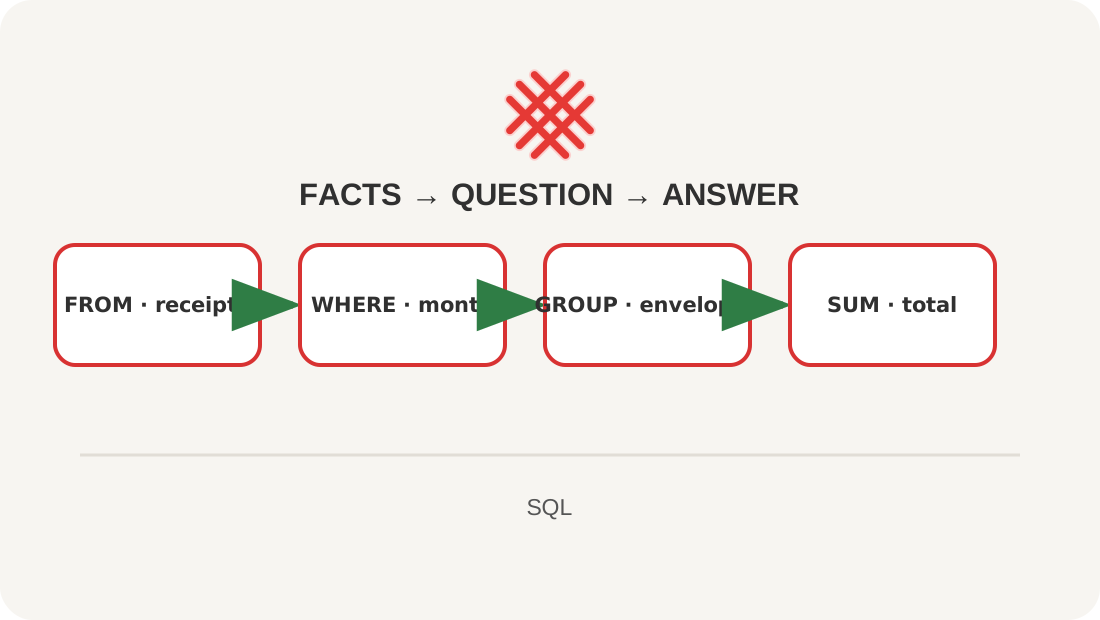
Do not analyse every word yet. Notice the whole movement: FROM names the facts, JOIN adds the category meaning, WHERE limits the month, GROUP BY forms groups, and SUM calculates.
Explanation
Amounts are stored as whole tiyn: 42000000 means 420,000.00 tenge. We do not use REAL for money because a binary fraction cannot always represent a decimal fraction exactly.
The query only reads data. We can repeat it after adding transactions and still see the calculation rules. That is safer than an answer typed manually into a cell or message.
The month uses a half-open interval: it includes its first day and excludes the first day of the next month. The same pattern remains correct if a date later gains hours and minutes.
Lesson map
Say it in your own words
- Why is a repeatable query more reliable than a hand-written total?
- Why do we store money as tiyn?
- Which five parts did you recognise in the complete query?
- How does a database differ from a DBMS?
- Why does a first course use SQLite rather than a server database?
Exercise
Change both boundaries to October 2026. Run the query and explain why it returns an empty result rather than an error.
Where this fits in the project
This is our future monthly report. In the next lessons, we will build its tables, add facts safely, and explain every line of the query.
Answers
Show the answers
October needs boundaries '2026-10-01' and '2026-11-01'. The query is valid, but there are no rows in that period, so there is nothing to aggregate.
Sources
If you have found a mistake or a typo in this article, tell us about it
Comments (0)
Log in to leave a comment →
No comments yet. Be the first.