


Informatics: build your own digital assistant Lesson 28 of 38
Input, output, and data types
Learn why a typed digit starts as text, how to display a result, and where conversion can fail.
Where we are on the map
This is lesson 28 of 72 in the Python block (27–38). The support map shows verifiable transitions. We continue the 0.3 paper contract: five reminder outcomes and the original fictional tasks.
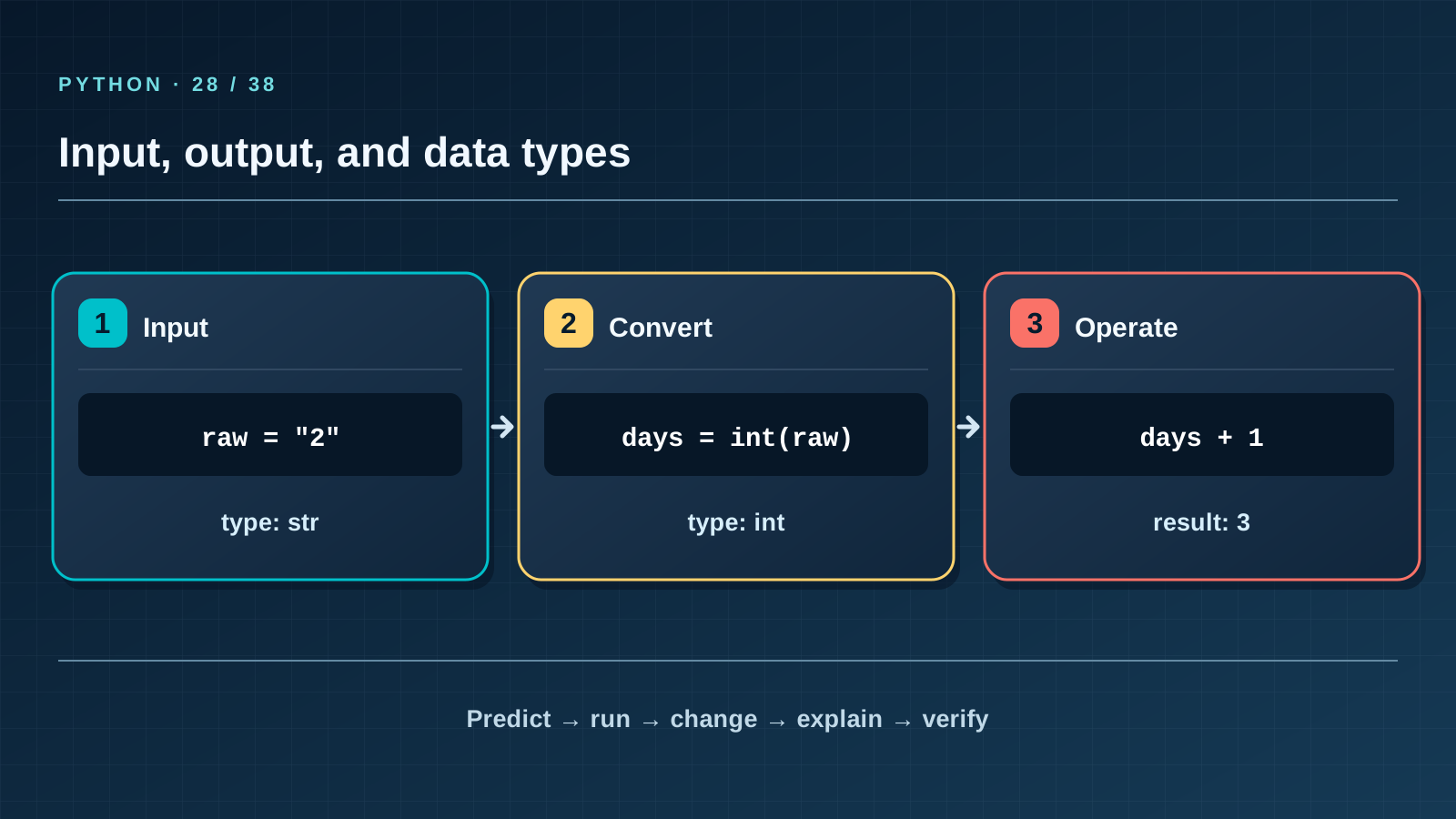
Situation and question
A learner types 2 days until a deadline. It looks like a number on screen, yet a program cannot add one to text received from a keyboard. How can the same symbol “2” represent two kinds of data? Use a fixed safe example first, so the result does not depend on someone’s typing.
New words without gaps
Input brings data into a program; input() always returns a string. Output displays a result with print(). A type determines allowed operations: str is text, int a whole number, and bool is True or False. Conversion with int(raw) tries to read text as an integer and may raise ValueError for two or an empty string. type(value).__name__ tests your type assumption. Conversion alone does not decide whether a negative deadline is meaningful for this task.
The lesson’s support signal
Input → check the rule → change state → observable result. Point to where the program reads data, compares it with the contract, and merely reports the result. If a step is absent from the map, find it in the code and add it to your own trace.
Work through it step by step
Put a card bearing the character 2 beside one bearing the number 2. Text can be joined: "2" + "1" gives "21"; numeric addition gives 3. In the code raw begins as str, while the new name days is int after int(raw). Compare predicted and actual output, then change raw to "two" and locate the error line. Do not use eval: we need an integer, not execution of arbitrary text.
Predict and check
Cover the output block. Trace names line by line and write the exact predicted text, including case and line order. Only then run the code with python3 from step-03 and compare character by character. Change one input and predict again before running. If results differ, find the first divergent line instead of adjusting the prediction afterwards.
raw = "2"
days = int(raw)
print(type(raw).__name__, type(days).__name__)
print(days + 1)
Expected output
str int
3
Catch the error
int("2.5") also raises ValueError: an integer is not a decimal fraction. Do not silently round it away. First decide whether you are measuring calendar days or hours; then choose a type and validation rule.
Project change
For now the assistant demonstrates conversion rather than collecting real personal data. Deadline inputs are fictional whole calendar days at this step; the string "2" becomes number 2 only by explicit conversion.
Task and evidence
Add deadline input with input(), then try "0", "2", "-1", "two", and an empty string in turn. Predict the type and behaviour before each run. Bad input may still end the program; lesson 36 will turn that failure into a helpful message. Keep raw text and converted number under separate names in your project.
Transfer to a new setting
A phone number also contains digits, yet we do not add phone numbers. Why is int a poor way to store one? Explain what happens to a leading zero and the + sign.
Return after 1, 7, and 30 days
After 1 day, recall the rule and one boundary case without this page. After 7 days, explain a new error example to a classmate. After 30 days, rerun the project test, check earlier records and output still match, and transfer the rule to a different task again.
Next lesson
If you have found a mistake or a typo in this article, tell us about it
Comments (0)
Log in to leave a comment →
No comments yet. Be the first.