


Informatics: build your own digital assistant Lesson 5 of 72
Processor, working memory, and storage
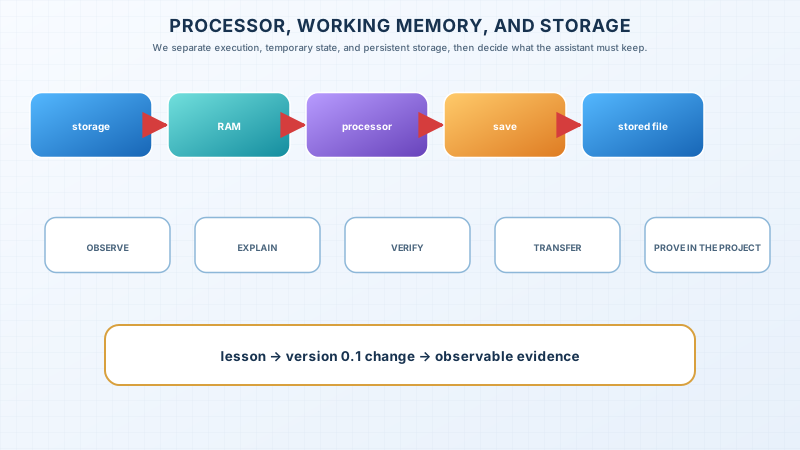
We separate execution, temporary state, and persistent storage, then decide what the assistant must keep.
Where we are on the map
You changed a task title, saw it on screen, and closed the app. The old title returned when you reopened it. Where did the edit go? Follow the data before blaming a button.
A familiar image and the precise model
An edited note changes immediately, but an unsaved part may vanish after power loss. The processor executes instructions. RAM holds code and current process state. Persistent storage keeps files without power. Cache speeds access but does not replace saving.
Unpack the words with one experiment
An instruction is one action the processor carries out; a program specifies an ordered set of instructions. RAM is the working area for a running program and its data; its ordinary contents disappear when power is removed. Storage keeps files that must survive shutdown. A cache is a small area holding recently used data: it can speed access but does not prove that a file was saved. To save is to ask the program to write changes to persistent storage; to verify a save is to close and reopen the file.
Try this safely on a copy of tasks.json. Make a table with three moments: before opening, after editing one fictional task, and after reopening. Before pressing Save, predict where the new version exists. Save, close the editor, and reopen the file. If the change appeared only before closing, the screen showed a temporary state. If it survived, the data reached storage. Use a copy so the experiment cannot damage the original project.
Check your explanation. A classmate says, “I can see the file, so it is saved.” Ask them to show a second read. Imagine cutting power before saving and after saving. The outcomes differ because screen, RAM, and storage have different jobs. This is a more useful explanation than any advertised number of gigabytes.
The limit of the analogy
The familiar image opens the topic but does not replace the mechanism. State where the analogy stops being accurate.
The lesson’s support signal
storage → RAM ↔ processor → save → storage
Worked example
tasks.json is read from storage into RAM; software parses it; a change lives in RAM; saving writes a new version. A visible screen does not prove persistence.
Predict before observing
Before the experiment, hide the continuation and predict the result in writing. Give the chain of causes from the support signal as well as the answer. Perform the action, record the observation, and compare it with the prediction. A match without an explanation is luck rather than understanding; a mismatch is useful evidence about the link that needs rebuilding.
Recall without a prompt
Hide the page, rebuild the signal, and explain every transition with a new example.
Explain the topic to someone who has not read the lesson. Do not use a new term until you have unpacked it in plain words. Then restore its precise name and show its place in the system. The listener should be able to predict the next step and give a different example. If they merely repeat a sentence, reduce the explanation to the support signal and rebuild it.
Find and correct the mistake
“256 GB of memory guarantees speed.” This mixes storage, RAM, and performance. Name the measured bottleneck.
Transfer to a new setting
Apply the model to a device or file absent from the lesson. Separate observation from assumption.
Project change
Define a draft in RAM, a saved record, and the result after restart. Confirm saving after write and read-back.
Keep four lines in the decision log: the intended result, the observation, the reason for the chosen action, and the verification. A screenshot can support evidence but cannot replace text and the working file. Do not use personal data: three fictional records provide the same testability and let you show the project safely to another person.
Exercise
Required. Complete the example, correct the error, and make the project change with a reason.
With your own data. Test the decision on three fictional records.
Optional. Ask another person to rebuild the explanation from the map.
The readiness criterion is concrete: reproduce the signal without the page, correct the proposed error, transfer the model to an unfamiliar example, and show the project change. If one part fails, return to that link instead of rereading the whole lesson. After repairing it, repeat only an equivalent task with different data.
Retrieval after 1, 7, and 30 days
Rebuild the signal tomorrow; solve an equivalent task after seven days; after thirty days, verify the decision in the project.
If you have found a mistake or a typo in this article, tell us about it
Comments (0)
Log in to leave a comment →
No comments yet. Be the first.