

Informatics: build your own digital assistant Lesson 55 of 72
Whom and what are we protecting?
Imagine a school diary on a desk.
Where we are on the map
Lesson 55 of 72. Digital security block (55–62). We continue a local assistant with three fictional tasks. Each control has a defined boundary: the classroom version does not become a public service.
Situation and question
Imagine a school diary on a desk. Someone could read it, alter a mark or carry it away. Our fictional assistant faces different risks for its SQLite file, local page and backup. Name what matters before choosing a protective measure.
Where to get the project files
Open the checkpoint folder, download the repository with Code → Download ZIP and find course/informatics-assistant/step-06. Open a terminal there. python3 --version shows Python; then run the lesson check. All tasks are fictional; enter no real personal data.
New words without gaps
An asset is something valuable: here the task file and the ability to continue work. A threat is a possible unwanted event; a vulnerability is a weakness that permits it. Confidentiality limits who can read; integrity makes unwanted changes detectable; availability means the owner can reach data when needed. These are three distinct promises, not one “secure” switch.
The lesson’s support signal
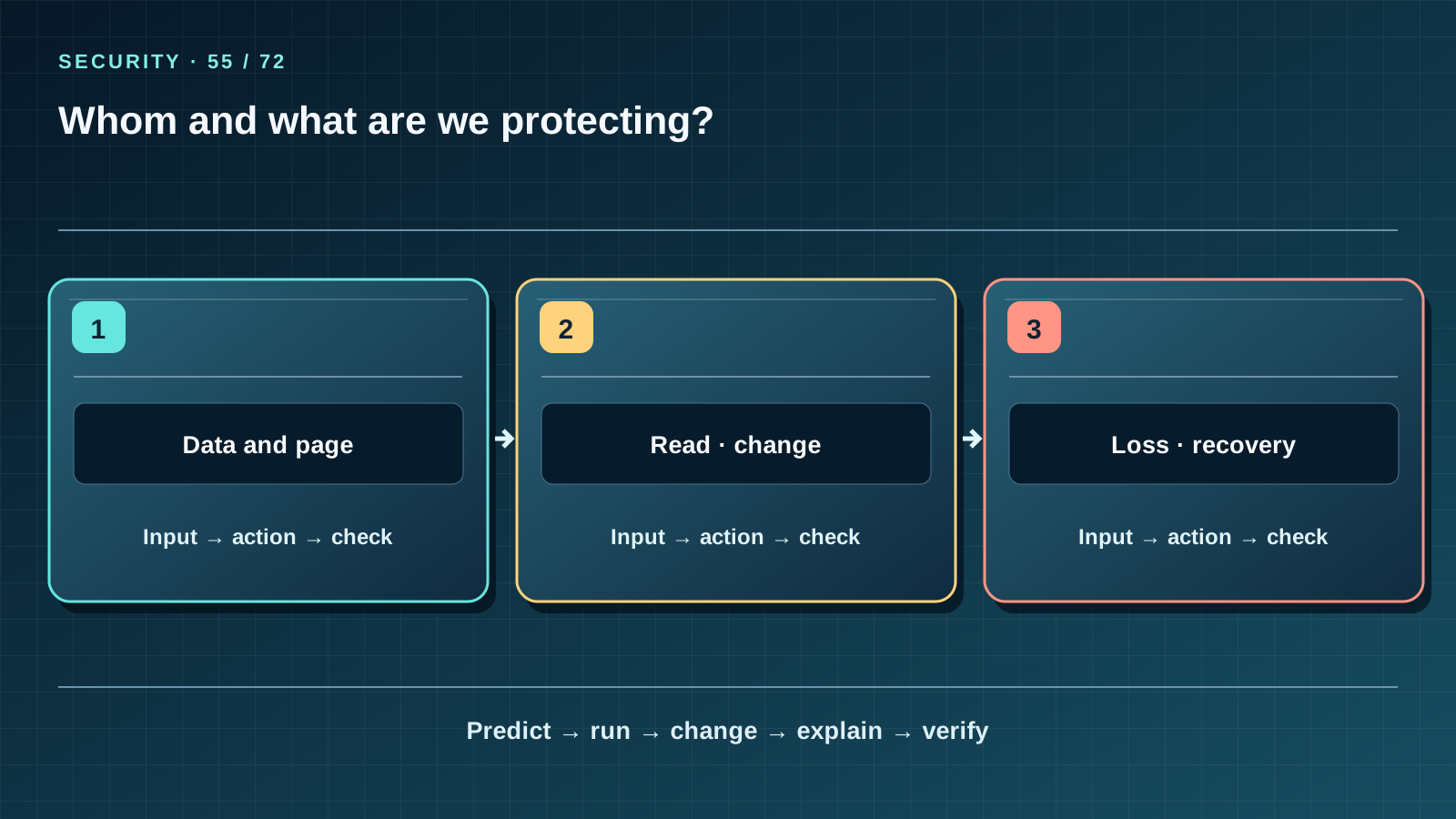
Read the three cells left to right, then cover the third. State the input and action in each cell; predict how the path ends and which observable fact checks it. Compare the drawing with a project file or worked example. If a number on the map cannot be derived from the data, correct the map rather than changing data for a pretty picture.
Work through it step by step
Draw a three-row table. A stranger reads an unencrypted backup: confidentiality fails. Someone changes 20 minutes to 200: integrity fails. A disk breaks: availability fails. For the first, do not publish the data and keep the server on 127.0.0.1; for the second, validate the data and the backup; for the third, practise restoring. A loopback address does not protect against a person who can use the computer itself.
Predict and check
Write the expected output before running code. Execute it in step-06 or step-07, compare every character and explain each line. Then change one safe fictional input and repeat “predict — run — change — explain — verify.” Do not turn an observation on a tiny dataset into a promise about real people.
from pathlib import Path
from data_store import connect_readonly
print("local", Path("tasks.json").is_file())
print("read-only", "mode=ro" in Path("data_store.py").read_text())
Expected output
local True
read-only True
Catch the error
A file hash detects change but does not hide contents. A backup helps recovery but also needs protection. Three fictional tasks need no real student personal data.
Project change
Release 1.3 preserves the three tasks, four sessions and reminder rules. New operations live in security_assistant.py: validation, a separate backup and restore only into a new file. State which threat each change reduces and which it does not; all teaching data stay fictional.
Task and evidence
Draw an “asset — event — property — check” table for the database, web page and backup. Give at least one case each chosen measure does not prevent.
Transfer to a new setting
A password-protected phone is lost. What do you know about confidentiality, and what must you still check about access to family photographs?
Return after 1, 7, and 30 days
After 1 day redraw the map from memory and name one boundary of the idea. After 7 days explain it to a friend without reading the lesson and answer 7 of 10 block questions; analyse mistakes with concrete inputs. After 30 days open a fresh project copy, reproduce the check and transfer the idea to a new case. Keep a record of input, expected output and actual output.
Primary reference to check
Next lesson
If you have found a mistake or a typo in this article, tell us about it
Comments (0)
Log in to leave a comment →
No comments yet. Be the first.