

Informatics: build your own digital assistant Lesson 4 of 10
How a computer sees, hears, and responds
We will trace how light, sound, and touch become numbers, and how software turns data into an image, sound, or another physical action.
This text was translated with AI.
Where we are on the map
We know the roles inside a system. Now we approach its boundary with the physical world. A computer does not see or hear as a person does: a sensor measures an event and supplies data that software can use.
A familiar situation: the display rotated
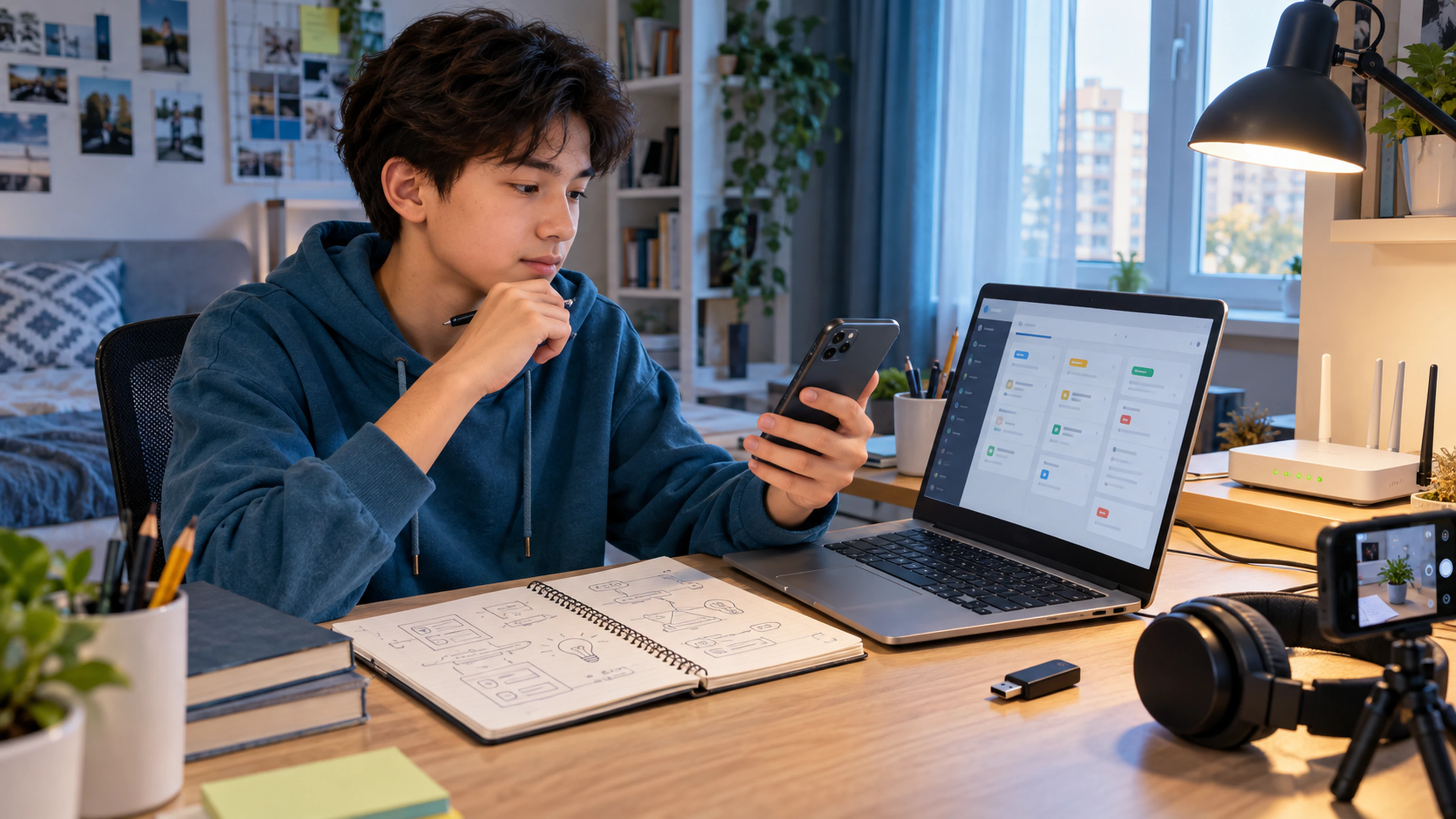
You rotate a phone and the image changes orientation. The phone did not “feel uncomfortable”. Sensors measured motion and direction; software received numbers, compared them with a rule, and produced new pixels for the display.
The contradiction
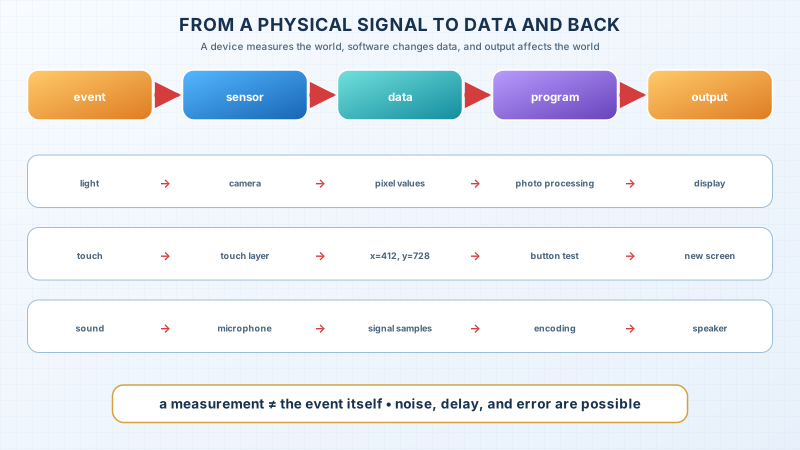
A camera receives light, a microphone receives air vibrations, and a touchscreen receives a change in an electric field. Software needs data. Measurement always stands between the event and the decision, and measurement can contain noise, delay, and error.
The precise model
- Input carries a signal or data into the system under study.
- A sensor converts a physical event into a measurable signal.
- A sample is a measured value at a particular time or place.
- Output carries a result out of the system.
- An actuator converts a control signal into physical action: a speaker creates air vibrations and a motor creates motion.
One component can change roles relative to the boundary. A touchscreen displays an image and receives touch. A network adapter sends data to a network and receives data from it.
The limit of the analogy
Calling a camera an eye is convenient but incomplete. An eye belongs to a living perception system. A camera measures a limited range of light at a particular resolution and with particular settings. The resulting file represents a scene; it is not the scene itself.
The lesson’s support signal
physical event → sensor → data → program → output device → new physical event
                           ↑
                  noise • delay • error
Worked example: touching a button
- A finger changes the electrical properties of the touch layer.
- A controller calculates coordinates such as
x=412, y=728. - The operating system passes the event to the application.
- The application checks whether the point lies inside the button boundary.
- If it does, software changes state.
- The display receives new pixel values.
Coordinates are not the finger, and the button rectangle is not the action. They are representations that connect physical input with a software rule.
Predict before observing
Can software receive an image while the camera is covered? Yes. It may open a saved file or receive data over a network. “Input” refers to the chosen system boundary, not necessarily to a sensor operating now.
Observation
Open a camera and, in turn, cover the lens, reduce the light, and point it towards a bright area. Record what changed and what remains an assumption. Do not infer the camera’s exact algorithm from the display alone.
Recall without a prompt
Draw three chains: light → photograph, touch → new screen, and voice → reproduced sound. Name the event, sensor, data, program, and output in each chain.
Find and correct the mistake
“A microphone records a voice exactly as it is.” A microphone and the later system create a limited measurement. Distance, noise, sampling rate, encoding, and processing affect the result. Rewrite the statement without promising a perfect copy.
Transfer to a new setting
Analyse an automatic door. What are the event, sensor, data, rule, and output? Name one dangerous false measurement and a protection against it.
Project change: the input-output contract
Complete one row for every assistant action:
| Action | Input | Input check | State change | Output |
|---|---|---|---|---|
| Add task | title text | not empty, reasonable length | a record appears | a card or a clear error |
The first release uses a keyboard and display. We add camera, microphone, or location only when the need is demonstrated and permission is understandable.
Exercise
Required. Build the three chains and contracts for three project actions. Name at least one measurement or validation error for each input.
With your own data. Use fictional records and show how an empty title differs from missing input.
Optional. Find a device with an actuator and explain the physical action produced by its output.
Retrieval after 1, 7, and 30 days
- Tomorrow, rebuild the touch chain from memory.
- After seven days, analyse a new sensor and its accuracy boundary.
- After thirty days, check that the project has not requested unnecessary camera, microphone, or location access.
If you have found a mistake or a typo in this article, tell us about it
Comments (0)
Log in to leave a comment →
No comments yet. Be the first.