


Informatics: build your own digital assistant Lesson 45 of 46
HTML, CSS, and an interface accessible to different people
Make the same page useful to a sighted learner and to someone using a keyboard or screen reader.
Where we are on the map
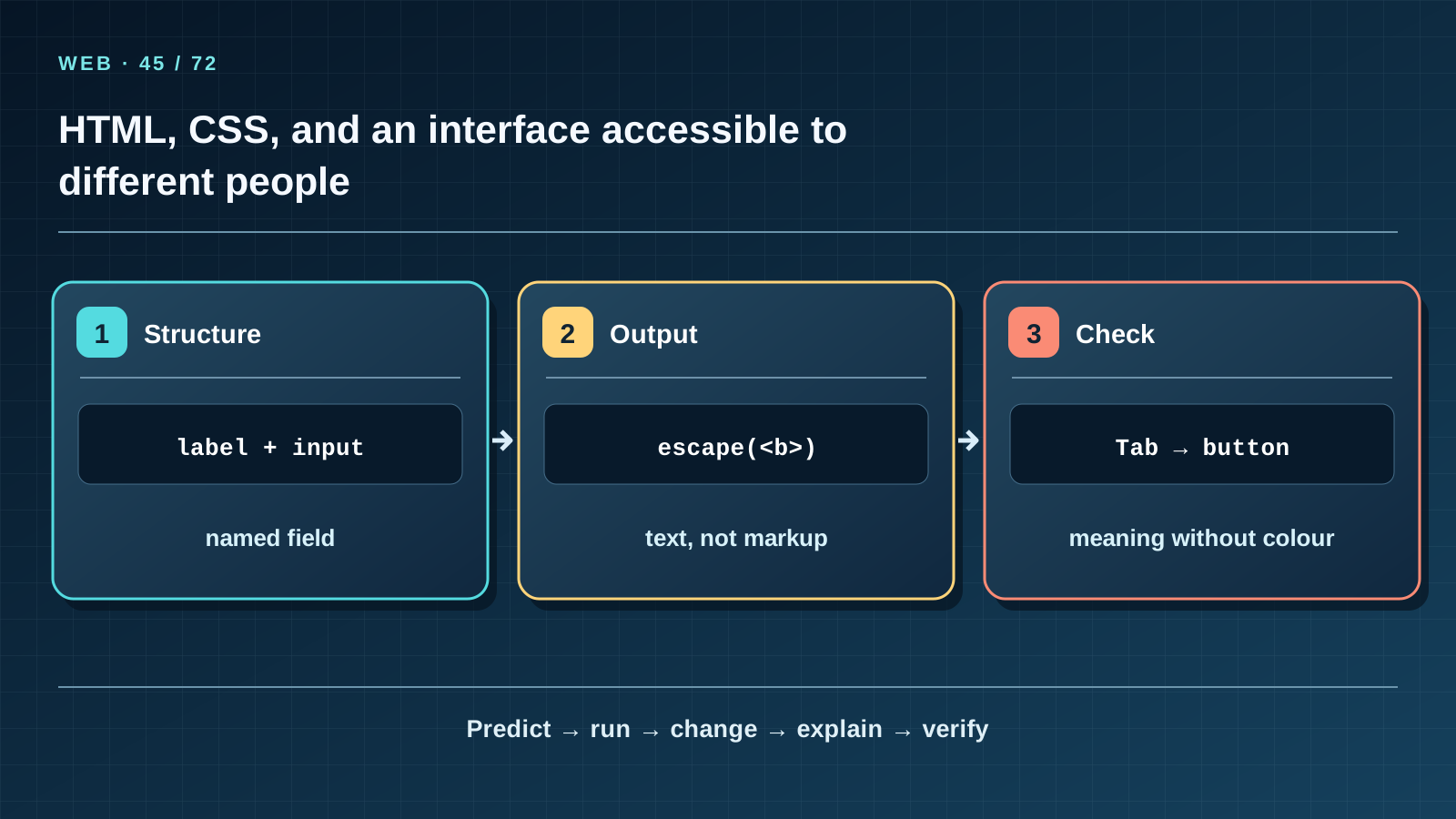
This is lesson 45 of 72 in the Internet, web, and cloud block (39–46). We continue one project: the three fictional records and five reminder outcomes from version 1.0 must survive. The support map shows the exact transition we can explain and test; an arrow does not claim that every intermediate device is drawn.
Situation and question
Two learners open the same task page. One sees attractive coloured boxes; the other listens to a screen reader and tries to reach the date field by keyboard. If the field has no label and a status is expressed only in colour, the assistant is nearly useless to the second learner.
New words without gaps
HTML gives a page meaningful structure: heading, form, table and labels. CSS changes appearance but cannot replace meaning. A semantic element tells the browser what role a part of the page plays. A label connects text to an input through matching for and id. HTML escaping turns < and > in a task title into visible characters rather than markup commands. Accessibility means people using different devices or ways of perceiving content can still complete the task.
The lesson’s support signal
Read the map from left to right. For every arrow, name its input, action, and verifiable result. Cover the next card’s label and predict it in your own words. Return to the real example: distinguish a teaching analogy, localhost behaviour, and a possible remote site. If the picture promises more than the explanation, correct the explanation or the drawing.
Work through it step by step
Open web_assistant.py. The page contains <main>, headings <h1> and <h2>, <label for='today'>, <input id='today'>, and table headers <th scope='col'>. Use Tab to move from the date field to the button: focus should follow a sensible order. Imagine removing CSS, or turn it off in a browser: meaning and order should remain. The server calls html.escape for fictional task titles. In the test, <script> becomes displayed characters, not executable page code. This is output protection, not a complete security design for a future public site.
Predict and check
Do not run the code immediately. Write its exact expected result, including line order and characters. Explain what it proves and what it does not: this small example models one rule but does not create the internet, a TLS certificate, or a public server. Then run it from step-04 and compare character by character. Change one input, predict the new result first, and only then test it.
from html import escape
print(escape("<b>Task</b>"))
Expected output
<b>Task</b>
Catch the error
A placeholder alone is not a visible label, and colour alone cannot carry the meaning of a status. An icon-only button may leave its action unclear; an image of text is not equivalent to real text. Output escaping does not replace input validation or make our teaching server fit for public internet use.
Project change
Check ?lang=ru, ?lang=kz, and ?lang=en: document language and visible labels change, while IDs and five machine statuses do not. Record keyboard, narrow-screen, and enlarged-text checks in the project journal. Use no real classmates’ data.
Task and evidence
Identify three semantic elements in the program and explain their purpose. In a copy of the fictional data, use title <b>Task</b>; predict the HTML output, then compare it. Show that changing a CSS colour alone does not change the task table’s content.
Transfer to a new setting
If the next screen contains a task image, what text alternative does it need? When is an empty alt suitable for decoration, and when would it hide essential information?
Return after 1, 7, and 30 days
After 1 day, redraw the main transition from memory and give a counterexample to an oversimplified analogy. After 7 days, explain a fresh case to a classmate without reading the page and answer at least 7 of 10 questions. After 30 days, repeat the local web experiment and verify the three original tasks and five rules survive. Write down any term still unclear and return to its first explanation.
Primary reference to check
Next lesson
If you have found a mistake or a typo in this article, tell us about it
Comments (0)
Log in to leave a comment →
No comments yet. Be the first.