


Informatics: build your own digital assistant Lesson 44 of 46
HTTP: a conversation between browser and server
Read an HTTP request and response as a precise contract: path, parameters, status, and content.
Where we are on the map
This is lesson 44 of 72 in the Internet, web, and cloud block (39–46). We continue one project: the three fictional records and five reminder outcomes from version 1.0 must survive. The support map shows the exact transition we can explain and test; an arrow does not claim that every intermediate device is drawn.
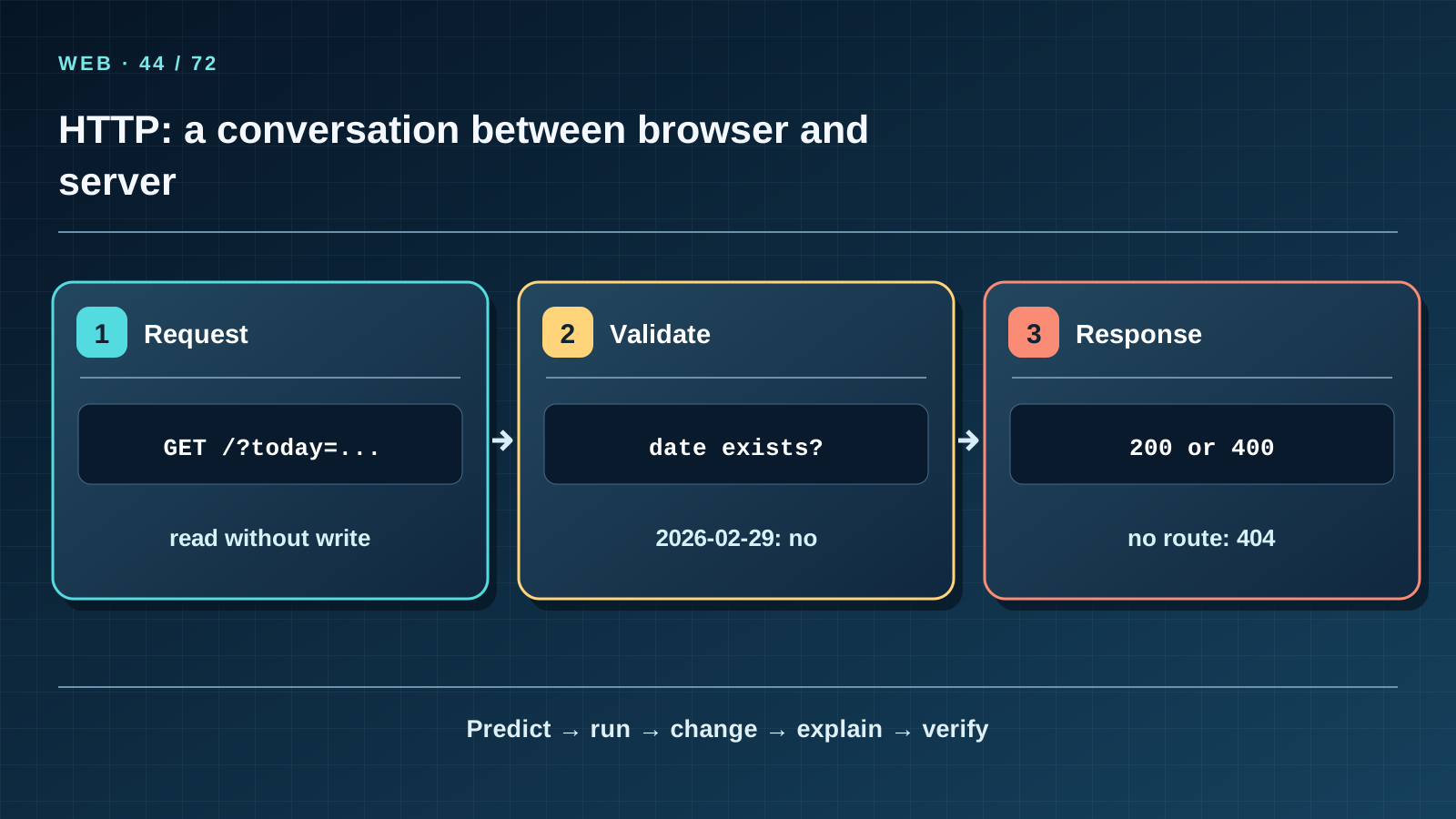
Situation and question
You ask a librarian for the task list on 9 October. If you say only ’the list’, the date is unknown; an invalid date needs a clear rejection. Browser and server also exchange explicit fields rather than guesses. In this lesson, the assistant finally answers in a browser.
Before the first run
First open the classroom project folder; download the repository with Code → Download ZIP and open course/informatics-assistant/step-04 inside it. Before starting, repeat three familiar actions from lessons 27–38: open a terminal in step-04, run python3 --version, and run python3 -c 'print(2 + 1)'. Confirm that Python prints a version and then 3. Find web_assistant.py and tasks.json; do not try to run JSON as a program. If python3 is missing, return to the Python setup instructions in block 1.0. Port 8765 is a service number on your own computer; you do not buy it from a provider. Leave the terminal open after starting the server, then open the address in a browser. If the port is occupied, stop the earlier process with Ctrl+C or use --port 8766 and update the browser address.
New words without gaps
HTTP defines request and response exchange between client and server. GET asks for a representation; it does not change our task file. The path / selects a page, while the query parameter today=2026-10-09 selects a viewing date. 200 means the request succeeded, 400 means invalid input, 404 means no route, and 405 means the method is not allowed. A response header states details such as text/html; charset=utf-8.
The lesson’s support signal
Read the map from left to right. For every arrow, name its input, action, and verifiable result. Cover the next card’s label and predict it in your own words. Return to the real example: distinguish a teaching analogy, localhost behaviour, and a possible remote site. If the picture promises more than the explanation, correct the explanation or the drawing.
Work through it step by step
From step-04, run python3 web_assistant.py --port 8765 and open http://127.0.0.1:8765/?lang=en&today=2026-10-09. The server reads tasks.json, computes statuses with the existing function, and returns HTML. For the three original tasks on that date you should see REMIND, DONE, and NO_DATE. Replace the date with 2026-02-29, which does not exist: the server returns 400 rather than silently correcting it. /unknown returns 404. A POST returns 405 because this release only displays data.
Predict and check
Do not run the code immediately. Write its exact expected result, including line order and characters. Explain what it proves and what it does not: this small example models one rule but does not create the internet, a TLS certificate, or a public server. Then run it from step-04 and compare character by character. Change one input, predict the new result first, and only then test it.
from urllib.parse import urlsplit
address = urlsplit("http://127.0.0.1:8765/?today=2026-10-09")
print(address.path, address.query)
Expected output
/ today=2026-10-09
Catch the error
Do not confuse HTTP status 200 with a statement that every task is correct; it reports success of request handling. Do not use GET to mark a task complete: browsers and links may repeat it automatically. Do not expose an internal traceback or filesystem path to a reader.
Project change
Draw a three-row table: successful GET with 200, invalid date with 400, missing path with 404. For each, record whether tasks.json changes (it does not). Changing lang=ru or lang=kz changes interface labels, not reminder rules.
Task and evidence
Predict the outcome of /, /?today=2026-10-09, /?today=2026-02-29, and /missing. After starting the server, check status and content type in a browser or with curl -i. Compare the file before and after and explain why it is unchanged.
Transfer to a new setting
Imagine a school timetable page with a date picker. Which parameters can safely be read through GET, and which action would need a different method, authorization and protection against forged requests?
Return after 1, 7, and 30 days
After 1 day, redraw the main transition from memory and give a counterexample to an oversimplified analogy. After 7 days, explain a fresh case to a classmate without reading the page and answer at least 7 of 10 questions. After 30 days, repeat the local web experiment and verify the three original tasks and five rules survive. Write down any term still unclear and return to its first explanation.
Primary reference to check
Next lesson
If you have found a mistake or a typo in this article, tell us about it
Comments (0)
Log in to leave a comment →
No comments yet. Be the first.