


Informatics: build your own digital assistant Lesson 38 of 38
Release 1.0: a command-line digital assistant
Assemble release 1.0 into a working command-line tool and assess mastery honestly.
Where we are on the map
This is lesson 38 of 72 in the Python block (27–38). The support map shows verifiable transitions. We continue the 0.3 paper contract: five reminder outcomes and the original fictional tasks.
Situation and question
A classmate wants to use the assistant without a code editor. They need a list, a new due date, and a way to mark work complete. Is one successful screen enough? The program must survive closing the window, reject bad input without losing data, and obey the paper reminder rules.
New words without gaps
A command-line interface (CLI) accepts text commands and arguments. An argument is a concrete value after a command, such as --today 2026-10-09. A parser separates those words and validates their shape. An exit code of 0 means success; a nonzero code signals failure to another tool. A release is a checked version with launch instructions and known limits. Evidence of mastery includes a working file, repeatable tests, a manual scenario, and an explanation of failures; a pretty screen alone is insufficient.
The lesson’s support signal
Input → check the rule → change state → observable result. Point to where the program reads data, compares it with the contract, and merely reports the result. If a step is absent from the map, find it in the code and add it to your own trace.
Work through it step by step
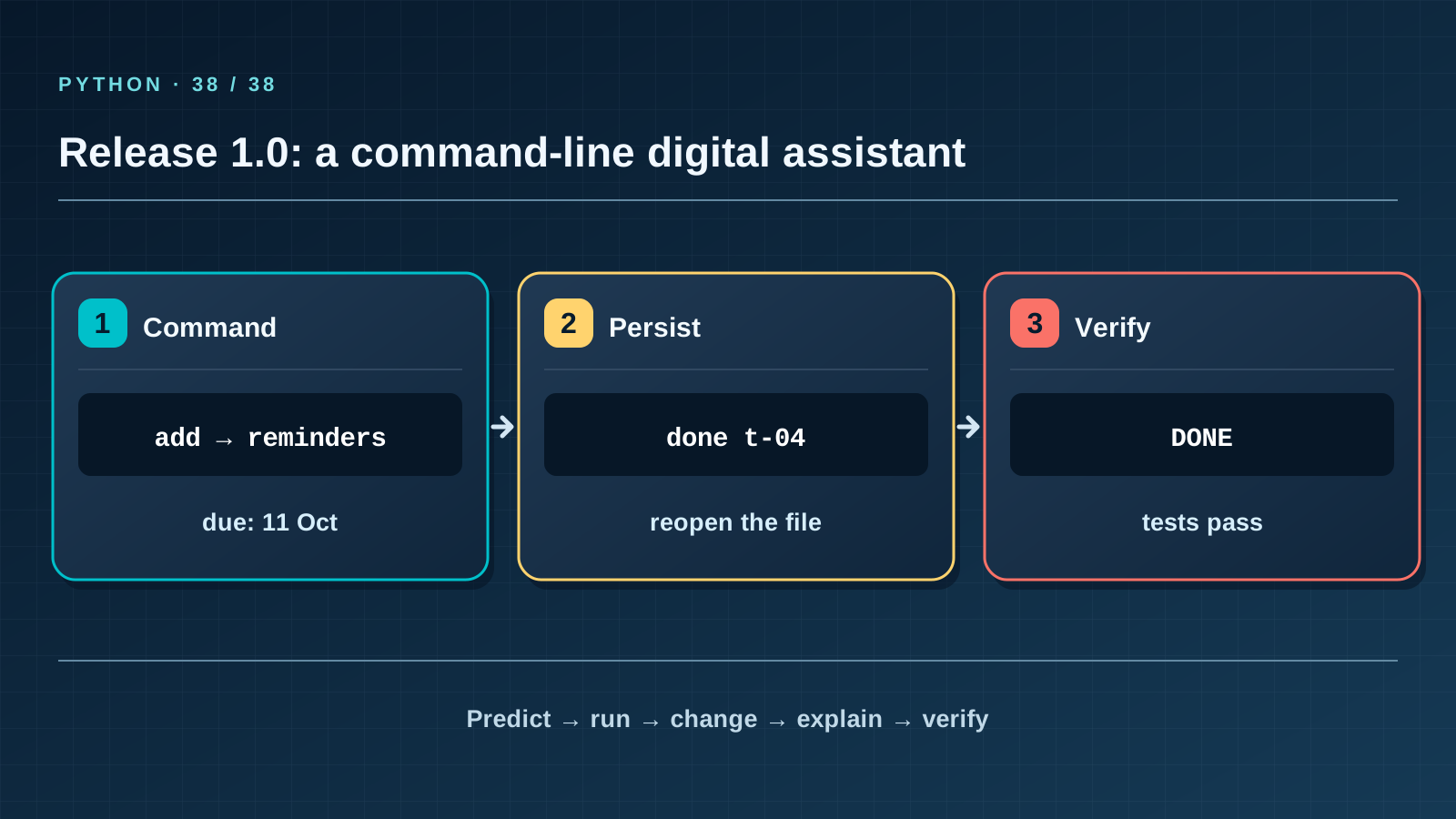
Use a copy, not the teaching sample. (1) list shows the three original records. (2) add t-04 "Жоба жазу" --due 2026-10-11 creates a new task. (3) reminders --today 2026-10-09 returns REMIND for t-04. (4) done t-04 saves completion. (5) A new reminders process returns DONE. (6) An invalid date or duplicate ID returns an error without changing the file. Check each observation in a new process; otherwise you test memory, not persistence.
Predict and check
Cover the output block. Trace names line by line and write the exact predicted text, including case and line order. Only then run the code with python3 from step-03 and compare character by character. Change one input and predict again before running. If results differ, find the first divergent line instead of adjusting the prediction afterwards.
from assistant import main
main(["reminders", "--today", "2026-10-09"])
Expected output
Today: 2026-10-09 (local calendar date)
t-01: REMIND
t-02: DONE
t-03: NO_DATE
Catch the error
If --today is fixed in one run but the next command runs tomorrow, the results are not comparable. Fix the date in both commands. Do not publish real names, other pupils’ homework, or passwords in tasks.json: the sample contains fictional records only.
Project change
Keep the step-03 release with code, tests, fictional tasks.json, and instructions in three languages. The next block adds a web interface while preserving the rules and tested boundaries.
Task and evidence
Perform these checks without prompts: reading old 0.2, migrating to 1.0, adding, reloading, completing, all five reminder branches, invalid date, duplicate ID, preserving Ә, broken JSON, and the full suite. For mastery, explain at least 8 of 10 checkpoint questions, show the working program, and transfer a rule to a new task such as a school-club schedule. Repeat at least 7 of 10 after a week and return to the project after a month.
Transfer to a new setting
A school club wants meeting reminders. Which parts of the assistant can stay, and which need a new field, format version, and tests? Name one boundary where merely renaming “task” to “meeting” would be wrong.
Return after 1, 7, and 30 days
After 1 day, recall the rule and one boundary case without this page. After 7 days, explain a new error example to a classmate. After 30 days, rerun the project test, check earlier records and output still match, and transfer the rule to a different task again.
All course lessons
If you have found a mistake or a typo in this article, tell us about it
Comments (0)
Log in to leave a comment →
No comments yet. Be the first.