

Go: from zero to your own blog Lesson 26 of 50
Configuration in Go: flags, environment variables and a password outside the code
The twenty-sixth lesson of the Go course. The address, the database file and the signing key move out of the code. The flag package and what -h gives you, why an environment variable makes a convenient default for a flag, how an empty variable differs from an unset one, and why a missing required setting should stop the program at start-up.
Why this matters
The blog’s code already has :8080 and a folder path written into it. While you work alone on your own machine, that is invisible. The trouble starts the day the program has to run somewhere else.
The server uses a different port. A colleague already has 80 taken. The tests want one of their own. Every such difference is either an edit and a rebuild, or a setting from outside.
And a database is coming soon, and with it a password. A password that reaches git stays in the history for good: deleting the line is not enough, it is visible in any older commit. So the time to learn how to move settings out is before there is anything worth moving.
The whole thing at once
A new folder, go mod init sabaq24, main.go:
package main

import (
	"errors"
	"flag"
	"fmt"
	"log/slog"
	"net/http"
	"os"

	_ "modernc.org/sqlite"
)

var log = slog.New(slog.NewTextHandler(os.Stdout, nil))

// Every setting the program has, in one place. Assembled once at start-up;
// after that it is only read.
type config struct {
	addr   string
	dbPath string
	secret string
	dev    bool
}

// The environment variable, or the fallback if there is no such variable.
func env(name, fallback string) string {
	if v, ok := os.LookupEnv(name); ok {
		return v
	}
	return fallback
}

// Three sources at once. The default sits in the code, the environment
// overrides it, and a flag overrides both — because the variable becomes the
// flag's default.
func load() (config, error) {
	var c config
	flag.StringVar(&c.addr, "addr", env("BLOG_ADDR", ":8080"), "address and port")
	flag.StringVar(&c.dbPath, "db", env("BLOG_DB_PATH", "blog.db"), "the SQLite database file")
	flag.StringVar(&c.secret, "secret", env("BLOG_SECRET", ""), "the key that signs cookies")
	flag.BoolVar(&c.dev, "dev", env("BLOG_DEV", "") == "1", "verbose answers, for development")
	flag.Parse()

	if c.secret == "" {
		return c, errors.New("no signing key given: -secret or BLOG_SECRET")
	}
	return c, nil
}

func main() {
	c, err := load()
	if err != nil {
		fmt.Fprintln(os.Stderr, "config:", err)
		os.Exit(1)
	}

	// A key never goes to the log, not even half of it: only its length.
	log.Info("starting", "addr", c.addr, "db", c.dbPath,
		"key set", true, "key length", len(c.secret), "dev", c.dev)

	mux := http.NewServeMux()
	mux.HandleFunc("GET /{$}", func(w http.ResponseWriter, r *http.Request) {
		fmt.Fprintln(w, "My blog")
	})

	if err := http.ListenAndServe(c.addr, mux); err != nil {
		log.Error("server stopped", "err", err)
		os.Exit(1)
	}
}
Build it as a named file, so the program’s name shows up in the help text:
go build -o sabaq24 .
./sabaq24
config: no signing key given: -secret or BLOG_SECRET
Taking it apart
Settings are a struct, not os.Getenv scattered about
The temptation is simple: wherever a value is needed, write os.Getenv("BLOG_ADDR") there. Do not, and the reason is not tidiness.
A struct answers “what is configurable at all” with one look at the type. Scattered lookups answer it not at all: to get the list you have to search the whole codebase, and you will still miss something.
Second: a struct assembled once is checked once. If os.Getenv runs on every request, a typo in a variable name surfaces not at start-up but a week later in production.
Picture it. House keys on one ring in your pocket, rather than one in each pocket and one in a coat in the wardrobe. Not because it is neater, but because on the way out you want to check they are all there in a single motion.
Flags: the flag package and what -h gives you
flag.StringVar(&c.addr, "addr", ":8080", "address and port")
flag.Parse()
StringVar puts the value straight into a struct field. Four arguments: where to put it, what the flag is called, what to use when the flag is absent, and a description for a person.
flag.Parse() is required: before it runs, the variables hold their defaults. Call it once, after every flag has been declared.
The description is not decoration. It becomes the help text:
./sabaq24 -h
Usage of ./sabaq24:
  -addr string
    	address and port (default ":8080")
  -db string
    	the SQLite database file (default "blog.db")
  -dev
    	verbose answers, for development
  -secret string
    	the key that signs cookies
You got that help text without writing a line of it. And notice: the defaults are shown, and -secret has none — because a signing key cannot have a sensible default.
A typo in a flag name is handled too:
./sabaq24 -port 9000
flag provided but not defined: -port
Usage of ./sabaq24:
The program will not start with a flag it does not understand, and the exit status is 2. That is the right behaviour: silently ignoring -port would be worse.
An environment variable is a flag’s default
The handiest trick in this lesson fits on one line:
flag.StringVar(&c.addr, "addr", env("BLOG_ADDR", ":8080"), "address and port")
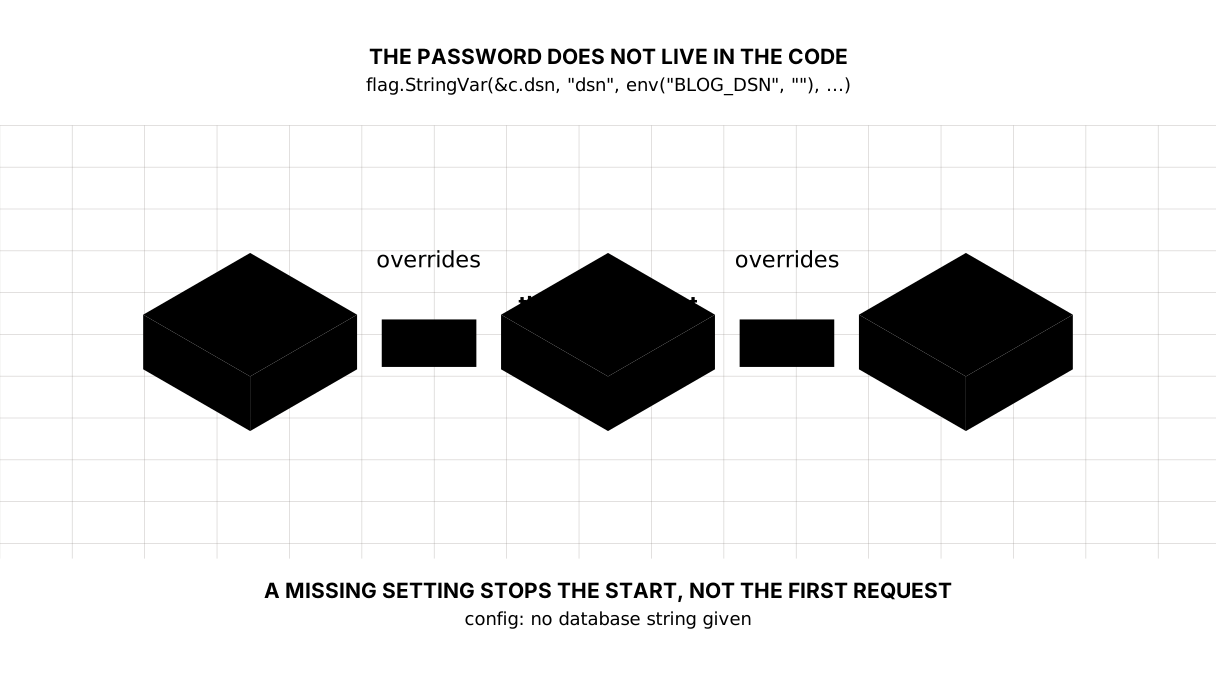
The third argument is not a constant but a function call. That is why the order of precedence falls out on its own, without a single if:
- no flag and no variable:
:8080from the code; - the variable is set: the variable wins;
- a flag is given: the flag wins, whatever the variable holds.
Check it:
BLOG_ADDR=:8290 BLOG_SECRET=k4z-secret-key ./sabaq24
level=INFO msg=starting addr=:8290 db=blog.db "key set"=true "key length"=14 dev=false
The time has been removed from the log excerpts: it changes with every run.
BLOG_ADDR=:8290 BLOG_SECRET=k4z-secret-key ./sabaq24 -addr :8390
level=INFO msg=starting addr=:8390 db=blog.db "key set"=true "key length"=14 dev=false
The variable said :8290, the flag said :8390, and the flag won.
Empty and unset are different things
That is why env uses os.LookupEnv rather than os.Getenv.
os.Getenv returns an empty string both when the variable is absent and when it is present but empty. You cannot tell them apart. os.LookupEnv returns a second value: whether the name was declared at all:
if v, ok := os.LookupEnv(name); ok {
	return v
}
The difference shows immediately. The variable is unset:
addr=:8080
The variable is set to empty — BLOG_ADDR= ./sabaq24 …:
addr=""
The second case is not the first: to net/http an empty address means “every address, the default port”, which is 80. Someone who wrote BLOG_ADDR= in a script meant “leave it alone” and got a different port.
With Getenv you would not even have noticed. With LookupEnv an empty value stays empty and behaves as explicitly set — which is exactly how it was set.
A missing required setting stops the start
if c.secret == "" {
	return c, errors.New("no signing key given: -secret or BLOG_SECRET")
}
The address and the database file have sensible defaults; a signing key has none and can have none. The program should not run without it. So it should find out in the first second, not on a reader’s first request.
Three small things make such a failure useful. The message goes to os.Stderr, not to normal output — logs and errors are kept apart. The exit status is 1, not 0, so systemd or docker knows the start failed instead of pretending all is well. And the text names both ways of supplying the value, so nobody has to open the source to find out.
The key reaches neither the code nor the log
A signing key is a real secret: anyone who knows it can forge a cookie and sign in as someone else. The code is the obvious place, and it is not there. But there is a second leak people forget: the log.
The temptation to write key: abc123 for debugging is strong. We print only what helps and gives nothing away:
log.Info("starting", "key set", true, "key length", len(c.secret))
"key set"=true "key length"=14
That is enough to see that the key was picked up and not truncated. The key itself is absent. And logs travel — into a log store, into a screenshot, into a support thread.
The rule is worth remembering rather than the trick: a secret is either not printed at all, or only in a form it cannot be recovered from — a length, a present-or-not flag. Not “half the password”: half is usually enough.
And a rule worth adopting today: the settings file that holds real keys is called .env and goes into .gitignore straight away. Not after the first commit — before it.
Which one goes where
Flags suit your own machine: visible in the shell history, easy to change, nothing to export.
Environment variables suit a server: whatever launches the program sets them — systemd, docker, a host — and they appear in neither the ordinary ps output nor the command history. A key passed as a flag is visible in ps to every user on the machine; passed as a variable, it is not.
A caveat, so you do not mistake variables for a hiding place. This is not protection but lower visibility: ps eww shows a process’s environment to you, and root sees everyone’s — measured. What actually protects a secret is the permissions on the .env file and on who may start processes on that machine.
Hence the usual split: flags at home, variables on the server. The program does not care — it reads both.
The lesson map
Say it in your own words
Without looking, answer out loud or on paper. The answers are at the end of the lesson.
- Why is the environment variable passed as the third argument to
flag.StringVarinstead of being compared with the flag by hand? - How does
os.LookupEnvdiffer fromos.Getenv, and when does the difference show? - Why is it dangerous to write a password to the log when it is not in the code?
Exercise
Required. Add a log level to config. Take it as the string info or debug and turn it into a slog.Level. An unknown value is an error at start-up, not a silent info. The static path needs no configuring and should get none: static was embedded with embed back in the static lesson.
Optional.
- Add a
-versionflag that prints the version and exits with status0. - Set
BLOG_ADDR=to empty and see which port the server ends up on. - Replace
LookupEnvwithGetenvand find a case where the program starts behaving differently.
Where this goes in your blog
The settings are in one place, and the path to the database is already among them. Nobody opens blog.db yet — the next module does that, and config will not need changing for it.
Still open. There is no settings file: flags and variables are enough for a blog, and yaml or toml start earning their keep at about thirty settings. There is one check so far — “the key is not empty”; the address deserves a check on its shape and the key a minimum length. And flag has no notion of a required flag: -secret is required only because we checked it ourselves after Parse.
Answers
Show the answers
- Because the precedence then falls out on its own: the flag’s default is computed from the variable, and the flag, when given, overrides it. Comparing by hand means an extra
ifper setting and a place where it is easy to get the order backwards. Getenvreturns an empty string for an unset variable and for one set to empty — the two are indistinguishable.LookupEnvreturns, as its second value, whether the variable was declared. The difference shows when an empty value is deliberate: withGetenvthe program substitutes the default, withLookupEnvit keeps the empty value, as asked.- Because a log lives longer and travels further than it seems: it goes to a log store, appears in a screenshot in a thread, and is read by people with no access to the server. A connection string is printed without the password — the rest is enough to see where the program was connecting.
Sources
If you have found a mistake or a typo in this article, tell us about it
Comments (0)
Log in to leave a comment →
No comments yet. Be the first.