

Go: from zero to your own blog Lesson 49 of 50
Before the launch: a checklist, not a hope
The forty-ninth lesson of the Go course. A server with no timeouts holds a connection for ever — measured: a slow client took one, and it was we who gave in first. Plus a copy of the database taken while the blog was running, a description of every page for search, and a list of thirteen items to go through before handing anyone the link.
Why this is needed
The blog is out, the domain works, the lock is in the address bar. One thing is left: go through the list before giving the link to living people.
The list is not bureaucracy. Every item on it is there because somebody once skipped it and spent a night repairing it afterwards. Three items we close right now, because the blog does not have them yet.
The whole thing at once
A new folder, go mod init sabaq46. The program plays a slow client: it opens a connection and sends a header one byte every hundred milliseconds, never finishing it.
package main

import (
	"fmt"
	"net"
	"net/http"
	"time"
)

// How long we are willing to wait for the server to close the connection
// itself. If it has not closed it by then, it never will.
const patience = 2 * time.Second

func main() {
	fmt.Println("== a slow client: a server with no timeouts")
	fmt.Println(hold(&http.Server{Handler: page()}))

	fmt.Println()
	fmt.Println("== the same client: a server with ReadHeaderTimeout")
	fmt.Println(hold(&http.Server{
		Handler:           page(),
		ReadHeaderTimeout: 300 * time.Millisecond,
	}))

	fmt.Println()
	fmt.Println("== how many such connections it takes to fill a server")
	fmt.Println("as many as the machine has memory for goroutines —")
	fmt.Println("one slow line holds one goroutine for as long as it likes.")
}

func page() http.Handler {
	return http.HandlerFunc(func(w http.ResponseWriter, r *http.Request) {
		fmt.Fprint(w, "a page")
	})
}

// hold opens a connection, sends a header a byte at a time and watches who
// gives in first: the server closing the connection, or our patience.
func hold(srv *http.Server) string {
	l, err := net.Listen("tcp", "127.0.0.1:0")
	if err != nil {
		return "could not take a port: " + err.Error()
	}
	defer l.Close()
	go srv.Serve(l)
	defer srv.Close()

	conn, err := net.Dial("tcp", l.Addr().String())
	if err != nil {
		return "could not connect: " + err.Error()
	}
	defer conn.Close()

	start := time.Now()
	fmt.Fprint(conn, "GET / HTTP/1.1\r\nHost: blog\r\n")

	// A header that never ends: one byte every 100 ms.
	go func() {
		for {
			if _, err := fmt.Fprint(conn, "X"); err != nil {
				return
			}
			time.Sleep(100 * time.Millisecond)
		}
	}()

	conn.SetReadDeadline(time.Now().Add(patience))
	buf := make([]byte, 64)
	n, err := conn.Read(buf)
	waited := time.Since(start).Round(50 * time.Millisecond)

	switch {
	case err == nil && n > 0:
		return fmt.Sprintf("the server answered after %v: %q", waited, string(buf[:n]))
	case isTimeout(err):
		return fmt.Sprintf("the connection holds: we waited %v and gave in first", waited)
	default:
		return fmt.Sprintf("the server closed the connection after %v", waited)
	}
}

// isTimeout says whether it was our own patience that ran out.
func isTimeout(err error) bool {
	var ne net.Error
	if e, ok := err.(net.Error); ok {
		ne = e
	}
	return ne != nil && ne.Timeout()
}
The output:
== a slow client: a server with no timeouts
the connection holds: we waited 2s and gave in first

== the same client: a server with ReadHeaderTimeout
the server answered after 300ms: "HTTP/1.1 400 Bad Request\r\nContent-Type: text/plain; charset=utf-"

== how many such connections it takes to fill a server
as many as the machine has memory for goroutines —
one slow line holds one goroutine for as long as it likes.
The walk-through
A server with no timeouts waits for ever
The first block is not a figure of speech: the connection held for exactly as long as we agreed to wait. It was we who gave in, not the server.
This is an old attack that still works: open a thousand such connections and finish none of them. Each takes a goroutine, some memory and a place in the queue — and the server stops answering living readers without “falling over” in any way.
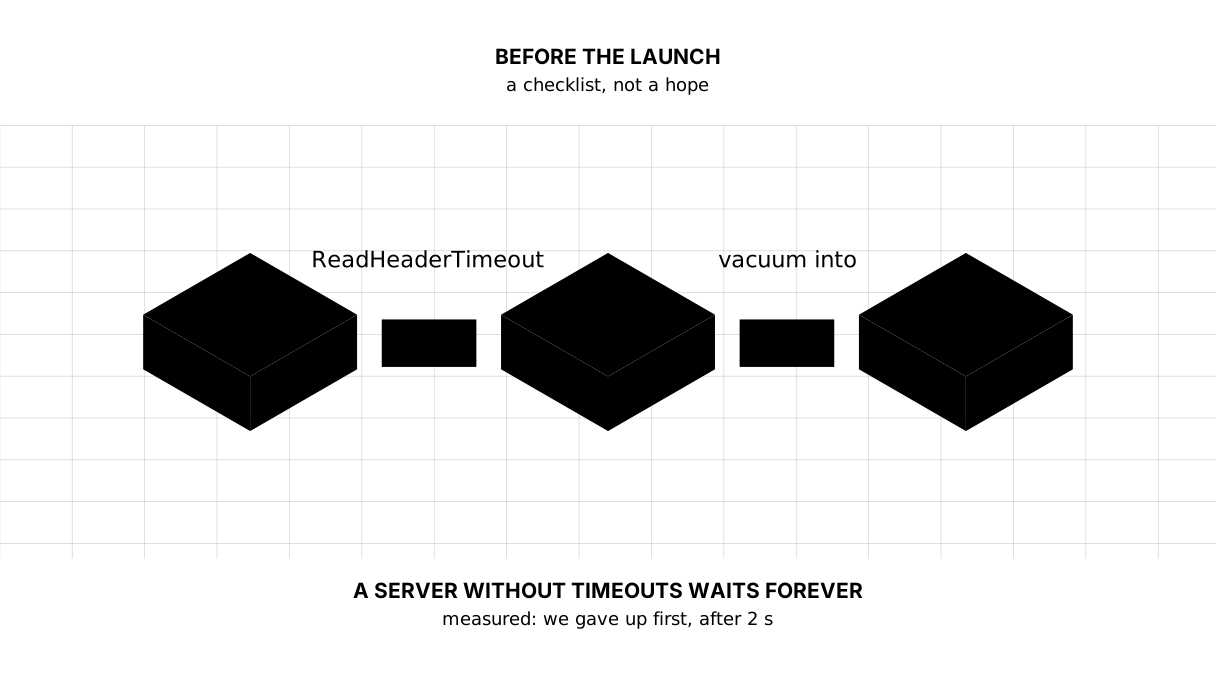
In the second block the same client runs into ReadHeaderTimeout: 300ms: after 300 ms the server answers 400 Bad Request itself and closes the connection.
One block when the server is made:
srv := &http.Server{
	Handler:           handler,
	ReadHeaderTimeout: 5 * time.Second,
	ReadTimeout:       30 * time.Second,
	WriteTimeout:      30 * time.Second,
	IdleTimeout:       60 * time.Second,
	MaxHeaderBytes:    1 << 16,
}
What each one means:
ReadHeaderTimeout— how long we wait for the headers. There is nothing to be generous about here: headers are small and arrive at once;ReadTimeout— the whole request, body included. Longer than a picture takes over a poor connection;WriteTimeout— our side of it: an answer not written in that time is not going to be written;IdleTimeout— how long a connection is kept between requests. Browsers reuse them, so this is minutes;MaxHeaderBytes— headers larger than this are a mistake or an attack, not a reader.
The http.ListenAndServe we began with sets none of them. For a lesson that is fine; for the internet it is not.
A copy of a database cannot be made by copying the file
The second item the blog lacked: a backup. The temptation is cp blog.db copy.db. It cannot be done that way: a write that lands in the middle of the copying leaves the halves disagreeing, and the copy may not open at all.
SQLite has an answer of its own:
vacuum into 'copy.db'
It walks the pages under a read transaction and writes a whole database — on a running blog, without stopping it. In step 34 that is the Backup method and the -backup flag.
A copy is checked with a query rather than by eye: pragma integrity_check answers ok or lists what is broken.
And the first rule of backups: a copy that has never been restored is not a copy but a hope. Once a month open it and see that the articles are there.
The description a search engine shows
The third item is a debt from the lesson on your own name and mark. The pages had no <meta name="description">, and that is the line a search engine shows under the link. Without it, it shows a random piece of the text.
In the step it is a template block: the list page gives its own description, the article page takes the start of the text, cut on a whole word:
"short": short,
Cutting by bytes will not do — it splits a Kazakh letter in half; cutting mid-word reads badly. So short counts runes and stops at the last space.
Here is what came out on the running blog:
== the description a search engine will show
the front page:  <meta name="description"> from the list template — 70 characters
an article:      the start of the article's text, cut on a word — 37 characters

== a copy of the database taken while the blog was running
$ ./blog -backup copy.db
the copy is made

blog.db   integrity_check=ok, articles=3
copy.db   integrity_check=ok, articles=3
The list itself
Thirteen items. Beside each one, how to check it in a minute.
Security
- Passwords are hashes only.
select * from usersshould show nothing resembling a password. - Forms are protected from CSRF. Send a form without the token — it should be a
403. - Somebody else’s text is escaped. Put
<script>alert(1)</script>in an article’s title — the page should show letters, not a dialog. - The
Content-Security-Policy,X-Content-Type-OptionsandReferrer-Policyheaders are set:curl -Ishows them. - HTTPS works and
httpredirects:curl -I http://your-domain. - No secrets in git:
git log -p | grep -i "password\|token"should find nothing.
Resilience
- The server’s timeouts are set — measured above.
- The size of an upload is capped:
http.MaxBytesHandler; try sending a file over the limit. - The blog stops tidily:
kill -TERM, exit code0. - The service brings the blog back after a crash and a reboot:
systemctl enable --now.
Data and people
- A copy of the database is taken and checked by restoring it.
- The pages have a
<title>and a<meta name="description">. - The log is written and read:
journalctl -u blog -fduring a request.
Not one item calls for new knowledge — all of it was in the lessons. The list is for something else: so that you do not rely on memory on the evening you finally decide to give out the link.
The map of the lesson
Say it in your own words
Without looking, answer aloud or on paper. The answers are at the end of the lesson.
- Why is a server without
ReadHeaderTimeoutdangerous when nothing about it “falls over”? - What makes
vacuum intobetter thancp blog.db copy.db? - What is wrong with a backup that has never been opened?
The exercise
Required. Go through the thirteen items on your own blog and write down what did not match. Close the three new ones: the server’s timeouts, a copy of the database through vacuum into, and a description for the pages.
All of it is done in step-34 — compare after you have done it yourself.
If you want more.
- Make the copy on a schedule: a
systemd timeror a line incron, with the copies going into a folder of their own, each named by its date. - Restore yesterday’s copy beside the blog on another port and see that it comes up.
- Add a
robots.txtand a sitemap: easier for a search engine, one page of code for you.
Where this goes in the blog
Step 34 closes three debts: the server has timeouts, the database has a copy, the pages have a description.
The blog has no debts left. What remains is not a debt but the next step: comments, drafts, several authors, a picture for the social networks. That is the last lesson of the course.
The answers
- Because slow connections take goroutines and memory, and the server stops answering living readers while remaining “up”. Measured: without a timeout the connection held until we gave in.
- Because
cpcopies a file that is being written to at that moment: the halves may not agree, and the copy will not open.vacuum intowrites a whole database under a read transaction without stopping the blog. - It may not open, and you find that out on the day you need it. A copy is checked by restoring it — otherwise it is a hope, not a copy.
Sources
If you have found a mistake or a typo in this article, tell us about it
Comments (0)
Log in to leave a comment →
No comments yet. Be the first.