

Go: from zero to your own blog Lesson 11 of 50
Structs in Go: your own type instead of five variables
The eleventh lesson of the Go course. A struct is a type of your own: type Article struct in place of three maps that had to be kept in step by hand. Fields and the dot, literals with and without field names, the zero struct, a slice of structs, and the trap that matters: a struct is passed as a copy, so a change made inside range disappears.
Why this matters
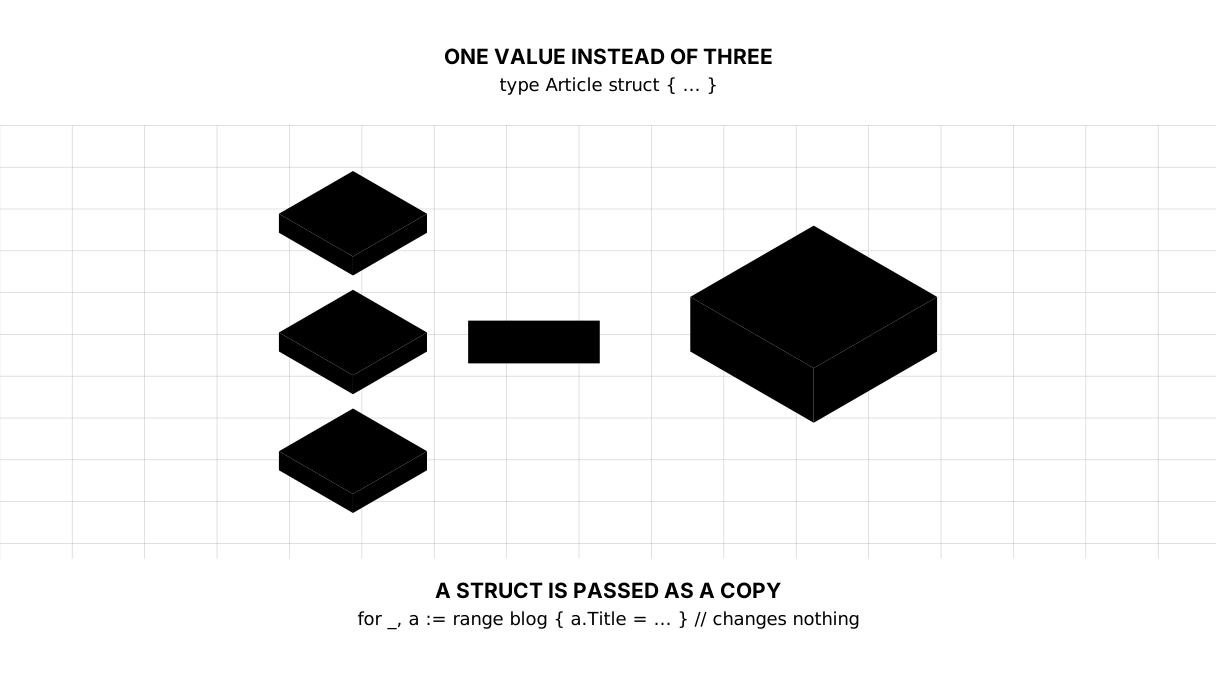
In the last few lessons the blog held its articles like this: a slice of addresses, a map of titles, a map of word counts. Add an article and you must remember three places. Forget one and the title is there while the reading time is not.
That is no way to live, and Go does not ask you to. An article has a title, a length and a language — so what you want is a type called “article” with all of it inside.
Picture it. A card index. Titles used to live in one drawer, lengths in another, languages in a third, and you kept the three in step by hand. A struct is one card with everything about the article written on it at once.
The whole thing at once
A new folder, go mod init sabaq10, main.go:
package main

import "fmt"

type Article struct {
	Title string
	Words int
	Lang  string
}

func readingTime(a Article) int {
	return (a.Words + 199) / 200
}

func main() {
	first := Article{
		Title: "What a shanyraq is",
		Words: 400,
		Lang:  "kz",
	}

	second := Article{"About the steppe", 150, "kz"}

	var draft Article

	fmt.Println(first.Title, "·", readingTime(first), "min")
	fmt.Println(second.Title, "·", readingTime(second), "min")
	fmt.Printf("draft: %q %d %q\n", draft.Title, draft.Words, draft.Lang)

	blog := []Article{first, second}
	blog = append(blog, Article{Title: "Hello, world", Words: 1000, Lang: "kz"})

	for i, a := range blog {
		fmt.Printf("%d. %s — %d min\n", i+1, a.Title, readingTime(a))
	}

	fmt.Println(first)
}
Before you run it, and without looking below, say out loud what it will print. Then run it and compare.
What a shanyraq is · 2 min
About the steppe · 1 min
draft: "" 0 ""
1. What a shanyraq is — 2 min
2. About the steppe — 1 min
3. Hello, world — 5 min
{What a shanyraq is 400 kz}
Taking it apart
type ... struct — you declare a type of your own
type Article struct {
	Title string
	Words int
	Lang  string
}
type says: a new type follows. Article is its name. struct is what it is made of: the fields listed, each with a name and a type of its own.
From this moment Article is a type like int or string. You can declare it, pass it to functions, put it in a slice and in a map.
The field names start with a capital letter for a reason, and the reason starts to matter in the lesson on packages. For now, just write them that way.
Fields and the dot
first.Title      // read
first.Words = 420   // write
The dot takes a field out of a value. No brackets, no keys: the fields are known in advance, and a typo in a name is caught by the compiler, which a map will never do for you.
That is the first thing a struct gives you over a map. views["tittle"] returns zero and says nothing. first.Tittle will not compile.
A literal, with field names and without
Article{Title: "What a shanyraq is", Words: 400, Lang: "kz"}
Article{"About the steppe", 150, "kz"}
Both create the same thing. The first names the fields; the second relies on the order they were declared in.
Write the first. The second is shorter only until the day a fourth field is added to the type or two of them swap places — at which point every literal like it has to be rewritten, and some of them will compile silently and wrongly.
The zero struct
var draft Article
It printed "" 0 "". A struct is ready to use straight away: every field got the zero value of its type — the empty string, zero, false. Nothing to create, no make.
Picture it. A blank form. The boxes are empty, but the form exists, it is on the desk, and you can write on it.
This is handier than it looks. An empty struct is a legitimate draft of an article, not a mistake.
A slice of structs — what all this was for
blog := []Article{first, second}
blog = append(blog, Article{Title: "Hello, world", Words: 1000, Lang: "kz"})
One slice instead of three maps. An article is added in one line, and losing half its fields is no longer possible: they moved together.
The trap: a struct is passed as a copy
Here is what makes the lesson worth finishing.
for _, a := range blog {
	a.Title = "CHANGED"
}
fmt.Println(blog[0].Title)   // What a shanyraq is
Nothing changed. range puts a copy of the element into a, and you edit the copy, which is thrown away immediately. The compiler says nothing: as far as it is concerned the code is legal.
The same goes for the function: readingTime(a) gets a copy, and had it changed anything inside, nobody outside would have seen it.
Picture it. A photocopy. You were handed a copy of the document — write on it all you like, the file keeps what it had.
To change it for real, go through the index:
blog[0].Title = "CHANGED" // this one works
Compare it with the slices lesson: there a piece of a slice looked into the same memory and the edit was visible. This is different: the slice is still one slice, but range hands you a copy of the element rather than the element. The real answer is pointers, and that is the next lesson.
fmt.Println prints the whole struct
fmt.Println(first) printed {What a shanyraq is 400 kz} — the field values in braces. Handy for debugging, and %+v adds the field names: fmt.Printf("%+v\n", first).
The lesson map
Say it in your own words
Without looking, answer out loud or on paper. The answers are at the end of the lesson.
- Why is
first.Tittlebetter thanviews["tittle"], when both are typos? var draft Article— what is in the fields, and does anything need creating?- You walked a slice of structs with
rangeand wrote to a field. Why did nothing in the slice change?
Exercise
Required. Declare a type Article with the fields Title, Words and Lang. Build a slice of four articles and write a function longestRead(blog []Article) Article returning the article with the longest reading time. Print its title and its time.
Optional.
- A function
byLang(blog []Article, lang string) []Articlereturning only the articles in a given language. - Add a
Published boolfield to the type and count how many articles are published. - Repeat the trap deliberately: change a field inside
range, confirm nothing happened, then do the same through the index.
Where this goes in your blog
From here to the end of the course an article is a struct. In the templates lesson you will hand []Article to HTML and it will unfold into cards. In the database lesson a table row turns into an Article in one call. And the three maps we kept in step by hand disappear — step-5 in the course repository is exactly that.
Answers
Show the answers
- Because
first.Tittlewill not compile: the type’s fields are known to the compiler and it catches the typo before the program runs. A map accepts any key, soviews["tittle"]quietly returns zero, and you find the mistake in wrong numbers rather than in a message. - The zero values of their types: the empty string, zero,
false. Nothing needs creating — unlike a map, a struct is ready to use the moment it is declared. - Because
rangeputs a copy of the element into the variable. You changed the copy, and it vanished on the next turn of the loop. The element itself can be changed through the index —blog[i].Title = …— and the next lesson, on pointers, is what really closes this gap.
Sources
If you have found a mistake or a typo in this article, tell us about it
Comments (0)
Log in to leave a comment →
No comments yet. Be the first.