

Go: from zero to your own blog Lesson 24 of 50
Static files in Go: CSS, fonts and images
The twenty-fourth lesson of the Go course. The site starts to look like something instead of merely working. http.FileServerFS, why files from disk need StripPrefix and embedded ones do not, where Content-Type comes from, why the whole static folder is on show, and why the browser downloads an embedded file again every single time.
Why this matters
The blog works. It also looks like a document left behind in 1994: black Times on white, running the full width of the screen.
Everything it is missing is a file: a stylesheet, a font, an image. They do not have to be assembled the way a page is assembled from a template. They have to be handed over exactly as they are, and that is the whole difference.
The whole thing at once
A new folder, go mod init sabaq22. Inside it two folders, templates and static.
static/style.css:
:root { --ink: #1a1a1a; --paper: #fffdf8; --accent: #d32f2f; }

body {
  margin: 0 auto;
  max-width: 38rem;
  padding: 2rem 1rem;
  background: var(--paper);
  color: var(--ink);
  font: 1.05rem/1.6 -apple-system, "Segoe UI", Roboto, "Noto Sans", sans-serif;
}

h1 { font-size: 1.6rem; letter-spacing: -0.01em; }
.brand { display: flex; align-items: center; gap: 0.75rem; }
.brand h1 { margin: 0; }
a { color: var(--accent); }
ul { padding-left: 1.1rem; }
li { margin: 0.4rem 0; }
img { max-width: 100%; height: auto; }

@media (max-width: 30rem) {
  body { padding: 1.2rem 0.9rem; }
  h1 { font-size: 1.35rem; }
}
A word about that file straight away. This course is about Go, and it does not teach CSS. The styles here are taken ready-made so the page looks decent, and we will not be picking their rules apart today or later: that is a separate craft, the size of another course like this one. Copy them as they are, change the colours to your taste — none of it touches the Go.
If you want to learn it properly, go to the source rather than to retellings: MDN — the CSS reference and MDN — CSS styling basics. At the end of the file there is a minimum for narrow screens; together with the <meta name="viewport"> in the template that is enough to make the page readable on a phone. For this lesson one thing is enough: a stylesheet is an ordinary file, and the server hands it over as it is.
templates/list.html:
<!doctype html>
<html lang="en">
  <head>
    <meta charset="utf-8">
    <meta name="viewport" content="width=device-width, initial-scale=1">
    <title>My blog</title>
    <link rel="stylesheet" href="/static/style.css">
    <link rel="icon" href="/static/logo.svg" type="image/svg+xml">
  </head>
  <body>
    <header class="brand">
      <img src="/static/logo.svg" width="40" height="40" alt="">
      <h1>My blog</h1>
    </header>
    <ul>
      {{ range .Articles }}<li><a href="/read/{{ .Slug }}">{{ .Title }}</a></li>{{ end }}
    </ul>
  </body>
</html>
static/logo.svg — the site mark. There is no text inside it, so one file serves every language. It is also the tab icon — that is the <link rel="icon"> line in the template, and no separate favicon.ico is needed:
<svg xmlns="http://www.w3.org/2000/svg" viewBox="0 0 400 400" width="40" height="40">
  <g fill="none" stroke-linecap="round">
    <g stroke="#ffadad" stroke-opacity="0.5" stroke-width="45">
      <line x1="76" y1="76" x2="324" y2="324"/>
      <line x1="137" y1="37" x2="363" y2="263"/>
      <line x1="37" y1="137" x2="263" y2="363"/>
      <line x1="76" y1="324" x2="324" y2="76"/>
      <line x1="137" y1="363" x2="363" y2="137"/>
      <line x1="37" y1="263" x2="263" y2="37"/>
    </g>
    <g stroke="#e53935" stroke-width="30">
      <line x1="76" y1="76" x2="324" y2="324"/>
      <line x1="137" y1="37" x2="363" y2="263"/>
      <line x1="37" y1="137" x2="263" y2="363"/>
      <line x1="76" y1="324" x2="324" y2="76"/>
      <line x1="137" y1="363" x2="363" y2="137"/>
      <line x1="37" y1="263" x2="263" y2="37"/>
    </g>
  </g>
</svg>
And main.go:
package main

import (
	"bytes"
	"embed"
	"html/template"
	"log"
	"net/http"
)

//go:embed templates/*.html static
var files embed.FS

var tpl = template.Must(template.ParseFS(files, "templates/*.html"))

type Article struct{ Slug, Title string }

var blog = []Article{
	{Slug: "dala", Title: "About the steppe"},
	{Slug: "shanyraq", Title: "What a shanyraq is"},
}

func main() {
	mux := http.NewServeMux()

	mux.HandleFunc("GET /{$}", func(w http.ResponseWriter, r *http.Request) {
		var buf bytes.Buffer
		if err := tpl.ExecuteTemplate(&buf, "list.html", map[string]any{"Articles": blog}); err != nil {
			log.Println("template:", err)
			http.Error(w, "server error", http.StatusInternalServerError)
			return
		}
		w.Header().Set("Content-Type", "text/html; charset=utf-8")
		buf.WriteTo(w)
	})

	mux.Handle("GET /static/", http.FileServerFS(files))

	log.Println("http://localhost:8080")
	log.Fatal(http.ListenAndServe(":8080", mux))
}
go run ., and the page finally looks like a page.
Taking it apart
Static files are not assembled
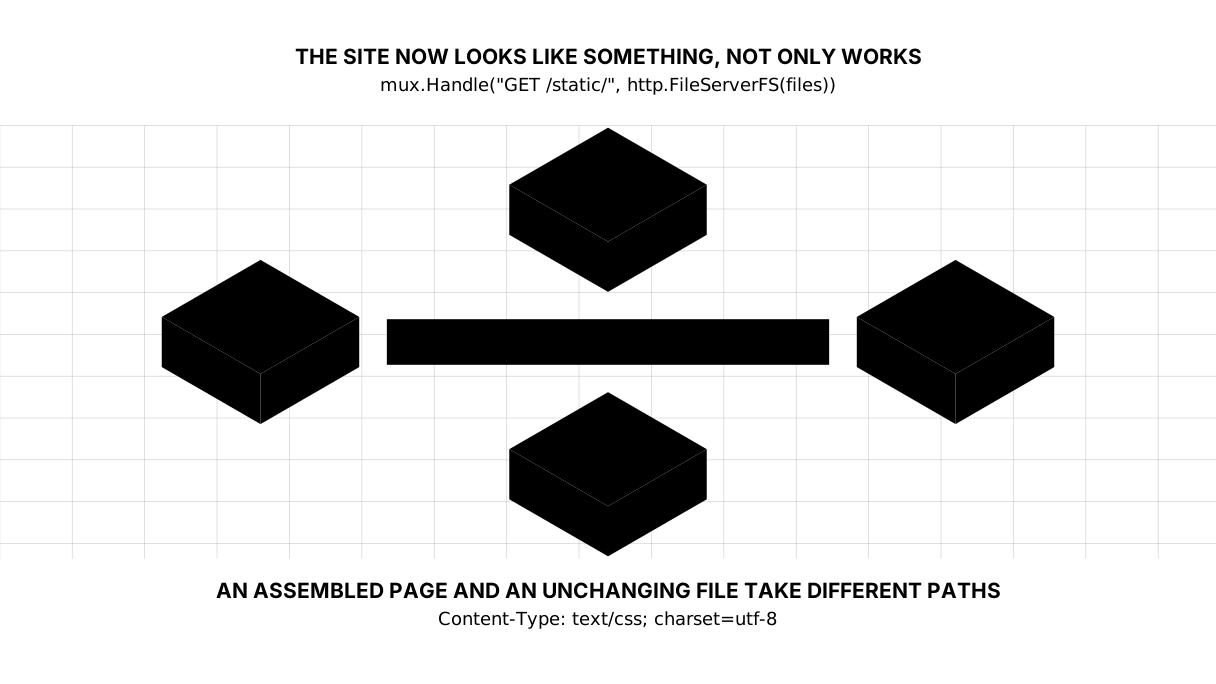
A page handler does work every time: it takes the data, puts it into the template, glues them together. A file server does nothing of the sort — it finds the file and hands over the bytes.
Hence one line for all the static files on the site:
mux.Handle("GET /static/", http.FileServerFS(files))
Handle, not HandleFunc: FileServerFS returns a ready-made http.Handler, not a function. That is the interface from the handlers lesson — and here is somebody else’s handler that you simply drop onto a route.
Note the trailing slash: GET /static/ is a prefix, not an exact address. Just as /read/{slug} catches any article, /static/ catches everything that follows it.
Why there is no StripPrefix here — and when there is
In books and articles that line is almost always written like this:
mux.Handle("GET /static/", http.StripPrefix("/static/", http.FileServer(http.Dir("static"))))
Let us work out where the wrapper comes from. A file server looks the file up by the path in the request. /static/style.css arrives, so it looks for style.css inside the folder you handed it — that is, static/static/style.css. There is no such file.
Check it on your own machine. Put a second route next to the first, without the wrapper:
mux.Handle("GET /raw/", http.FileServer(http.Dir("static")))
and ask both:
curl -o /dev/null -w "%{http_code}\n" http://localhost:8080/raw/style.css
curl -o /dev/null -w "%{http_code}\n" http://localhost:8080/static/style.css
404
200
StripPrefix cuts /static/ off the address, and only then is the file found.
Our own program has no wrapper — and it works. The reason is embed: we embedded the static folder itself, so inside files the file sits at static/style.css. The address in the request matches the path in the file system letter for letter, and there is nothing to strip.
Picture it. A drawer labelled “socks” inside a wardrobe labelled “socks”. Asking for “socks wardrobe, socks drawer” works out only if the wardrobe really is built that way. Otherwise the request has to be shortened.
Content-Type comes from the extension
Ask for the headers:
curl -sD- -o /dev/null http://localhost:8080/static/style.css
HTTP/1.1 200 OK
Accept-Ranges: bytes
Content-Length: 616
Content-Type: text/css; charset=utf-8
Nobody wrote text/css — Go took it from the .css extension. For logo.svg the same mechanism produces image/svg+xml.
This is not a detail. A browser applies a stylesheet only when it arrives as text/css. Serve the same file as text/plain and the page stays unstyled, with exactly one line in the console about the type mismatch. An hour of hunting for something the header was announcing all along.
The trap: the whole folder is on show
Open http://localhost:8080/static/ — with no file name.
<pre>
<a href="logo.svg">logo.svg</a>
<a href="style.css">style.css</a>
</pre>
FileServer lists the directory. Not a bug, the default behaviour, and worth knowing in advance: whatever you put in static, a stranger sees as a list. A draft, a database dump, a forgotten archive.
A simple rule: static holds only what you are willing to show. Everything else goes in another folder, behind a handler of your own, where you decide who may have it.
The browser downloads an embedded file again every time
Here is a consequence of embed that is easy to miss, and it makes the site slower than it needs to be.
A file on disk has a modification time. When Go serves it, it sets Last-Modified; next time the browser asks “has this changed?”, and gets an empty 304 Not Modified instead of the whole file.
Embedded files have no modification time — it is zero, so the header is not set. Compare for yourself.
From disk:
Last-Modified: Sat, 05 Sep 2026 10:36:02 GMT
and a repeat request carrying If-Modified-Since returns 304. From embed there is no such header at all, and the same repeat request returns 200 and the entire file.
This is not a reason to give up embed — one program with no trail of files behind it is worth a lot. It is a reason to know that caching becomes your job: the Cache-Control header, and an unchanging file name like style.7f3a1c.css that changes when the contents do. We will come back to this when the site moves to a real server.
Fonts: the fastest font is the one nobody downloads
In style.css the font is set like this:
font: 1.05rem/1.6 -apple-system, "Segoe UI", Roboto, "Noto Sans", sans-serif;
Nothing is downloaded here. The browser takes a system font: its own on a Mac, its own on Windows, its own on Android. The text appears instantly, and it costs zero bytes.
Your own font is a decision your reader pays for. One weight in woff2 is 20–40 kilobytes, and people usually take four of them. On a slow connection that shows. If you do take one, then woff2 only, only the weights you use, and always font-display: swap so the text is readable while the font is on its way.
Images: two attributes you must not forget
<img src="/static/logo.svg" width="40" height="40" alt="">
width and height are not there for sizing — CSS handles the size. They are there so the browser knows the proportions before the download and leaves room. Without them the page jumps: the text is already visible, the image arrives and shoves everything down under the reader’s finger.
alt is the text for anyone who will not see the image: a screen reader, a slow connection, a search crawler.
Here it is empty, and that is not forgetfulness. The blog’s name stands beside the mark as ordinary text, and the mark adds nothing to it. An empty alt means “there is nothing to read here” — a screen reader skips the image instead of announcing the name twice. A missing alt, on the other hand, gets read out as the file name: “logo dot ess vee gee”.
For images below the first screen, add loading="lazy" — the browser will not fetch them until the reader gets there.
The lesson map
Say it in your own words
Without looking, answer out loud or on paper. The answers are at the end of the lesson.
- Why does a stylesheet served with
Content-Type: text/plainnot style the page? - Why do files from disk need
StripPrefixwhile embedded ones do not? - A reader opens the site a second time. Why did the browser download
style.cssin full again?
Exercise
Required. Build an article page at /read/{slug} with styling of its own: an article.html template, the shared style.css, and a cover image carrying width, height and alt. Use curl -sD- -o /dev/null to check that the image comes back with the right Content-Type.
A note for later. While there are three files they sit side by side in static, and that is fine. The moment something from outside joins them — images readers upload — folders become compulsory: brand for the logo, then css, js, images for our own pictures and uploads for other people’s. That is how it is done from step 25 on, and the reason is simple: sorting forty files afterwards costs more than making five folders in time.
Optional.
- Put a file called
notes.txtintostaticand open/static/. Find it in the listing. - Serve the same files through a second route from disk, with
http.Dir, and compare the response headers with the embedded ones. - Wrap
/static/in the middleware from the previous lesson and setCache-Control: max-age=3600. See what changes when you refresh the page.
Where this goes in your blog
The blog has stopped being bare text. Next come errors and logs: seeing what broke instead of a white screen.
Debts taken on today. Caching becomes something you do by hand, and a version in the file name comes with it. Compressing the response — gzip or br — makes CSS three times smaller, and there is none of that here. And static is still open as a listing; on a real site that gets closed.
Answers
Show the answers
- Because a browser acts on the type that was announced, not on the extension in the address.
text/plainarrived, so it is text, and a browser will not style a page with text. The type is worked out from the file’s extension on the server, so what you check is the response header, not the file name in your markup. - Because a file server looks the file up by the request path inside the folder you handed it. With
http.Dir("static"), a request for/static/style.cssturns into a search forstatic/static/style.css— hence the 404, and hence the need to strip the prefix. Withembedwe embedded thestaticfolder itself, so the path in the request and the path inside match. - Because embedded files have a zero modification time, so Go sets no
Last-Modified. The browser has nothing to ask “has this changed?” with, so it takes the file again. The cure is aCache-Controlheader and a file name that changes along with the contents.
Sources
- net/http: FileServerFS
- net/http: StripPrefix
- embed — documentation
- MDN: Cache-Control
- MDN: font-display
- MDN: the CSS reference — if you want to study styling on its own
If you have found a mistake or a typo in this article, tell us about it
Comments (0)
Log in to leave a comment →
No comments yet. Be the first.