

Go: from zero to your own blog Lesson 3 of 50
Your first Go program: a net/http web server in 20 minutes
The third lesson of the Go course. A first program in Go and a working web server: package main, func main, http.HandleFunc, http.ListenAndServe and port 8080. Open localhost:8080 in a browser and see your own program answer it before you have learned a single rule of the language. No framework to install, and what to do if 8080 is taken.
Why this matters
Last lesson you looked at somebody else’s server from the client’s side. Today you cross over: you write the program that answers the browser.
It takes twenty minutes, and you need not learn one rule of the language first. Everything else in this course is detail added to what you are about to build.
The whole thing at once
Your workspace is already set up from the last lesson. Make a new folder sabaq-02 beside it, open it in the editor (File → Open Folder) and run this in the terminal:
go mod init sabaq02
Now create a file called main.go in it and put this program in the file:
package main

import (
	"log"
	"net/http"
)

func main() {
	http.HandleFunc("/", func(w http.ResponseWriter, r *http.Request) {
		w.Write([]byte("Salem!"))
	})
	log.Fatal(http.ListenAndServe(":8080", nil))
}
In a terminal, move into that folder and run:
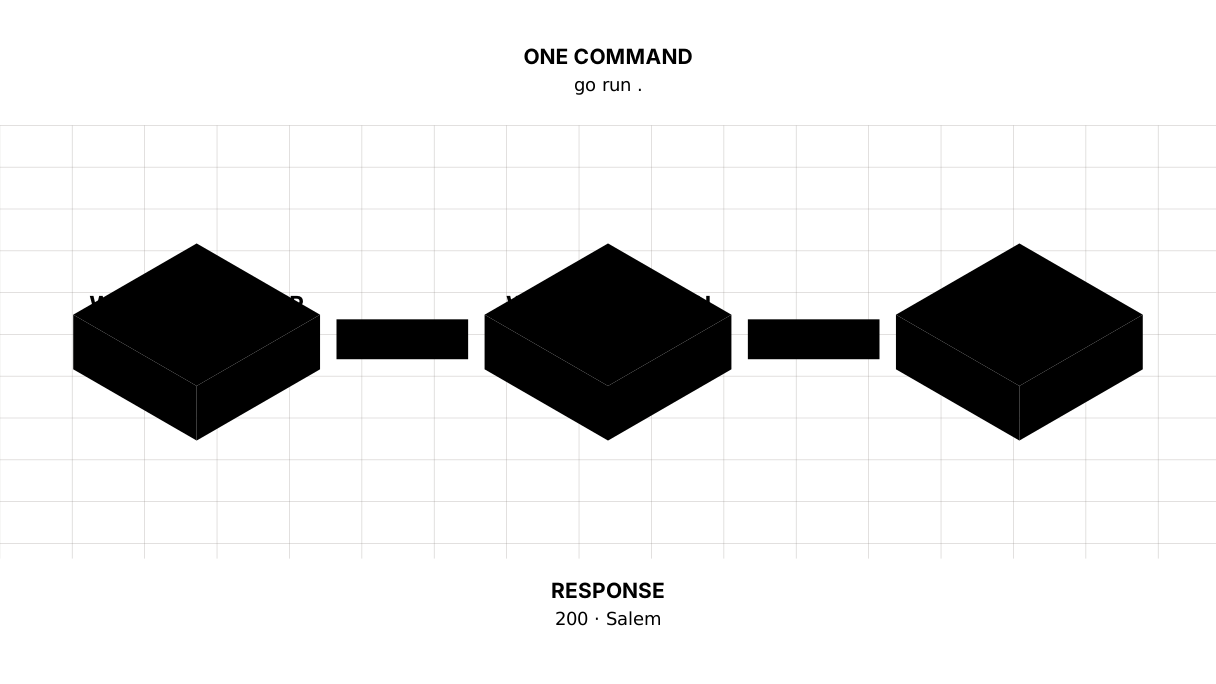
go run .
The cursor freezes and no new line appears. That is correct: the program is running and waiting. Open a browser and type localhost:8080.
“Salem!” on the screen. That was your program answering.
To stop it, press Ctrl+C in the terminal.
If it did not work. The prompt came straight back and the terminal says
address already in use— port 8080 is taken by another program. Change8080to8081in the code and openlocalhost:8081. If it sayscommand not found: go, the terminal cannot see Go: close it and open it again, and if that does not help, go back to the previous lesson and thego versioncheck. If Windows asks about network access, allow it for private networks;:8080with no address in front of it means “every network interface”, so on a home network the server is visible from a phone too. While you are learning that is convenient; to keep it to your own machine, write127.0.0.1:8080.
Taking it apart
package main and func main
package main says this is a program you can run, not a library. func main is where running starts. Exactly one per program, and Go finds it by name.
Take it as a required frame for now. We come back to packages in the lesson on packages and modules, once there is more than one.
import “net/http”
Everything the web needs is already in Go; there is nothing to install separately. net/http can both ask as a client and answer as a server. We took the second half.
http.HandleFunc: what to answer
The first argument is a path, the second is what to do on it. We said: on the path "/", run this function.
Notice the function is written inside the call, with no name. Go allows that, and for short handlers it is the ordinary way to write it.
Picture it. A list of instructions pinned to a door: “if somebody comes for a certificate, hand them this one”. Until somebody comes, the list just hangs there doing nothing.
w and r: the response and the request
The handler’s two arguments are the two sides from the last lesson.
r is the request: what the reader asked for, by which method, on which path, with which headers. We leave it alone today.
w is where the response is written. w.Write sends the body. We never gave a status code, and Go filled in 200 by itself, because that is the common case.
Read []byte("Salem!") as “this string, as a run of bytes” for now. Why it has to be said that way becomes clear in the lesson on strings and runes, where we take them apart.
Picture it. Two trays on a desk. Into the left one the postman drops the letter that arrived — that is
r, and you read it. The right one is empty and you put the reply in it — that isw. The trays cannot be swapped: nothing goes out from the left one.
http.ListenAndServe: where to listen
":8080" is the port, the flat number from the last lesson. The second argument, nil, means “use the handlers I registered with HandleFunc”. In the lesson on routing we put our own thing there and see the difference.
This line is why the terminal froze: the program has not finished, it is listening.
The log.Fatal around it is there for when listening fails: the port is taken, the permissions are not there. Then the program does not die in silence but writes the reason and exits. Without that wrapper the commonest beginner’s failure looks like “nothing happened at all”.
Picture it. Sitting down at the counter and opening the window. While you sit there, you take callers. Stand up and walk off, and the window is shut; knocking will not help.
Why 8080 and not 80
Port 80 is the standard one for HTTP, but taking it on your own machine usually needs administrator rights. If the IP is the building and the port is the flat, then 80 and 443 are the service flats in it: you do not move in without a key from the management. 8080 is free and no worse for development. On a real server, in the lesson on domains and HTTPS, ports 80 and 443 go to Caddy standing in front of your program, not to the program itself.
What happened when you opened the page
The browser sent GET / to localhost on port 8080. Your program took the request, found the handler for /, ran it, and returned 200 and a body. Exactly the exchange you took apart in the lesson on how the internet works — except this time the server was you.
The lesson map
Say it in your own words
Answer out loud or on paper without looking. The answers are at the end of the lesson.
- Why did the terminal “freeze” after
go run, and why is that right? - What does
HandleFuncdo, and what doesListenAndServedo? Why are both needed? - Only the path
"/"is registered in the code. What does the program answer atlocalhost:8080/about?
Exercise
Required. Change the response text to your own name. Stop the program, start it again, refresh the page. That is all.
Optional.
- Add a second address: another
http.HandleFuncwith the path"/about"and different text. - Look at your own response with last lesson’s eyes:
curl -i localhost:8080. Find the status code and thecontent-type. Where didcontent-typecome from, given that you never wrote it? - Change the port to 3000 and check that nothing answers on 8080 any more.
Where this goes in your blog
These lines are your blog’s skeleton. It will change again: the server will get a router of its own, timeouts and an orderly shutdown. But the shape stays, and everything else hangs off it: in the lesson on routing the single "/" becomes a dozen addresses, in the lesson on templates the response becomes a real HTML page, and in the lesson on CRUD the text comes from a database instead of from the code.
Build your own blog. Separate programs teach the language; the blog grows out of them. The state of the blog after this lesson is in the course repository — step-1. Write it yourself first and compare afterwards: comparing after the work teaches, comparing instead of it does not.
Answers
Show the answers
- Because
ListenAndServenever hands control back: the program holds the port and waits for requests. Had it finished immediately, there would be nobody left to answer. That is not a hang, that is the job. HandleFunconly records what to answer on a given path; by itself it listens to nothing.ListenAndServeopens the port and starts taking requests, but with no handlers registered it would have nothing to answer with. Either one alone is useless.- “Salem!” again. In Go the path
"/"does not mean “the front page only”, it means “everything no more specific rule matched”. Hence the answer at/about— and the 404 you may have expected there and did not get.
Sources
If you have found a mistake or a typo in this article, tell us about it
Comments (0)
Log in to leave a comment →
No comments yet. Be the first.