

Go: from zero to your own blog Lesson 47 of 50
A domain of your own and HTTPS: so the blog is opened by name
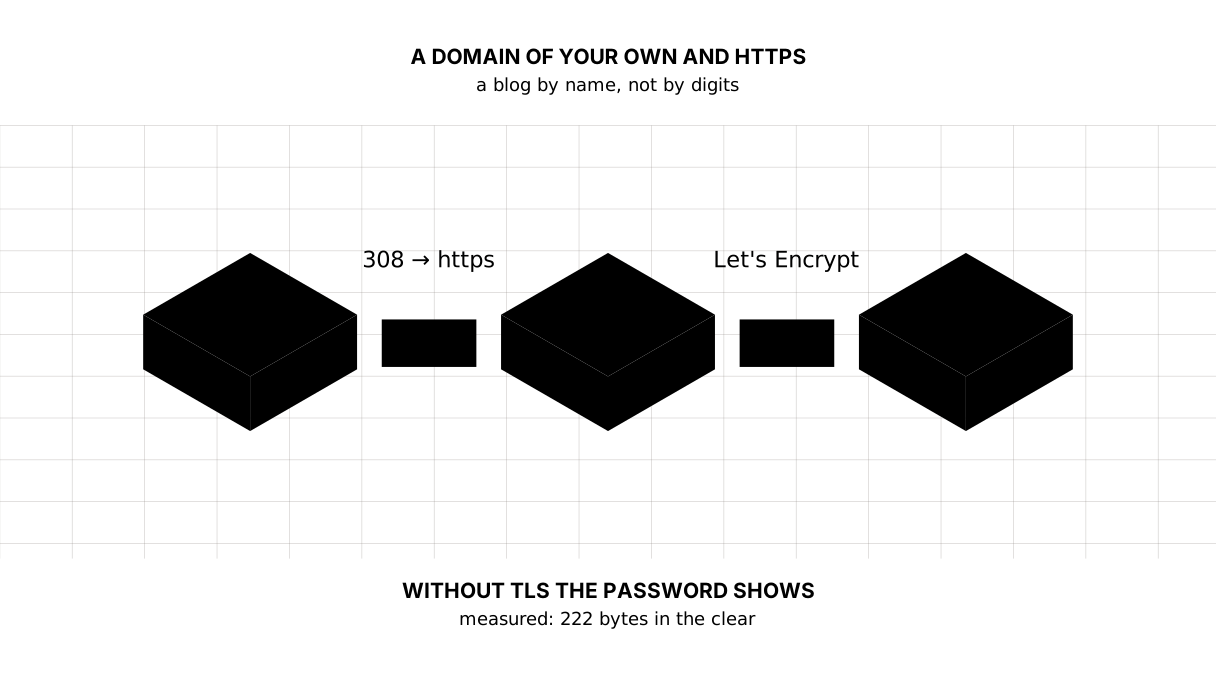
The forty-seventh lesson of the Go course. A domain is one record in DNS that points at your address, and HTTPS is not a tick-box but a necessity: measured, in an open channel a reader's password is there in full, all 222 bytes of it, and in TLS it is not in those bytes at all. Plus a proxy in front and a header nobody should trust.
Why this is needed
The blog lives at an address like 95.217.3.14:10000. Nobody sends that to a friend or puts it on a card — it is simply forgotten. A name is needed: blog.example.kz.
And with the name comes the lock in the address bar. Not for looks: without it everything a reader types into a form travels across a stranger’s Wi-Fi in the clear. How clear, we are about to see.
There may be no domain yet, and that is no reason to skip the lesson. The first half — what is visible in an open channel and what TLS gives you — is measured on your own machine, without buying anything. The second — the DNS record, the certificate and the proxy — reads as a plan for the day a domain appears. The blog from the course stays finished without one: it works by address and port.
The whole thing at once
A new folder, go mod init sabaq44. The program plays the stranger’s Wi-Fi between the reader and the blog: it passes the bytes on and remembers what went through.
package main

import (
	"bytes"
	"crypto/tls"
	"fmt"
	"io"
	"net"
	"net/http"
	"net/http/httptest"
	"net/url"
	"strings"
)

// The password a reader types into the sign-in form. What follows is what a
// stranger's Wi-Fi between the reader and the blog gets to see.
const password = "degentaudynbasy"

func main() {
	// The blog that takes the sign-in form. The same handler serves with and
	// without TLS: the difference is not in the code but in the channel.
	login := http.HandlerFunc(func(w http.ResponseWriter, r *http.Request) {
		r.ParseForm()
		fmt.Fprintf(w, "signed in: %s", r.FormValue("email"))
	})

	fmt.Println("== http: a stranger sits between you and the site")
	plain := httptest.NewServer(login)
	defer plain.Close()
	seen := post(plain.URL, false)
	show(seen)

	fmt.Println()
	fmt.Println("== https: the same handler, the same password")
	secure := httptest.NewTLSServer(login)
	defer secure.Close()
	seen = post(secure.URL, true)
	show(seen)
}

// post sends the form through the listening proxy and returns everything that
// proxy managed to read on the way.
func post(target string, useTLS bool) *bytes.Buffer {
	u, _ := url.Parse(target)
	addr, seen := spy(u.Host)

	client := &http.Client{Transport: &http.Transport{
		// The certificate is self-signed, so the check is off: this lesson is
		// about what is visible in the channel, not about trust.
		TLSClientConfig: &tls.Config{InsecureSkipVerify: true},
	}}
	scheme := "http"
	if useTLS {
		scheme = "https"
	}
	resp, err := client.PostForm(scheme+"://"+addr+"/login", url.Values{
		"email":    {"oqyrman@example.kz"},
		"password": {password},
	})
	if err != nil {
		fmt.Println("the request did not go through:", err)
		return seen
	}
	resp.Body.Close()
	return seen
}

// spy is the stranger's Wi-Fi: it passes the bytes on and remembers whatever
// went from the reader to the site.
func spy(target string) (string, *bytes.Buffer) {
	l, err := net.Listen("tcp", "127.0.0.1:0")
	if err != nil {
		panic(err)
	}
	seen := &bytes.Buffer{}
	go func() {
		conn, err := l.Accept()
		if err != nil {
			return
		}
		up, err := net.Dial("tcp", target)
		if err != nil {
			return
		}
		go io.Copy(conn, up)
		io.Copy(io.MultiWriter(up, seen), conn)
	}()
	return l.Addr().String(), seen
}

// show prints the first line of what was seen and answers the one question
// that matters: is the password there in those bytes.
func show(seen *bytes.Buffer) {
	raw := seen.String()
	first := strings.SplitN(raw, "\r\n", 2)[0]
	if len(first) > 60 {
		first = first[:60]
	}
	if !isText(first) {
		first = fmt.Sprintf("% x …", seen.Bytes()[:min(12, seen.Len())])
	}
	fmt.Printf("bytes passed:  %d\n", seen.Len())
	fmt.Printf("begins with:   %s\n", first)
	if strings.Contains(raw, password) {
		fmt.Printf("the password in the channel: there in full — %q\n", password)
		return
	}
	fmt.Println("the password in the channel: not found")
}

// isText says whether this can be shown to a person as a string.
func isText(s string) bool {
	for _, r := range s {
		if r < 32 && r != '\t' {
			return false
		}
	}
	return true
}
The output:
== http: a stranger sits between you and the site
bytes passed:  222
begins with:   POST /login HTTP/1.1
the password in the channel: there in full — "degentaudynbasy"

== https: the same handler, the same password
bytes passed:  1761
begins with:   16 03 01 05 a8 01 00 05 a4 03 03 88 …
the password in the channel: not found
The walk-through
A password in an open channel is simply a word
The first block needs no interpretation: in the 222 bytes that went through the stranger’s access point the password lies there in full, in letters. Not “theoretically vulnerable” — visible.
In the second block the same handler and the same password, but a different channel: 1761 bytes beginning with 16 03 01, which is the header of a TLS record, and no password among them.
The difference is not in the blog’s code. We did not even change the handler: it is one and the same in both cases. The difference is the channel the request arrives through.
Picture it. A postcard and an envelope. The postman is no villain, but a postcard is read in passing and an envelope is not.
A domain is one record in DNS
A domain is not “attached to a site”. A domain points at the address of a machine through a single record of type A, and it looks like this:
== where the domain points
shanraq.org.  231  IN  A  85.202.192.61

== what http answers
HTTP/1.1 308 Permanent Redirect
Connection: close
Location: https://shanraq.org/
Server: Caddy

== whose certificate and until when
issuer=C=US, O=Let's Encrypt, CN=YE1
subject=CN=shanraq.org
notBefore=Jul 27 04:47:02 2026 GMT
notAfter=Oct 25 04:47:01 2026 GMT

== what the site asks to remember
HTTP/2 200
strict-transport-security: max-age=63072000; includeSubDomains
The first line is the whole secret: shanraq.org is 85.202.192.61, and the 231 beside it is how many seconds a browser may remember the answer without asking again. Hence the rule: change the address in advance. Lower that number to a minute, wait, then move — and the move takes minutes rather than a day.
What to do when there is no domain yet: buy one from a registrar (local ones for .kz, any of them for .com and .org), create an A record with your IP in the domain’s panel, and wait. That is all; there is no magic.
HTTPS is issued by a certificate authority, not by a host
A certificate is a confirmation that the domain is yours, signed by somebody the browsers trust. It used to be bought; today Let’s Encrypt issues one free and automatically, and our own site runs exactly that way — its certificate is the third block of measurements.
Three things there are worth reading. issuer is who issued it, subject is to whom, and the dates say the certificate lives three months. That is not greed: a short life forces renewal to be automatic, and an automatic renewal is not forgotten.
A proxy in front: one line instead of handling keys
Certificates do not have to be handled by hand. In front of the blog goes a reverse proxy — a program that accepts the connection from the internet, holds the certificate and passes the request on to your port. The simplest of them is Caddy, and its whole configuration in step 32 is this:
blog.example.kz {
	reverse_proxy 127.0.0.1:8080
	encode zstd gzip
}
There is not a word about a certificate here — Caddy goes to Let’s Encrypt on the first start and renews by itself. Checking this configuration with the real Caddy prints, besides Valid configuration, one more line: enabling automatic HTTP->HTTPS redirects. It turned the redirect from http on by itself — the very 308 visible in the second block of measurements.
And notice where the proxy passes the request: 127.0.0.1:8080. From here on the blog listens on the loopback only, and there is no way to reach it from the internet around the proxy. The rule from the previous lesson is not cancelled but sharpened: on a host you listen on every address; behind your own proxy, on the loopback.
The header that lies
A proxy has one consequence inside the program. Every connection to the blog now arrives from 127.0.0.1, and the log shows one address for every reader — the proxy’s.
The real address is put by the proxy into the X-Forwarded-For header. The trouble is that anyone can send that header. So it may be believed only when the connection came from the proxy:
ip := net.ParseIP(host)
if ip == nil || !ip.IsLoopback() {
	return host
}
if fwd := r.Header.Get("X-Forwarded-For"); fwd != "" {
	// ...
}
Measured on step 32:
from the loopback, no header:                the log says 127.0.0.1
from the loopback, X-Forwarded-For: 1.2.3.4: the log says 1.2.3.4
from the network,  X-Forwarded-For: 1.2.3.4: the log says 192.168.1.200
The third line is the whole point of the check: a request from the network called itself somebody else’s address, and the blog did not believe it. Without the check any reader could write whatever they liked into your log — the log you read later, when working out who was trying passwords.
HSTS: asking a browser never to use http again
A redirect from http does not always save you: the first request still went out in the clear. So the site asks the browser to remember that this place is https only:
strict-transport-security: max-age=63072000; includeSubDomains
Two years in seconds. After the first visit a browser will not even try http — it replaces it with https itself, before the request goes out. It is one line in the proxy, but it is worth turning on once HTTPS already works: a browser remembers for a long time.
The map of the lesson
Say it in your own words
Without looking, answer aloud or on paper. The answers are at the end of the lesson.
- What exactly does a stranger’s Wi-Fi see when you sign in to a site without HTTPS?
- Why does the blog listen on the loopback behind a proxy rather than on every address?
- Why can the
X-Forwarded-Forheader not always be believed?
The exercise
Required. Give your blog a domain and HTTPS: an A record points at your address, a proxy with a certificate stands in front, the blog listens on 127.0.0.1, and the log shows the reader’s address rather than the proxy’s. Check with curl -I http://your-domain — there should be a redirect, not a page.
All of it is done in step-32 — compare after you have done it yourself.
If you want more.
- Run the program from the lesson on your own machine and look at your password in the first block. It is an unpleasant sight worth seeing once.
- Look at the certificate of any site:
echo | openssl s_client -connect example.com:443 | openssl x509 -noout -issuer -dates. - Turn HSTS on and find the page where a browser keeps that memory (in Chrome,
chrome://net-internals/#hsts).
Where this goes in the blog
Step 32 gained a Caddyfile — a real one, checked by the real Caddy — and the clientIP function, thanks to which the log shows the reader again rather than the proxy.
Still open. The blog still cannot stop tidily: the proxy has already switched to the new version while the old one cuts off answers half-read. That is the next lesson, about a service that survives a reboot.
The answers
- Everything you sent: the address of the page, the headers and the contents of the form. In an open channel the password is visible in full, in letters — that is the first block of the program’s output.
- Because only the proxy should be visible from outside: it holds the certificate and speaks TLS. If the blog listened on every address, it could be reached over
httparound the proxy, and the whole point of the certificate would be lost. - Because anyone can send it: it is an ordinary request header. It may be believed only when the connection came from the proxy — then it was the proxy that set it, not the reader.
Sources
If you have found a mistake or a typo in this article, tell us about it
Comments (0)
Log in to leave a comment →
No comments yet. Be the first.