

Go: from zero to your own blog Lesson 35 of 50
Layout: one frame for every page
The thirty-fifth lesson of the Go course. Seven templates in the blog hold seven copies of the same start of a page. Today one frame is left: base with blocks, the folders pages and partials, semantic markup — and the measured trap that makes every page in somebody's blog suddenly show the same one.
Why this matters
Let us count what the blog has piled up by this lesson. Seven templates, and each of them carries its own <!doctype html>, its own <meta charset>, its own link to the stylesheet and its own logo. Seven copies of one thing.
While there were two pages this looked like a detail. Further along the course bring sign-in, registration, a profile and settings — and the copies become eleven. Change the header and you change it in eleven places, correctly in ten.
There is a second reason, and it is not about convenience. The blog’s pages are still built out of <h1> and <p>, while a browser, a search engine and a screen reader all expect markup that says where the header is, where the main content is, where the footer is. Today that arrives too.
The whole thing at once
A new folder, go mod init sabaq32. There are several files now, and they are not laid out as before:
templates/
    base.html            the frame: one for everything
    partials/
        header.html      pieces shared by the pages
        footer.html
    pages/
        list.html        what goes inside the frame
        about.html
main.go
templates/base.html
{{ define "base" -}}
<!doctype html>
<html lang="en">
  <head>
    <meta charset="utf-8">
    <meta name="viewport" content="width=device-width, initial-scale=1">
    <link rel="stylesheet" href="/static/style.css">
    <title>{{ block "title" . }}My blog{{ end }}</title>
  </head>
  <body>
    {{ template "header" . }}
    <main>
{{- block "main" . }}{{ end }}
    </main>
    {{ template "footer" . }}
  </body>
</html>
{{- end }}
templates/partials/header.html
    {{ define "header" -}}
    <header>
      <a href="/"><img src="/static/logo.svg" width="40" height="40" alt=""></a>
      <nav>
        <a href="/">Articles</a>
        <a href="/search">Search</a>
        <a href="/about">About</a>
      </nav>
    </header>
    {{- end }}
templates/partials/footer.html
{{ define "footer" -}}
<footer>
<p>© {{ .Year }} My blog</p>
</footer>
{{- end }}
templates/pages/list.html
{{ define "title" }}Articles — My blog{{ end }}
{{ define "main" }}
      <ul>
        {{- range .Articles }}
        <li><a href="/read/{{ .Slug }}">{{ .Title }}</a> — {{ .Updated }}</li>
        {{- end }}
      </ul>
{{- end }}
templates/pages/about.html
{{ define "title" }}About — My blog{{ end }}
{{ define "main" }}
      <article>
        <h1>About</h1>
        <p>Here I write about what I have learned.</p>
      </article>
{{- end }}
main.go
package main

import (
	"embed"
	"fmt"
	"html/template"
	"io/fs"
	"log"
	"os"
	"path"
	"time"
)

//go:embed templates
var files embed.FS

// Article is an article as a page sees it.
type Article struct {
	Slug      string
	Title     string
	UpdatedAt time.Time
}

// Updated is the date as a person reads it. The formatting lives here rather
// than in the template: a template shows, it does not calculate.
//
// English is the one language time knows the month names of; every other one
// needs a list of your own.
func (a Article) Updated() string {
	if a.UpdatedAt.IsZero() {
		return "never edited"
	}
	return a.UpdatedAt.Format("2 January 2006")
}

// pages builds one template set per page: the frame, every partial and exactly
// one page. Otherwise blocks with the same name overwrite each other.
func pages() map[string]*template.Template {
	found, err := fs.Glob(files, "templates/pages/*.html")
	if err != nil || len(found) == 0 {
		log.Fatal("no pages found: ", err)
	}

	out := make(map[string]*template.Template, len(found))
	for _, page := range found {
		name := path.Base(page)
		t, err := template.New(name).ParseFS(files,
			"templates/base.html", "templates/partials/*.html", page)
		if err != nil {
			log.Fatal(name, ": ", err)
		}
		out[name] = t
	}
	return out
}

func main() {
	tpl := pages()

	data := map[string]any{
		"Year": 2026,
		"Articles": []Article{
			{Slug: "steppe", Title: "The steppe", UpdatedAt: time.Date(2026, time.September, 6, 12, 0, 0, 0, time.UTC)},
			{Slug: "hello", Title: "Hello, world"},
		},
	}

	for _, name := range []string{"list.html", "about.html"} {
		fmt.Printf("== %s\n", name)
		if err := tpl[name].ExecuteTemplate(os.Stdout, "base", data); err != nil {
			log.Fatal(err)
		}
		fmt.Println()
	}
}
The output — two finished pages:
== list.html
<!doctype html>
<html lang="en">
<head>
<meta charset="utf-8">
<meta name="viewport" content="width=device-width, initial-scale=1">
<link rel="stylesheet" href="/static/style.css">
<title>Articles — My blog</title>
</head>
<body>
<header>
<a href="/"><img src="/static/logo.svg" width="40" height="40" alt=""></a>
<nav>
<a href="/">Articles</a>
<a href="/search">Search</a>
<a href="/about">About</a>
</nav>
</header>
<main>
<ul>
<li><a href="/read/steppe">The steppe</a> — 6 September 2026</li>
<li><a href="/read/hello">Hello, world</a> — never edited</li>
</ul>
</main>
<footer>
<p>© 2026 My blog</p>
</footer>
</body>
</html>
== about.html
<!doctype html>
<html lang="en">
<head>
<meta charset="utf-8">
<meta name="viewport" content="width=device-width, initial-scale=1">
<link rel="stylesheet" href="/static/style.css">
<title>About — My blog</title>
</head>
<body>
<header>
<a href="/"><img src="/static/logo.svg" width="40" height="40" alt=""></a>
<nav>
<a href="/">Articles</a>
<a href="/search">Search</a>
<a href="/about">About</a>
</nav>
</header>
<main>
<article>
<h1>About</h1>
<p>Here I write about what I have learned.</p>
</article>
</main>
<footer>
<p>© 2026 My blog</p>
</footer>
</body>
</html>
Taking it apart
define and block: the frame and what goes into it
{{ define "header" }} gives a piece a name. {{ template "header" . }} puts the piece in by name, and the dot hands it the same data the whole page got — leave it out and the footer will not know about the year.
{{ block "main" . }} is define and template in one: “a block of this name goes here, and if nobody defines it, here is what to show instead”. base.html has two of them: the window title with My blog as a fallback, and an empty main.
A page draws nothing whole. It only says “my title is this, my main is this”. The drawing is done by base.
The pages and partials folders
The split is not decoration. partials holds what goes into the frame always and by name: the header, the footer, and later the article card and the search form. pages holds what fills the frame, one file per page.
The difference shows in the next section: the template sets are built one per page, and the partials go into every set while exactly one file is taken out of pages.
The trap: every template shares one namespace
This is what breaks the layout for half the people who build one for the first time.
ParseFS puts every template it finds into one set, and a name inside a set belongs to everybody. Two pages, both declaring {{ define "main" }} — and the second quietly overwrites the first. Let us check:
== one set for every page
-- asking for list:
<!doctype html>
<html lang="en">
  <head>
    <title>The list</title>
  </head>
  <body>
    <main><p>this is the list</p></main>
  </body>
</html>
-- asking for about:
<!doctype html>
<html lang="en">
  <head>
    <title>The list</title>
  </head>
  <body>
    <main><p>this is the list</p></main>
  </body>
</html>
We asked for different pages and got one page, twice. There is no error, because from Go’s point of view nothing bad happened: the set simply ended up with one main, the last one parsed.
Picture it. A drawer of folders where every folder carries the same label. You can put in as many as you like; you can only take out the one on top.
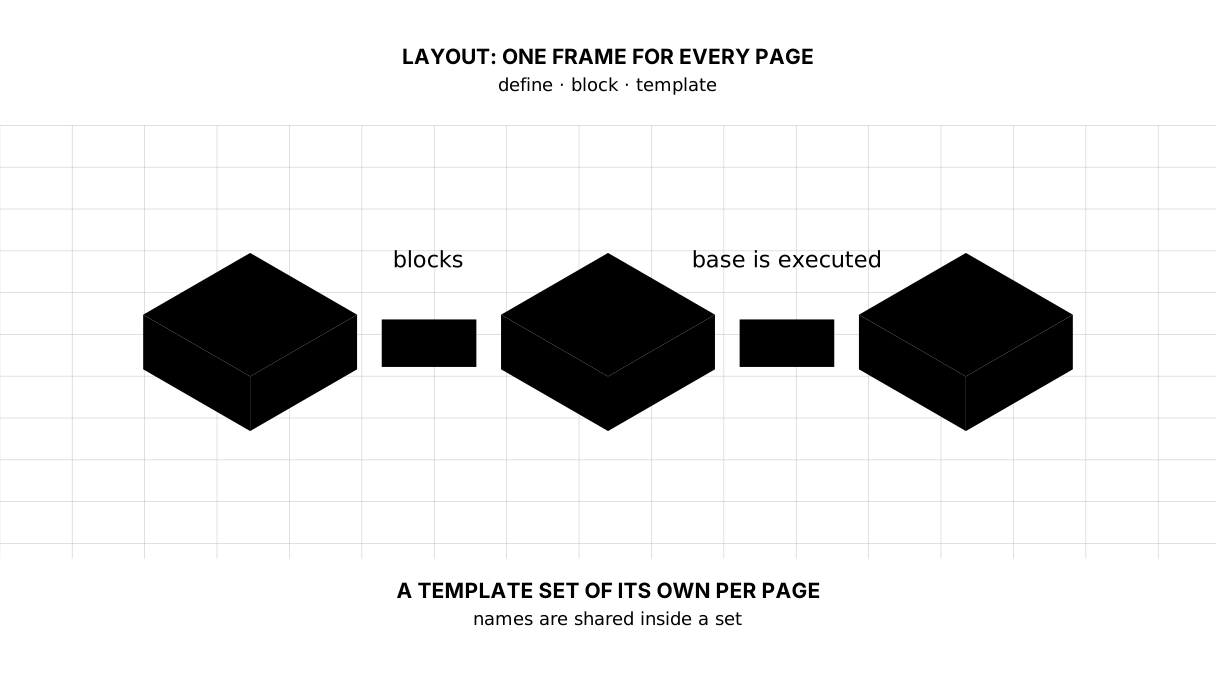
A template set of its own for every page
The cure is to build as many sets as there are pages:
t, err := template.New(name).ParseFS(files,
	"templates/base.html", "templates/partials/*.html", page)
Each set holds the frame, every shared piece, and one page. The names inside a set no longer collide: there is exactly one main.
It is built once at start-up, into a map of “page name → set”. A handler then takes the set it needs and executes base in it. Notice: what is executed is always base rather than the name of the page — the frame is what draws.
An error in any template is found at start-up rather than by a reader — the same rule as in the templates lesson: parsing everything at the start beats a surprise in the middle of a page.
Semantics: header, main, footer, nav, article
The output shows the page is no longer built out of “divs in general” but out of tags that mean something: <header> is the header, <nav> the navigation, <main> the one main content of the page, <article> a text that stands on its own, <footer> the footer.
This is not decoration. A screen reader lets someone jump straight to <main>, past the menu. A search engine tells content from wrapping. A browser in reader mode throws away everything but <article>.
The rule is simple: one <main> per page, one <h1> as well, and a <div> when no tag fits the meaning.
A date for a person, not for a database
Until now the blog showed the time of an edit exactly as SQLite handed it over: 2026-09-06 12:00:00. That tells a reader nothing.
The formatting lives in Go rather than in the template: a template shows, it does not calculate. A method on the type is the place for it:
func (a Article) Updated() string {
	if a.UpdatedAt.IsZero() {
		return "never edited"
	}
	return a.UpdatedAt.Format("2 January 2006")
}
The template calls it like a field — {{ .Updated }}, no brackets.
A word about months. English is the one language whose month names package time knows; for Kazakh or Russian you write the list yourself:
var months = [...]string{"қаңтар", "ақпан", "наурыз", "сәуір", "мамыр", "маусым",
	"шілде", "тамыз", "қыркүйек", "қазан", "қараша", "желтоқсан"}
And the formatting itself is done in Go not with letters like YYYY-MM-DD but with a sample date: 02.01.2006. Those are not random numbers but “the second of January two thousand and six” — a way of writing down what goes where.
Whitespace: {{- and -}}
A template prints everything between actions, newlines included. That is why a range leaves an empty line on every turn, and the page comes out ragged.
A minus inside the braces eats the whitespace on that side: {{- range .Articles }} removes the newline before it. In the output above the list runs evenly, without gaps — because of the minuses in list.html.
The lesson map
Say it in your own words
Without looking, answer out loud or on paper. The answers are at the end of the lesson.
- Why do two pages with a
mainblock in one template set show the same thing? - What does a handler execute — the page’s template or
base— and why? - Why is a date formatted in Go rather than in the template?
Exercise
Required. Move the blog onto a layout. All seven templates spread out across pages and partials, the shared beginning stays in base.html, and the header with its navigation goes to partials/header.html. The sets are built once at start-up into a map. The markup turns semantic, and the date of an edit comes out through a method rather than as a raw string.
All of it is done in step-20 — compare against it once you have done your own.
Optional.
- Mark the current page in the navigation. You will need to pass its name to the template.
- Add
partials/article-card.htmland use it both in the list and on the tag page. - Take the minuses out of
{{- range }}and look at the page source in a browser. - The year in the footer arrives here with the data. Make it a template function through
Funcs: then it need not be passed on every page, and the footer will not say2026in two thousand and twenty-seven. That is how step-20 does it.
Where this goes in your blog
This is the first lesson after which the blog stops looking like a teaching example. One frame, real markup, a human date.
Still open. There are still almost no styles, and that is deliberate: this course does not teach design. The navigation does not know which page the reader is on. And the pages carry neither a description for a search engine nor titles for social networks — that comes in the lesson on the checklist before launch.
Answers
Show the answers
- Because
ParseFSputs every template into one set, where the names are shared: the secondmainoverwrites the first. No error comes of it — the set simply keeps one template of that name. base, always. A page defines only thetitleandmainblocks while the frame does the drawing; executing the page’s own name is pointless, since it holds neither<html>nor<body>.- Because a template shows rather than calculates. A method on the type keeps the rule in one place, can be checked by a test, and works the same on every page.
Sources
If you have found a mistake or a typo in this article, tell us about it
Comments (0)
Log in to leave a comment →
No comments yet. Be the first.