

Before you start: what the course needs and what it does not
A preface to the Go course. What you actually need — a computer, the right to install software and half an hour a day — and what you do not: English, mathematics or a powerful machine. Which terminal you are in and why that matters, what to do when installing software is forbidden, how much of it is free, and what the last step actually costs.
What you actually need
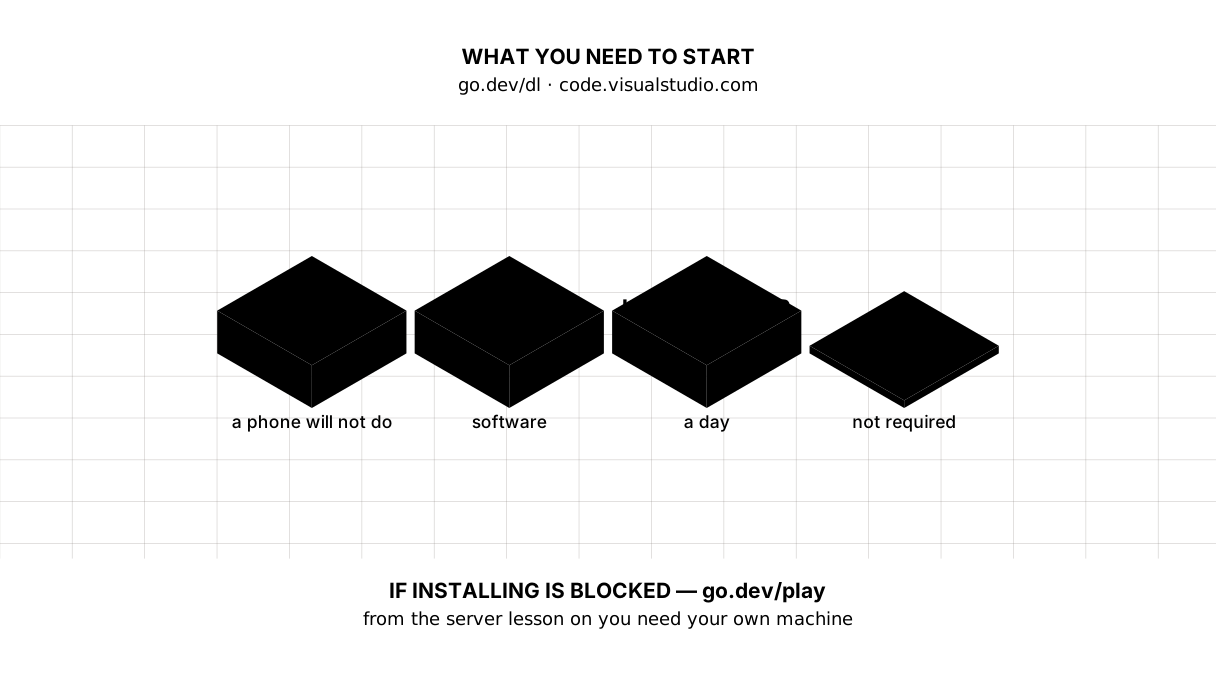
A computer. Windows, macOS or Linux, it makes no difference. Any laptop of the last few years will do: Go builds a program in seconds and wants neither a graphics card nor a lot of memory.
A phone will not be enough. While the subject is the language itself you can poke at it in a browser at go.dev/play, but from the third lesson on you run a server and open it in a browser, and that needs a machine of your own.
The right to install software. You will need two things: Go and the VS Code editor. On a home computer that is unremarkable. On a school or work machine it is not always allowed, and it is better to find out today than in two weeks.
Half an hour a day. A lesson reads in about fifteen minutes. Typing the code by hand and watching what it does takes about as long again.
The second half matters as much as the first, and here is why. When you read, you recognise: the line looks familiar, and familiarity is easily taken for understanding. The memory doing that work is a short one — it holds what you are looking at now and lets go within days. Ask yourself a week later in what order func, the name and the brackets come, and it turns out you never once retrieved that from your head; you only identified it on a page.
Typing works differently. As you type you produce the code yourself, and the repetition settles into another memory, the one people call muscle memory. It accumulates more slowly but stays for years and asks for no attention: the hand closes the brace by itself while your head is busy with the problem rather than the syntax.
So both halves are needed and neither replaces the other. Reading delivers the information — what a slice is, why append returns a new one. Typing turns information into skill. Without the first you would be guessing; without the second you would only ever recognise what other people wrote.
Picture it. Swimming. A book about front crawl will tell you honestly where to hold the elbow and when to turn the head, and that is genuinely useful information. But you will start swimming in the water and nowhere else. Neither the book without the water, nor the water without the book.
What you do not need
English. Error messages arrive in English, but every one you meet in the course is taken apart in the text itself. There is no separate language to learn first.
Mathematics. Across the whole course you will need addition, division and comparison. Nothing beyond primary school.
A powerful machine. Nothing here takes ten minutes to build.
Programming experience. The course starts with how the internet works and assumes only school computing: what a file, a folder and a browser are.
Which terminal you are in, and why it matters
The terminal is the window where you type commands. In VS Code it opens at the bottom: Terminal → New Terminal.
The difference between terminals is not cosmetic: even folders are named differently in them. On Windows VS Code opens PowerShell by default, where the home folder is $HOME. In the older Command Prompt that same folder is %USERPROFILE%. On macOS and Linux it is zsh or bash, and there it is $HOME again, or the short ~.
Look at what the terminal tab says on the right — that is its name. The lessons give commands for PowerShell and for macOS/Linux; if you are in Command Prompt, switching to PowerShell is easier than translating every command.
If you are not allowed to install anything
It happens: a school room, a work laptop, someone else’s computer. There is a way round, but only part of the way.
go.dev/play is Go in a browser, with nothing to install. The early lessons about the language work there in full: variables, functions, conditions, loops, slices, maps, tests. The server, the database and the finished blog need a machine of your own.
So settle this question now. If you have no computer at all, the course will still give you the language, but the ending will have to wait.
What it costs
The course is free: every lesson is open, with no registration and no payment. Go and VS Code are free as well.
The finished blog will work fully on your own computer, and that costs nothing. If you want other people to open it, the site itself can be hosted for free — several services have free tiers. Money is needed for one thing only: your own domain name, something like myblog.kz, and that is the single paid step in the whole course.
When it does not work
That is normal and it happens to everyone. In the lessons where something is installed or launched there is an “If it did not work” block — with exactly the symptoms people get stuck on: go not found, the port in use, the install button that never appeared.
If the block did not help, write in the comments under the lesson. To be answered on the first try, include four things:
- what you typed — the whole command;
- what the terminal said — all of the text, not “an error”;
- your system: Windows, macOS or Linux;
- the output of
go version.
With those four lines anyone can help. Without them, nobody can.
The map
Where to start
With the first lesson, how the internet works. It asks for nothing but a browser: you will look at a real server’s answer with your own hands before you read about it.
Go and the editor come in the second lesson. By then you will know what they are for.
If you have found a mistake or a typo in this article, tell us about it
Comments (0)
Log in to leave a comment →
No comments yet. Be the first.