

Go: from zero to your own blog Lesson 46 of 50
Putting the blog where people can reach it: free hosting
The forty-sixth lesson of the Go course. A host decides three things for you: the port arrives in PORT, the service has to listen on every address rather than on itself, and the disk of a free plan is wiped on every deploy — measured: the same password gives 303 before and 401 after. Plus a build into one static file.
Why this is needed
The blog runs on your laptop. While it stays there nobody can open it: 127.0.0.1 means “myself”, and at your neighbour’s it leads to your neighbour.
For people to open the blog you need a computer that is always on and has an address on the internet. One costs two or three thousand tenge a month — that is the next lesson. But it is worth starting on a free plan: several hosts have one, it comes up in ten minutes, and it shows honestly what putting a program into the world costs.
One warning straight away, so that nobody feels cheated. A free plan is a shop window, not a home. What exactly it does not keep, and why, we measure at the end.
The whole thing at once
A new folder, go mod init sabaq43. The program is not a blog but the three questions a host asks of any program:
package main

import (
	"fmt"
	"net"
	"net/http"
	"os"
	"time"
)

// start is when the process began. A free plan puts the service to sleep, and
// the first reader after that waits for exactly this: the start plus the first
// answer.
// The labels are constants: the output must carry neither a port number nor
// microseconds -- they change from run to run and explain nothing.
const (
	LABEL_ONLY_SELF = "listening on 127.0.0.1 only:"
	LABEL_ALL       = "listening on every address:"
	LABEL_START     = "from the start of the process to the first answer:"
)

var start = time.Now()

func main() {
	// 1. The port is chosen by the host rather than the program: it arrives in PORT.
	fmt.Println("== the port comes from outside")
	fmt.Printf("PORT in the environment: %q\n", os.Getenv("PORT"))
	fmt.Printf("the address we listen on: %q\n", addr())

	// 2. Whoever listens to itself alone is not heard from outside.
	fmt.Println()
	fmt.Println("== who is heard from outside")
	outside := lanIP()
	fmt.Printf("the outside address of this machine: %s\n", outside)

	local, err := net.Listen("tcp", "127.0.0.1:0")
	if err != nil {
		fmt.Println("could not take a port:", err)
		return
	}
	defer local.Close()
	fmt.Printf("%-30s %s\n", LABEL_ONLY_SELF, knock(outside, port(local)))

	all, err := net.Listen("tcp", ":0")
	if err != nil {
		fmt.Println("could not take a port:", err)
		return
	}
	defer all.Close()
	fmt.Printf("%-30s %s\n", LABEL_ALL, knock(outside, port(all)))

	// 3. How long the first reader waits after the sleep.
	fmt.Println()
	fmt.Println("== the cold start")
	srv, ready := serve()
	defer srv.Close()
	resp, err := http.Get("http://" + srv.Addr().String() + "/healthz")
	if err != nil {
		fmt.Println("the request did not go through:", err)
		return
	}
	resp.Body.Close()
	fmt.Printf("the first answer: %d\n", resp.StatusCode)
	fmt.Printf("%s %s\n", LABEL_START, fast(<-ready))
}

// addr builds the address out of PORT. A colon with no host in front means
// every address of this machine, and nothing else lets the host see us.
func addr() string {
	p := os.Getenv("PORT")
	if p == "" {
		p = "8080"
	}
	return ":" + p
}

// lanIP is the address of the machine on the network rather than the loopback.
// It is the one a host knocks on when it checks whether the service came up.
func lanIP() string {
	addrs, _ := net.InterfaceAddrs()
	for _, a := range addrs {
		if n, ok := a.(*net.IPNet); ok && !n.IP.IsLoopback() && n.IP.To4() != nil {
			return n.IP.String()
		}
	}
	return "127.0.0.1"
}

func port(l net.Listener) string {
	_, p, _ := net.SplitHostPort(l.Addr().String())
	return p
}

// knock is a knock from outside: either the connection happened or it did not.
func knock(host, port string) string {
	c, err := net.DialTimeout("tcp", net.JoinHostPort(host, port), time.Second)
	if err != nil {
		return "no answer"
	}
	c.Close()
	return "answers"
}

// serve brings the server up and reports how long it took from the start of
// the process to the first request it served.
func serve() (net.Listener, <-chan time.Duration) {
	ready := make(chan time.Duration, 1)
	l, err := net.Listen("tcp", "127.0.0.1:0")
	if err != nil {
		panic(err)
	}
	mux := http.NewServeMux()
	// /healthz is a page for the host, not for a reader: by it the host decides
	// whether the service is alive or has to be restarted.
	mux.HandleFunc("GET /healthz", func(w http.ResponseWriter, r *http.Request) {
		select {
		case ready <- time.Since(start):
		default:
		}
		w.Write([]byte("ok"))
	})
	go http.Serve(l, mux)
	return l, ready
}

// fast hides the exact figure where the order of magnitude is the point: the
// start either fits into ten milliseconds or it does not.
func fast(d time.Duration) string {
	if d < 10*time.Millisecond {
		return "under 10 ms"
	}
	return d.Round(time.Millisecond).String()
}
Run it the way a host does, through an environment variable:
$ PORT=10000 go run .
PORT in the environment: "10000"
the address we listen on: ":10000"

== who is heard from outside
the outside address of this machine: 192.168.1.200
listening on 127.0.0.1 only:   no answer
listening on every address:    answers

== the cold start
the first answer: 200
from the start of the process to the first answer: under 10 ms
The walk-through
The port is not yours to choose
The first surprise: the host decides what your port is and tells you in the PORT variable. Your job is to read it and listen exactly there.
p := os.Getenv("PORT")
if p == "" {
	p = "8080"
}
It is the same chain as in the lesson on configuration: a default for your own machine, an environment variable for somebody else’s. The flag stays on top for debugging, but on a host nobody will pass it.
Port 8080 written into the code is the most common reason a first deploy answers nothing. The host waits for you on its port while you listen on yours.
Listening to yourself means answering nobody
The second block of the output is a measured fact rather than an argument:
listening on 127.0.0.1 only:   no answer
listening on every address:    answers
Both programs run. Both listen. The difference is one thing: the first has 127.0.0.1 in front of the port, the second has nothing.
127.0.0.1 is the loopback, a machine talking to itself. A packet arriving from the network never reaches it. A colon with no host means “every address of this machine”, and only then does the host see you.
That is exactly what no open ports detected in a host’s panel looks like: the service is running, the log is clean, and the port is “not open”.
Picture it. A telephone in a flat with the line to the city cut. It rings inside the flat; from outside nobody gets through.
/healthz is a page for the host, not for a reader
A host knocks on one page regularly and decides by its answer whether the service is alive or has to be restarted.
mux.HandleFunc("GET /healthz", func(w http.ResponseWriter, r *http.Request) {
	w.Write([]byte("ok"))
})
Three rules for it. It does not go to the database — otherwise a slow database looks like a dead service and the host restarts a healthy program. It does not build a template — it has nothing to show a person. And it answers fast: the check has a timeout, usually seconds.
The rule is more precisely this: there are two checks. /livez — “is the process alive” — depends on nothing, and a restart follows from it. /readyz — “is it ready to take readers” — is the one that does look into the database, and requests are sent to this instance, or not, by its answer. While there is a single instance and a restart is the host’s only reaction, the first is enough; the second is needed where there are several instances.
The name /healthz is a habit that came from Kubernetes; the z at the end simply keeps the name away from real pages.
One file, and that is all
A Go program is not shipped the way PHP or Python is: not “upload the source and hope the right version is installed”. The compiler makes one file, and everything is already inside it:
an ordinary build:    17.8 MB
-ldflags "-s -w":     12.2 MB
what came out:        ELF 64-bit, x86-64, statically linked

the blog waking up:   55 ms the first time (migrations), 13-14 ms after that
CGO_ENABLED=0 is what we took a driver written in Go for, back in the lesson on SQLite. Without a single line of C the binary comes out static: it needs no system library, no installed Go, nothing at all on the machine that runs it.
GOOS=linux GOARCH=amd64 builds for somebody else’s Linux from your Mac. Nothing has to be installed: the Go compiler does this out of the box.
-ldflags "-s -w" throws out the tables a debugger uses — 5.6 MB that nobody needs in production.
The Dockerfile: two stages
Most free hosts take a Dockerfile. It sits in step 31 in full; the idea is the two stages:
FROM golang:1.26-alpine AS build
WORKDIR /src
COPY go.mod go.sum ./
RUN go mod download
COPY . .
RUN CGO_ENABLED=0 go build -ldflags "-s -w" -o /blog .

FROM alpine:3.22
COPY --from=build /blog /app/blog
CMD ["/app/blog"]
The first stage is the whole of Go with all the source; the second is an almost empty system and our single file. Everything the compiler needed stays in a layer the final image never carries.
Two small things visible in the step. go.mod and go.sum are copied separately and earlier than the rest: a layer is rebuilt only when the files it was built from change, so an edit in a handler no longer drags every dependency down again. And the container runs not as root: one adduser line, and a blog that is broken into is not a machine that is broken into.
The disk disappears, and that is not a fault
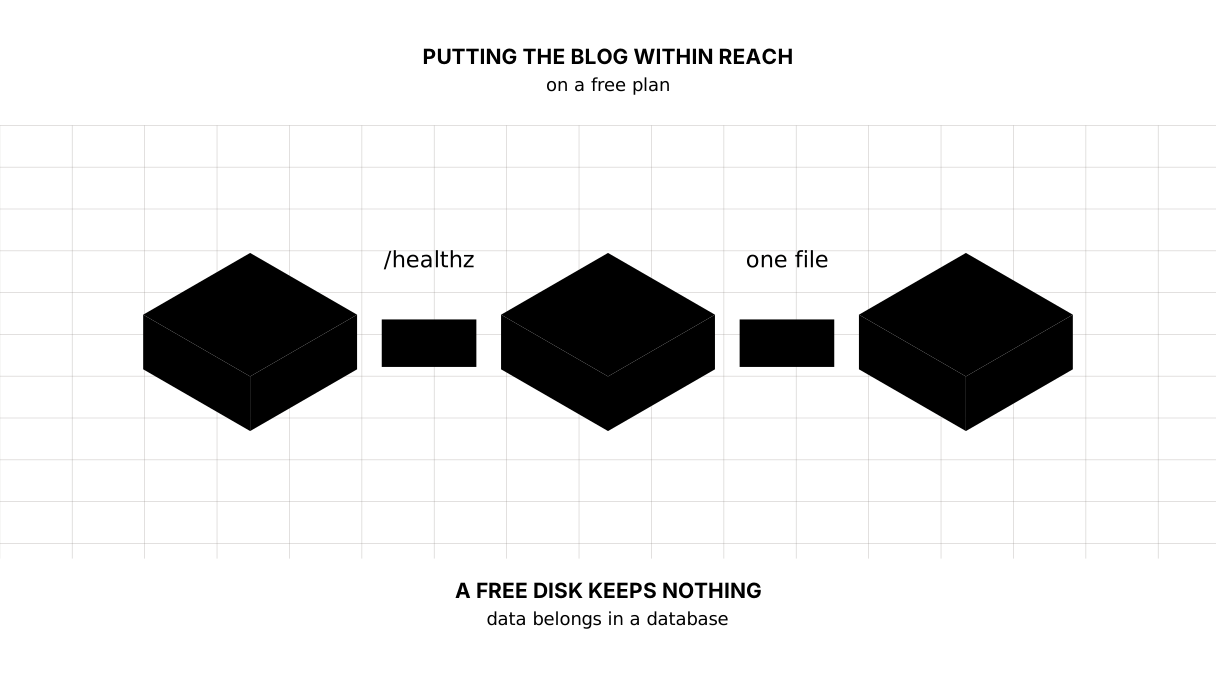
The most important thing about a free plan is the one the sign-up form says nothing about. We measured it on our own blog at the end of the lesson: a person registers, signs in with a password — 303. A deploy wipes the disk. The blog comes up as if nothing happened, answers 200, shows the three seeded articles — and the same password gives 401. The person is gone.
More precisely: the layer a container writes to belongs to that container. Restarting the same container usually keeps it; removing or replacing it — which is what a new deploy is — takes it away. Free plans bring up a fresh container every time, which is why blog.db starts over there. For data to survive a deploy it is moved out of the container: into a volume, or into a database of its own.
What people do about it, in order of price:
- treat the plan as a shop window: let the blog show the seeded articles, with no reader data on it at all;
- move the data out: a free Postgres, or SQLite as a service — the file no longer lives in the container;
- a paid disk: the first paid line at those same hosts, usually a dollar or two.
While the blog holds SQLite, the honest answer is the first one. The second is a conversation of its own, and it is not about Go but about where a database belongs.
The service falls asleep
The second feature of a free plan: with no requests it goes to sleep, and the first reader after that waits while the container is brought up again. Usually that is tens of seconds.
Our share of that time is measured: 55 ms the first time, when the database is created and the migrations run, and 13–14 ms after that. The rest of the waiting belongs to the host rather than to your program, and no code can shorten it.
Do not try to cheat the sleep with an external ping every five minutes: hosts write about that in their rules, and free minutes end exactly there. Better to know the price and choose: a shop window for free, a living site for money.
Secrets do not travel in git
The password to a database, the token of a bot, the key to a payment system — all of these are set in the host’s panel as environment variables and read in the code with the same os.Getenv. They are never in the repository, and this rule has no exceptions: a repository will be public one day, and the history of git remembers everything.
The map of the lesson
Say it in your own words
Without looking, answer aloud or on paper. The answers are at the end of the lesson.
- Why does a service listening on
127.0.0.1not answer from outside? - Why should
/healthznot go to the database? - What happens to a SQLite database on a free plan when a deploy runs?
The exercise
Required. Put the blog on any free plan so that it opens by a link: the address comes from PORT, every address is listened on, /healthz answers ok, and the build goes through the Dockerfile. Check in the host’s log that the port matched.
All of it is done in step-31 — compare after you have done it yourself.
If you want more.
- Register on the blog you have just put up, make another deploy, and see that you can no longer sign in. It is unpleasant, and better learnt on a teaching blog than on a real one.
- Build the binary with
-ldflags "-s -w"and without it, and compare the sizes on your own machine. - Add the version from
runtime/debug.ReadBuildInfoto/healthz— and you will see in the browser which commit is running right now.
Where this goes in the blog
Step 31 gave the blog exactly three things: an address from PORT, a /healthz page and a Dockerfile. Here they are, measured:
== the port and the health
the address taken from PORT:  :8093
GET /healthz                  200 text/plain; charset=utf-8

== restarted with the same file
signing in with the same password:  303 — the person is there

== a deploy on a free plan: the disk was wiped
the blog itself:                    200 — alive
articles on the front page:         3 — the seed, not yours
signing in with the same password:  401 — the person is gone
The third block is what this lesson was written for. The blog is alive and the person is gone.
Still open. The blog still cannot stop tidily: the host sends a signal and we cut requests off mid-sentence — that is the lesson on systemd. There is no domain of our own and no HTTPS either — the next lesson.
The answers
- Because
127.0.0.1is the loopback, a machine talking to itself; a packet from the network never arrives there. Every address has to be listened on — a colon with no host in front of the port. - Because a slow or busy database makes a healthy service look dead, and the host restarts a working program. A liveness check has to answer fast and depend on nothing; readiness, where it is needed, is checked at an address of its own.
- It disappears along with the container’s disk: the blog comes up clean, the articles return from the seed, and everything the readers wrote is gone.
Sources
If you have found a mistake or a typo in this article, tell us about it
Comments (0)
Log in to leave a comment →
No comments yet. Be the first.