

Go: from zero to your own blog Lesson 45 of 50
Your own logo, name and icon: the blog becomes yours
The forty-fifth lesson of the Go course. The blog wears somebody else's name, mark and colours — until this lesson. The name moves out of eleven templates into one setting, the logo becomes your file, the palette is nine lines, and the tab icon becomes yours. The contrast is counted too, and two mistakes of ours are fixed.
Why this is needed
The blog works: it reads, it searches, it lets people in — and it still looks like somebody else’s teaching kit. Before showing it to anyone it is worth making it yours, and that is an evening’s work.
There are four separate things here, and they should not be confused. The name is the text in the header, in the tab title and in the footer. The logo is the picture beside the name. The colours are the page, the text on it, the links and the buttons. The icon is the small thing a browser draws on the tab and in the bookmarks.
Each lives in its own place, and each is changed its own way.
The whole thing at once
A new folder, go mod init sabaq42. Beside it, a static/brand folder with the logo:
package main

import (
	"bytes"
	"embed"
	"flag"
	"fmt"
	"html/template"
	"io/fs"
	"net/http"
	"net/http/httptest"
	"os"
	"strings"
)

//go:embed static
var files embed.FS

// page is what the template sees. The name of the blog arrives here from a
// setting rather than being written into the markup, where it would live in
// every template at once.
type page struct {
	SiteName string
	Title    string
}

const layout = `<!doctype html>
<html lang="en">
  <head>
    <title>{{ .Title }} — {{ .SiteName }}</title>
    <link rel="icon" href="/static/brand/logo.svg" type="image/svg+xml">
    <link rel="apple-touch-icon" href="/static/brand/apple-touch-icon.png">
  </head>
  <body>
    <header>
      <a href="/"><img src="/static/brand/logo.svg" width="40" height="40" alt=""></a>
      <span>{{ .SiteName }}</span>
    </header>
  </body>
</html>`

func main() {
	name := flag.String("name", "My blog", "name of the blog")
	flag.Parse()

	tpl := template.Must(template.New("layout").Parse(layout))

	fmt.Println("== one name for the whole page")
	tpl.Execute(os.Stdout, page{SiteName: *name, Title: "Articles"})
	fmt.Println()

	// The same template with another name: only the lines that changed are
	// printed, so the page is not repeated in full.
	fmt.Println("== another name, the same template")
	var buf bytes.Buffer
	tpl.Execute(&buf, page{SiteName: "Steppe blog", Title: "Articles"})
	for _, line := range strings.Split(buf.String(), "\n") {
		if strings.Contains(line, "<title>") || strings.Contains(line, "<span>") {
			fmt.Println(strings.TrimSpace(line))
		}
	}
	fmt.Println()

	fmt.Println("== what the browser asks for by itself")
	bare := httptest.NewServer(routes(false))
	defer bare.Close()
	fmt.Printf("%-30s %s\n", "/favicon.ico unanswered:", get(bare.URL+"/favicon.ico"))

	srv := httptest.NewServer(routes(true))
	defer srv.Close()
	fmt.Printf("%-30s %s\n", "/favicon.ico answered:", get(srv.URL+"/favicon.ico"))
	fmt.Printf("%-30s %s\n", "/static/brand/logo.svg:", get(srv.URL+"/static/brand/logo.svg"))
	fmt.Printf("%-30s %s\n", "apple-touch-icon.png:", get(srv.URL+"/static/brand/apple-touch-icon.png"))

	fmt.Println()
	fmt.Println("== the size of the mark")
	svg, _ := fs.ReadFile(files, "static/brand/logo.svg")
	fmt.Printf("logo.svg: %d bytes, and it is text: %s…\n", len(svg),
		strings.SplitN(string(svg), ">", 2)[0][:38])
}

func routes(withIcon bool) http.Handler {
	mux := http.NewServeMux()
	mux.Handle("GET /static/", http.FileServerFS(files))

	// A browser asks for /favicon.ico by itself, whatever the markup says.
	// Unanswered it gets a 404 — one line in the log for every reader.
	if withIcon {
		mux.HandleFunc("GET /favicon.ico", func(w http.ResponseWriter, r *http.Request) {
			http.Redirect(w, r, "/static/brand/logo.svg", http.StatusMovedPermanently)
		})
	}
	return mux
}

func get(url string) string {
	resp, err := http.Get(url)
	if err != nil {
		return "error: " + err.Error()
	}
	defer resp.Body.Close()
	return fmt.Sprintf("%d %s", resp.StatusCode, resp.Header.Get("Content-Type"))
}
The output:
== one name for the whole page
<!doctype html>
<html lang="en">
  <head>
    <title>Articles — My blog</title>
    <link rel="icon" href="/static/brand/logo.svg" type="image/svg+xml">
    <link rel="apple-touch-icon" href="/static/brand/apple-touch-icon.png">
  </head>
  <body>
    <header>
      <a href="/"><img src="/static/brand/logo.svg" width="40" height="40" alt=""></a>
      <span>My blog</span>
    </header>
  </body>
</html>
== another name, the same template
<title>Articles — Steppe blog</title>
<span>Steppe blog</span>

== what the browser asks for by itself
/favicon.ico unanswered:       404 text/plain; charset=utf-8
/favicon.ico answered:         200 image/svg+xml
/static/brand/logo.svg:        200 image/svg+xml
apple-touch-icon.png:          200 image/png

== the size of the mark
logo.svg: 193 bytes, and it is text: <svg xmlns="http://www.w3.org/2000/svg…
The walk-through
The name of the blog is a setting, not text in the markup
There is no “My blog” in the template. There is {{ .SiteName }}, and the name itself arrives as a flag:
name := flag.String("name", "My blog", "name of the blog")
The second block of the output shows the difference: the same template with another name, and both lines carrying the name changed. In the example there are two of them; in the blog there are eleven files, and the edit is still one.
While the name is written into the markup it lives in every template: the header, the footer, the <title> of every page. In our blog that is eleven files — all of them have to be changed, and one day the tenth will be forgotten. A setting removes that whole class of mistakes, the same way the address of the database moved out in the lesson on configuration.
In the blog the name will reach the templates where the signed-in person does: render puts it into the data of the page once, and no handler thinks about it.
Picture it. A plate on the door rather than a word painted on the wall. A plate is changed in a minute; paint means repainting the wall.
The logo: SVG is text
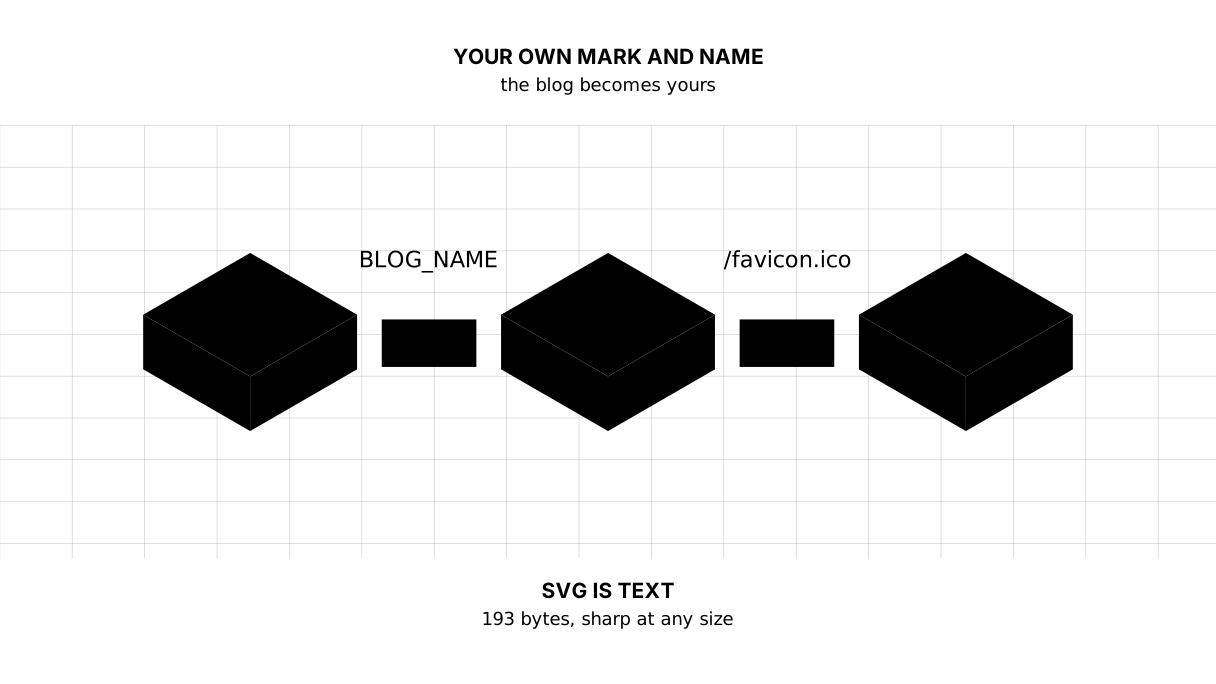
The last line of the output: our logo weighs 193 bytes and begins with <svg. It is not a picture in the usual sense but markup — the same angle brackets as in HTML, describing a circle and a triangle.
Three consequences follow, and they are why a mark is usually an SVG:
- it does not blur: the same string is drawn at 16 pixels on a tab and at 512 on a phone screen;
- it is tiny: two hundred bytes against tens of kilobytes for a PNG of the same quality;
- it can be edited as text: open it in an editor and change the colour, with no graphics program involved.
To put your own mark in place, drop your file in as static/brand/logo.svg — nothing in the templates has to change. A mark in PNG is fine too: put it beside and fix the src, but keep width and height, or the page will jump when the picture arrives.
Colours: nine lines for the whole blog
The mark has changed and the page is still somebody else’s: the same red link, the same cream background. The colour of the blog lives at the very top of the stylesheet:
:root {
  --ink: #1a1a1a;     /* the text */
  --paper: #fffdf8;   /* the page behind it */
  --accent: #d32f2f;  /* links and buttons */
  --muted: #6b625a;   /* labels */
  --faint: #7a7169;   /* the footer and the hints */
  --line: #e6e0d6;    /* the rules under the header and above the footer */
  --edge: #9d8f7b;    /* the edge of a field */
  --field: #ffffff;   /* what a field is filled with */
  --mark: #ffe08a;    /* the found words in a search */
}
These are CSS variables: --ink is the name, #1a1a1a the value, and every rule below takes the value through var(--ink). A browser does this by itself — no bundler, no preprocessor.
There are three main colours, and they are where you start: --paper is the page, --ink the text on it, --accent the links and buttons. The other six are shades of the same idea: labels, rules, the edge of a field.
In step 31 I counted it: the palette is asked for 17 times, declared nine times, and colours written past the palette number zero. So --accent changes in one place, and with it the links, the button, the button’s border and the text of an error. Without variables you would have to hunt #d32f2f through the whole file and miss it once.
A colour cannot be judged by eye
A pretty colour and a readable colour are two different things, and the difference is a number. The rule is called contrast: the ratio between the luminance of the text and that of the background. Ordinary text needs at least 4.5:1; large text and borders that have to be seen need 3:1.
This is the second small program of the lesson, go mod init sabaq42b. It works the contrast out by the WCAG rule and says whether a colour will do:
package main

import (
	"fmt"
	"math"
	"strconv"
	"strings"
)

// The palette of the blog: nine lines every colour on the page comes from.
var palette = map[string]string{
	"--ink":    "#1a1a1a", // the text
	"--paper":  "#fffdf8", // the page behind it
	"--accent": "#d32f2f", // links and buttons
	"--muted":  "#6b625a", // labels
	"--faint":  "#7a7169", // the footer and the hints
	"--edge":   "#9d8f7b", // the edge of a field
}

// pair is what is written on what. The WCAG rule: 4.5:1 for ordinary text,
// 3:1 for large text and for borders that have to be seen.
type pair struct {
	what string
	fg   string
	bg   string
	need float64
}

func main() {
	fmt.Println("== our palette")
	check([]pair{
		{"text on the page", palette["--ink"], palette["--paper"], 4.5},
		{"a link", palette["--accent"], palette["--paper"], 4.5},
		{"a label under a field", palette["--muted"], palette["--paper"], 4.5},
		{"the footer and hints", palette["--faint"], palette["--paper"], 4.5},
		{"text on a button", palette["--paper"], palette["--accent"], 4.5},
		{"the edge of a field", palette["--edge"], palette["--paper"], 3},
	})

	fmt.Println()
	fmt.Println("== what the steps had before this lesson")
	check([]pair{
		{"the footer", "#857c72", palette["--paper"], 4.5},
		{"the edge of a field", "#ddd5c9", palette["--paper"], 3},
	})

	fmt.Println()
	fmt.Println("== pretty and unreadable")
	check([]pair{
		{"a light grey link", "#9aa0a6", "#ffffff", 4.5},
		{"yellow on white", "#ffd400", "#ffffff", 4.5},
		{"a blue of your own", "#1a56db", palette["--paper"], 4.5},
	})
}

func check(pairs []pair) {
	for _, p := range pairs {
		r := contrast(p.fg, p.bg)
		verdict := "too little, needs " + strconv.FormatFloat(p.need, 'g', -1, 64) + ":1"
		if r >= p.need {
			verdict = "good"
		}
		fmt.Printf("%-22s %s on %s  %5.2f:1  %s\n", p.what, p.fg, p.bg, r, verdict)
	}
}

// contrast is the ratio of luminances by the WCAG rule: the lighter plus 0.05
// over the darker plus 0.05. One means the colours match, twenty-one is black
// on white.
func contrast(a, b string) float64 {
	la, lb := luminance(a), luminance(b)
	if la < lb {
		la, lb = lb, la
	}
	return (la + 0.05) / (lb + 0.05)
}

// luminance is how much light a colour carries. The human eye sees green as
// brighter than red and blue as dimmest of all, hence the different weights.
func luminance(hex string) float64 {
	h := strings.TrimPrefix(hex, "#")
	r := channel(h[0:2])
	g := channel(h[2:4])
	b := channel(h[4:6])
	return 0.2126*r + 0.7152*g + 0.0722*b
}

// channel turns one component into its linear form: a screen does not show a
// colour in proportion to the number, and without this the sum comes out wrong.
func channel(s string) float64 {
	v, err := strconv.ParseUint(s, 16, 8)
	if err != nil {
		return 0
	}
	c := float64(v) / 255
	if c <= 0.03928 {
		return c / 12.92
	}
	return math.Pow((c+0.055)/1.055, 2.4)
}
The output:
== our palette
text on the page       #1a1a1a on #fffdf8  17.12:1  good
a link                 #d32f2f on #fffdf8   4.90:1  good
a label under a field  #6b625a on #fffdf8   5.87:1  good
the footer and hints   #7a7169 on #fffdf8   4.70:1  good
text on a button       #fffdf8 on #d32f2f   4.90:1  good
the edge of a field    #9d8f7b on #fffdf8   3.11:1  good

== what the steps had before this lesson
the footer             #857c72 on #fffdf8   4.03:1  too little, needs 4.5:1
the edge of a field    #ddd5c9 on #fffdf8   1.43:1  too little, needs 3:1

== pretty and unreadable
a light grey link      #9aa0a6 on #ffffff   2.64:1  too little, needs 4.5:1
yellow on white        #ffd400 on #ffffff   1.43:1  too little, needs 4.5:1
a blue of your own     #1a56db on #fffdf8   6.08:1  good
Three things in that output are worth seeing.
Our palette passes — but with no room to spare: a link is 4.90:1 against a rule of 4.5:1. Make the red a little lighter and the link becomes hard to read with the sun on a phone screen.
The second block is our own mistake. Until this lesson the footer in the steps was #857c72 — 4.03:1, below the rule for small text. And the edge of an input was #ddd5c9, giving 1.43:1: the field was barely outlined, and on a poor screen its edge disappeared. Both are fixed in the steps now — 4.70:1 and 3.11:1. I had not noticed until I counted; by eye everything looked decent.
The third block is about taste. A light grey link #9aa0a6 gives 2.64:1, and yellow on white 1.43:1. Those are the sites that look lovely in a mock-up and cannot be read outdoors. A blue #1a56db on our paper, though, is 6.08:1, and it can be taken without worry.
To make the blog yours by colour, change three lines and check them with the program:
--paper: #f7f7f5;   /* cold paper instead of cream */
--ink: #14181f;
--accent: #1a56db;  /* blue instead of red */
Picture it. Not painting every board of a fence separately but changing the tin of paint. Every board is repainted by itself, and none is left the old colour.
A dark theme is the same thing once more. The browser says a person has chosen a dark system appearance, and it is enough to redefine the same variables:
@media (prefers-color-scheme: dark) {
  :root {
    --paper: #14120f;
    --ink: #efe9df;
    --accent: #ff6b6b;
  }
}
Not one rule below has to be touched: they take their colour from the palette anyway. The contrast of a dark theme is worked out by the same program — and as a rule the red has to be made lighter, or it sinks into the black.
The tab icon: a browser asks for it by itself
The third block of the output is a measured fact that surprises many:
/favicon.ico unanswered:  404
/favicon.ico answered:    200 image/svg+xml
A browser requests /favicon.ico by itself, even when the markup says nothing about it. Do not answer, and you get a 404 in the log for every reader and an empty square on the tab.
Two lines answer it:
<link rel="icon" href="/static/brand/logo.svg" type="image/svg+xml">
and a redirect from /favicon.ico to the same file, as in the example. The first tells the browser where the icon is; the second catches whoever asked out of old habit.
One SVG is not enough: apple-touch-icon
Every current browser understands an SVG as the icon, with one exception: when a page is added to the home screen of an iPhone. There a square PNG is needed:
<link rel="apple-touch-icon" href="/static/brand/apple-touch-icon.png">
The size is 180×180, without transparency (iOS will put its own background behind it anyway), with a small margin at the edges, because the system rounds the corners off. In the example it sits beside the mark and answers 200 image/png — one file, and the blog stops looking nameless on somebody else’s phone.
A browser remembers the icon for a long time
Worth knowing separately: an icon is cached harder than anything else. You replace the file, reload the page, and the tab still shows the old one. That is normal.
The cure is not a ritual but a name: save the file under a new one (logo-2.svg) and fix the link. The same trick as with the stylesheet in the lesson on static files, and unlike “clear your cache” it always works.
What else carries your name
While you are in the templates, fix what the machine sees rather than the reader:
<html lang="en">— the language of the page. Get it right, or a browser will offer to translate the page from the wrong language;<title>— what shows on the tab and in search results. The “Page — Name of the blog” shape from the example reads better than one name on every page;<meta name="description">— the line under the link in search. We do not have it yet, and that is a debt for the lesson on the pre-launch checklist.
The map of the lesson
Say it in your own words
Without looking, answer aloud or on paper. The answers are at the end of the lesson.
- Why is the name of the blog kept in a setting rather than in the templates?
- Why is a colour written in the palette rather than in every rule that needs it?
- What contrast does ordinary text need, and why can it not be judged by eye?
- What happens when
/favicon.icois not answered? - Why is a mark usually an SVG rather than a PNG?
The exercise
Required. Make the blog yours: the name arrives from the -name flag or the BLOG_NAME variable and reaches every template at once, your logo lies in static/brand/logo.svg, your three colours stand in :root, and /favicon.ico answers instead of staying silent. Check the text on the background and the link on the background with the program from the lesson: below 4.5:1, go back to the palette.
All of it is done in step-30 — compare after you have done it yourself.
If you want more.
- Draw your own mark in the editor: a circle, a letter, two lines. SVG is text, and a copy of our file is a fine place to start.
- Add a dark theme:
@media (prefers-color-scheme: dark)and the same variables with other values. Check the contrast there too — colours behave differently on black. - Add an
apple-touch-icon.pngat 180×180 and see how the blog looks on the home screen of a phone. - Make the name of the blog reach the
<title>, the footer and the title of the RSS feed from one place.
Where this goes in the blog
In our blog the name stood in eleven files — in the title of every page and in the footer. Now it arrives as a setting: starting with -name "Steppe blog" changes both the tab title and the line in the footer, while render puts the name into the data of the page once, and no handler remembers it.
The colours in the steps are in one place now too: the palette is asked for 17 times, declared nine times, and not a single colour is written past it. Two findings of the contrast counter are fixed along the way — the footer 4.03 → 4.70 and the edge of a field 1.43 → 3.11.
In step 30 all three icons answer:
/favicon.ico                       301 -> /static/brand/logo.svg
/static/brand/logo.svg             200 image/svg+xml 1143 bytes
/static/brand/apple-touch-icon.png 200 image/png     2092 bytes
The blog stops being somebody else’s kit. From here it can be shown to people — and the next lessons are about exactly how to do that.
Still open. The pages still have no description for a search engine. Nor a picture for the social networks, the one shown when a link is sent. And the name of the author appears nowhere, although the database has it.
The answers
- Because in the markup it lives in every template — the header, the footer, the title of every tab — and one day it will be changed in all but one of them. A setting keeps it in one place, and the templates take what is ready.
- Because the same colour is needed in several rules: a link, a button, its border, the text of an error. In the palette it is declared once and changed once; otherwise it has to be hunted through the whole file, and missed once.
- At least 4.5:1. It cannot be judged by eye because an eye compares colours rather than luminances: our footer looked decent and gave 4.03:1 — below the rule, and we only saw it by counting.
- The browser asks for it anyway and gets a 404: an error in the log for every reader, and an empty square instead of a mark on the tab.
- Because SVG is text: drawn sharp at any size, hundreds of bytes rather than tens of kilobytes, and editable in an ordinary editor.
Sources
If you have found a mistake or a typo in this article, tell us about it
Comments (0)
Log in to leave a comment →
No comments yet. Be the first.