

Go: from zero to your own blog Lesson 27 of 50
SQL: the first table, INSERT and SELECT
The twenty-seventh lesson of the Go course. Articles finally survive a restart. Why the course uses SQLite rather than Postgres, how to create a table and put a row into it: insert with returning, select with where and order by, an update whose where was forgotten, and the difference between = null and is null.
Why this matters
The blog keeps its articles in a slice. Restart the program and they are gone. Everything a reader typed into the form lives until the first Ctrl+C.
A database is where data sits between runs, and SQL is the language you talk to it in. Today it is SQL only, with not a line of Go: Go connects to the database next lesson, and it is better to arrive there already knowing what you are sending.
A note straight away. This is not an SQL course — it is the minimum a blog runs on. Real SQL is an order of magnitude wider, and worth learning from the source: the SQLite documentation and the PostgreSQL tutorial. Here we take exactly six commands and two traps.
Why SQLite rather than Postgres
The difference between them is not that one is “for learning” and the other “for real”. The difference is in how they are built.
Postgres is a server program. It runs all the time, separately from yours, listening on a port, knowing its users and their passwords. Your program connects to it over the network — even when that network never leaves one machine. On my own machine right now Postgres is holding eleven open connections and serving them while I write this.
SQLite is a library inside your program. There is no server. No port, no users, no service to start. There is a file on disk and code that knows how to read and write it. “Connecting to the database” here means “opening a file”.
Everything else follows. Installing: sqlite3 is already on your Mac and is one command on Linux; Postgres wants a service, a role, a password, and a first encounter with role "..." does not exist. Backup: copy the file. Move the blog to another machine: copy the file. Wipe it and start over: delete the file.
This is not a toy database
It is easy to assume SQLite is something small and unserious. In fact it is, in all likelihood, the most widely deployed database in the world — its authors say exactly that: “every Android device”, “every iPhone”, and by their estimate there are over a trillion live SQLite files out there.
It is in your phone right now, and not in one copy: contacts, messages, browser history, app settings — those are usually SQLite files. Apple, Google, Microsoft and Mozilla use it; it flies in Airbus aircraft and runs in Bosch car electronics — that is their own list.
So you are not learning on a mock-up. You are learning on the engine running in your pocket.
What Postgres can do and SQLite cannot
An honest list, so you know where the boundary is.
Several writers at once. In SQLite one writer works at a time. It is easy to check: open two connections, start writing in both, and the second gets database is locked. For a blog where you are the only author that does not matter; for a shop with a hundred tills it does.
Network access with permissions. Five programs on different machines connect to Postgres, each with its own password and its own rights. To SQLite, whoever can read the file is “connected”.
More types and features. Dates, arrays, indexed JSON, full-text search — Postgres is richer at all of it. SQLite does not even have a boolean type, as you are about to see.
The course promises a blog that works on your own machine, and SQLite serves that promise better. What you learn is SQL, not SQLite: schemas, keys, join and transactions all carry over to Postgres with nothing to relearn. shanraq.org itself runs on Postgres — at the end of the module we will go through exactly what changes when you move.
The whole thing at once
sqlite3 is already on macOS. On Ubuntu it is sudo apt install sqlite3; on Windows, one file from sqlite.org.
Make a folder and open a database in it — the file is created for you:
sqlite3 blog.db
Two lines of setup so tables come out readable, and a third that gets a section of its own at the end of the lesson:
.mode box
.headers on
pragma foreign_keys = on;
That third line has to be repeated every time you enter sqlite3. Why, you will see for yourself when we get to deleting.
And the schema — one table for now:
create table articles (
    id        integer primary key,
    slug      text    not null unique,
    title     text    not null,
    words     integer not null default 0,
    published integer not null default 0,
    created   text    not null default (datetime('now'))
) strict;
To leave, .quit. Everything you wrote is in the file blog.db next to you.
Taking it apart
A table is a type, written down once
create table describes the shape of data much as a struct in Go describes the shape of a value. The difference is that the database, not you, enforces the shape.
not null: the column cannot be empty. unique on slug: there will be no two articles at one address, and you need not check for it in code — inserting a second one fails. default 0: if no value is supplied, it is zero.
primary key is what makes a row different from all the others. In SQLite an integer primary key additionally means “number them yourself”: the first row gets 1, the next 2.
Two places where SQLite differs from what you will see in other people’s examples.
The strict at the end demands that types be respected. Without it SQLite will happily put 'abc' into an integer column, and you will find out much later. Write strict always.
SQLite has no boolean type. published integer stores 0 and 1, and the words true and false in a query are just a convenient spelling of that same one and that same zero.
insert and returning
insert into articles (slug, title, words, published)
values ('dala', 'About the steppe', 400, true)
returning id, slug, created;
┌────┬──────┬─────────────────────┐
│ id │ slug │       created       │
├────┼──────┼─────────────────────┤
│ 1  │ dala │ 2026-09-06 07:15:52 │
└────┴──────┴─────────────────────┘
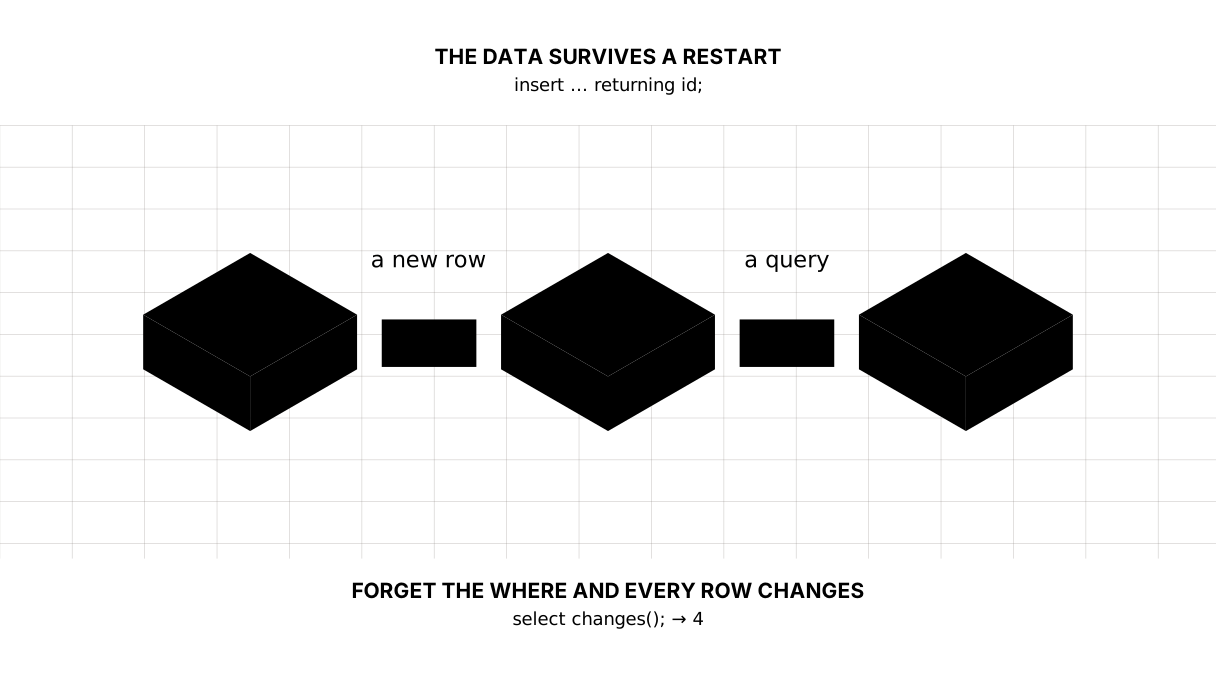
We gave neither id nor created — the database filled them in. returning hands back the result in the same statement: without it you would insert, then ask in a second query “and which id did you give it?”.
Several rows go in with one statement:
insert into articles (slug, title, words, published) values
  ('shanyraq', 'What a shanyraq is', 1000, true),
  ('salem',    'Hello, world',        150, true),
  ('draft',    'Draft',            20, false);
select: what to take, from where, in what order
select id, slug, title, words, published from articles order by id;
┌────┬──────────┬────────────────────┬───────┬───────────┐
│ id │   slug   │       title        │ words │ published │
├────┼──────────┼────────────────────┼───────┼───────────┤
│ 1  │ dala     │ About the steppe   │ 400   │ 1         │
│ 2  │ shanyraq │ What a shanyraq is │ 1000  │ 1         │
│ 3  │ salem    │ Hello, world       │ 150   │ 1         │
│ 4  │ draft    │ Draft              │ 20    │ 0         │
└────┴──────────┴────────────────────┴───────┴───────────┘
Without order by the order of rows is undefined. It may match the order of insertion, and stop matching after the first delete. If you need an order, ask for it.
Next, the three words most of a blog’s queries are made of:
select slug, title, words
from articles
where published = 1 and words > 100
order by words desc
limit 2;
┌──────────┬────────────────────┬───────┐
│   slug   │       title        │ words │
├──────────┼────────────────────┼───────┤
│ shanyraq │ What a shanyraq is │ 1000  │
│ dala     │ About the steppe   │ 400   │
└──────────┴────────────────────┴───────┘
where selects rows, order by ... desc sorts them downwards, limit cuts. A front page is made of exactly this: the last ten published articles.
update: the where is not decoration
update articles set words = 300, published = 1 where slug = 'draft';
select changes() as changed;
┌─────────┐
│ changed │
├─────────┤
│ 1       │
└─────────┘
changes() says how many rows changed. One, as intended.
And now the reason this section exists. Take the where away:
begin;
update articles set published = 0;
select changes() as changed;
rollback;
┌─────────┐
│ changed │
├─────────┤
│ 4       │
└─────────┘
Four. An update without a where changes the whole table, and there is no warning.
What saved us was begin at the start and rollback at the end: the changes were undone as though they had never happened.
select count(*) as published from articles where published = 1;
┌───────────┐
│ published │
├───────────┤
│ 4         │
└───────────┘
Transactions have a lesson of their own; for now remember those two words as a seat belt. Unsure about an update or a delete? Wrap it in begin and look at the number before you type commit.
Picture it. The surgeon who reads which leg is being operated on one more time before the first cut. Not because they have forgotten, but because the cost of being wrong is not symmetrical.
null is not a value but the absence of one
Add a column that is filled in for some rows only:
alter table articles add column cover text;
update articles set cover = '/static/dala.svg' where slug = 'dala';
Now ask the database for articles with no cover, the way habit suggests. And a second question right after, so the empty answer is visible:
select slug from articles where cover = null;
select count(*) as total from articles;
┌───────┐
│ total │
├───────┤
│ 4     │
└───────┘
The first query printed nothing: no row, no error, no warning. The second answered immediately that there are four articles, and three of them have no cover.
The reason is that null is not a value but a mark saying “there is nothing here”. You cannot compare against it: cover = null asks “is the unknown equal to the unknown”, and the answer to that is neither yes nor no but “unknown”. A row reaches the answer only on a yes.
The right way is this:
select slug from articles where cover is null order by id;
┌──────────┐
│   slug   │
├──────────┤
│ shanyraq │
│ salem    │
│ draft    │
└──────────┘
is null and is not null are the only way to ask about emptiness.
The lesson map
Say it in your own words
Without looking, answer out loud or on paper. The answers are at the end of the lesson.
- Why is
strictat the end ofcreate table, and what happens without it? - Why is an
updatewithout awheredangerous, and which two words save you from the mistake? - Why does
where cover = nullfail to find the rows with no cover?
Exercise
Required. Add a lang column with a default of 'kz'. Insert a fourth article in Russian, then list the Kazakh ones sorted by word count in a single query. Then raise words on the shortest article to 200 — one statement, with a where — and check changes().
Optional.
- Insert a second article with the same
slugand read what the database says. - Drop
strictfromcreate tableand put the string'many'intowords. See whatselect typeof(words)returns. - Write an
updatewith nowhereinside abegin, look atchanges(), and roll it back.
Where this goes in your blog
The articles table is the blog’s future storage. But an article rarely lives alone: comments arrive, and tags later. There is nowhere to put them in the same table, and the next lesson is about tying two tables together with a key and collecting them back into one answer.
Still open. We created no indexes — invisible on four rows, but on ten thousand a lookup by slug becomes a scan. Time is stored as text, because SQLite has no separate date type.
Answers
Show the answers
strictdemands that column types be respected. Without it SQLite will accept'abc'into anintegercolumn and say nothing, and you find out a week later when the program tries to add one to it.- Because an
updatewithout awherechanges the whole table and gives no warning:changes()reports not one row but all of them. What saves you isbeginat the start androllbackat the end — the changes are undone as though they never happened, and the number is right in front of you. - Because
nullis not a value but a mark of absence, and comparing against it yields neither true nor false but “unknown”. Only rows for which the condition is true reach the answer, so none of them do. The question has to be asked withis null.
Sources
If you have found a mistake or a typo in this article, tell us about it
Comments (0)
Log in to leave a comment →
No comments yet. Be the first.