

Go: from zero to your own blog Lesson 1 of 50
How the internet works: HTTP request and response in 15 min
The first lesson of the Go course. What a browser asks a server and what counts as an answer: client and server, domain, IP and port, method and path, headers, and the codes 200, 404 and 500. One line in a terminal shows you a real HTTP response before you have read a word about it. School never taught you any of this.
Why this matters
One lesson from now you will write a program that answers a browser. To write it you need exactly two things: what the browser asks for, and what counts as an answer.
School computing does not give you this. Networks are taught there as “local and global”, with about three hours spent on email and websites. We need something else, and we need very little of it.
Fifteen minutes now instead of forty lessons of guessing later.
The whole thing at once
Without understanding anything yet, open a terminal and run one line:
curl -i https://shanraq.org
A terminal is the window where you give a program orders as text. On Windows it is called Command Prompt or PowerShell, on macOS and Linux it is Terminal. Search for it by name and open it.
You will see roughly this:
HTTP/2 200
content-type: text/html; charset=utf-8
date: Mon, 01 Sep 2026 09:00:00 GMT

<!doctype html>
<html lang="en">
...
That is it. You have just done by hand what a browser does hundreds of times a day.
The top is what the server said about itself. Below the blank line is the page. That blank line is not decoration: it is what separates the two.
If it did not work. No
curl— open any site in a browser, press F12, pick the Network tab, refresh the page and click the first row. Same thing, drawn. In Safari F12 opens nothing: first Settings → Advanced → “Show features for web developers”, then ⌥⌘I. If the answer came back with a 301 or a 302, that is a redirect and it is fine: add-Lto the command andcurlwill follow it.
Taking it apart
Client and server
There are two of them. One asks, the other answers. The one who asks is the client, the one who answers is the server.
A browser is a client. The curl you just ran is a client too. A server is a program on somebody else’s computer that waits for questions around the clock. Forty lessons from now the server will be your program.
The key thing: a server never starts the conversation. It waits.
Picture it. The enquiries window at a station. Somebody sits behind it all day waiting to be asked. They will never come over to you — going over is your part.
The address: domain, IP and port
A computer on a network has a number — an IP address, something like 104.21.0.15. Nobody memorises numbers, so names were invented: shanraq.org. The name is turned into the number on the way, and a separate service called DNS does that.
Picture it. A phone book. You remember a person’s name, not their number; the book turns one into the other. DNS is that book, for the whole internet.
But a number is not enough. Many programs run on one computer, and you have to say which of them the question is for. That is what a port is: just a number. The web has two familiar ones, 80 for HTTP and 443 for HTTPS. They are not typed in the address bar because the browser fills them in.
Remember it like this: the IP is the building, the port is the flat.
The request: method, path, headers
A client’s question has three parts.
The method is what you want done. Two are needed now: GET, “let me see”, and POST, “here, take this”. Following a link or typing an address is a GET. Submitting a form is usually POST.
Picture it. Two different requests at the same window: “show me the timetable” and “take this application”. One window, two quite different acts, and they must not be confused.
The path is what exactly to give. In https://shanraq.org/read/salem the path is /read/salem.
The headers are details about the client: which language I want the answer in, which browser I have, whether I carry a cookie. Ordinary lines of the form “name: value”.
Picture it. The writing on an envelope: to whom, from whom, what class, whether it is fragile. The letter is inside; the post decides how to carry it from what is written outside.
The response: code, headers, body
The answer is built the same way, except a status code sits on top — three digits with which the server says how it went.
Then the server’s headers. The important one today is content-type: it tells the client what it was actually sent, a page or a picture. Without it a browser does not know whether to show text or download a file.
Then a blank line. Then the body — the thing the whole exchange was for: the page’s HTML, an image, whatever.
Picture it. The letter inside the envelope. The headers are what is written outside; the body is what you take out and read.
Three codes that will do for now
- 200 — all good, here is what you asked for.
- 404 — I have no such path. Usually the address is simply wrong, but it can be our fault too: a broken link on the site itself lands in the same place.
- 500 — I broke. That one is the fault of whoever wrote the server, and in the lesson on errors and logs we learn to notice it.
There are over a hundred codes, but these three cover nearly everything you will meet in your first month.
Picture it. The stamp on a form you handed in. “Accepted” is 200. “We have no such case” is 404. “There is a fire here, come back later” is 500. A stamp always goes on, even when you are refused.
HTTP and HTTPS
HTTP is not a program and not a file. It is an agreement: in what order to write the method, the path, the headers and the body so that two programs that have never met can understand each other. Agreements like that are called protocols.
Picture it. The rules for filling in a form. Not a language and not the paper, but an agreement: surname first, then the date, signature at the bottom. Fill it in differently and it is not accepted, however plain your words were.
HTTPS is the same agreement with everything encrypted along the way. That is exactly what the padlock in the browser is. For your code the difference is almost nothing: you will write HTTP, and the encryption is added from outside, in the lesson on domains and HTTPS.
The lesson map
Say it in your own words
Answer out loud or on paper without looking. The answers are at the end of the lesson.
- Why can a server not write to your browser first?
- What happens if a server sends a correct page but with the header
content-type: image/png? - How does 404 differ from 500 — not in wording, but in who is at fault?
Exercise
Required. Run curl -i against any two sites. Write down the status code and the content-type for each. That is all.
Optional.
- Find an address that returns 404. The easiest way is to append any nonsense to a site you know.
- Find a redirect — a response whose code starts with 3 and which carries a
locationheader: the server is saying “I moved, ask over there”. Hint:curl -i http://shanraq.org, without the s. Which code comes back — 301, 302, 307 or 308 — is up to the server; they differ in whether the move is permanent and whether the method is preserved.
Where this goes in your blog
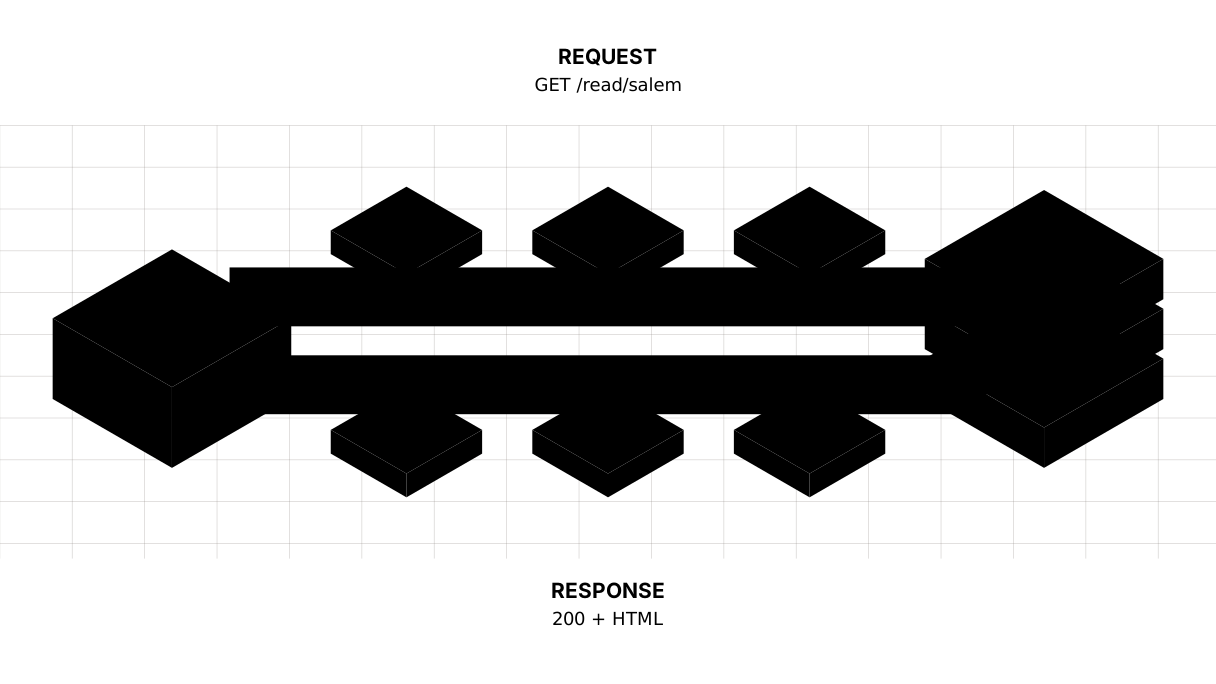
Your blog is a server. Every page a reader opens is one such exchange: they sent a GET and a path, you returned a 200 and some HTML.
Next you will set up a workspace, and after that write a server that answers with code 200 and the word “Salem”. In the lesson on HTTP proper we come back here and take the headers apart in full.
About money, so there is no surprise at the end. The whole course — the language, the database, the finished blog — runs on your own machine for nothing. If you want other people to open your blog, hosting the site can be free as well. Money is needed for one thing only: your own domain name, the single paid step in the whole course.
Answers
Show the answers
- Because a server only waits. It knows neither your computer’s address nor that you exist until you ask first. The client always starts the conversation.
- The browser believes the header, not the content: it will try to show the page as an image and produce either an error or garbage.
content-typeis not a caption, it is an instruction. - With a 404 the reader got the address wrong and the server did its job. With a 500 the server itself broke on a correct address, and the fault lies with whoever wrote it. The first needs no fixing; the second does.
Sources
If you have found a mistake or a typo in this article, tell us about it
Comments (0)
Log in to leave a comment →
No comments yet. Be the first.