

Python: from data to your own digest Lesson 22 of 56
SQL from Python: `GROUP BY`, `JOIN`, and an empty answer that is not zero
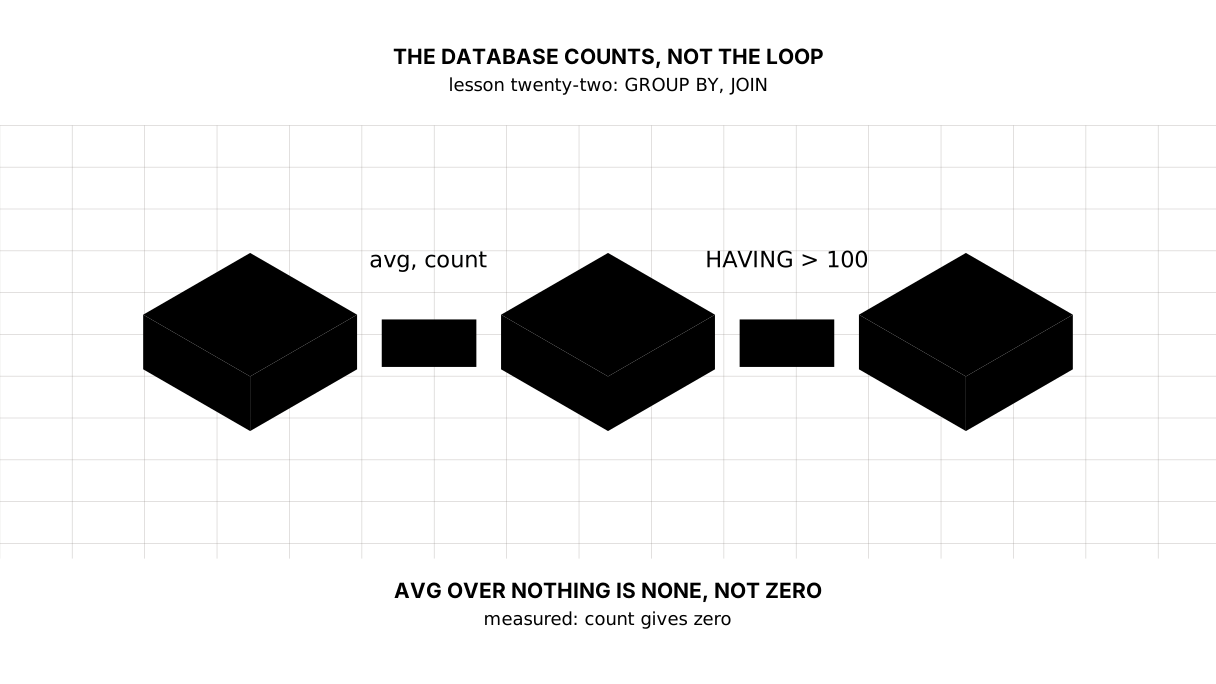
The twenty-second lesson of the Python course. The database does the counting: `GROUP BY` gives one row per currency, `JOIN` brings the names from a second table, and a month is a group made of the first seven characters of the date. Plus the trap: over an empty answer `avg` returns `None` rather than zero.
Why this is needed
The previous lesson put the history into a table, and the SELECT was written in its simplest form: pick the rows and walk them in a loop.
But the loop here is a habit rather than a need. “The average for each currency”, “the dearest day”, “what happened in January” — none of that is work for Python: the database answers such questions in one line of query, and answers them faster, because it does not carry outside what is not wanted.
The difference shows in the size: a loop drags every row into memory in order to throw ninety per cent of them away; a query hands over the finished answer.
The whole thing at once
The file is suranys.py. Run it with python suranys.py from inside the environment.
The required part is the first three blocks: the aggregates, GROUP BY and HAVING. The fourth shows two tables joined, the fifth a group made out of part of a date, the sixth the trap in an empty answer.
"""Lesson 22: SQL from Python -- a slice by query rather than by loop.

The previous lesson brought a table and a SELECT in its simplest form. Today we
find out what the database can work out for itself: grouping, joining two
tables, and handing back the finished answer a loop with a condition used to be
written for.
"""

import sqlite3
from pathlib import Path

HERE = Path(__file__).parent
FILE = HERE / "svodka.db"
FILE.unlink(missing_ok=True)

conn = sqlite3.connect(FILE)
conn.row_factory = sqlite3.Row
conn.executescript("""
    CREATE TABLE rates (
        day   TEXT NOT NULL,
        code  TEXT NOT NULL,
        value REAL NOT NULL,
        PRIMARY KEY (day, code)
    );
    CREATE TABLE currencies (
        code TEXT PRIMARY KEY,
        name TEXT NOT NULL,
        quant INTEGER NOT NULL
    );
""")
conn.executemany("INSERT INTO rates VALUES (?, ?, ?)", [
    ("2026-01-15", "USD", 510.43), ("2026-01-15", "EUR", 594.86), ("2026-01-15", "UZS", 4.24),
    ("2026-01-16", "USD", 511.02), ("2026-01-16", "EUR", 596.10), ("2026-01-16", "UZS", 4.21),
    ("2026-02-02", "USD", 515.70), ("2026-02-02", "EUR", 601.44), ("2026-02-02", "UZS", 4.19),
])
conn.executemany("INSERT INTO currencies VALUES (?, ?, ?)", [
    ("USD", "the US dollar", 1), ("EUR", "the euro", 1), ("UZS", "the Uzbek sum", 100),
])
conn.commit()

print("== one row of answer instead of a loop")
row = conn.execute("""
    SELECT count(*) AS days, min(value) AS low, max(value) AS high, avg(value) AS mid
    FROM rates WHERE code = ?
""", ("USD",)).fetchone()
print(f"the dollar: {row['days']} days, from {row['low']} to {row['high']}, average {row['mid']:.2f}")

print()
print("== grouping: one row per currency")
for row in conn.execute("""
    SELECT code, count(*) AS days, round(avg(value), 2) AS mid
    FROM rates
    GROUP BY code
    ORDER BY mid DESC
"""):
    print(f"{row['code']}: {row['days']} days, average {row['mid']}")

print()
print("== filtering a group is HAVING, not WHERE")
for row in conn.execute("""
    SELECT code, round(avg(value), 2) AS mid
    FROM rates
    GROUP BY code
    HAVING avg(value) > ?
    ORDER BY code
""", (100,)):
    print(f"{row['code']}: {row['mid']}")

print()
print("== two tables: joined on the code")
for row in conn.execute("""
    SELECT r.day, c.name, round(r.value / c.quant, 4) AS unit
    FROM rates AS r
    JOIN currencies AS c ON c.code = r.code
    WHERE r.day = ?
    ORDER BY unit DESC
""", ("2026-01-15",)):
    print(f"{row['day']} {row['name']}: {row['unit']} for one")

print()
print("== a month as a group: a slice of the date string")
for row in conn.execute("""
    SELECT substr(day, 1, 7) AS month, code, round(avg(value), 2) AS mid
    FROM rates
    WHERE code = ?
    GROUP BY month, code
    ORDER BY month
""", ("USD",)):
    print(f"{row['month']}: {row['mid']}")

print()
print("== what SQL does not do: an empty answer is not an error")
missing = conn.execute("SELECT avg(value) AS mid FROM rates WHERE code = ?", ("GBP",)).fetchone()
print("the pound: no rows, and avg returned", missing["mid"])
print("count over nothing:", conn.execute(
    "SELECT count(*) AS n FROM rates WHERE code = ?", ("GBP",)).fetchone()["n"])

conn.close()
FILE.unlink()
It prints:
== one row of answer instead of a loop
the dollar: 3 days, from 510.43 to 515.7, average 512.38

== grouping: one row per currency
EUR: 3 days, average 597.47
USD: 3 days, average 512.38
UZS: 3 days, average 4.21

== filtering a group is HAVING, not WHERE
EUR: 597.47
USD: 512.38

== two tables: joined on the code
2026-01-15 the euro: 594.86 for one
2026-01-15 the US dollar: 510.43 for one
2026-01-15 the Uzbek sum: 0.0424 for one

== a month as a group: a slice of the date string
2026-01: 510.73
2026-02: 515.7

== what SQL does not do: an empty answer is not an error
the pound: no rows, and avg returned None
count over nothing: 0
Taking it apart
The database counts, not Python
SELECT count(*), min(value), max(value), avg(value) FROM rates WHERE code = ?
count, min, max, avg, sum are aggregates: they take many rows and return one value. The whole “days, from and to, average” block is one row of answer, and it reaches Python already worked out.
The same thing in a loop is a for over every row, four variables and a test for emptiness. The difference is not beauty: the loop first drags across what the database can gather on its own.
Picture it. Ordering in a canteen. You ask for a portion rather than carrying the pot to your table to measure it yourself.
GROUP BY: one row per group
EUR: 3 days, average 597.47
USD: 3 days, average 512.38
UZS: 3 days, average 4.21
GROUP BY code divides the rows into heaps by the value of a column, and the aggregate is worked out inside each one. One row of answer per currency, and the order is set by ORDER BY — by default there is none, and “however it came out” is not something to rely on.
A rule worth keeping: with grouping, a SELECT may hold only what was grouped by and aggregates. code is fine, avg(value) is fine, and a day beside them is a question with no answer: which of the three days do you mean?
HAVING is WHERE for groups
GROUP BY code
HAVING avg(value) > ?
WHERE picks rows before the grouping, HAVING picks groups after it. WHERE avg(value) > 100 cannot be written: at the moment WHERE runs, no average exists yet.
Hence a way of reading a query aloud: first where from (FROM), then which rows (WHERE), then how to heap them (GROUP BY), then which heaps to keep (HAVING), and only then how to show them (ORDER BY).
JOIN: the name lives in another table
FROM rates AS r
JOIN currencies AS c ON c.code = r.code
The rates table holds the currency’s code, while its name and quant are in the reference. That is as it should be: the dollar’s name does not change daily, and keeping it in every row of rates means repeating one thing a thousand times.
JOIN ... ON joins the rows of two tables where they match: each row of rates gets the reference row with the same code. The aliases r and c are not decoration: without them code would have to be written out in full, while r.value / c.quant reads at a glance.
Note the division: the rate for one unit is value / quant, and now the database works it out rather than us, as in lesson nineteen.
A month is a group, not a column
SELECT substr(day, 1, 7) AS month ... GROUP BY month
The date lies there as ISO text, so its first seven characters are exactly the year and the month. They can be taken with substr and grouped by: there is no “month” column in the table, and there is a slice by month.
That works because the format was chosen well. With “15.01.2026” the same trick would give groups by day — one more reason to keep dates in ISO, as lesson fourteen said.
An empty answer is neither an error nor a zero
the pound: no rows, and avg returned None
count over nothing: 0
Here is the trap the lesson is worth finishing for. A query about a currency the table does not have does not fall over: it returns a row in which avg is None.
count meanwhile answers 0 honestly — because “how many rows” has an answer over an empty set and “the average” does not. Further along, f"{mid:.2f}" meets the None and falls over in a place that looks innocent — the gap of lesson seven, this time out of a database.
Check for it outright: if mid is None. Or ask the database to supply a value itself — COALESCE(avg(value), 0) — but only where zero really does mean zero rather than “we do not know”.
The map of the lesson
Say it in your own words
Without looking, answer out loud or on paper. The answers are at the end of the lesson.
- How does
HAVINGdiffer fromWHERE, and why can they not change places? - Why does a currency’s name live in a separate table rather than beside the rate?
- What does
avgreturn over an empty set of rows, and why is that dangerous?
Warm-up
Three short steps before the exercise: predict, fill in, fix. The answers are at the end of the lesson, but answer them yourself first.
1. Predict. What does this program print?
import sqlite3

conn = sqlite3.connect(":memory:")
conn.execute("CREATE TABLE t (code TEXT, value REAL)")
conn.executemany("INSERT INTO t VALUES (?, ?)",
                 [("USD", 510.0), ("USD", 512.0), ("EUR", 595.0)])
for row in conn.execute("SELECT code, count(*), avg(value) FROM t GROUP BY code ORDER BY code"):
    print(row)
2. Fill in the gap. In place of ... put the word that filters groups rather than rows.
import sqlite3

conn = sqlite3.connect(":memory:")
conn.execute("CREATE TABLE t (code TEXT, value REAL)")
conn.executemany("INSERT INTO t VALUES (?, ?)",
                 [("USD", 510.0), ("EUR", 595.0), ("UZS", 4.2)])
for row in conn.execute("""
    SELECT code, avg(value) AS mid
    FROM t
    GROUP BY code
    ... avg(value) > 100
    ORDER BY code
"""):
    print(row)
3. Fix it. The table has no such currency and the program falls over while formatting. Make it say so in words.
import sqlite3

conn = sqlite3.connect(":memory:")
conn.execute("CREATE TABLE t (code TEXT, value REAL)")
conn.execute("INSERT INTO t VALUES (?, ?)", ("USD", 510.0))
mid = conn.execute("SELECT avg(value) FROM t WHERE code = ?", ("GBP",)).fetchone()[0]
print(f"average: {mid:.2f}")
Exercise
Required. Build the report with queries. Given:
rates = [
    ("2026-01-15", "USD", 510.43), ("2026-01-15", "UZS", 4.24),
    ("2026-01-16", "USD", 511.02), ("2026-01-16", "UZS", 4.21),
    ("2026-02-02", "USD", 515.70), ("2026-02-02", "UZS", 4.19),
]
currencies = [("USD", "the US dollar", 1), ("UZS", "the Uzbek sum", 100)]
Make the two tables and print: for each currency, the number of days, the minimum, the maximum and the average (rounded to hundredths); for the 16th of January, the currency’s name from the reference and the rate for one unit (value / quant, four decimals), descending; the dollar’s average by month; and, on the last line, the average rate of the pound, which the table does not have. Not one loop with a condition: the database counts.
The expected output:
== by currency
USD: 3 days, from 510.43 to 515.7, average 512.38
UZS: 3 days, from 4.19 to 4.24, average 4.21
== one day, with names
the US dollar: 511.02 for one
the Uzbek sum: 0.0421 for one
== the dollar by month
2026-01: 510.73
2026-02: 515.7
the pound: no data
Done when: the output matches line by line; there is no loop in Python that counts — only a loop that prints the rows of an answer; the names came from the second table through a JOIN; the month came out of the date rather than being written beside it; the missing currency did not bring the program down.
On your own data. Take your own table from the previous lesson and ask it three questions with queries: how many records per key, the average by month, and the largest day. Say out loud what each of them would turn into as a loop.
Optional.
- Replace the
JOINwith aLEFT JOINand add a rate for a currency the reference does not have. - Run a
GROUP BYwithout anORDER BYseveral times and decide whether the order can be relied on. - Wrap the
avginCOALESCE(avg(value), 0)and explain when that must not be done.
Where this goes in the project
The digest stops carrying data back and forth. The questions “how many”, “on average”, “by month” go to the database, and Python takes the finished rows and prints the report. That also prepares the next step: once the digest runs on a schedule, it will not need a year of history in memory.
Still open. We have not touched indexes — over nine rows they are pointless, over a million they decide everything. And our JOIN is one and simple; what happens when there are three tables and no match is a separate conversation.
The answers
To the questions
WHEREpicks rows before the grouping,HAVINGpicks groups after it. They cannot change places: at the moment ofWHEREno average exists yet, and aHAVINGover a single row is not about a group at all.- Because the name and the
quantdo not change daily while the rate does. Keeping them in every row of rates means repeating one thing and one day differing in the spelling; aJOINsupplies them by the code. Nonerather than zero: an empty set has no average. The danger is that the program falls over not where the data is missing but where theNonereached a number’s format. Check for it outright, or supply a value withCOALESCE— but only where zero really means zero.
To the warm-up
- Two rows:
('EUR', 1, 595.0)and('USD', 2, 511.0). The grouping put the two dollars into one heap and worked out the average inside it;ORDER BY codeput EUR first.
('EUR', 1, 595.0)
('USD', 2, 511.0)
HAVING. A condition about anavgis a condition about a group, and groups exist only after aGROUP BY; aWHEREin that place would not understand what it is being asked.
import sqlite3

conn = sqlite3.connect(":memory:")
conn.execute("CREATE TABLE t (code TEXT, value REAL)")
conn.executemany("INSERT INTO t VALUES (?, ?)",
                 [("USD", 510.0), ("EUR", 595.0), ("UZS", 4.2)])
for row in conn.execute("""
    SELECT code, avg(value) AS mid
    FROM t
    GROUP BY code
    HAVING avg(value) > 100
    ORDER BY code
"""):
    print(row)
('EUR', 595.0)
('USD', 510.0)
- There is no row with that code, so
avgreturnedNone, andf"{None:.2f}"is aTypeError. The gap is checked before anything is formatted:
import sqlite3

conn = sqlite3.connect(":memory:")
conn.execute("CREATE TABLE t (code TEXT, value REAL)")
conn.execute("INSERT INTO t VALUES (?, ?)", ("USD", 510.0))
mid = conn.execute("SELECT avg(value) FROM t WHERE code = ?", ("GBP",)).fetchone()[0]
if mid is None:
    print("average: no data")
else:
    print(f"average: {mid:.2f}")
average: no data
Sources
If you have found a mistake or a typo in this article, tell us about it
Comments (0)
Log in to leave a comment →
No comments yet. Be the first.