

Python: from data to your own digest Lesson 17 of 56
A module and a package of your own: `import`, `__name__`, and the file that replaced a standard one
The seventeenth lesson of the Python course. The digest has grown into one long file, and it is time to lay it out under names. `import` runs somebody else's file whole, `__name__` tells a module from the file that was started, and your own `csv.py` beside the program quietly replaces the standard one.
Why this is needed
The digest program has grown. One file holds the arithmetic, the reading of the export and the printing of the report — and to find the name you want, you scroll.
Laying it out in files is not about tidiness. It is about every piece having a name you can call: sana.average(...) reads at once, while “a function somewhere in the middle of the file” does not.
Along the way it turns out that import does more than it looks: it runs somebody else’s file whole, once, and remembers the result.
The whole thing at once
The file is modul.py. Run it with python modul.py from inside the environment.
Normally a person writes the modules — once, by hand. Here the program writes them itself, so that the lesson runs with one command and you see not only the code but what came of it. The required part is the first two blocks: importing a module and importing from a package.
"""Lesson 17: a module is a file you can call by name.

The digest has grown: the calculation, the reading of the file and the printing
of the report all live in one file, and a name in it is found by scrolling. Time
to lay it out in files -- and to learn what an import actually does.
"""

import importlib
import shutil
import sys
from pathlib import Path

HERE = Path(__file__).parent

# Normally a person writes these files. Here the program writes them, so that
# the lesson can be run with one command and its result seen.
(HERE / "sana.py").write_text('''"""The digest's arithmetic: one thing in one place."""

ROUND_TO = 2


def average(values):
    """The average over a series; gaps do not count."""
    numbers = [value for value in values if value is not None]
    return round(sum(numbers) / len(numbers), ROUND_TO)


print("   (sana.py runs on import, __name__ =", __name__, end=")\\n")

if __name__ == "__main__":
    print("   this part runs only when the file is started directly")
''', encoding="utf-8")

package = HERE / "digest"
package.mkdir(exist_ok=True)
(package / "__init__.py").write_text('"""The digest package: a folder that can be imported."""\n', encoding="utf-8")
(package / "report.py").write_text('''"""Printing the report: what a person sees."""


def line(year, value):
    """One line of the report."""
    return f"{year}: {value:.1f}%"
''', encoding="utf-8")

importlib.invalidate_caches()

print("== import: a file becomes a name")
import sana

print("module name:", sana.__name__)
print("average:   ", sana.average([8.0, None, 15.0]))
print("constant:  ", sana.ROUND_TO)

from sana import average

print("the same through from ... import:", average([1.0, 2.0]))

print()
print("== a package: a folder with an __init__.py")
from digest import report

print("the module name inside the package:", report.__name__)
print("a line of the report:", report.line(2025, 11.4))

print()
print("== __name__ in the file that was started")
print("here __name__ =", __name__)

print()
print("== two traps")
try:
    import sanaa
except ModuleNotFoundError as error:
    print("a typo in the name:", error)

(HERE / "csv.py").write_text("MINE = True\n", encoding="utf-8")
importlib.invalidate_caches()
import csv

print("our own csv.py beside it:", getattr(csv, "MINE", False), "| csv.reader is there:", hasattr(csv, "reader"))
print("import looks here first:", Path(sys.path[0]).name == HERE.name)

# Clearing up after ourselves: the files, the package and the bytecode cache.
for name in ("sana.py", "csv.py"):
    (HERE / name).unlink()
shutil.rmtree(package)
shutil.rmtree(HERE / "__pycache__", ignore_errors=True)
print("cleared, files beside it:", len(list(HERE.glob("*.py"))) - 1)
It prints:
== import: a file becomes a name
   (sana.py runs on import, __name__ = sana)
module name: sana
average:    11.5
constant:   2
the same through from ... import: 1.5

== a package: a folder with an __init__.py
the module name inside the package: digest.report
a line of the report: 2025: 11.4%

== __name__ in the file that was started
here __name__ = __main__

== two traps
a typo in the name: No module named 'sanaa'
our own csv.py beside it: True | csv.reader is there: False
import looks here first: True
cleared, files beside it: 0
Taking it apart
import runs a file rather than “attaching” it
(sana.py runs on import, __name__ = sana)
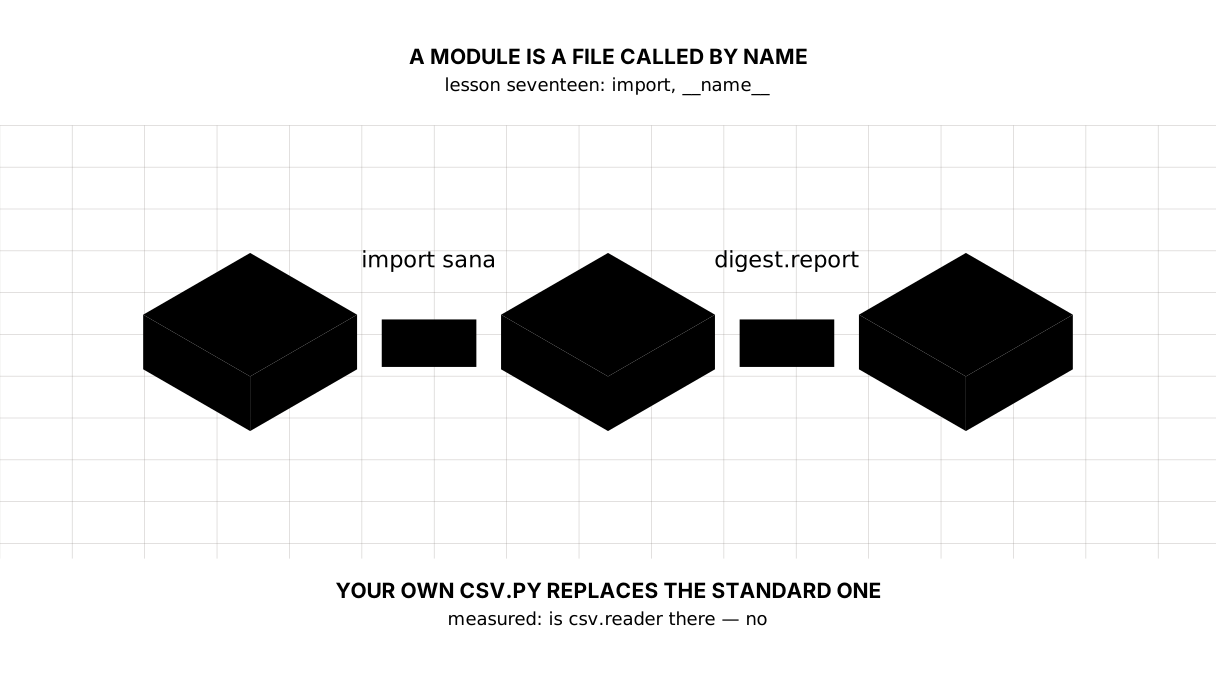
That line was printed before we called a single function. Because import sana means “find the file sana.py, run it whole, and put the resulting names into a module object”.
Hence a practical rule: the top level of a module holds definitions rather than actions. Functions, classes, constants — yes. Requests to the network, reading files, printing — no: all of it happens on import, to somebody who only wanted one function.
The file is run once. A second import sana elsewhere in the program runs nothing — Python hands over the ready module from sys.modules.
Picture it. A shelf of tools. Carrying the shelf into the room is not the same as taking a hammer off it. It would be bad if the shelf started driving nails while being carried in.
__name__: am I a module or a program
module name: sana
here __name__ = __main__
Every file has a __name__ variable. If the file was imported, it holds its name — sana. If the file was started, it holds __main__.
Hence the line you meet in other people’s code more often than any other:
if __name__ == "__main__":
    main()
It means “run this only when the file was started directly”. That way one and the same file can be both a module whose functions are taken and a program that is run. Without it, importing the module would set off all of its work.
Two forms of import
# take the module whole: call it as sana.average(...)
import sana

# take one name: call it as average(...)
from sana import average
The first form keeps the source visible at every call: sana.average says where the function is from. The second is shorter, but in somebody else’s file average(...) no longer says whose it is.
The rule is simple: take the module whole when there are many names or they are common ones (average, line, load belong to everybody), and from ... import when the name is rare and speaks for itself. Never take the star, from sana import *: it brings in everything, including what you never named.
A package is a folder that can be imported
the module name inside the package: digest.report
A package is a folder of module files with an __init__.py inside it. That file may be empty: its job is to say “this folder is not just a folder, it is a package”, and to be the place where the package decides what it shows outwards.
You reach in through a dot: from digest import report, then report.line(...). The module’s name inside a package is the full one: digest.report.
That is how a project gets a structure: digest/report.py for printing, digest/data.py for reading, sana.py for the arithmetic. Every name lies where somebody will look for it.
Two traps
a typo in the name: No module named 'sanaa'
ModuleNotFoundError is a beginner’s commonest error, and it has three causes: a typo, the file is not beside the program, or you are not in the environment. Check them in that order — lesson two was about exactly that.
our own csv.py beside it: True | csv.reader is there: False
And this trap is an expensive one. Python looks for a module beside the program that was started first, and only then in the standard library. Call your file csv.py, json.py or random.py, and import csv will find your file rather than the library.
The error looks absurd: “module csv has no attribute reader”, although it had one yesterday. A recent Python says so in the message itself: consider renaming '.../json.py' since it has the same name as the standard library module. There is one cure — rename your file.
The map of the lesson
Say it in your own words
Without looking, answer out loud or on paper. The answers are at the end of the lesson.
- What happens at the moment of
import sana, and why are actions not written at the top level of a module? - What does
__name__hold in an imported file and in a started one? - Why does your own
csv.pybeside the program breakimport csv?
Warm-up
Three short steps before the exercise: predict, fill in, fix. The answers are at the end of the lesson, but answer them yourself first.
1. Predict. The file was started directly. What does it print?
def main():
    print("main is running")


if __name__ == "__main__":
    main()
2. Fill in the gap. In place of ... take the one name you need out of pathlib.
# complete the import with the one name you need
from pathlib import ...

print(Path("dannye.csv").suffix)
3. Fix it. The program falls over at json.dumps, although the module is a standard one and went nowhere. Read the error and mend it — by renaming.
# the program puts a file called json.py beside itself — exactly what a person
# does when they name their own file after a standard module
from pathlib import Path

HERE = Path(__file__).parent
(HERE / "json.py").write_text("MINE = True\n", encoding="utf-8")

import json

print(json.dumps({"year": 2025}))
Exercise
Required. Lay the arithmetic out in files. Given:
series = {2023: 14.5, 2024: 8.7, 2025: 11.4, 2026: None}
Make a module sana.py with two functions: average(values) — the average without the gaps — and above(series, limit) — the list of years whose value is above the limit. Make a package digest/ with an __init__.py and a report.py, and in it title(text) (the heading in capitals) and line(year, value) (a line of the form 2025: 11.4%). In the main program import both and print the report, and on the last line the module’s name and the program’s own.
The expected output:
INFLATION
2023: 14.5%
2024: 8.7%
2025: 11.4%
2026: no data
average: 11.53
above ten: [2023, 2025]
the module: sana | this program: __main__
Done when: the output matches line by line; there is not a single print at the top level of sana.py or report.py; the report is printed by the main program rather than by the modules; the year without a number got into neither the average nor the list.
On your own data. Take a program of your own from an earlier lesson and split it into two files: the arithmetic apart, the printing apart. Run it, and make sure that importing the arithmetic prints nothing by itself.
All of it is put together in step-6 — compare once you have written your own.
Optional.
- Add an
if __name__ == "__main__":with a small check tosana.pyand run that file directly. - Print
sana.__file__and see where Python took it from. - Put a file called
random.pybeside the program and tryimport random.
Where this goes in the project
The digest stops being one file. The arithmetic, the reading of the export and the printing move to places of their own, and every name is now called at an address. That is the first step towards being able to check the parts separately — tests are not far off.
Still open. We have not touched sys.path, nor installing a package of your own with pip install -e .: for now it is enough that the modules lie beside the program. And our __init__.py is empty — once the package has something to show outwards, that will stop being true.
The answers
To the questions
- Python finds the file, runs it whole and puts the resulting names into a module object; a repeated import takes the ready one from
sys.modules. So an action at the top level happens to somebody who only wanted one function. - In an imported file it is the file’s name (
sana); in a started one it is__main__. That is whatif __name__ == "__main__":stands on. - Because on import Python looks beside the program that was started first, and only then in the standard library. Your file is found first, and of course it has neither
readernordumpsin it.
To the warm-up
main is running. The file was started directly, so__name__is__main__, the condition holds andmain()is called. Had the same file been imported, nothing would have been printed.
main is running
Path. You take out of a module exactly the name you then use;from pathlib import *would bring in all the rest as well.
from pathlib import Path

print(Path("dannye.csv").suffix)
.csv
- The file is called
json.pyand lies beside the program, soimport jsonfinds it rather than the standard module:AttributeError: module 'json' has no attribute 'dumps' (consider renaming ...). Your own file gets renamed:
from pathlib import Path

HERE = Path(__file__).parent
(HERE / "moi_json.py").write_text("MINE = True\n", encoding="utf-8")

import json

print(json.dumps({"year": 2025}))
(HERE / "moi_json.py").unlink()
{"year": 2025}
Sources
If you have found a mistake or a typo in this article, tell us about it
Comments (0)
Log in to leave a comment →
No comments yet. Be the first.