

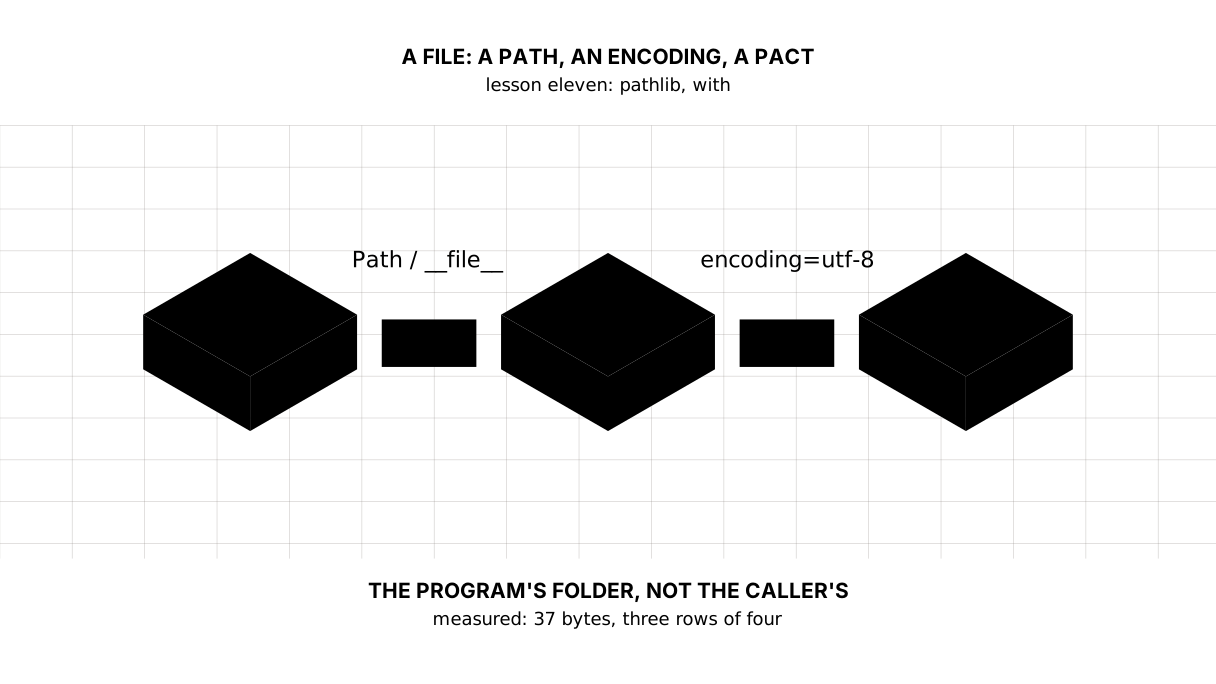
Python: from data to your own digest Lesson 11 of 56
Files and pathlib: a path that does not break on somebody else's machine
The eleventh lesson of the Python course. The program writes its data, reads it line by line and puts the report beside it. The path is built by `Path` rather than by gluing strings: on Windows the same path is written with a backslash. And the encoding is always named — leave it out and the system chooses it for you.
Why this is needed
In the previous lesson we caught a FileNotFoundError and stopped there. Today a file is opened for real — and it turns out there are two ways to break that before any reading happens.
The first is the path. The string "data/2026/cpi.csv" works for you and may not work for whoever runs the program from another folder or on another system.
The second is the encoding. A file on disk is bytes; what turns them into text is an agreement about how those bytes are to be read. Fail to name the agreement and the operating system names it for you, and Kazakh text arrives as gibberish.
The whole thing at once
The file is fail.py. Run it with python fail.py from inside the environment.
The required part is the first two blocks: Path, writing, and reading through with and encoding. The third block writes the report and clears up after itself; it also shows that a program which creates a file should know how to remove it.
"""Lesson 11: a file is a path, an encoding, and an agreement about the inside.

A path is built with Path rather than by gluing strings: the same program has
to work on macOS and on Windows. The encoding is always written down: without
it the system picks one.
"""

from pathlib import Path

# The folder the program itself lives in. Not the current folder: that depends
# on where the program was started from, and a relative path breaks there.
HERE = Path(__file__).parent
data = HERE / "dannye.csv"      # the / here joins parts of a path, it does not divide
report = HERE / "otchet.txt"

rows = ["2021;8.0", "2022;15,0", "2023;n/a", "2024;8.7"]
data.write_text("\n".join(rows) + "\n", encoding="utf-8")

print("== what was written")
print(f"name:      {data.name}")
print(f"stem:      {data.stem}, suffix: {data.suffix}")
print(f"exists:    {data.exists()}, size: {data.stat().st_size} bytes")

print()
print("== reading it line by line")
good = []
bad = []
with data.open(encoding="utf-8") as source:
    for line in source:
        year, _, value = line.strip().partition(";")
        try:
            good.append((int(year), float(value.replace(",", "."))))
        except ValueError:
            bad.append(year)
print("parsed:     ", good)
print("failed:     ", bad)

print()
print("== writing the report beside the data")
lines = []
for year, value in good:
    lines.append(f"{year}: {value:.1f}%")
report.write_text("\n".join(lines) + "\n", encoding="utf-8")
print(report.read_text(encoding="utf-8"), end="")

# The practice files are cleared away after us.
data.unlink()
report.unlink()
print(f"cleared, files left: {len(list(HERE.glob('*.csv')))}")
It prints:
== what was written
name:      dannye.csv
stem:      dannye, suffix: .csv
exists:    True, size: 37 bytes

== reading it line by line
parsed:      [(2021, 8.0), (2022, 15.0), (2024, 8.7)]
failed:      ['2023']

== writing the report beside the data
2021: 8.0%
2022: 15.0%
2024: 8.7%
cleared, files left: 0
Taking it apart
The slash that joins
data = HERE / "dannye.csv"
Path gives / another meaning: between a path and a name it does not divide, it joins. The system supplies the separator, and one and the same line of code produces different text:
Windows:      data\2026\cpi.csv
macOS/Linux:  data/2026/cpi.csv
That is why paths are not glued out of strings. "data" + "/" + "2026" gives data/2026 on Windows — it will usually work, and it will stop working on the day that path reaches something that expects a backslash.
Picture it. An address on an envelope. You write the street and the number rather than drawing the route: the post office knows where to turn.
The program’s folder, not the folder it was started from
HERE = Path(__file__).parent
Path("dannye.csv") is a path relative to the current folder, and the current folder is the one the program was started from, not the one it lives in. Start it from a neighbouring directory and the file is not found, although it lies right next to the program.
__file__ is the path to the program’s own file and .parent is its folder. Everything else is built from there, and the program stops depending on where it was called from.
with: the file closes itself
with data.open(encoding="utf-8") as source:
    for line in source:
with closes the file on the way out of the block — both when everything went smoothly and when something failed inside. That is the case that made finally unnecessary in the previous lesson.
A forgotten close is not a harmless detail: what was written may sit in a buffer and never reach the disk, and a process may hold only so many open files. with settles both.
A file opened this way is read line by line: for line in source does not pull it into memory whole. For a gigabyte export that is the difference between “works” and “does not”; we will come back to it in the lesson on generators.
encoding="utf-8" is not decoration
What lies on disk is bytes. An encoding is the agreement about which bytes count as which letters. Leave it out and Python takes the system’s encoding, and that differs: UTF-8 on macOS and on a modern Linux, historically not on Windows.
The result of the wrong agreement is familiar to everyone: ақпарат instead of a Kazakh word. Worse, the program does not fall over — it honestly reads what it was told to read.
From Python 3.15 on, UTF-8 becomes the default mode (PEP 686). Writing encoding="utf-8" is still worth it: your code will be run on older versions too, and an agreement stated outright reads better than one left to a default.
Reading and writing whole
data.write_text("\n".join(rows) + "\n", encoding="utf-8")
report.read_text(encoding="utf-8")
A small file needs neither open nor a loop: write_text and read_text do it in one line. The boundary is simple — does the file fit in memory. A hundred-line report does; a gigabyte export does not, and it is read line by line.
Note the + "\n" at the end: a text file is conventionally ended with a newline. Without it the last line runs into whatever is appended next.
What else Path can do
From the output: .name is the name with its suffix, .stem without it, .suffix the suffix itself, .exists() whether the file is there, .stat().st_size the size in bytes. Beside them live .parent, .mkdir(parents=True, exist_ok=True) for making folders, .glob("*.csv") for walking files by a pattern, and .unlink() for removing one.
All of it is one object instead of a dozen functions from the older os.path. If you meet os.path.join(a, b) in somebody’s code, that is the same thing written before pathlib.
The map of the lesson
Say it in your own words
Without looking, answer out loud or on paper. The answers are at the end of the lesson.
- Why is a path built with
Pathrather than by gluing strings? - How does
Path(__file__).parentdiffer from the current folder? - What happens if a file written in UTF-8 is opened without
encoding?
Warm-up
Three short steps before the exercise: predict, fill in, fix. The answers are at the end of the lesson, but answer them yourself first.
1. Predict. What does this program print? You need not count the bytes — say what the number is made of.
from pathlib import Path

HERE = Path(__file__).parent
data = HERE / "dannye.txt"
data.write_text("520\n546\n", encoding="utf-8")
print(data.name, data.suffix, data.stat().st_size)
data.unlink()
2. Fill in the gap. In place of ... build the path to a file dannye.csv beside the program.
from pathlib import Path

HERE = Path(__file__).parent
data = ...
data.write_text("8.0\n", encoding="utf-8")
print(data.exists(), data.name)
data.unlink()
3. Fix it. The program prints gibberish instead of letters, although it wrote the file itself. Find the line where the agreement is broken.
from pathlib import Path

HERE = Path(__file__).parent
data = HERE / "dannye.txt"
data.write_text("дерек жоқ\n", encoding="utf-8")
print(data.read_text(encoding="cp1251"))
data.unlink()
Exercise
Required. Given:
rows = ["January;520", "February;546,5", "March;no price", "April;498"]
Build the paths from Path(__file__).parent. Write the rows into ceny.csv with encoding="utf-8" and print its name and its size in bytes. Read the file line by line through with, parse each line on the ; (a comma inside a number counts as a point), and collect the unusable months separately. Print the report over the usable ones to two decimal places, then the list of skipped ones, and at the end take both files away after you.
The expected output:
written: ceny.csv, 52 bytes
January: 520.00
February: 546.50
April: 498.00
skipped: March
cleared, files beside it: 0
Done when: the output matches line by line; no path is glued out of strings; every read and every write names its encoding; nothing of the practice files is left beside the program afterwards.
On your own data. Write a program that creates a file of its own numbers beside itself (a year and a value separated by a semicolon), reads it line by line through with and encoding="utf-8", parses the rows and writes a report into a second file. Build the paths from Path(__file__).parent.
All of it is put together in step-4 — compare once you have written your own.
Optional.
- Start the program from another folder (
python path/to/program.py) and make sure it still finds its file. - Remove the
encodingfrom the read and run it asPYTHONUTF8=0 python …to see what happens. - Collect every
*.csvbeside the program withgloband print their sizes.
Where this goes in the project
The digest gets a disk. The data it fetched from the network lands in a file beside the program, the report is written into a second one, and the skipped rows — the ones that were printed to the screen yesterday — can now go into a log.
Still open. We write over the old file: if the program falls over halfway through writing, nothing is left of the previous data. Real writing goes into a temporary file and is then renamed into place — we will get there when the digest starts running on a schedule.
The answers
To the questions
- Because systems use different path separators, and
Pathsupplies the right one. Gluing strings gives a path that works for its author and breaks for the reader. - The current folder is the one the program was started from and changes from run to run.
Path(__file__).parentis the folder the program’s own file lives in, and it does not depend on where it was called from. - Python takes the system’s encoding. On macOS and modern Linux that is UTF-8 and everything matches; on Windows the letters arrive mangled — and without an error, so only a person notices.
To the warm-up
dannye.txt .txt 8. The size is bytes on disk: the eight characters of520\n546\n, each of which takes one byte in UTF-8.
dannye.txt .txt 8
HERE / "dannye.csv". The slash on aPathjoins rather than divides, and the system supplies the separator.
from pathlib import Path

HERE = Path(__file__).parent
data = HERE / "dannye.csv"
data.write_text("8.0\n", encoding="utf-8")
print(data.exists(), data.name)
data.unlink()
True dannye.csv
- The file was written in UTF-8 and read as
cp1251: the same bytes, a different agreement — and the program does not fall over, because to it these are perfectly good letters. You read with what you wrote with:
from pathlib import Path

HERE = Path(__file__).parent
data = HERE / "dannye.txt"
data.write_text("дерек жоқ\n", encoding="utf-8")
print(data.read_text(encoding="utf-8"))
data.unlink()
дерек жоқ
Sources
If you have found a mistake or a typo in this article, tell us about it
Comments (0)
Log in to leave a comment →
No comments yet. Be the first.