

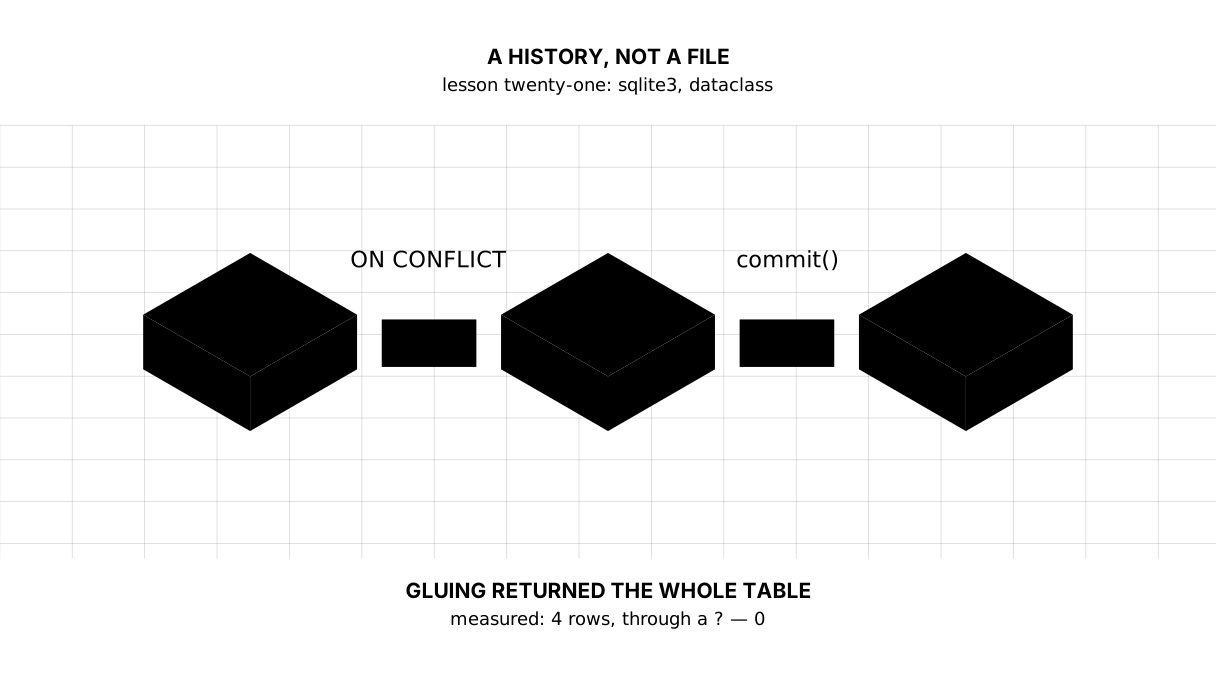
Python: from data to your own digest Lesson 21 of 56
SQLite: a history instead of an overwritten file, a `?` instead of gluing
The twenty-first lesson of the Python course. A database instead of a file: a row is added, yesterday's stay, and running the same day again makes no duplicates. Plus two measured traps: a value glued into a query returned the whole table instead of one currency, and closing without a `commit` lost the row.
Why this is needed
Lesson eleven gave the digest a disk, lesson twelve a table in CSV. Both times the file was written afresh: yesterday’s numbers disappeared, and keeping a history would have meant appending by hand while watching that the same row did not go in twice.
A database was invented for exactly this. A row is added; the old ones stay. A row has a key, and the key shows that a record was already there. And a selection — “the dollar through January by day” — is a query rather than a loop with a condition.
Nothing needs installing: sqlite3 comes with Python, and the whole database is one file beside the program.
The whole thing at once
The file is baza.py. Run it with python baza.py from inside the environment.
The required part is the first three blocks: the table, the second run, and the query. The fourth and fifth show two traps, and the sixth ties a row of the database to a dataclass.
"""Lesson 21: SQLite -- where to put things so that history is not overwritten.

The digest has been putting its data in a file and writing that file afresh
every time: yesterday's numbers disappeared. A database does not work that way
-- a row is added and the old ones stay. And it takes no installing at all:
sqlite3 comes with Python.
"""

import sqlite3
from dataclasses import dataclass
from pathlib import Path

HERE = Path(__file__).parent
FILE = HERE / "svodka.db"
FILE.unlink(missing_ok=True)          # the practice file starts from a clean sheet


@dataclass
class Rate:
    """One row of the history: the day, the currency, the rate for one unit."""

    day: str
    code: str
    value: float


print("== the table and the first rows")
conn = sqlite3.connect(FILE)
conn.execute("""
    CREATE TABLE IF NOT EXISTS rates (
        day   TEXT NOT NULL,
        code  TEXT NOT NULL,
        value REAL NOT NULL,
        PRIMARY KEY (day, code)
    )
""")
first = [
    Rate("2026-01-15", "USD", 510.43),
    Rate("2026-01-15", "EUR", 594.86),
    Rate("2026-01-16", "USD", 511.02),
]
conn.executemany("INSERT INTO rates (day, code, value) VALUES (?, ?, ?)",
                 [(r.day, r.code, r.value) for r in first])
conn.commit()
print("rows in the database:", conn.execute("SELECT count(*) FROM rates").fetchone()[0])

print()
print("== a second run does not spoil the history")
again = [
    Rate("2026-01-15", "USD", 510.43),    # the same day — already there
    Rate("2026-01-16", "EUR", 596.10),    # a new day — will be added
]
conn.executemany("""
    INSERT INTO rates (day, code, value) VALUES (?, ?, ?)
    ON CONFLICT (day, code) DO UPDATE SET value = excluded.value
""", [(r.day, r.code, r.value) for r in again])
conn.commit()
print("rows after the repeat:", conn.execute("SELECT count(*) FROM rates").fetchone()[0])

print()
print("== a query instead of a loop")
conn.row_factory = sqlite3.Row
for row in conn.execute("SELECT day, value FROM rates WHERE code = ? ORDER BY day", ("USD",)):
    print(f"{row['day']}: {row['value']:.2f}")
print("the dollar's average rate:",
      round(conn.execute("SELECT avg(value) FROM rates WHERE code = ?", ("USD",)).fetchone()[0], 2))

print()
print("== why a value goes in behind a question mark")
sneaky = "USD' OR '1'='1"
glued = conn.execute(f"SELECT count(*) FROM rates WHERE code = '{sneaky}'").fetchone()[0]
safe = conn.execute("SELECT count(*) FROM rates WHERE code = ?", (sneaky,)).fetchone()[0]
print("glued into the query, found:", glued, "— the whole table")
print("through a ?, found:       ", safe, "— no such currency")

print()
print("== without a commit nothing was saved")
conn.execute("INSERT INTO rates (day, code, value) VALUES (?, ?, ?)", ("2026-01-17", "USD", 512.00))
print("in this connection:", conn.execute("SELECT count(*) FROM rates").fetchone()[0])
conn.close()                           # closed without saying commit

conn = sqlite3.connect(FILE)
conn.row_factory = sqlite3.Row
print("after reopening:", conn.execute("SELECT count(*) FROM rates").fetchone()[0])

print()
print("== a row of the database becomes a record")
row = conn.execute("SELECT day, code, value FROM rates ORDER BY day, code LIMIT 1").fetchone()
rate = Rate(row["day"], row["code"], row["value"])
print(rate)
print("that is a", type(rate).__name__, "— used like any other object:", rate.code, rate.value)

conn.close()
FILE.unlink()
It prints:
== the table and the first rows
rows in the database: 3

== a second run does not spoil the history
rows after the repeat: 4

== a query instead of a loop
2026-01-15: 510.43
2026-01-16: 511.02
the dollar's average rate: 510.73

== why a value goes in behind a question mark
glued into the query, found: 4 — the whole table
through a ?, found:        0 — no such currency

== without a commit nothing was saved
in this connection: 5
after reopening: 4

== a row of the database becomes a record
Rate(day='2026-01-15', code='EUR', value=594.86)
that is a Rate — used like any other object: EUR 594.86
Taking it apart
A table is an agreement about what you keep
CREATE TABLE IF NOT EXISTS rates (
    day   TEXT NOT NULL,
    code  TEXT NOT NULL,
    value REAL NOT NULL,
    PRIMARY KEY (day, code)
)
Three columns and one decision: the key is the pair “day and currency”. It says that one currency has exactly one rate on one day, and the database sees to that itself.
IF NOT EXISTS makes the run repeatable: the program can run every day and the table is created once.
The date lies there as text in the ISO form — 2026-01-15. SQLite has no separate type for dates, and this is the very case from lesson fourteen: ISO sorts as a string exactly as dates sort, so ORDER BY day is right.
Picture it. A ledger. Lines are added to it rather than the page rewritten; and the same day cannot be written twice for the same item.
A second run does not spoil the history
rows in the database: 3
rows after the repeat: 4
The second time the program brought two records: one already known and one new. The database holds four rows rather than five — the familiar record was updated in place:
INSERT INTO rates (day, code, value) VALUES (?, ?, ?)
ON CONFLICT (day, code) DO UPDATE SET value = excluded.value
This is called an upsert: insert, and if such a key is already there, update. The excluded here is the row you brought; that is how the database tells the old value from the new one.
Without a key and without the ON CONFLICT, a second run would have doubled the history, and no error would have happened — January’s average would simply have been worked out over doubled data. That is the second time in the course that a silent mistake costs more than a loud one.
A query instead of a loop
conn.execute("SELECT day, value FROM rates WHERE code = ? ORDER BY day", ("USD",))
Picking out “the dollar only, by ascending day” used to be a loop with an if and a sort. Now it is one line in the language of queries, and the database does it: that is what it was written for.
conn.row_factory = sqlite3.Row swaps tuples for rows with names: row["day"] rather than row[0]. It is the same difference as between csv.reader and DictReader in lesson twelve, and for the same reason: a column number goes quietly wrong when the query changes.
The database can count, too: avg, count, min, max, sum. More of that in the next lesson, which is entirely about queries.
The ? is not about convenience
glued into the query, found: 4 — the whole table
through a ?, found:        0 — no such currency
Here is the measurement worth remembering one rule from for life. The value USD' OR '1'='1, glued into the text of the query, closed the quote and added a condition that is always true — and the query returned the whole table instead of one currency.
This is called SQL injection, and it is not fought with escaping: the value is simply not glued in. A ? is the place where the database puts the value after it has parsed the query; it cannot harm the text, because by then the query is already made.
The rule is short: a query holds no values, only question marks. Table and column names cannot go in even that way — those come from a list of your own rather than from input.
commit is what “save” means
in this connection: 5
after reopening: 4
The row was visible where it was inserted and gone after the file was reopened. Because the INSERT opened a transaction, and close() without commit() rolled it back.
A transaction is “all or nothing”: several changes either reach the file together or do not reach it at all. For the digest that is exactly the protection the file in lesson eleven did not have: the program can be interrupted halfway and the database stays whole.
It is worth knowing, too, that with sqlite3.connect(...) as conn does commit but does not close the connection — unlike a with on a file. The file is closed explicitly.
REAL — and what became of Decimal from lesson four
Lesson four said it outright: money is not counted in float, because 0.1 + 0.2 is not 0.3. And here the rate lies in a REAL column, which is that same float. There is no contradiction, but the boundary has to be named, or the rule looks repealed.
The rule about Decimal is about sums somebody owes somebody: a price on a receipt, a balance on an account, tax assessed. There an error of a hundredth is an error in money, and it accumulates as thousands of rows are added.
An exchange rate, inflation, a temperature are measurements. Their precision is already what it is on the way in (the bank gives two decimals), they are rarely added up, and averages over them are approximate anyway. For such a series float is honest.
If it really is money going into the database, SQLite has no Decimal type, and the decision is made in advance — one of two:
- a whole number of the smallest unit (
INTEGER): 1,234.56 is stored as123456, and all the arithmetic is in integers; - text (
TEXT): theDecimalgoes in as a string and comes back throughDecimal(row["value"]).
Both are agreements, and they are written down beside the table. A silent “let us put it in a float and sort it out later” is exactly the case where six months on the report is a penny out and nobody remembers why.
A dataclass is a record with names
@dataclass
class Rate:
    day: str
    code: str
    value: float
@dataclass takes the drudgery away: it writes the __init__, the comparison and the printing itself. A row comes out of the database, a Rate is built from it, and from there the program carries an object with fields rather than a tuple in which you have to remember what sits in second place.
It prints itself, too — Rate(day='2026-01-15', code='EUR', value=594.86) — and that is not decoration: while debugging you can see what is actually in the variable.
And a word about the word class. The object model — classes with methods, inheritance, everything behind it — is not part of this course: the digest does not need it, and the course says so outright rather than pretending the language ends here.
But class has met you three times already, and every time in the same modest role: a name. In lesson ten class BadRow(ValueError) gave a name to an error of your own. In lesson twenty a class described the teaching server — which you read rather than wrote. Here @dataclass gives a name to a record: Rate is “day, currency, rate”, and Rate("2026-01-15", "USD", 510.43) is one such set of values, an instance. It has the fields you declared; you wrote no methods, and you are not writing any today.
That is enough to use a dataclass knowingly. Everything else about classes is a separate conversation, and it is not here.
The map of the lesson
Say it in your own words
Without looking, answer out loud or on paper. The answers are at the end of the lesson.
- What does
ON CONFLICT (day, code) DO UPDATEdo, and what would happen without it? - Why do values go in through a
?rather than glued into the text of the query? - What happens to a row if the connection is closed without a
commit?
Warm-up
Three short steps before the exercise: predict, fill in, fix. The answers are at the end of the lesson, but answer them yourself first.
1. Predict. What does this program print?
import sqlite3

conn = sqlite3.connect(":memory:")
conn.execute("CREATE TABLE t (code TEXT PRIMARY KEY, value REAL)")
conn.execute("INSERT INTO t VALUES (?, ?)", ("USD", 510.43))
conn.execute("""
    INSERT INTO t VALUES (?, ?)
    ON CONFLICT (code) DO UPDATE SET value = excluded.value
""", ("USD", 511.0))
print(conn.execute("SELECT count(*), max(value) FROM t").fetchone())
2. Fill in the gap. In place of ... put what a value goes into a query behind.
import sqlite3

conn = sqlite3.connect(":memory:")
conn.execute("CREATE TABLE t (code TEXT, value REAL)")
conn.execute("INSERT INTO t VALUES (?, ?)", ("USD", 510.43))
code = "USD"
print(conn.execute("SELECT value FROM t WHERE code = ...", (code,)).fetchall())
3. Fix it. The program writes the rate down, and the next time the file is opened it is not there. Find the missing line.
import sqlite3
from pathlib import Path

FILE = Path(__file__).parent / "kurs.db"
FILE.unlink(missing_ok=True)

conn = sqlite3.connect(FILE)
conn.execute("CREATE TABLE rates (code TEXT, value REAL)")
conn.execute("INSERT INTO rates VALUES (?, ?)", ("USD", 510.43))
conn.close()

conn = sqlite3.connect(FILE)
print("rows in the file:", conn.execute("SELECT count(*) FROM rates").fetchone()[0])
conn.close()
FILE.unlink()
Exercise
Required. Build a history of rates that a second run does not spoil. Given:
rows = [
    Rate("2026-01-15", "USD", 510.43),
    Rate("2026-01-15", "EUR", 594.86),
    Rate("2026-01-16", "USD", 511.02),
    Rate("2026-01-16", "EUR", 596.10),
]
Make a dataclass Rate (day, currency, rate) and a table rates keyed on the day and the currency. Write a function save(records): new records are added, known ones updated. Call it twice in a row and print the number of rows after each call. Then pick out the dollar by day, work out its average rate with a query, and take the latest record by date, turning it back into a Rate.
The expected output:
after the first run: 4
after the second run: 4
the dollar by day:
  2026-01-15: 510.43
  2026-01-16: 511.02
the dollar's average rate: 510.73
the last record: Rate(day='2026-01-16', code='EUR', value=596.1)
Done when: the output matches line by line; the second run added not one row; no value is glued into the text of a query; the average was worked out by the database rather than by Python; the database file is taken away after the work.
On your own data. Take a series of your own from any earlier lesson — expenses, prices, measurements — and put it into a database keyed on the date. Run the program three times and make sure there are as many rows as there are days.
Optional.
- Add a column for “when it was fetched” and fill it in on insert.
- Try inserting a row with the same key through a plain
INSERTand read the error. - Open the database file in any SQLite viewer and find your table with your own eyes.
Where this goes in the project
The digest gets a memory. Every day’s rate goes into the database, a second run doubles nothing, and the question “how did the dollar move over the month” stops requiring every file to be read in turn.
Still open. We wrote SELECT in its simplest form: the next lesson is entirely about queries — grouping, joining two tables, and how to take a slice without writing a single loop. And our database is one for everything; once there are several tables, what relates to what will have to be decided.
The answers
To the questions
- It inserts a new row, and if a row with that key is already there it updates its value. Without it a second run would have doubled the history without saying so, and every average would have gone wrong.
- Because a glued value can close the quote and add a condition of its own: in the lesson
USD' OR '1'='1returned the whole table. A?puts the value in after the query has been parsed, and it cannot harm it. - It is rolled back. The
INSERTopens a transaction, acommitwrites it into the file, and aclosewithout one cancels it — nothing is left in the file.
To the warm-up
(1, 511.0). The table has one key — the currency code — so the second insert did not add a row but updated the same one: one row, the new value.
(1, 511.0)
?. The question mark is the place for a value; the text of the query itself stays as it was, and there is nothing in it to break.
import sqlite3

conn = sqlite3.connect(":memory:")
conn.execute("CREATE TABLE t (code TEXT, value REAL)")
conn.execute("INSERT INTO t VALUES (?, ?)", ("USD", 510.43))
code = "USD"
print(conn.execute("SELECT value FROM t WHERE code = ?", (code,)).fetchall())
[(510.43,)]
- A
conn.commit()before theclose()was missing. Without it the insert is rolled back and the file is left with an empty table — and there is no error, which is what makes the loss expensive:
import sqlite3
from pathlib import Path

FILE = Path(__file__).parent / "kurs.db"
FILE.unlink(missing_ok=True)

conn = sqlite3.connect(FILE)
conn.execute("CREATE TABLE rates (code TEXT, value REAL)")
conn.execute("INSERT INTO rates VALUES (?, ?)", ("USD", 510.43))
conn.commit()
conn.close()

conn = sqlite3.connect(FILE)
print("rows in the file:", conn.execute("SELECT count(*) FROM rates").fetchone()[0])
conn.close()
FILE.unlink()
rows in the file: 1
Sources
If you have found a mistake or a typo in this article, tell us about it
Comments (0)
Log in to leave a comment →
No comments yet. Be the first.