

Python: from data to your own digest Lesson 4 of 56
Variables and types: why "260" and 260 are different things
The fourth lesson of the Python course. Data from somebody else's file arrives as text, and until the text becomes a number, adding it makes no sense: "260" + "260" gives 260260. The money rule is measured too: 0.1 + 0.2 is not 0.3, while Decimal is. Plus None, the truth of "0", and the difference between == and is.
Why this is needed
In the first lesson we took numbers from the World Bank and they arrived ready. In life that is rare: figures usually come as strings — from a CSV, from a form, from somebody’s report. And then it turns out that "260" and 260 are different things to Python, and the same addition will not do for both.
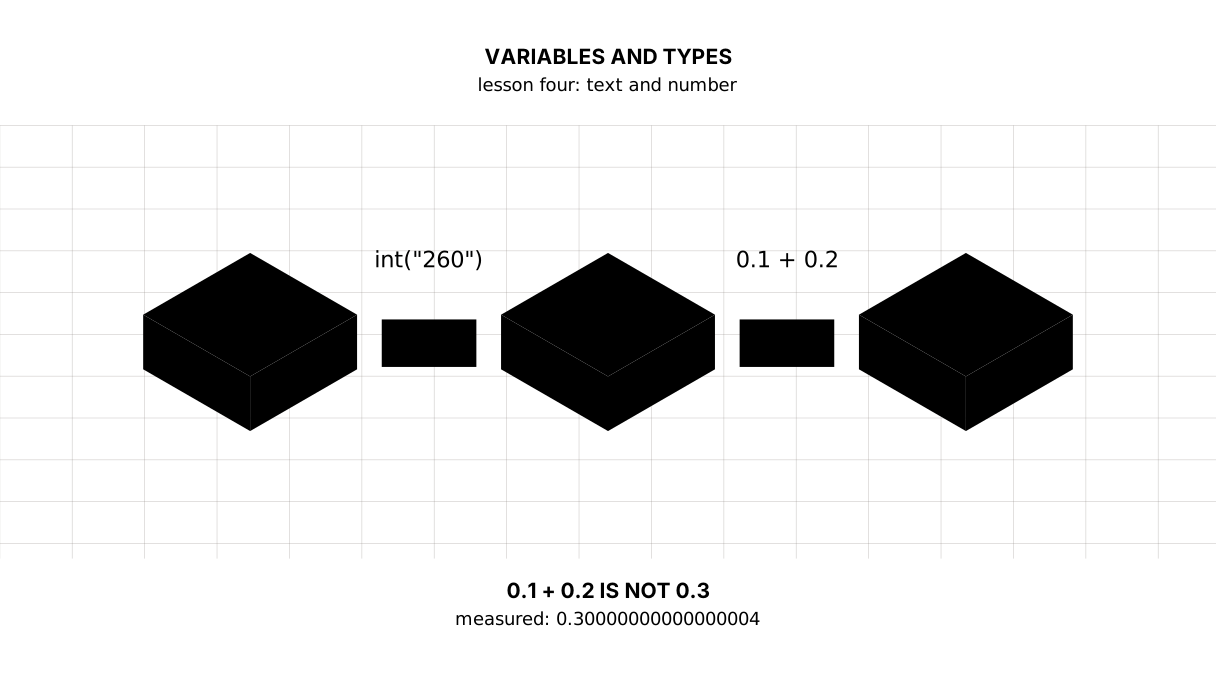
The second reason for this lesson: money cannot be counted the way school taught. Why — you will see in the third block of the output.
The whole thing at once
The file tipter.py. Run it with python tipter.py from inside the environment.
The program is long — sixty lines. What has to stay in your head is the first half: a string into a number, money in Decimal. The rest (None, truthiness, is) is enough to recognise by sight and come back to when you meet it.
"""Lesson 4: variables and types, on numbers that arrived as text.

From a CSV, from a form and from a plain text file, values usually arrive as
text. Until the text becomes a number, adding it makes no sense: adding strings
gives something else entirely.
"""

from decimal import Decimal

# A variable is a name for a value. Names are written in lower case with
# underscores between words: that is how the whole of Python writes them.
price_text = "260"
count = 2

print("== the same on the screen, different underneath")
print("a string:", price_text, type(price_text))
print("a number:", 260, type(260))
print("string + string:", price_text + price_text)
print("number + number:", 260 + 260)

print()
print("== turning text into a number")
price = int(price_text)
print("int(\"260\"):", price, type(price))
print("spaces are fine too:", int("  260  "))
print("fractional:", float("260.5"), type(float("260.5")))
print("back into text:", str(price) + " tenge")
print("the sum:", price * count, "tenge")

print()
print("== and this one will not turn")
try:
    int("260,5")
except ValueError as err:
    print("int(\"260,5\") →", type(err).__name__, "—", err)

print()
print("== why money is not counted in float")
print("0.1 + 0.2 =", 0.1 + 0.2)
print("0.1 + 0.2 == 0.3 →", 0.1 + 0.2 == 0.3)
print("rounded to the tiyn:", round(0.1 + 0.2, 2))
print("with Decimal:", Decimal("0.1") + Decimal("0.2"))
print("Decimal compares honestly →", Decimal("0.1") + Decimal("0.2") == Decimal("0.3"))

print()
print("== yes, no and nothing")
print("bool(0):     ", bool(0))
print("bool(260):   ", bool(260))
print('bool(""):    ', bool(""))
print('bool("0"):   ', bool("0"), "<- a non-empty string, therefore true")
print("bool(None):  ", bool(None))
print("None is neither zero nor an empty string:", None == 0, None == "")

print()
print("== comparisons and logic")
budget = 1000
print("enough for two:", price * count <= budget)
print("enough and no dearer than 300 each:", price * count <= budget and price <= 300)
print("either cheap or few:", price <= 100 or count <= 2)
print("no dearer than 300:", not price > 300)

print()
print("== == compares values, is asks whether it is one object")
first = [260, 2]
second = [260, 2]
print("first == second:", first == second)
print("first is second:", first is second)
print("first is first:  ", first is first)
nothing = None
print("the right check for nothing: nothing is None ->", nothing is None)
The output:
== the same on the screen, different underneath
a string: 260 <class 'str'>
a number: 260 <class 'int'>
string + string: 260260
number + number: 520

== turning text into a number
int("260"): 260 <class 'int'>
spaces are fine too: 260
fractional: 260.5 <class 'float'>
back into text: 260 tenge
the sum: 520 tenge

== and this one will not turn
int("260,5") → ValueError — invalid literal for int() with base 10: '260,5'

== why money is not counted in float
0.1 + 0.2 = 0.30000000000000004
0.1 + 0.2 == 0.3 → False
rounded to the tiyn: 0.3
with Decimal: 0.3
Decimal compares honestly → True

== yes, no and nothing
bool(0):      False
bool(260):    True
bool(""):     False
bool("0"):    True <- a non-empty string, therefore true
bool(None):   False
None is neither zero nor an empty string: False False

== comparisons and logic
enough for two: True
enough and no dearer than 300 each: True
either cheap or few: True
no dearer than 300: True

== == compares values, is asks whether it is one object
first == second: True
first is second: False
first is first:   True
the right check for nothing: nothing is None -> True
Taking it apart
A variable is a name for a value
price_text = "260"
count = 2
The = sign does not mean “equals” but “assign”: the value is on the right, and on the left the name it is now known by. Names are written in lower case with underscores between words — price_text, not PriceText. That is not a whim: the whole of Python writes this way, and other people’s code will read familiarly.
A type is what a value can do
type() shows what a value is:
a string: 260 <class 'str'>
a number: 260 <class 'int'>
On the screen they look the same. They behave differently: "260" + "260" gives 260260, the strings glued together; 260 + 260 gives 520.
Python made no mistake there. It does not guess what you meant: adding strings has a meaning of its own and it used that meaning. The mistake would be yours, if you had not noticed.
Four types will carry you a long way: int, a whole number; float, with a decimal point; str, a string; bool, true or false. The fifth is None, and it is below.
Conversions and their limits
int("260") gives a number. int(" 260 ") does too: it tolerates spaces at the edges. But int("260,5") cannot:
int("260,5") → ValueError — invalid literal for int() with base 10: '260,5'
A comma as the decimal separator is ordinary in Kazakh and Russian exports, and Python knows nothing about it. Such a string is repaired first (replace(",", ".")) and then turned into a float.
The reverse, str(260), is needed when a number has to be glued to text — though an f-string from the previous lesson is used for that more often.
Picture it. A telephone number written on paper, and the call itself. On paper it is text: it can be copied, glued to something else. You cannot call it until you dial.
Why money is not counted in float
The most important thing in the lesson:
0.1 + 0.2 = 0.30000000000000004
0.1 + 0.2 == 0.3 → False
That is neither a bug in Python nor a quirk of it. A float stores a number in binary, and 0.1 in binary is an endless fraction, like 1/3 in decimal. It has to be rounded, and a tail appears at the third decimal place.
For prices on a chart that does not matter. For money it does: the tiyns accumulate, and the sum of a receipt stops matching the till.
Two ways out, both in the output:
- round when showing:
round(0.1 + 0.2, 2)gives0.3. Fine when you count for a person rather than for the books; - count in
Decimal:Decimal("0.1") + Decimal("0.2")gives exactly0.3, and the comparison returnsTrue. Note that aDecimalis made from a string, not from afloat— otherwise the tail is inside before the addition even starts.
True, False and None
bool is two values, True and False. But everything has a truth to it, and that is where the trap is:
bool(0):      False
bool(""):     False
bool("0"):    True <- a non-empty string, therefore true
bool(None):   False
The string "0" is true because it is not empty. Data that arrived as text lies here especially readily: a "0" from a CSV passes an if value: check although it means zero.
None is a value of its own meaning “there is nothing”. It is neither zero nor an empty string: None == 0 gives False. It will be needed wherever the data has a gap — and real tables always have gaps.
and, or, not
Three words instead of symbols, and it reads like a sentence:
print("enough and no dearer than 300 each:", price * count <= budget and price <= 300)
and is true when both are. or when at least one is. not turns it over. Put brackets in when in doubt: they cost nothing, and working it out later is expensive.
== compares values, is compares objects
first == second: True
first is second: False
Two different lists with the same contents are equal, but they are not one and the same object. == asks “is the inside the same”, is asks “is this the very same thing in memory”.
The practical rule: is is used almost exclusively with None — if value is None:. For everything else, ==. Writing if value == None usually works, but it is not how it is written.
The map of the lesson
Say it in your own words
Without looking, answer aloud or on paper. The answers are at the end of the lesson.
- Why is
"260" + "260"not an error, even though the result is not what was wanted? - What is wrong with
0.1 + 0.2, and how is money counted? - Why is
bool("0")true?
Warm-up
Three short steps before the exercise: predict, fill in, fix. The answers are at the end of the lesson, but answer them yourself first.
1. Predict. What does this line print? Note that the + does two different things here.
print(int("8") + 1, "8" + "1")
2. Fill in the gap. In place of ... prepare the string so that float will take it.
text = " 1,15 "
clean = ...
print(float(clean))
3. Fix it. The program says there is no value, although there is one and it is zero. Replace the check with the right one.
value = 0.0
print("no value:", not value)
Exercise
Required. Given:
first = " 1,15 "
second = "0,25"
third = None
Turn the first two into numbers: take the spaces off and replace the comma with a point. Print each with its type, then on its own line whether the third one is empty, then whether zero counts as a gap, and at the end the sum to two decimal places and the average to three.
The expected output:
the first: 1.15 kg, type float
the second: 0.25 kg, type float
the third is empty: True
and zero is a value: False
1.40 kg in all, 0.700 kg on average
Done when: the output matches line by line; the gap is checked with is None rather than with “is it empty”; no string becomes a number without a strip and the comma replaced.
On your own data. Take three weights from a receipt — they are written with a fraction, and they show exactly what this lesson is about: "1,15", " 0,25 ", "0,2" (kilograms). Turn each into a number (two of them will need repairing), add them up and print the sum with an f-string to two decimal places. Then count the same sum through Decimal and compare both results with ==.
The printed lines will match — both show 1.60 — and == will return False. That is the answer to why money is counted in Decimal.
If you want more.
- Check: is
0.1 + 0.2 + 0.3 == 0.6? And isround(0.1 + 0.2 + 0.3, 2) == 0.6? - Print
type()for5,5.0,"5",True,None— five different answers. - Find out for yourself what
bool(" ")is, for a string of one space.
Where this goes in the project
The digest gets its first rule for other people’s data: if it arrived as text, turn it into a number and check what came out. Next we gather those values into a list, and after that into a table.
The debts. We repaired one string by hand, but a file will have thousands of them — that is loops. We saved nothing — that is lists and dictionaries. And we cannot yet say “if it will not convert, skip the line”: that is the lesson on exceptions.
The answers
To the questions
- Because adding strings has a meaning of its own — gluing — and Python used it. It does not guess intent; whoever writes the code watches the types.
- A
floatstores numbers in binary, where0.1is an endless fraction, so the tail0.30000000000000004appears. For showing a person,roundis enough; for money,Decimalis used and made from a string. And comparing afloatwith aDecimalthrough==is a poor contract: either round both to the digit you need, or count inDecimalfrom the first character to the last. - Because the truth of a string is decided by its length rather than its contents:
"0"is not empty, so it is true. The empty string""is false.
To the warm-up
9 81. On the leftint("8")gives a number and the+adds. On the right both halves are strings and the same+glues them. One sign, two actions, and the type decides which.
9 81
text.strip().replace(",", ".").floatwill forgive the spaces around it, but not the comma:float("1,15")raises aValueError.
text = " 1,15 "
clean = text.strip().replace(",", ".")
print(float(clean))
1.15
not valueasks “is it empty”, and Python counts zero, an empty string and an empty list as empty alike. The absence of a value isNone, and that is asked about outright:
value = 0.0
print("no value:", value is None)
no value: False
Sources
If you have found a mistake or a typo in this article, tell us about it
Comments (0)
Log in to leave a comment →
No comments yet. Be the first.