

Python: from data to your own digest Lesson 19 of 56
Parsing XML: a tree instead of a string, `None` instead of a tag, and an address before the name
The nineteenth lesson of the Python course. The same answer from the National Bank, read by a parser this time: 39 currencies, the rate taken by the name of a tag rather than by cutting a string. Plus two traps: `find` returns `None` for a tag that is not there, and a tag in a namespace is not found by its short name at all.
Why this is needed
In the previous lesson we took the dollar rate like this: find <title>USD</title>, cut off a piece, then another piece. That worked exactly until the first change at the bank’s end.
Markup is not a string. It has a structure: tags nested inside one another, each with a name and some with attributes. A parser reads that structure, and then “the dollar rate” is an address in a tree rather than the number of a character.
The standard library can do it: the xml.etree.ElementTree module, with nothing to install.
The whole thing at once
The file is talda.py. Run it with python talda.py from inside the environment.
The required part is the first two blocks: the tree, and picking the currencies you want by the name of a tag. The third and the fourth show the two traps that break everybody’s parsing in turn.
"""Lesson 19: parsing XML -- numbers out of somebody else's markup.

In the previous lesson the dollar rate was taken with string methods: find the
tag, cut around it. That is not the way: one space changes and the parsing goes
wrong. Today the same answer is read by a parser that knows what a tag is.
"""

import urllib.request
import xml.etree.ElementTree as ET

URL = "https://nationalbank.kz/rss/get_rates.cfm?fdate=15.01.2026"
WANTED = ("USD", "EUR", "RUB", "CNY")

request = urllib.request.Request(URL, headers={"User-Agent": "shanraq-course/1.0"})
with urllib.request.urlopen(request, timeout=30) as answer:
    charset = answer.headers.get_content_charset() or "utf-8"
    text = answer.read().decode(charset)

print("== a tree instead of a string")
root = ET.fromstring(text)
print("root:", root.tag, "| children:", len(root))
print("date:", root.findtext("date"))
print("currencies in all:", len(root.findall("item")))

print()
print("== four currencies by the name of a tag")
for item in root.findall("item"):
    code = item.findtext("title")
    if code not in WANTED:
        continue
    rate = float(item.findtext("description"))
    quant = int(item.findtext("quant"))
    print(f"{code}: {rate:8.2f} per {quant} | {item.findtext('fullname')}")

print()
print("== what the markup does not have")
first = root.find("item")
print("find on a tag that is not there:", first.find("net-takogo-tega"))
print("findtext with a default:", first.findtext("net-takogo-tega", "no such tag"))
try:
    print(first.find("net-takogo-tega").text)
except AttributeError as error:
    print("and this is how it falls over:", error)

print()
print("== a namespace: a tag with an address in front of it")
atom = ET.fromstring('<feed xmlns="http://www.w3.org/2005/Atom">'
                     '<entry><title>The rate</title></entry></feed>')
print("the root tag:", atom.tag)
print("searching by the short name:", atom.find("entry"))
NS = {"a": "http://www.w3.org/2005/Atom"}
print("searching with the namespace:", atom.find("a:entry/a:title", NS).text)
It prints:
== a tree instead of a string
root: rates | children: 45
date: 15.01.2026
currencies in all: 39

== four currencies by the name of a tag
USD:   510.43 per 1 | ДОЛЛАР США
EUR:   594.86 per 1 | ЕВРО
CNY:    73.21 per 1 | КИТАЙСКИЙ ЮАНЬ
RUB:     6.49 per 1 | РОССИЙСКИЙ РУБЛЬ

== what the markup does not have
find on a tag that is not there: None
findtext with a default: no such tag
and this is how it falls over: 'NoneType' object has no attribute 'text'

== a namespace: a tag with an address in front of it
the root tag: {http://www.w3.org/2005/Atom}feed
searching by the short name: None
searching with the namespace: The rate
Taking it apart
A tree, not a string
root = ET.fromstring(text)
fromstring takes the text of the markup and returns the root element. From there you work with a tree rather than with text:
root.tag— the name of the tag;len(root)— how many direct children it has;root.find("item")— the first child with that name;root.findall("item")— all such children;root.findtext("date")— the text inside the first such child.
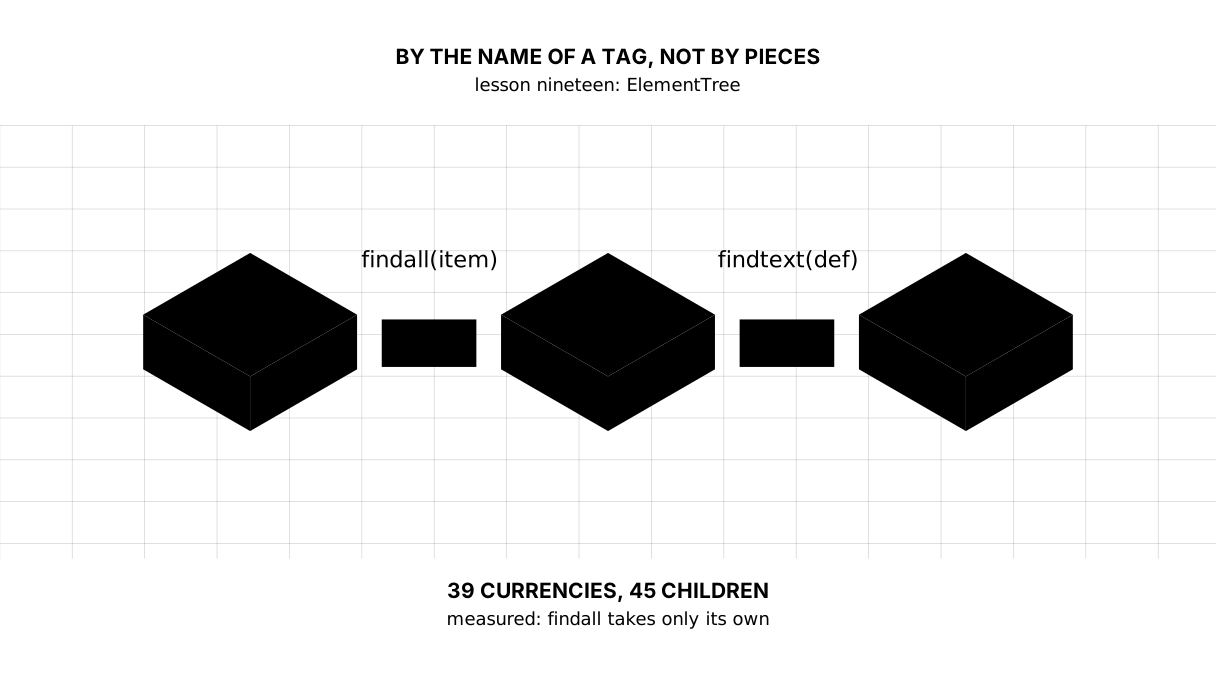
Note the difference in the output: the root has 45 children while there are 39 items. The other six are generator, title, link and the rest of the heading. findall takes only what was asked for; len counts everybody.
Picture it. A book’s table of contents. To find the third chapter you do not count letters from the beginning — you look at the contents and open the page.
The values are always strings
rate = float(item.findtext("description"))
quant = int(item.findtext("quant"))
There are no numbers in XML — only text. findtext returns "510.43", and while it is a string it can be neither added nor compared by size.
It is the same conversation JSON and dates had: turn it into a number while parsing. And there, while parsing, is where it becomes clear what to do about n/a, an empty string, or a comma where a point should be.
quant is not decoration here: the bank does not always quote a rate for one unit. The Uzbek sum is quoted per hundred, the Iranian rial per thousand. A comparison that ignores quant is wrong by a factor of a hundred, and wrong in silence.
find returns None rather than an error
find on a tag that is not there: None
findtext with a default: no such tag
and this is how it falls over: 'NoneType' object has no attribute 'text'
If a tag is not there, find gives back None — the very gap lesson seven was about. Nothing happens until you ask for .text; ask, and the program falls over in a place that looks innocent.
Hence the rule: take findtext with a default rather than find(...).text. One function instead of two actions, and the decision about the gap is made at once rather than postponed until the crash.
A namespace: a tag with an address in front of it
the root tag: {http://www.w3.org/2005/Atom}feed
searching by the short name: None
searching with the namespace: The rate
Here is the trap everybody parsing RSS, Atom or a bank exchange for the first time falls into. If the markup has an xmlns="...", the name of every tag is longer than it looks: the address of the namespace stands in front of it in braces.
find("entry") looks for a tag named entry — and does not find it, because the tag is named {http://www.w3.org/2005/Atom}entry. And there is no error: None again, silence again.
It is cured with a dictionary of prefixes:
NS = {"a": "http://www.w3.org/2005/Atom"}
atom.find("a:entry/a:title", NS)
The National Bank’s answer has no namespaces — which is why it parses so briefly in the lesson. But you will meet one in the very first feed of somebody else’s.
Somebody else’s XML, and safety
ElementTree parses whatever it is given, and a specially built file can make it eat a great deal of memory. For data under control — a bank, a statistics office — that is not a problem. For files that users send, take defusedxml: the same interface with the dangerous features turned off.
Saying so is more honest than staying quiet: parsing somebody else’s markup is working with somebody else’s input.
The map of the lesson
Say it in your own words
Without looking, answer out loud or on paper. The answers are at the end of the lesson.
- Why is parsing a tree better than searching a string, if the result is the same?
- What does
findreturn for a tag that is not there, and why is that dangerous? - Why does
find("entry")not find the tag in markup with anxmlns?
Warm-up
Three short steps before the exercise: predict, fill in, fix. The answers are at the end of the lesson, but answer them yourself first.
1. Predict. What does this program print?
import xml.etree.ElementTree as ET

root = ET.fromstring("<rates><item><title>USD</title></item><item><title>EUR</title></item></rates>")
print(len(root.findall("item")), root.find("item").findtext("title"))
2. Fill in the gap. In place of ... turn the value into a number.
import xml.etree.ElementTree as ET

root = ET.fromstring("<item><description>510.43</description></item>")
value = root.findtext("description")
print(type(value).__name__, ... * 2)
3. Fix it. There is no change tag in this answer and the program falls over. Make it say so in words.
import xml.etree.ElementTree as ET

root = ET.fromstring("<item><title>USD</title></item>")
print(root.find("change").text)
Exercise
Required. Take the National Bank’s answer for the same fixed day and parse it with a parser:
URL = "https://nationalbank.kz/rss/get_rates.cfm?fdate=15.01.2026"
WANTED = ("USD", "RUB", "UZS")
Print the date from the answer and the number of currencies in it. Then, for each of the three currencies, the rate as given, how many units it is given for, and what one unit costs (four decimal places). On the last line ask for a tag the answer does not have — with a default instead of a crash.
The expected output:
date: 15.01.2026 | currencies in the answer: 39
USD: 510.43 per 1 → 510.4300 tenge for one
RUB: 6.49 per 1 → 6.4900 tenge for one
UZS: 4.24 per 100 → 0.0424 tenge for one
the answer has no author: no author tag
Done when: the output matches line by line; there is not one split over the markup — only find, findall, findtext; the rate for one unit is worked out by dividing by quant; the missing tag is handled with a default rather than by testing for None after a find.
On your own data. Take any RSS feed you read — news, a blog, a podcast. Parse it the same way and print the titles of its first five entries. If the feed turns out to have an xmlns, you will learn that from an empty result — and now you know what to do about it.
Optional.
- Print
item.attribfor any element and see what is in there. - Find the currency with
quant= 1000 in the answer and work out its rate for one unit. - Parse the same answer with the string methods of the previous lesson and compare the length of the code.
Where this goes in the project
The digest gains a second real source — the exchange rate — and gains it reliably: the parsing no longer depends on whether the bank moves a space. From here the numbers of the two sources can be brought into one table: inflation by the year and the rate by the day.
Still open. We read the whole answer into memory — right for one day, no longer right for ten years of history. And we took quant into account, while weekends and holidays, when the rate does not change, are still something the digest cannot tell apart.
The answers
To the questions
- Because the result is the same only today. String parsing rests on the order of the characters: a space changes, tags are reordered, a field is added — and it quietly starts taking the wrong thing. A parser rests on the structure, and for markup the structure is a promise.
- It returns
None. The danger is that the error appears not where the tag is missing but where.textwas asked of aNone. That is why you takefindtextwith a default. - Because with an
xmlnsa tag’s full name includes the address of the namespace:{http://www.w3.org/2005/Atom}entry. The short name is not equal to it, andfindhonestly answersNone.
To the warm-up
2 USD.findallfound both elements,findthe first one, andfindtexttook the text inside itstitle.
2 USD
float(value).findtextalways gives a string, and a string cannot be multiplied by two the way you want:"510.43" * 2would give a doubled string rather than a doubled number.
import xml.etree.ElementTree as ET

root = ET.fromstring("<item><description>510.43</description></item>")
value = root.findtext("description")
print(type(value).__name__, float(value) * 2)
str 1020.86
findreturnedNone, and aNonehas no.text. A default answers the question at once:
import xml.etree.ElementTree as ET

root = ET.fromstring("<item><title>USD</title></item>")
print(root.findtext("change", "no change given"))
no change given
Sources
If you have found a mistake or a typo in this article, tell us about it
Comments (0)
Log in to leave a comment →
No comments yet. Be the first.