

Python: from data to your own digest Lesson 5 of 56
A list and a tuple: a receipt that counts itself
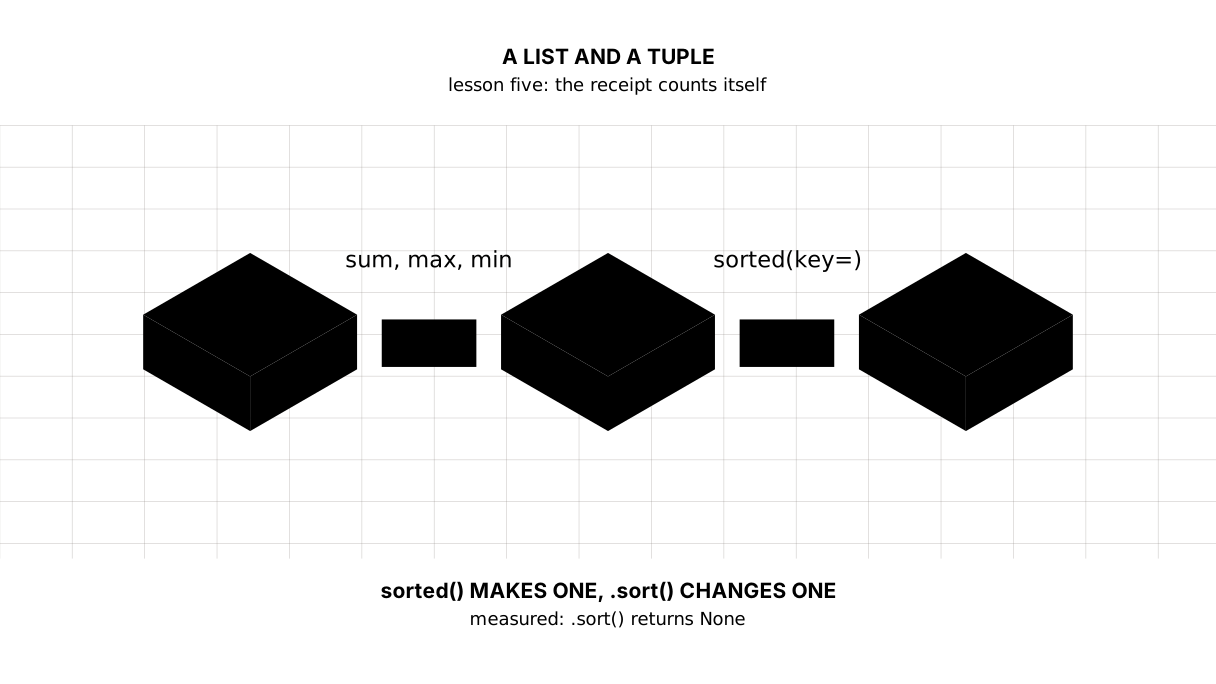
The fifth lesson of the Python course. Prices in a list: indexes, slices, changes, the sum and the maximum — without a single loop. The difference everybody trips over is measured: sorted() returns a new list, .sort() changes the original and returns None. And a tuple that refuses to change: TypeError.
Why this is needed
One price is a variable. A receipt is already a collection of prices, and keeping them in separate variables called price_1, price_2 is impossible: a real file has thousands of lines.
For a collection Python has a list. It can do more than it looks: add everything up, find the largest, sort itself — and all of that before you have learned to write loops.
The whole thing at once
The file tizim.py. Run it with python tizim.py from inside the environment.
The program is long — sixty lines. The required part is the list, the slices, sum, max and sorting. itemgetter and tuples come on top of that: enough to recognise by sight, and the exercise does not need them.
"""Lesson 5: a list and a tuple, on the prices from one receipt.

There have been no loops yet and none are needed here: built-in functions take
the whole list at once, and sorting it can do on its own.
"""

from operator import itemgetter

# A list is an ordered collection of values. The order is the one they were
# put in: this is not a set, where there is no order.
prices = [260, 620, 1890, 90]
names = ["bread", "milk", "butter", "salt"]

print("== the list whole and in parts")
print("all the prices: ", prices)
print("how many:       ", len(prices))
print("the first:      ", prices[0])
print("the last:       ", prices[-1])
print("the first three:", prices[:3])
print("from the second:", prices[1:])
print("backwards:      ", prices[::-1])

print()
print("== a list can be changed")
prices.append(310)
print("after append:   ", prices)
prices[0] = 280
print("raised the first:", prices)
last = prices.pop()
print("pop returned:   ", last, "| left:", prices)

print()
print("== counting without writing a single loop")
print("the receipt sum:", sum(prices))
print("the dearest:    ", max(prices))
print("the cheapest:   ", min(prices))
print("the average:    ", sum(prices) / len(prices))

print()
print("== two sorts, and the difference matters")
print("before sorting: ", prices)
print("sorted() gave:  ", sorted(prices), "| the original:", prices)
prices.sort()
print("after .sort():  ", prices, "<- the list itself changed")
print("by word length: ", sorted(names, key=len))
print("alphabetically: ", sorted(names, key=str.lower))

print()
print("== a tuple: what does not get changed")
item = ("bread", 280)
print("a record:", item, type(item))
try:
    item[1] = 300
except TypeError as err:
    print("item[1] = 300 →", type(err).__name__, "—", err)

print()
print("== unpacking")
name, price = item
print("name:", name, "| price:", price)
a, b = 1, 2
a, b = b, a
print("a swap with no third variable: a =", a, ", b =", b)

print()
print("== a list of tuples is already a table")
check = [("bread", 280), ("milk", 620), ("butter", 1890), ("salt", 90)]
print("by price: ", sorted(check, key=itemgetter(1)))
print("by name:  ", sorted(check, key=itemgetter(0)))
print("the dearest row:", max(check, key=itemgetter(1)))
The output:
== the list whole and in parts
all the prices:  [260, 620, 1890, 90]
how many:        4
the first:       260
the last:        90
the first three: [260, 620, 1890]
from the second: [620, 1890, 90]
backwards:       [90, 1890, 620, 260]

== a list can be changed
after append:    [260, 620, 1890, 90, 310]
raised the first: [280, 620, 1890, 90, 310]
pop returned:    310 | left: [280, 620, 1890, 90]

== counting without writing a single loop
the receipt sum: 2880
the dearest:     1890
the cheapest:    90
the average:     720.0

== two sorts, and the difference matters
before sorting:  [280, 620, 1890, 90]
sorted() gave:   [90, 280, 620, 1890] | the original: [280, 620, 1890, 90]
after .sort():   [90, 280, 620, 1890] <- the list itself changed
by word length:  ['milk', 'salt', 'bread', 'butter']
alphabetically:  ['bread', 'butter', 'milk', 'salt']

== a tuple: what does not get changed
a record: ('bread', 280) <class 'tuple'>
item[1] = 300 → TypeError — 'tuple' object does not support item assignment

== unpacking
name: bread | price: 280
a swap with no third variable: a = 2 , b = 1

== a list of tuples is already a table
by price:  [('salt', 90), ('bread', 280), ('milk', 620), ('butter', 1890)]
by name:   [('bread', 280), ('butter', 1890), ('milk', 620), ('salt', 90)]
the dearest row: ('butter', 1890)
Taking it apart
A list: order and numbers
prices = [260, 620, 1890, 90]
Square brackets, values separated by commas. The order stays as it was put in, and every value has a number — an index.
Counting starts at zero: prices[0] is the first. A negative index counts from the end: prices[-1] is the last, and that is friendlier than prices[len(prices) - 1].
A slice: a piece of a list
prices[:3] is the first three. prices[1:] is from the second on. prices[::-1] is backwards.
There is one rule: the left edge is included, the right one is not. prices[1:3] gives the elements numbered 1 and 2, not 3. It is made that way so that prices[:3] and prices[3:] together give the whole list with no overlap and no hole.
A slice returns a new list; the original stays as it was.
Picture it. Cutting a tape at its marks. The mark “3” is the line between the third and the fourth, not the third itself. So from 1 to 3 there are two pieces, not three.
A list can be changed
append adds at the end, pop takes the last one off and returns what it took, and assigning by index replaces a value:
after append:   [260, 620, 1890, 90, 310]
raised the first: [280, 620, 1890, 90, 310]
pop returned:   310 | left: [280, 620, 1890, 90]
That is what separates a list from the string of the previous lesson: a string is immutable, a list is not.
Counting without loops
the receipt sum: 2880
the dearest:     1890
the cheapest:    90
the average:     720.0
sum, max, min and len are built-in functions that take the whole list. The average is sum(prices) / len(prices), and the fourth lesson showed why that comes out as 720.0 rather than 720.
Remember this place: when the pandas module counts the same things over a table of a million rows, the command will look almost the same.
sorted() and .sort() are different things
The commonest beginner’s mistake:
sorted() gave:  [90, 280, 620, 1890] | the original: [280, 620, 1890, 90]
after .sort():  [90, 280, 620, 1890] <- the list itself changed
sorted(prices) returns a new sorted list and leaves the original alone. prices.sort() sorts in place and returns None — so prices = prices.sort() destroys your data and leaves emptiness. It is a classic trap and worth reading twice.
Sorting is not only by value. key= takes a function the sorter passes every element through:
sorted(names, key=len)— by the length of the word;sorted(names, key=str.lower)— alphabetically, ignoring capitals;sorted(check, key=itemgetter(1))— by the second element of the pair, that is, by price.
itemgetter from the operator module means “take element number such-and-such”. A function of our own for key= comes in the lesson on functions.
A tuple: a collection that is not changed
item = ("bread", 280)
Round brackets instead of square ones, and you have a tuple. It is almost a list, but it cannot be changed:
item[1] = 300 → TypeError — 'tuple' object does not support item assignment
What actually makes a tuple is not the brackets but the comma. Brackets only group, and that is easy to see for yourself:
type((280))   → int      — just a number in brackets
type((280,))  → tuple    — the comma makes the tuple
pair = 280, 1 → tuple    — no brackets needed at all
Hence the rule everyone trips over: a one-item tuple is written with a trailing comma — one = ("bread",). Without it, it is only a string in brackets.
What is that for? A tuple is a record rather than a collection of similar values. ("bread", 280) is a line of a receipt: a name and a price, each position with its own meaning. A list of four prices is four numbers that mean the same kind of thing. “The same in meaning goes in a list, different in meaning goes in a tuple” is not a rule of the language but a guide: the language allows a list of different things and a tuple of identical ones.
Unpacking
name, price = item
As many names on the left as there are elements on the right, and each gets its own. That reads better than item[0] and item[1], and there is no number to get wrong.
From the same idea comes the famous swap with no third variable:
a, b = b, a
On the right a tuple (b, a) is built first, then unpacked into the left side. No temporary variables and no confusion.
A list of tuples is already a table
by price: [('salt', 90), ('bread', 280), ('milk', 620), ('butter', 1890)]
Every element is a row with fields, and the whole list is a table. That is what data looks like in half the tasks before pandas appears: rows in a list, fields in tuples.
The map of the lesson
Say it in your own words
Without looking, answer aloud or on paper. The answers are at the end of the lesson.
- Why does
prices[1:3]give two elements rather than three? - How does
sorted(prices)differ fromprices.sort(), and what does the second return? - When does data go into a tuple rather than a list?
Warm-up
Three short steps before the exercise: predict, fill in, fix. The answers are at the end of the lesson, but answer them yourself first.
1. Predict. What does this line print?
prices = [260, 620, 1890]
print(prices[0], prices[-1], len(prices), prices[:2])
2. Fill in the gap. In place of ... work out the average price — without a loop, there have been none yet.
prices = [260, 620, 1890, 90]
print("average:", ...)
3. Fix it. The program falls over. Read the error and take the last price.
prices = [260, 620, 1890]
print(prices[3])
Exercise
Required. Given:
prices = [260, 620, 1890, 90, 310]
names = ["bread", "milk", "butter", "salt", "eggs"]
Print: how many items there are and the first and last price; what the receipt adds up to; the dearest and the cheapest; the average price to two decimal places; the first three prices as a slice; the list in ascending order — and right after it the original, so that it shows it did not change; the first two names as a slice. Write no loops: the built-in functions do all of this.
The expected output:
items: 5 | first: 260 | last: 310
the receipt adds up to: 3170
dearest: 1890 | cheapest: 90
average price: 634.00
the first three: [260, 620, 1890]
in ascending order: [90, 260, 310, 620, 1890]
the original is untouched: [260, 620, 1890, 90, 310]
names: ['bread', 'milk'] …
Done when: the output matches line by line; the order inside prices is the same after all the work — which means sorted() was used rather than .sort(); the last price is taken with -1 rather than with len(prices) - 1.
On your own data. Build your own receipt: a list of prices and a list of names. Print the sum, the dearest and the cheapest price, the average to two decimal places, and the list of prices sorted ascending — without changing the original list.
If you want more.
- Make a list of
(name, price)tuples and sort it by price, then by name. - Check what
prices = prices.sort()does and explain the result. - Take the slice
prices[::2]— every second element. Work out what the third number in a slice means and check your guess.
Where this goes in the project
In the first lesson we got a series of values by year from the World Bank and printed it as it came. Now it is clear what it was: a list. Next we learn to tie a year to a value — that is a dictionary, the next lesson.
The debts. We cannot yet total a list of tuples: that needs walking through the list, and loops are three lessons away. And we still keep names and prices in two separate lists, hoping the order matches; a dictionary replaces that hope with a link.
The answers
To the questions
- Because the right edge of a slice is not included: the elements numbered 1 and 2 are taken. That way
prices[:3]andprices[3:]together give the whole list with no overlap. sorted()returns a new list and leaves the original alone;.sort()sorts the original in place and returnsNone. Soprices = prices.sort()leaves emptiness where the data was.- When the values differ in meaning and together make one record — a name and a price, say. A list is for a collection of values of the same kind, which can be added to and removed from.
To the warm-up
260 1890 3 [260, 620]. Counting starts at zero,-1is the last element, and the slice[:2]takes the first two without including the second index.
260 1890 3 [260, 620]
sum(prices) / len(prices). Both functions take the whole list, so the average price is one line.
prices = [260, 620, 1890, 90]
print("average:", sum(prices) / len(prices))
average: 715.0
IndexError: list index out of range. The list holds three elements, so the indexes are0,1,2, and3is already past the edge. The last one is taken with-1, and then the number need not be recounted every time the list changes:
prices = [260, 620, 1890]
print(prices[-1])
1890
Sources
If you have found a mistake or a typo in this article, tell us about it
Comments (0)
Log in to leave a comment →
No comments yet. Be the first.