

Python: from data to your own digest Lesson 48 of 56
A language model on your own computer: Ollama and the first local request
Lesson forty-seven of the Python course. Install Ollama, get a first answer without an API key, and follow the whole request: the program sends JSON to localhost, checks the HTTP response, and only then takes the model's text. The data stays on your computer unless you expose the local port yourself.
Why this matters
Until now a model in this course was a formula: numbers went in and a number came out. A language model accepts text and returns text. That makes it particularly easy to treat it as a person and forget that it is a program with an input, an output, and failure modes.
This lesson runs a model locally with Ollama. It needs no API key. You need the internet once to download the program and a model file; after that, a local model can answer offline.
Local does not automatically mean safe. By default Ollama listens on localhost:11434, an address on your own computer. Do not expose that port to the internet, and do not send the model a secret that you would not save in an ordinary file. Access to the computer can mean access to the running model and its data.
Set it up
- Install Ollama for Windows, macOS, or Linux from the official download page.
- Run
ollamain a terminal, as the current Ollama quickstart recommends. - Choose a local, not a cloud, model. At the time of writing the official example uses
gemma4; check the current Ollama model catalogue for available models and sizes. The model must fit your computer’s memory and disk. - The first run downloads the model. Keep the terminal open until the input prompt appears.
ollama run gemma4
Ask a short question, then leave with /bye. If the model is too large for your computer, choose a smaller current model and use its exact name in every example below.
The whole thing first
The file is local_model.py. Change MODEL if you installed another model.
"""Lesson 47: a local language model through Ollama's HTTP API."""

import json
from urllib.error import HTTPError, URLError
from urllib.request import Request, urlopen

OLLAMA_CHAT = "http://localhost:11434/api/chat"
MODEL = "gemma4"


def ask(prompt, *, model=MODEL, timeout=120):
    """Send one question and return only the checked response text."""
    payload = {
        "model": model,
        "messages": [{"role": "user", "content": prompt}],
        "stream": False,
    }
    request = Request(
        OLLAMA_CHAT,
        data=json.dumps(payload).encode("utf-8"),
        headers={"Content-Type": "application/json"},
        method="POST",
    )
    try:
        with urlopen(request, timeout=timeout) as response:
            data = json.load(response)
    except HTTPError as error:
        raise RuntimeError(f"Ollama returned HTTP {error.code}") from error
    except URLError as error:
        raise RuntimeError(
            "Ollama is unavailable: start it and check localhost:11434"
        ) from error

    message = data.get("message")
    if not isinstance(message, dict) or not isinstance(message.get("content"), str):
        raise ValueError("the Ollama response has no message.content")
    content = message["content"].strip()
    if not content:
        raise ValueError("Ollama returned an empty message.content")
    return content


print(ask("Explain the difference between a median and a mean in one sentence."))
Your text will differ: a language model generates an answer rather than retrieving one stored line. A successful first run means a meaningful non-empty response and no exception.
Taking it apart
The server is already on your computer
ollama run obtains the model file if needed and starts a conversation. Python does not start the model again; it calls the running HTTP API at http://localhost:11434/api.
localhost means this computer. It is not a cloud address. A :cloud suffix on a model name, by contrast, means cloud execution and does not meet this lesson’s goal.
The request is ordinary JSON
/api/chat requires a model name and a list of messages. Each message has a role and content. For now the history contains one user message.
stream: False asks for one JSON object. By default the API sends a stream of fragments. Streaming is useful for an interface, but it is another idea, so the first client turns it off explicitly.
json.dumps(...).encode("utf-8") turns the dictionary into bytes. Content-Type tells the server that those bytes contain JSON. This is the same path as the lessons on JSON and HTTP, except that the server is now yours.
A local call still needs a timeout
The first answer may be slow while the model is loaded into memory. Waiting forever is still a bug. The call therefore has an explicit timeout=120, and network and HTTP failures become messages that tell a learner what to inspect.
Check the response before using it
The text lives in message.content, but the program does not index the response blindly. Another server version, an error, or an unexpected JSON shape should not turn into a cryptic KeyError. The boundary check raises a specific ValueError.
This is not a truth check. It checks only the shape of the response. Lessons 49–51 will start checking facts.
What “offline” means
Once the local model has been downloaded, the request goes to localhost; the text need not leave the computer. The lesson does not promise what it cannot control:
- the installer and model file are downloaded first;
- a cloud model does not run locally;
- other programs and logs on the machine remain a separate trust boundary;
- locality does not make an answer correct.
Lesson map
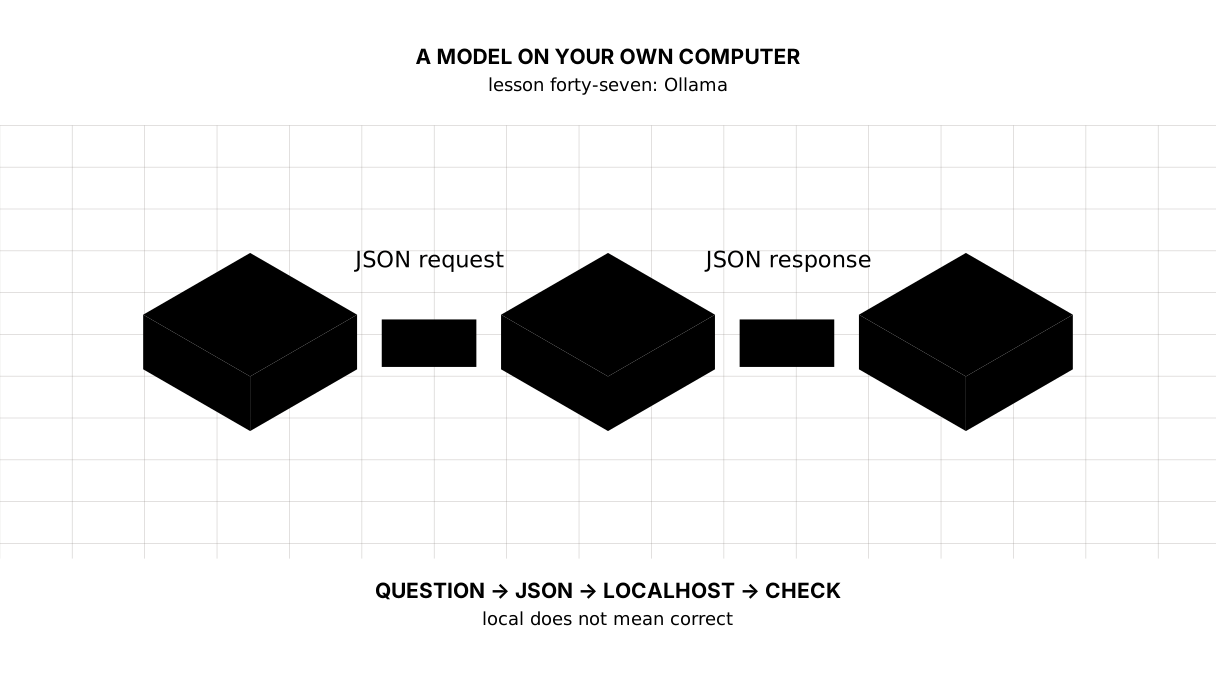
Close the text and reconstruct the route from the map: question → JSON → localhost → JSON → check → text.
Say it in your own words
- Why does a local model need no API key?
- Why set
stream: Falsein the first teaching client? - What does the
message.contentcondition check, and what does it not check? - Why should port 11434 not be exposed to the whole internet?
Warm-up
1. Predict. What does parsing this prepared response print?
import json

raw = '{"message": {"role": "assistant", "content": "  Local.  "}}'
data = json.loads(raw)
print(data["message"]["content"].strip())
2. Fill the gap. Replace ... with the field that disables streaming.
payload = {
    "model": "gemma4",
    "messages": [{"role": "user", "content": "One fact"}],
    ...: False,
}
3. Mend it. This code silently accepts an empty answer:
data = {"message": {"content": "   "}}
answer = data["message"]["content"].strip()
print(answer)
Exercise
Required. Write answer_text(data), taking an already parsed Ollama response. It must return a non-empty message.content with surrounding whitespace removed. If message is absent, content has the wrong type, or the string is empty, raise ValueError("no model text"). Check it against four prepared responses and print the result.
1: answer: 42
2: error: no model text
3: error: no model text
4: error: no model text
responses checked: 4
Done means the output matches line for line, the function makes no Ollama call, and every invalid shape is rejected with the same clear error.
With your own data. Call ask with a question about one line in your digest. Do not ask for a cause; ask it only to restate the supplied number, then manually check that the value, unit, and year survived.
Optional. Add a url argument whose default is OLLAMA_CHAT, then pass the address of your own local fake HTTP server in a test. That is how a network client can be tested without a real model.
Where it enters the project
Nowhere yet, deliberately. One successful answer is not ready for a report: it changes and may contain an invention. Lessons 48 and 49 will pin the parameters and require a structured response; only lesson 50 will put the language model into the digest. Good architecture connects an external component after defining its contract, not after the first impressive run.
Answers
Show the answers
To the questions
- The request goes to a server on your own computer; no separate remote account sits between the program and the model.
- To receive one JSON object and learn its contract without mixing in parsing a stream of fragments.
- Only that a non-empty string exists at the expected place. It proves neither truth, completeness, nor safety.
- A local API has no reason to become a public entry point: strangers could consume the computer’s resources and send data to the model.
To the warm-up
Local.
- The field is
"stream".
payload = {
    "model": "gemma4",
    "messages": [{"role": "user", "content": "One fact"}],
    "stream": False,
}
print(payload["stream"])
False
- After
strip(), check that the string is not empty and raise a clear exception.
data = {"message": {"content": "   "}}
answer = data["message"]["content"].strip()
if not answer:
    raise ValueError("no model text")
Sources
- Ollama Quickstart — current installation and first local run.
- Ollama API introduction — the
localhost:11434/apibase URL and API compatibility policy. - Ollama
/api/chat— request fields,stream, messages, and response shape.
If you have found a mistake or a typo in this article, tell us about it
Comments (0)
Log in to leave a comment →
No comments yet. Be the first.