

Python: from data to your own digest Lesson 36 of 56
Numbers in a report: formats, rounding and units
The thirty-fifth lesson of the Python course. `1234567.891` and `1 234 567,89` are one number and two different reports. Format strings, the local separators, the `round` that goes to the even one, `Decimal` for money, and the sum of rounded rows that does not equal the rounded sum.
Why this matters
The report is built, the page opens, and a cell holds 11.539999999999999. Or 1234567.891 — a number the reader will count off in threes by eye and get wrong anyway.
Formatting is not decoration but the last step of working with data: everything above keeps full precision, and here a number turns into text for a person. And this is exactly where the three traps live that stop a report adding up.
The whole thing first
The file is chisla.py.
"""Lesson 35: numbers in a report.

One number shown seven ways, and the three rounding traps that stop a report
adding up.
"""

from decimal import Decimal, ROUND_HALF_UP

amount = 1234567.891

print("== one number, seven shapes")
print("as it is:        ", amount)
print("two decimals:    ", f"{amount:.2f}")
print("with separators: ", f"{amount:,.2f}")
print("our way:         ", f"{amount:,.2f}".replace(",", " ").replace(".", ","))
print("in millions:     ", f"{amount / 1_000_000:.1f} млн")
print("with a sign:     ", f"{amount:+,.0f}")
print("in a column of 16:", f"|{amount:>16,.2f}|")

print()
print("== a share: per cent is a format, not a multiplication")
share = 0.1274
print("by hand:", round(share * 100, 1), "% | by format:", f"{share:.1%}")

print()
print("== the first trap: round goes to the even one")
for value in (0.5, 1.5, 2.5, 3.5):
    print(f"  round({value}) = {round(value)}")
print("  it is not a bug but a rule: halves go to the even")

print()
print("== the second trap: money takes Decimal")
money = Decimal("2.675")
print("  round(2.675, 2) =", round(2.675, 2), "-- the binary fraction is not 2.675")
print("  Decimal with ROUND_HALF_UP =", money.quantize(Decimal("0.01"), rounding=ROUND_HALF_UP))

print()
print("== the third trap: the sum of rounded is not the rounded sum")
rows = [10.005, 10.005, 10.005, 10.005]
rounded = [round(value, 2) for value in rows]
print("  rows:", rounded)
print("  the sum of the rounded:", round(sum(rounded), 2))
print("  the rounded sum:     ", round(sum(rows), 2))
print("  the gap:", round(sum(rows) - sum(rounded), 2))
It prints:
== one number, seven shapes
as it is:         1234567.891
two decimals:     1234567.89
with separators:  1,234,567.89
our way:          1 234 567,89
in millions:      1.2 млн
with a sign:      +1,234,568
in a column of 16: |    1,234,567.89|

== a share: per cent is a format, not a multiplication
by hand: 12.7 % | by format: 12.7%

== the first trap: round goes to the even one
  round(0.5) = 0
  round(1.5) = 2
  round(2.5) = 2
  round(3.5) = 4
  it is not a bug but a rule: halves go to the even

== the second trap: money takes Decimal
  round(2.675, 2) = 2.67 -- the binary fraction is not 2.675
  Decimal with ROUND_HALF_UP = 2.68

== the third trap: the sum of rounded is not the rounded sum
  rows: [10.01, 10.01, 10.01, 10.01]
  the sum of the rounded: 40.04
  the rounded sum:      40.02
  the gap: -0.02
Going through it
The format string: what goes after the colon
f"{amount:,.2f}" — inside the braces, after the colon, is how the number is to be shown:
| Written | What it does |
|---|---|
.2f |
two decimals, always |
, |
a thousands separator |
+ |
a sign even on a positive number |
>16 |
aligned right in a width of 16 |
.1% |
a share as a percentage: 0.127 → 12.7% |
,.0f |
a whole number with separators |
All of it is part of the language rather than a library, and it works the same in print, in an f-string and in format().
Separators: ours are not the default
Python writes 1,234,567.89 by default — a comma in the thousands, a full stop in the decimals. Here it is the other way round: a space in the thousands, a comma in the decimals. Hence the move from the example:
f"{amount:,.2f}".replace(",", " ").replace(".", ",")
The order matters: the commas become spaces first, then the full stop becomes a comma. The other way round gives a mess.
The space is better taken non-breaking (\u00a0): an ordinary one lets the browser wrap the line, and 1 234 can end up split across two rows of a table.
There is a locale module that can do all this itself, but it is set for the whole process at once and depends on which locales the system has installed — in a program running on a server that hinders more often than it helps. Three replace calls are the honest way.
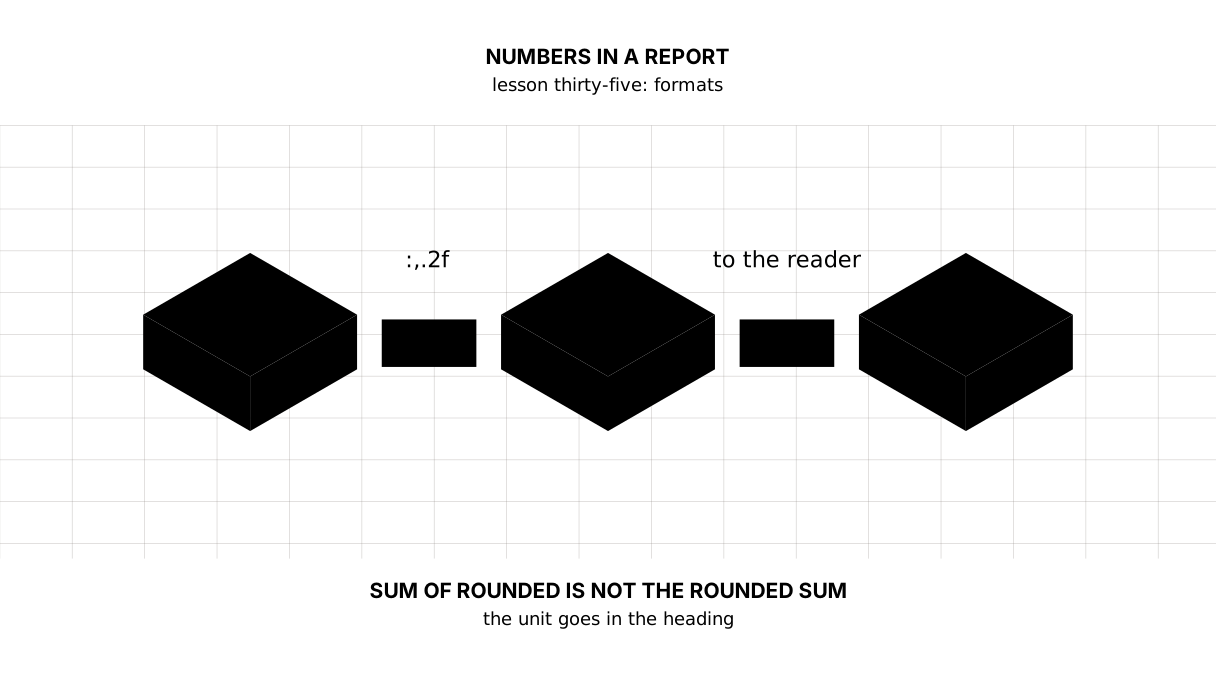
The main rule: the unit lives in the column heading, not in every cell. amount, tenge above and clean numbers below reads; 1 240 500,00 ₸ on every row does not.
round goes to the even one
The first trap, and it is not a bug in Python: round(0.5) gives 0, round(2.5) gives 2, while round(1.5) and round(3.5) give 2 and 4. Halves go to the even one, and that is the standard: over many roundings the error does not pile up on one side.
If you want the schoolbook “half up”, that is Decimal with ROUND_HALF_UP.
Money is Decimal, not float
round(2.675, 2) gives 2.67 where 2.68 was expected. The culprit is not round but the fact that 2.675 as a binary fraction is a little under 2.675 (lesson four).
For money people take Decimal("2.675") — from a string rather than from a number — and quantize with an explicit rounding rule. The rule is simple: money is counted in Decimal or in whole tiyn, and float is left to physics and statistics.
The sum of rounded is not the rounded sum
The third trap — the one behind every report where “a tiyn does not add up”. Four rows of 10.005: each rounds to 10.01, the sum of the rounded is 40.04 and the rounded sum is 40.02.
What people do about it:
- Compute on the unrounded values and round only when printing — the total is then right, though the column does not visibly add up to it;
- or adjust the last row: the difference is written into the largest row so that the column does add up;
- and either way, say in the report what you did, if the reader can see the discrepancy.
What must not be done is to compute the total from the rounded rows and call it the sum.
Scale: when 1.2 m beats 1 234 567
Large numbers in a report for a person are usually shown in thousands or millions: 1.2 m tenge reads at a glance, 1 234 567 tenge does not. But in a table people will check or add up, the full number stays: rounding to millions hides exactly the difference the table was opened for.
A simple rule: large in the text and the headings, exact in the table.
The map of this lesson
Say it in your own words
Without looking, answer out loud or on paper. The answers are at the end of the lesson.
- Why does
round(2.5)give2, and is that a bug? - Why can the sum of rounded rows differ from the rounded sum?
- Where does the unit belong — in the cell or in the column heading?
The warm-up
Three short steps before the exercise: predict, fill in, fix. The answers are at the end, but answer for yourself first.
1. Predict. What does this program print?
amount = 45678.4
print(f"{amount:.0f}")
print(f"{amount:,.2f}")
print(f"{amount:+.1f}")
print(f"|{amount:>12,.1f}|")
print(f"{amount / 1000:.1f} k")
2. Fill in the blank. In place of ... bring the number to the local shape: a space in the thousands, a comma in the decimals.
# by default Python writes 1,234,567.89
amount = 1234567.891
print(f"{amount:,.2f}"...)
3. Fix it. The share came out as 1274.0%.
# per cent is a format, and it multiplies by itself
share = 0.1274
print(f"share: {share * 100:.1%}")
The exercise
Required. Print a table of spending: item, amount, share and change. Amounts in the local shape with two decimals, shares as a percentage with the same comma, changes with a sign, and a zero change as a dash. Compute the total from the unrounded values. At the end print the check: does the total hold, what the sum of the rounded rows comes to, and by how much it differs from the real one.
The expected output:
item         amount, tenge   share   change, tenge
rent          1 240 500,00   67,4%       62 500,00
food            348 210,34   18,9%      -12 400,00
fuel            190 880,67   10,4%        4 300,00
phone            59 941,00    3,3%               —
total         1 839 532,00  100,0%

the check:
  the total is computed before rounding: True
  the sum of the rounded rows: 1 839 532,01
  the rounded total:           1 839 532,00
  the gap: 0.01
  the shares add up to: 100,0%
Done when: the output matches line for line; the formatting lives in functions rather than being repeated on every row; the total is computed from the original numbers; the discrepancy is computed and printed rather than hidden.
On your own data. Take any table of yours with money in it and print it twice: with the total from the unrounded values and with the total from the rounded rows. If the numbers agree, add more rows and they will part. Decide in advance which version goes into the report and what you will write beside it.
If you feel like it.
- Replace the ordinary space with a non-breaking one (
\u00a0) and see in a browser what changes in a narrow window. - Compute the same sums in
Decimaland compare the total with thefloatone. - Add
font-variant-numeric: tabular-numsto the column in CSS and see how the digits line up.
Where this fits the project
Step fifteen: the digest gains sholu/pishim.py, the one place where a number turns into text. Three functions: number for our space and comma, signed for a change with its sign (and a rounded zero without a plus), percent for a share with the same comma. In all three a gap becomes a dash.
The page takes its formatting from there by column name, and the cells hold 8,69 rather than 8.690822. The stylesheet also gained font-variant-numeric: tabular-nums: without it the digits have different widths and a column will not line up however carefully it is formatted.
Still open. The digest’s units live in the column headings — орташа, ең_жоғары — and that they are percentages the reader learns only from the page’s title. Once money reaches the report, the headings will have to be rewritten so that every column carries its own unit.
The answers
To the questions
- Because Python rounds halves to the even one:
0.5→0,1.5→2,2.5→2,3.5→4. That is not a bug but the standard: over many roundings the error does not accumulate in one direction. “Half up” is done withDecimalandROUND_HALF_UP. - Because every row shifts its own way when rounded, and those shifts add up. Four rows of 10.005 give 40.04 rounded and 40.02 as a rounded sum. The total is computed on the unrounded values, and the discrepancy is either shown or written into the largest row.
- In the column heading. Then the numbers in the cells read as numbers and line up by place; a unit repeated on every row gets in the way of both the eye and the comparison.
To the warm-up
- Each format does exactly one thing:
.0fdrops the decimals,,puts the separators in,+shows the sign,>12aligns to a width, and dividing by a thousand is no longer a format but another unit.
45678
45,678.40
+45678.4
|    45,678.4|
45.7 k
.replace(",", " ").replace(".", ",")— in exactly that order.
amount = 1234567.891
print(f"{amount:,.2f}".replace(",", " ").replace(".", ","))
1 234 567,89
:.1%multiplies by a hundred itself. Multiplying before it means doing it twice.
share = 0.1274
print(f"share: {share:.1%}")
print(f"or like this: {share * 100:.1f} %")
share: 12.7%
or like this: 12.7 %
To the exercise
The formatting went into money and percent for more than tidiness: the same comma in the amounts and in the percentages is what holds the table together. Change it in one place and the table starts looking like two.
The total is computed from the original numbers, and the difference from the sum of the rounded rows is printed beside it. That is the honest answer to “a tiyn does not add up”: it does not add up by the construction of the arithmetic, and the report should say so rather than hide it.
Sources
- Format specification mini-language — everything that can go after the colon.
- The decimal module — money, rounding rules and why
floatwill not do for it. - The round function — rounding to even, in the language’s own documentation.
If you have found a mistake or a typo in this article, tell us about it
Comments (0)
Log in to leave a comment →
No comments yet. Be the first.