

Python: from data to your own digest Lesson 6 of 56
A dictionary: a link instead of hoping the order holds
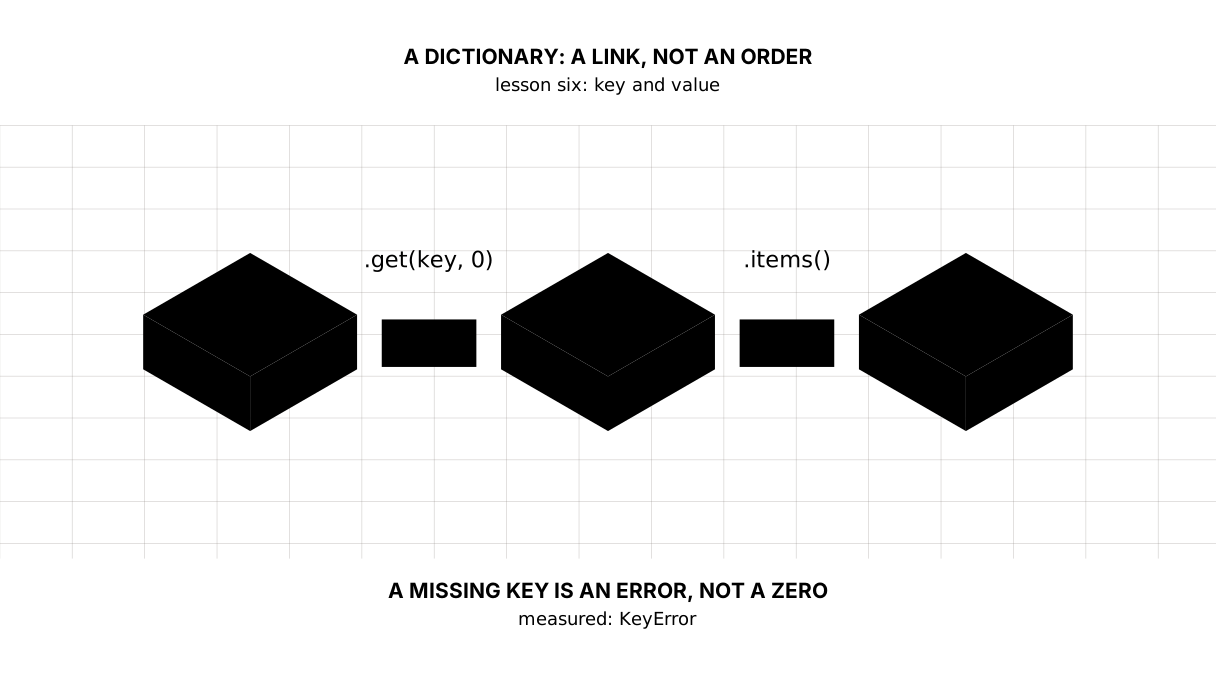
The sixth lesson of the Python course. Prices by name: `get` instead of an error, `in` instead of a search, `items()` as a ready table. Measured: reaching for a missing key is a `KeyError` rather than emptiness; Counter tallies a basket in one line, and defaultdict supplies the zero where an ordinary dictionary fails.
Why this is needed
In the previous lesson the names lay in one list and the prices in another, and the link between them rested on trust: the third element of the first list belongs to the third element of the second. Let one list shift and milk costs as much as butter.
A dictionary makes the link explicit: every value has a key it is found by. And the year in our price data is a key too.
The whole thing at once
The file sozdik.py. Run it with python sozdik.py from inside the environment.
The program is long — sixty lines. The required part is the dictionary itself, get, in and items(). The Counter and defaultdict at the end come on top of that: enough to recognise by sight, and the exercise does not need them.
"""Lesson 6: a dictionary, the link between a name and a value.

In the previous lesson names and prices lay in two lists and their order had to
be kept in your head. A dictionary replaces that hope with a link.
"""

from collections import Counter, defaultdict

# A dictionary: the key is what you look by, the value is what you find.
prices = {"bread": 280, "milk": 620, "butter": 1890, "salt": 90}

print("== the dictionary whole and by key")
print("the whole dictionary:", prices)
print("how many entries:", len(prices))
print("the price of milk:", prices["milk"])

print()
print("== no such key, and that is an error rather than emptiness")
try:
    print(prices["sugar"])
except KeyError as err:
    print("prices[\"sugar\"] ->", type(err).__name__, "-", err)
print("get() is safe:", prices.get("sugar"))
print("get() with a default:", prices.get("sugar", 0), "tenge")
print("is there salt:", "salt" in prices)
print("is there sugar:", "sugar" in prices)

print()
print("== a dictionary gets changed")
prices["sugar"] = 450
print("added sugar:", prices)
prices["bread"] = 310
print("bread got dearer:", prices)
removed = prices.pop("salt")
print("removed salt at", removed, "->", prices)

print()
print("== what is inside: keys, values, pairs")
print("keys:   ", list(prices.keys()))
print("values: ", list(prices.values()))
print("pairs:  ", list(prices.items()))
print("the sum of all prices:", sum(prices.values()))
print("the dearest:", max(prices, key=prices.get))

print()
print("== a dictionary of year and value, which we already had")
cpi = {2010: 100.0, 2015: 137.8, 2020: 202.0, 2025: 348.1}
print("the price index by year:", cpi)
print("how many times since 2010:", round(cpi[2025] / cpi[2010], 2))
print("sorted by year:", sorted(cpi.items()))

print()
print("== counting how many of each: Counter")
basket = ["bread", "milk", "bread", "butter", "bread", "milk"]
counts = Counter(basket)
print("what is in the basket:", counts)
print("bread:", counts["bread"], "| sugar:", counts["sugar"], "<- Counter has no error")
print("the two commonest:", counts.most_common(2))

print()
print("== defaultdict: a dictionary whose value appears by itself")
plain = {}
try:
    plain["bread"] += 1
except KeyError as err:
    print("an ordinary dictionary ->", type(err).__name__, "-", err)

counted = defaultdict(int)
counted["bread"] += 1
counted["bread"] += 1
print("defaultdict worked:", dict(counted))
The output:
== the dictionary whole and by key
the whole dictionary: {'bread': 280, 'milk': 620, 'butter': 1890, 'salt': 90}
how many entries: 4
the price of milk: 620

== no such key, and that is an error rather than emptiness
prices["sugar"] -> KeyError - 'sugar'
get() is safe: None
get() with a default: 0 tenge
is there salt: True
is there sugar: False

== a dictionary gets changed
added sugar: {'bread': 280, 'milk': 620, 'butter': 1890, 'salt': 90, 'sugar': 450}
bread got dearer: {'bread': 310, 'milk': 620, 'butter': 1890, 'salt': 90, 'sugar': 450}
removed salt at 90 -> {'bread': 310, 'milk': 620, 'butter': 1890, 'sugar': 450}

== what is inside: keys, values, pairs
keys:    ['bread', 'milk', 'butter', 'sugar']
values:  [310, 620, 1890, 450]
pairs:   [('bread', 310), ('milk', 620), ('butter', 1890), ('sugar', 450)]
the sum of all prices: 3270
the dearest: butter

== a dictionary of year and value, which we already had
the price index by year: {2010: 100.0, 2015: 137.8, 2020: 202.0, 2025: 348.1}
how many times since 2010: 3.48
sorted by year: [(2010, 100.0), (2015, 137.8), (2020, 202.0), (2025, 348.1)]

== counting how many of each: Counter
what is in the basket: Counter({'bread': 3, 'milk': 2, 'butter': 1})
bread: 3 | sugar: 0 <- Counter has no error
the two commonest: [('bread', 3), ('milk', 2)]

== defaultdict: a dictionary whose value appears by itself
an ordinary dictionary -> KeyError - 'bread'
defaultdict worked: {'bread': 2}
Taking it apart
A key and a value
prices = {"bread": 280, "milk": 620, "butter": 1890, "salt": 90}
Curly braces, pairs separated by colons. On the left the key, what you look by; on the right the value, what you find. prices["milk"] gives 620 at once, without going through the others.
A key can be a string, a number, a tuple — anything with a lasting imprint for the dictionary to recognise it by. A list cannot be a key: it changes, and the imprint changes with it. The exact word for this property is hashable, and “immutable” is not the same thing: a tuple with a list inside does not change itself, yet it cannot be a key — what is inside it does.
No such key is an error
prices["sugar"] → KeyError — 'sugar'
Python does not quietly return emptiness: no key means an exception. That is right, because “no data” and “zero” are different things, and confusing them in a calculation is dangerous.
When a missing key is normal, you ask through get:
get() is safe: None
get() with a default: 0 tenge
get(key) returns None, get(key, 0) returns zero. And when you only need to know whether a key is there, the in operator: "salt" in prices gives True.
Picture it. A telephone book. Asking for “Askhat’s number” and getting “no such entry” is more honest than getting a blank number and calling nowhere.
A dictionary gets changed
Assigning by key adds an entry when the key was absent and replaces the value when it was there. pop removes and returns what it removed.
Notice the order in the output: it is kept, in the order things were added. That has been guaranteed since Python 3.7 and is convenient, but the order should not be leaned on as meaning: a dictionary is searched by key, not by place.
Keys, values and pairs
keys:   ['bread', 'milk', 'butter', 'sugar']
values: [310, 620, 1890, 450]
pairs:  [('bread', 310), ('milk', 620), ('butter', 1890), ('sugar', 450)]
.items() gives pairs — the very tuples of the previous lesson. A list of pairs is already a table, and that is how a dictionary turns into data you go on to work with.
sum(prices.values()) adds all the prices. max(prices, key=prices.get) returns the key with the largest value — the name of the dearest item rather than the price itself.
A year as a key
cpi = {2010: 100.0, 2015: 137.8, 2020: 202.0, 2025: 348.1}
This is what our program from the first lesson received from the World Bank: the price index by year. Now it is clear what it was — a dictionary whose key is a year and whose value is the index.
cpi[2025] / cpi[2010] gives that same 3.48. And sorted(cpi.items()) lines the pairs up by year — data ready for a chart.
Counter: how many of each
what is in the basket: Counter({'bread': 3, 'milk': 2, 'butter': 1})
Counter from the collections module takes a list and returns a dictionary of “value → how many times it occurred”. Handily, it has no error for a missing key: counts["sugar"] gives 0.
most_common(2) returns the two commonest pairs. When we reach texts and logs, that will be the first command you type.
defaultdict: the value appears by itself
an ordinary dictionary -> KeyError - 'bread'
defaultdict worked: {'bread': 2}
For an ordinary dictionary plain["bread"] += 1 is an error: to add one you must first have something. defaultdict(int) supplies a zero in that situation and the line works.
It is not magic but a rule: defaultdict takes a function that makes the default value. int gives 0, list gives an empty list. The second will be needed when we gather rows into groups.
The map of the lesson
Say it in your own words
Without looking, answer aloud or on paper. The answers are at the end of the lesson.
- Why is reaching for a missing key an error rather than an empty value?
- Does
max(prices, key=prices.get)return the price or the name? - How does
defaultdict(int)differ from an ordinary dictionary in the lined["bread"] += 1?
Warm-up
Three short steps before the exercise: predict, fill in, fix. The answers are at the end of the lesson, but answer them yourself first.
1. Predict. What does this line print?
prices = {"bread": 280, "salt": 90}
print(prices.get("sugar"), "salt" in prices, len(prices))
2. Fill in the gap. In place of ... put the default under which a missing item’s price counts as zero.
prices = {"bread": 280, "salt": 90}
print(prices.get("sugar", ...))
3. Fix it. The program falls over on an item the price list does not have. Make it answer 0.
prices = {"bread": 280, "salt": 90}
print(prices["sugar"])
Exercise
Required. Given:
prices = {"bread": 280, "milk": 620, "butter": 1890, "salt": 90}
Print: how many entries there are; the price of milk by its key; the price of sugar through get without a default and with a default of 0; whether sugar and salt are in the list. Then add sugar at 450 and print how many entries there are now and what they add up to; the dearest price; the list of names. Write no loops.
The expected output:
entries: 4
the price of milk: 620
the price of sugar: None
the price of sugar with a default: 0 tenge
sugar is there: False | salt is there: True
after adding: 5 entries, sum: 3330
the dearest price: 1890
names: ['bread', 'milk', 'butter', 'salt', 'sugar']
Done when: the output matches line by line; a missing key is never asked for with square brackets; sugar comes last in the list of names — which means a dictionary keeps the order things were added in.
On your own data. Build a price list as a dictionary: name to price. A real receipt is not kept this way — it has two identical names, a quantity, a unit price and a discount, and a dictionary simply overwrites the first entry when the same key comes again. For looking a price up by name it does fit, and that is what we are doing today. Print the price of one item, the price of an item that is not in the receipt (through get with a default), the sum of all prices, the name of the dearest item, and the list of pairs sorted by name.
If you want more.
- Run
Counterover a list of your purchases for the week and print the three commonest. - Take the
cpidictionary from the lesson and work out how many times prices grew between 2015 and 2025. - Try making a list into a key — get the error and read what it says.
Where this goes in the project
The digest gets its main structure: year to value. That is exactly how we will keep the tenge rate by day and the price index by year until we move into a database.
The debts. We still cannot walk a dictionary through all its keys — that needs a loop, the next lesson. The data still lives only in memory: close the program and it is gone. And we do not yet defend ourselves against a source that answers with emptiness.
The answers
To the questions
- Because “no data” and “zero” are different things, and putting the second in place of the first is dangerous: the calculation comes out quietly wrong. When a missing key is normal,
getwith a default is there for it. - The name:
maxgoes through the keys, andkey=prices.getsays which value to compare them by. To get the price you needmax(prices.values()). - In an ordinary dictionary
d["bread"] += 1requires the key to exist already, or it is aKeyError.defaultdict(int)supplies0at the moment of the first reach, and the addition works.
To the warm-up
None True 2. For a missing keygetreturnsNonerather than an error,inanswersTrueorFalse, andlencounts entries rather than letters.
None True 2
0. The second argument togetis the answer for “there is no such key”. It is also the place where you decide what absence counts as: zero here, and not zero at all when an average is being worked out.
prices = {"bread": 280, "salt": 90}
print(prices.get("sugar", 0))
0
KeyError: 'sugar'. The square brackets demand a key and fall over without one;getasks and returns the default. The first is right where the key must be there, the second where it may not be:
prices = {"bread": 280, "salt": 90}
print(prices.get("sugar", 0))
0
Sources
If you have found a mistake or a typo in this article, tell us about it
Comments (0)
Log in to leave a comment →
No comments yet. Be the first.