

Python: from data to your own digest Lesson 49 of 56
A prompt as code: parameters and reproducibility
Lesson forty-eight of the Python course. Stop composing a model request as one disposable line: separate role, task, data, and constraints; pin temperature, seed, and an output limit; then store the whole request beside its result. An identical request becomes a repeatable experiment, not a promise of byte-for-byte identical prose.
Why this matters
The last lesson obtained a first local answer. Ask the same question again and the wording may change. Change the model or its version and more will change. If the request lived only in a chat window, a week later there is no evidence of what produced the conclusion.
Configuration is part of a program. For a language model it includes not only prose but the model name, messages and their roles, temperature, seed, the output limit, and streaming mode.
The goal is not to force a model to write the same text forever. It is to make a run repeatable and explainable: preserve every input, separate data from instructions, and see exactly what changed.
The whole thing first
The file is prompt.py. It constructs a request without calling Ollama, so it is fast and testable without a model.
"""Lesson 48: the prompt and its parameters are part of the program."""

import hashlib
import json

MODEL = "gemma4"
SYSTEM = "You edit data. Add no fact that is absent from the input."


def build_request(data, *, temperature=0.0, seed=42):
    """Build a fully specified request that can be stored and compared."""
    prompt = """TASK
Write one sentence from the data.

DATA
<data>
{data}
</data>

CONSTRAINTS
- preserve the number, year, and unit;
- do not explain causes;
- add no other number.
""".format(data=data)
    return {
        "model": MODEL,
        "messages": [
            {"role": "system", "content": SYSTEM},
            {"role": "user", "content": prompt},
        ],
        "stream": False,
        "options": {
            "temperature": temperature,
            "seed": seed,
            "num_predict": 120,
        },
    }


def canonical(payload):
    """The same fields become the same bytes for logging and comparison."""
    return json.dumps(
        payload, ensure_ascii=False, sort_keys=True, separators=(",", ":")
    ).encode("utf-8")


request = build_request("Kazakhstan, inflation in 2025: 11.4 %")
again = build_request("Kazakhstan, inflation in 2025: 11.4 %")
fingerprint = hashlib.sha256(canonical(request)).hexdigest()[:12]

print("model:", request["model"])
print("roles:", [message["role"] for message in request["messages"]])
print("temperature:", request["options"]["temperature"])
print("seed:", request["options"]["seed"])
print("limit:", request["options"]["num_predict"])
print("same request:", canonical(request) == canonical(again))
print("fingerprint:", fingerprint)
Output:
model: gemma4
roles: ['system', 'user']
temperature: 0.0
seed: 42
limit: 120
same request: True
fingerprint: ee7b74ed3653
Four parts, not an incantation
The role (system) sets a standing rule. The task says what to do now. Data sits inside an explicit <data> boundary. Constraints state what the answer must not do.
Delimiters are not a security wall: text inside the data can still contain instructions. They make structure visible to the learner and the model; safety comes later, when code validates the result.
Write a prompt like a function: one input, a clear outcome, and little hidden state. Do not splice in today’s date, a random identifier, or file contents unless the task needs them, or two runs are no longer the same experiment.
Generation parameters
temperature controls variation in choosing the next token: a higher value usually permits more alternatives. For extracting or restating numbers, begin at 0.0; creative prose may call for more.
seed pins the random number generator’s initial state. With the same model, prompt, and settings it reduces random variation. It does not guarantee byte-for-byte reproducibility across Ollama versions, model files, drivers, or hardware.
num_predict caps the response length. It is a time and memory guard, not an instruction to produce exactly 120 tokens.
stream: False remains from the last lesson: store one finished object. Streaming is added for an interface, not to change meaning.
A canonical record and its fingerprint
Dictionary key order should not change meaning. sort_keys=True and compact separators turn equal requests into equal bytes. SHA-256 does not hide the request here: the short fingerprint only ties a log entry to a stored request.
Keep the request itself, or a safe copy with secrets removed, as well as the fingerprint. A hash cannot reconstruct the input.
Store these beside the response:
- exact model name and version when available;
- every message and setting;
- run time;
- source data or a link to its immutable version;
- response and validation result.
Do not put personal data or secrets into a shared log. Reproducibility does not cancel data minimisation.
Lesson map
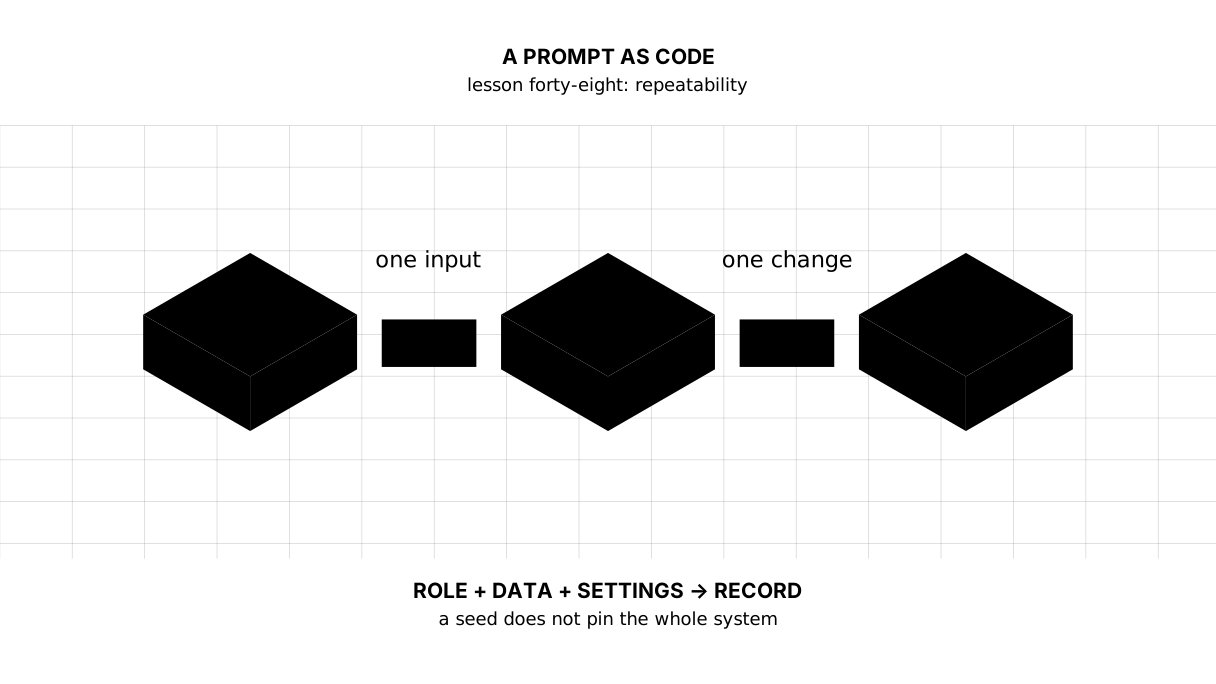
Reconstruct the cue: role + task + data + constraints + settings → stored request.
Say it in your own words
- Why is
temperature=0not an absolute guarantee of identical text? - How does a request fingerprint differ from the stored request?
- Why separate data from instructions when tags are not protection?
- When comparing two temperatures, what alone should change in the experiment?
Warm-up
1. Predict. Are these canonical strings equal?
import json

a = {"seed": 42, "temperature": 0}
b = {"temperature": 0, "seed": 42}
canon = lambda value: json.dumps(value, sort_keys=True, separators=(",", ":"))
print(canon(a) == canon(b))
2. Fill the gap. Pin the generator’s initial state.
options = {"temperature": 0.0, ...: 42, "num_predict": 120}
3. Mend it. Both data and temperature changed, so the cause of any difference is unknown.
first = build_request("2024: 8.7 %", temperature=0.0)
second = build_request("2025: 11.4 %", temperature=0.7)
Exercise
Required. Write validate_request(payload). Check the exact model name, the system and user roles, stream is False, temperature, seed, a positive num_predict, and the <data>...</data> boundary. Return a settings dictionary. Then make a copy through JSON, change only its temperature, and prove that the original request stayed unchanged.
model: gemma4
roles: system,user
temperature: 0.0
seed: 42
limit: 120
copy is independent: True
one field changed: True
With your own data. Build a request for one table in your digest. Run it three times with identical settings and keep the responses together. Mark factual differences only; do not call one response better without a criterion.
Optional. Compare temperature=0.0 with 0.7, changing only that field. Before running, write the criterion: were the number, year, unit, and prohibition on causes preserved?
Where it enters the project
The model still does not enter the working digest. This lesson’s product is a storable request. The next lesson adds JSON Schema and rejects a response before a single line reaches the report.
Answers
Show the answers
- Implementations, model versions, and computation on different hardware can vary; a seed controls randomness, not the entire system.
- A fingerprint compares inputs but contains no input. Repeating a run needs the stored request.
- To expose structure and avoid mixing data with the author’s instruction; safety still requires output validation.
- Only
temperature, or a response difference cannot be tied to one cause.
True
- The missing key is
"seed".
options = {"temperature": 0.0, "seed": 42, "num_predict": 120}
print(options["seed"])
42
- Keep the data fixed and change only temperature.
def build_request(data, *, temperature):
    return {"data": data, "temperature": temperature}

first = build_request("2025: 11.4 %", temperature=0.0)
second = build_request("2025: 11.4 %", temperature=0.7)
print(first["data"] == second["data"])
True
Sources
- Ollama
/api/chat—messages,stream,temperature,seed, andnum_predict. - Ollama Modelfile — system messages and model parameters.
- Python
hashlib— SHA-256 fingerprints.
If you have found a mistake or a typo in this article, tell us about it
Comments (0)
Log in to leave a comment →
No comments yet. Be the first.