

Python: from data to your own digest Lesson 13 of 56
JSON: the API answer we took on trust in the first lesson
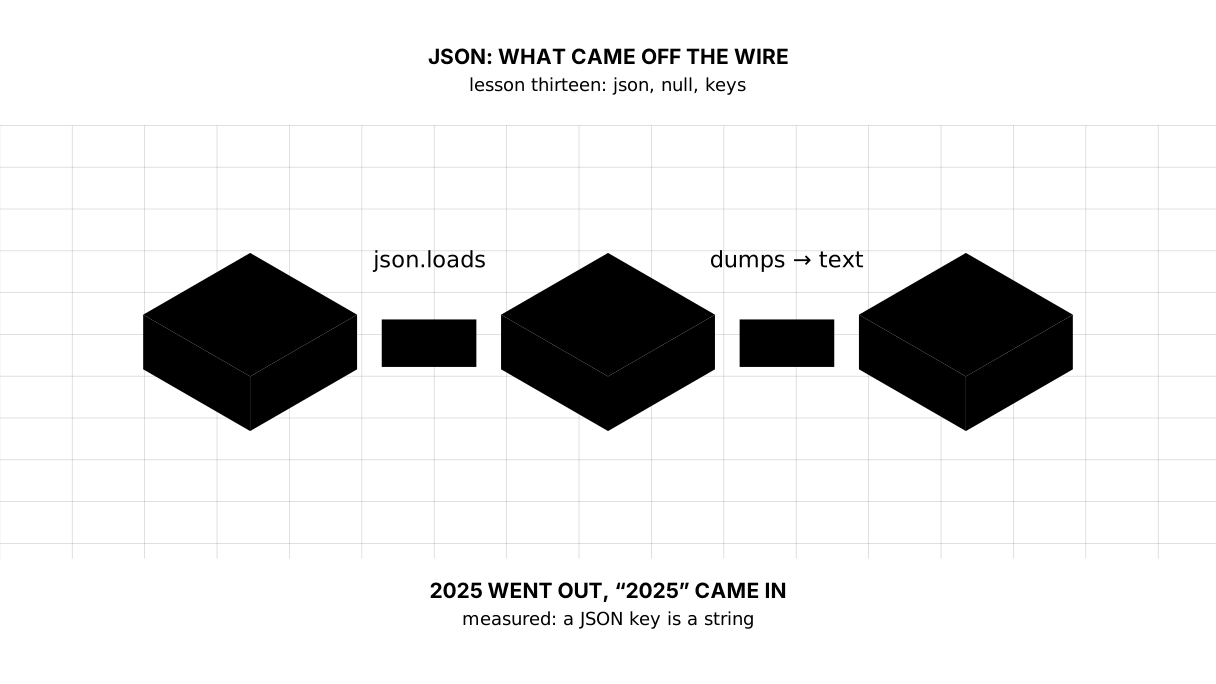
The thirteenth lesson of the Python course. The World Bank's answer is a list of two elements: a service part and the records. We take it apart by hand and find what spoils a calculation silently: `null` becomes `None`, and numeric keys come back from a round trip through JSON as strings — `2025` goes out, `"2025"` comes in.
Why this is needed
In the first lesson the program went to the network, got an answer and pulled numbers out of it. We said back then: run it without understanding a thing. Today we understand it.
JSON is what almost every API speaks: a bank, the weather, an exchange rate, a language model. The format is simple: dictionaries, lists, strings, numbers, true, false, null. Exactly those six things.
The simplicity is deceptive. Two places in the translation from JSON into Python and back spoil data silently, and both are visible in our own answer.
The whole thing at once
The file is json_demo.py. Run it with python json_demo.py from inside the environment.
The required part is the first two blocks: parse the answer and pull a series out of it. The third and the fourth show the traps the lesson was written for.
"""Lesson 13: JSON is what arrived from the network, before it became numbers.

This is a piece of a real World Bank answer: the service part on top, the
records below. In the first lesson the program parsed it without explaining
anything. Let us explain it.

The answer is cut down to three records, and the 2023 value is replaced with
null: the real answer has one, but a gap is what today needs, and it is fairer
to say it was put there on purpose.
"""

import json

ANSWER = """[
  {"page": 1, "pages": 1, "per_page": 3, "total": 3},
  [
    {"country": {"id": "KZ", "value": "Kazakhstan"}, "date": "2025", "value": 11.39},
    {"country": {"id": "KZ", "value": "Kazakhstan"}, "date": "2024", "value": 8.69},
    {"country": {"id": "KZ", "value": "Kazakhstan"}, "date": "2023", "value": null}
  ]
]"""

data = json.loads(ANSWER)

print("== what arrived")
print("top level:", type(data).__name__, "of", len(data), "elements")
print("service part:", data[0])
print("records:", len(data[1]))

print()
print("== taking the records apart")
series = {}
for row in data[1]:
    year = int(row["date"])
    series[year] = row["value"]
    print(f"{row['country']['value']} {year}: {row['value']}")

print()
print("== the keys after a round trip through JSON")
text = json.dumps(series)
back = json.loads(text)
print("before:", series)
print("text:  ", text)
print("after: ", back)

print()
print("== non-Latin letters and indentation")
note = {"note": "дерек жоқ"}
print("by default:    ", json.dumps(note))
print("ensure_ascii=False:", json.dumps(note, ensure_ascii=False))
print("bytes:", len(json.dumps(note).encode()), "escaped,",
      len(json.dumps(note, ensure_ascii=False).encode()), "not")
print(json.dumps(series, ensure_ascii=False, indent=2))
It prints:
== what arrived
top level: list of 2 elements
service part: {'page': 1, 'pages': 1, 'per_page': 3, 'total': 3}
records: 3

== taking the records apart
Kazakhstan 2025: 11.39
Kazakhstan 2024: 8.69
Kazakhstan 2023: None

== the keys after a round trip through JSON
before: {2025: 11.39, 2024: 8.69, 2023: None}
text:   {"2025": 11.39, "2024": 8.69, "2023": null}
after:  {'2025': 11.39, '2024': 8.69, '2023': None}

== non-Latin letters and indentation
by default:     {"note": "\u0434\u0435\u0440\u0435\u043a \u0436\u043e\u049b"}
ensure_ascii=False: {"note": "дерек жоқ"}
bytes: 61 escaped, 29 not
{
  "2025": 11.39,
  "2024": 8.69,
  "2023": null
}
Taking it apart
The six things JSON is made of
An object {...} becomes a dictionary, an array [...] a list, a string a string, a number an int or a float, true/false become True/False, and null becomes None. There is nothing else in the format: no dates, no tuples, no sets.
Hence the first practical consequence: a date in JSON is a string. In our answer the year arrives as "2025", and the int(row["date"]) in the parsing is not there out of excessive caution.
Picture it. A parcel with an inventory. Only six kinds of thing may lie in the box, and the inventory lists them by name. Everything else — a vase, a cat, a promise — is packed as one of those six or does not travel at all.
loads and load — one letter and a different input
json.loads(text) parses a string, json.load(file) an open file. The way back is the same: dumps gives a string, dump writes into a file. The s at the end is for “string”, and that is the only difference.
The first lesson had json.load(answer), where answer was a network reply that behaves like a file. Today we have a string inside the program, so it is loads.
The service part and the records
top level: list of 2 elements
The World Bank answers with a list: element zero says how many records and pages there are, element one holds the records themselves. This is not a general rule of JSON but the contract of one API; the weather service or the National Bank will have another.
Hence a habit that saves an evening: print what arrived, first thing. type(), len(), the keys of the first record — three lines, after which the shape of the answer is visible. Guessing from documentation takes longer.
Nesting is taken apart one step at a time: row["country"]["value"] is first the country’s dictionary, then its name. If a key may be absent, use .get: row.get("unit", "") returns an empty string instead of a KeyError.
null is None, not zero
For 2023 the answer holds null, and in Python it becomes None. That is exactly the missing value of the seventh lesson: not zero, not an empty string — the absence of a value.
The check is the same: if value is None. So is the mistake: count the gap as zero and get an average lower than the real one.
Numeric keys come back as strings
The most expensive place in the lesson:
before: {2025: 11.39, 2024: 8.69, 2023: None}
text:   {"2025": 11.39, "2024": 8.69, "2023": null}
after:  {'2025': 11.39, '2024': 8.69, '2023': None}
The keys left as numbers and came back as strings. That is how the format itself works: an object key in JSON is always a string, and json.dumps turns 2025 into "2025" without a word.
Further along, series[2025] gives a KeyError although the data is there and the eye sees everything. The cure is a decision rather than a patch: either bring the keys back when reading ({int(k): v for k, v in ...}, as our int(row["date"]) does), or keep the year inside the record instead of in the key.
Non-Latin letters and indentation
by default:     {"note": "\u0434\u0435\u0440\u0435\u043a \u0436\u043e\u049b"}
ensure_ascii=False: {"note": "дерек жоқ"}
bytes: 61 escaped, 29 not
By default json.dumps writes everything except Latin letters as escape sequences. The file stays valid JSON and any program will read it correctly — but a person will see nothing in it.
For files that people open with their eyes, write ensure_ascii=False, and add indent=2 for readability.
The default was not chosen for length: escaped, our string takes 61 bytes, unescaped 29 — measured by the program itself. One Cyrillic letter costs six characters of \uXXXX instead of two bytes of UTF-8. What the default buys is something else: plain ASCII travels everywhere, including through a channel that would mangle the encoding. The saving is in the spaces instead: separators=(",", ":") removes the ones json.dumps puts after a comma and a colon.
The map of the lesson
Say it in your own words
Without looking, answer out loud or on paper. The answers are at the end of the lesson.
- How does
json.loadsdiffer fromjson.load? - Why does
series[2025]stop working after a write to JSON and a read back? - What arrives in Python in place of
null, and how does it differ from zero?
Warm-up
Three short steps before the exercise: predict, fill in, fix. The answers are at the end of the lesson, but answer them yourself first.
1. Predict. What does this program print?
import json

data = json.loads('{"year": "2025", "value": null}')
print(type(data["year"]).__name__, data["value"])
2. Fill in the gap. In place of ... put what gives the keys their numeric form back.
import json

series = {2025: 11.39, 2024: 8.69}
back = json.loads(json.dumps(series))
fixed = {}
for key, value in back.items():
    fixed[...] = value
print(fixed)
3. Fix it. The program raises a KeyError although the data is right there. Explain where the key went, and mend the reading.
import json

series = {2025: 11.39}
back = json.loads(json.dumps(series))
print(back[2025])
Exercise
Required. Given:
ANSWER = """[
  {"page": 1, "pages": 1, "per_page": 4, "total": 4},
  [
    {"country": {"id": "KZ", "value": "Kazakhstan"}, "date": "2025", "value": 11.39},
    {"country": {"id": "KZ", "value": "Kazakhstan"}, "date": "2024", "value": 8.69},
    {"country": {"id": "KZ", "value": "Kazakhstan"}, "date": "2023", "value": null},
    {"country": {"id": "KZ", "value": "Kazakhstan"}, "date": "2022", "value": 15.0}
  ]
]"""
Parse the answer and print how many records it holds. Build a dictionary of “year → value” where the year is a number and the records with null go into a list of gaps. Print how many years have a number and their average to two decimal places, then the list of gaps. Then make a round trip through JSON — dumps and back through loads — and print the type of the key before and after; then mend the keys and print the value for 2025.
The expected output:
records: 4
years with a number: 3, average: 11.69
gaps: [2023]
key before: int | after: str
after the mend: 11.39
Done when: the output matches line by line; the year becomes a number during parsing rather than after; the null landed among the gaps rather than in the average; after the round trip through JSON, asking by a number works again.
On your own data. Take your own dictionary of “year → value” with one None in it. Write it into a file through json.dump with ensure_ascii=False and indent=2, read it back through json.load, and print the types of the keys before and after. Then mend the reading so that the keys become numbers again.
Optional.
- Parse the real answer from the first lesson and print the keys of its first record.
- Try
json.dumpson the set{1, 2}and read the error. - Save the same dictionary with
ensure_ascii=Falseand without it, and compare the file sizes.
Where this goes in the project
The digest stops taking the answer at its word. The shape is checked, null lands among the gaps, and the year turns into a number during parsing rather than after — because after is too late.
Still open. We parse the answer by hand and hope the keys are in place. A real check of the shape is a schema that says “a number was expected here, a string arrived”; we will get to it when a language model’s answer reaches the digest.
The answers
To the questions
- Only by the input:
loadsparses a string,loadan open file. Thesis for “string”. The same holds fordumps, which gives a string, anddump, which writes into a file. - Because an object key in JSON is always a string, and writing turns
2025into"2025". After the read the keys stay strings, and asking by a number gives aKeyError. Nonearrives — the absence of a value. Zero is a value, and the two must not be confused: a gap counted as zero pulls the average down.
To the warm-up
str None. A date in JSON is a string, so"2025"arrives as one, andnullbecomesNone— not zero and not an empty string.
str None
int(key). An object key in JSON is always a string, and it is brought back to a number on reading; otherwiseseries[2025]stops finding a year that never went anywhere.
import json

series = {2025: 11.39, 2024: 8.69}
back = json.loads(json.dumps(series))
fixed = {}
for key, value in back.items():
    fixed[int(key)] = value
print(fixed)
{2025: 11.39, 2024: 8.69}
- The key went nowhere — it changed type:
dumpswrote2025as"2025", and afterloadsthe dictionary holds a string. It is no longer found by a number, so either you ask by the string or — better — you give the keys their numbers back right after reading.
import json

series = {2025: 11.39}
back = json.loads(json.dumps(series))
print(back["2025"])
11.39
Sources
If you have found a mistake or a typo in this article, tell us about it
Comments (0)
Log in to leave a comment →
No comments yet. Be the first.