

Python: from data to your own digest Lesson 37 of 56
A digest that updates itself: the whole pipeline
The thirty-sixth lesson of the Python course and the end of the module on reports. Four steps in one `main()`, a write through a temporary file, a repeat with no consequences and an exit code; the exercise adds `--dry-run`. And the rule it was all for: a source that fell over leaves yesterday's report rather than erasing it.
Why this matters
Everything a digest needs is already written: take the data, put it in order, count it, draw it, collect the page. What is left is joining all of that so that it works without you — at six in the morning, on somebody else’s machine, while somebody’s server is not answering.
A program a scheduler starts differs from a program a person starts in exactly four things. Those are what this lesson is about.
The whole thing first
The file is konveyer.py. Four steps, three runs and one source that fell over.
"""Lesson 36: a digest that updates itself.

Four steps in one main(), a write through a temporary file, a repeat with no
consequences, and a report that survives its source falling over.
"""

import os
import sys
from pathlib import Path

HERE = Path(__file__).resolve().parent
REPORT = HERE / "svodka.txt"


def fetch(broken=False):
    """Step 1: take the data. It stands in for the network, so the lesson is the same for everybody."""
    if broken:
        raise RuntimeError("the source did not answer")
    return [("2024", 8.7), ("2025", 11.4)]


def clean(rows):
    """Step 2: make it countable. Rows without a number do not get through."""
    return [(year, value) for year, value in rows if value is not None]


def count(rows):
    """Step 3: count the thing it was all for."""
    values = [value for _, value in rows]
    return {"years": len(values), "mean": round(sum(values) / len(values), 2)}


def render(rows, totals):
    """Step 4: put together the text of the report."""
    lines = [f"{year}: {value}" for year, value in rows]
    lines.append(f"the mean over {totals['years']} years: {totals['mean']}")
    return "\n".join(lines) + "\n"


def save(text, path):
    """A write through a temporary file: no reader ever sees half a report."""
    temporary = path.with_suffix(path.suffix + ".tmp")
    temporary.write_text(text, encoding="utf-8")
    # os.replace swaps the name in one motion: the file is either the old one
    # or the new one.
    os.replace(temporary, path)
    return path


def main(broken=False):
    """The whole pipeline: what happens, and in what order."""
    try:
        rows = fetch(broken=broken)
    except RuntimeError as error:
        print("  the source is unreachable:", error, "-- the report stays as it was")
        return 1
    rows = clean(rows)
    totals = count(rows)
    save(render(rows, totals), REPORT)
    print("  done:", REPORT.name, "|", totals)
    return 0


print("== the first run")
code = main()
first = REPORT.read_text(encoding="utf-8")
print("  the exit code:", code)

print()
print("== the second run: nothing should change")
main()
print("  the same file:", REPORT.read_text(encoding="utf-8") == first)

print()
print("== the write leaves no half a file")
print("  temporary files beside it:", len(list(HERE.glob("*.tmp"))))

print()
print("== the source fell over")
code = main(broken=True)
print("  the exit code:", code)
print("  the report is there and not empty:", REPORT.exists() and REPORT.read_text(encoding="utf-8") == first)

print()
print("== what the whole run returns to the scheduler")
print("  0 done, 1 not done; right now:", code)
sys.exit(0)
It prints:
== the first run
  done: svodka.txt | {'years': 2, 'mean': 10.05}
  the exit code: 0

== the second run: nothing should change
  done: svodka.txt | {'years': 2, 'mean': 10.05}
  the same file: True

== the write leaves no half a file
  temporary files beside it: 0

== the source fell over
  the source is unreachable: the source did not answer -- the report stays as it was
  the exit code: 1
  the report is there and not empty: True

== what the whole run returns to the scheduler
  0 done, 1 not done; right now: 1
Going through it
main() as a table of contents
The main function should read like a table of contents: take, clean, count, show. Not one loop, not one if about the shape of the data — all of that lives inside the steps.
Every step is a function that takes data and returns data: clean(rows), count(rows), render(rows, totals). None of them knows where the rows came from or where the text will go, so any one of them can be called on its own and checked on its own — the same thought as lesson nine about a function with a clear edge.
Such a main() is also the one place where the order is visible. In six months you will read it rather than hunt through files for what follows what.
The write through a temporary file
save writes not into the report but beside it, and then renames:
temporary.write_text(text)
os.replace(temporary, path)
os.replace swaps the name in one motion: the file holds either the whole of the old report or the whole of the new one. Without it a reader who opens the page while it is being written sees half of it — and a report is opened in the morning, which is exactly when it updates.
It costs one line and removes a whole class of “sometimes the file is broken”.
A repeat must break nothing
A second run in a row gives the same file. That is called idempotence, and for a digest on a schedule it is compulsory: the scheduler will start the program again after a failure, you will start it by hand while checking — and not one of those runs may double the data or spoil the report.
The check is simple: run it twice and compare the result. If it changed, some step in the pipeline appends where it should overwrite.
A fallen source does not erase the report
The main rule of the lesson. When fetch raises, the program does not go on: it reports the failure, returns 1 and leaves yesterday’s report where it was.
The temptation to write it otherwise — “never mind, let us write what we have” — produces an empty page instead of a report. An empty report is worse than an old one: the old one is at least honest about the day before yesterday, and the empty one lies about today.
In lesson ten that was put as “do not swallow an exception in silence”. Here the same rule has a price measured in files.
The exit code and the log
The shell or process supervisor reads the exit code: 0 means success and a non-zero value means failure. systemd and monitoring systems can react to it; plain cron does not retry a failed job by itself, and output or notifications require separate configuration. So main() always returns a code, and the run ends with raise SystemExit(main(sys.argv[1:])).
The log is a line per step: how many rows were taken, how many were left after cleaning, what was counted, where it was written. The morning after, that is enough to understand what happened without running anything again.
--dry-run
The flag that counts everything and writes nothing. It is the first thing to run after any change, and the only safe way to test the digest on a Friday evening.
One condition: a dry run has to be dry all the way. If the program saved the data it downloaded along the way, “just so as not to fetch it twice”, that is no longer a dry run — and one day it will overwrite something it did not mean to.
The line for cron
5 6 * * * cd /home/you/digest && .venv/bin/python main.py >> data/run.log 2>&1
Three things in it matter more than the schedule itself: the full path to the python from the environment, the move into the program’s folder, and both streams redirected into a log. Everything else is the time.
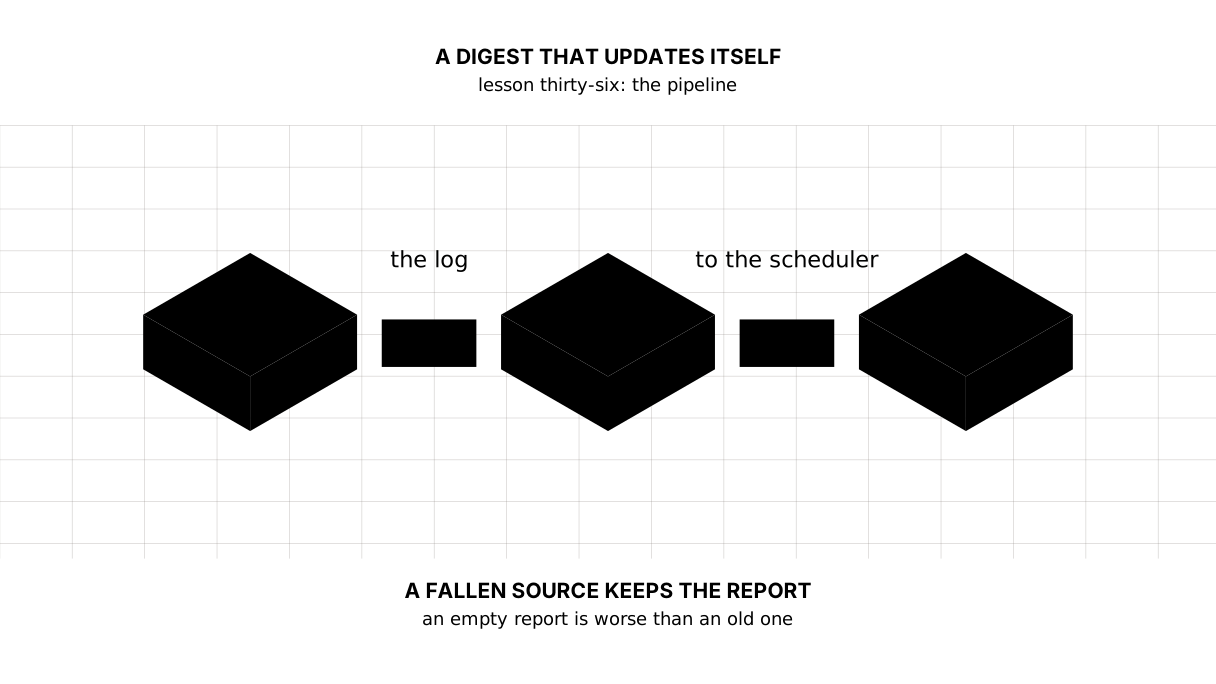
The map of this lesson
Say it in your own words
Without looking, answer out loud or on paper. The answers are at the end of the lesson.
- Why write into a temporary file when the report could be written directly?
- What should the program do when the source does not answer, and why?
- How does a dry run differ from an ordinary one, and what spoils it?
The warm-up
Three short steps before the exercise: predict, fill in, fix. The answers are at the end, but answer for yourself first.
1. Predict. What does this pipeline print?
def fetch():
    return [1, 2, 3, 4]


def clean(rows):
    return [value for value in rows if value % 2 == 0]


def count(rows):
    return {"rows": len(rows), "sum": sum(rows)}


print(count(clean(fetch())))
print("steps in the pipeline:", 3)
2. Fill in the blank. In place of ... put the thing that swaps a name in one motion.
# the file has to be either the old one or the new one, never half
import os
from pathlib import Path

HERE = Path(__file__).resolve().parent
target = HERE / "otchet.txt"
target.write_text("the old report\n", encoding="utf-8")

temporary = target.with_suffix(".txt.tmp")
temporary.write_text("the new report\n", encoding="utf-8")
...

print("in the file:", target.read_text(encoding="utf-8").strip())
print("the temporary one is still there:", temporary.exists())
3. Fix it. The source fell over and the report went empty.
# "never mind" cost a day's report
from pathlib import Path

HERE = Path(__file__).resolve().parent
report = HERE / "svodka2.txt"
report.write_text("2024: 8.7\n2025: 11.4\n", encoding="utf-8")


def fetch():
    raise RuntimeError("the source did not answer")


rows = []
try:
    rows = fetch()
except RuntimeError:
    pass                      # "never mind"

report.write_text("\n".join(str(row) for row in rows) + "\n", encoding="utf-8")
lines = [line for line in report.read_text(encoding="utf-8").split("\n") if line]
print("rows in the report:", len(lines))
The exercise
Required. Build a pipeline of four steps with a log, a --dry-run flag and an exit code. The data deliberately holds a row with no value and a repeated year — the cleaning must drop the first and keep the later value of the second. Run it three times: ordinarily, as a dry run, and with a broken source. Print each run’s log, its exit code and whether the file changed.
The expected output:
== an ordinary run
  rows taken: 4
  after cleaning: 3
  counted: {'years': 3, 'mean': 11.53}
  written: svodka.txt
  code: 0

== a dry run
  rows taken: 4
  after cleaning: 3
  counted: {'years': 3, 'mean': 11.53}
  a dry run: the file was not touched
  code: 0 | the file did not change: True

== the source fell over
  the source: the source did not answer
  code: 1 | yesterday report is in place: True

the report:
2023: 14.5
2024: 8.7
2025: 11.4
the mean over 3 years: 11.53
Done when: the output matches line for line; main returns the code rather than printing it; the dry run writes nothing; a broken source leaves the file untouched; the write goes through a temporary file.
On your own data. Take any program of yours that counts something and writes it somewhere, and bring it to this shape: a main() with an exit code, a log by step, --dry-run, a write through a temporary file. Then put it on a schedule and read the log a week later — it will show you everything you did not think of.
If you feel like it.
- Add an
--offlineflag that forbids the network and fails if there is nothing on disk. - Measure
time.perf_counter()around every step and see which one takes all the time. - Start two copies at once and see that they need the lock from lesson twenty-three.
Where this fits the project
Step sixteen, and the module ends with it: the digest updates itself.
main() became a table of contents, gained --dry-run and --offline, an exit code and a log of one line per step. sholu/saqtau.py writes everything through a temporary file and os.replace. And a source that did not answer leaves yesterday’s report where it was — and returns a one to the scheduler.
The step’s README carries a ready line for cron. After it the digest lives on its own: once a day it takes the data, counts, draws, collects the page — and tells you about itself only when it stops returning zero.
Still open. The log goes to stdout and reaches a file by redirection, which is enough for one program on one machine. It has no rotation, and sooner or later it will grow; that is the same debt the lesson on scheduling declared, and it is still waiting for a server.
The answers
To the questions
- So that no reader ever sees half a file.
os.replaceswaps the name in one motion: before it the whole of the old report is in place, after it the whole of the new one. It is one line that removes a whole class of “sometimes the file is broken”. - Report the failure, return a non-zero code and leave the report alone. An empty report is worse than an old one: the old one is honest about the day before yesterday, the empty one lies about today.
- A dry run counts everything and writes nothing — it is how a change is tested without risking the data. Any write along the way spoils it: saved downloads, a log appended to a file, a folder created. Half a dry run is not a dry run.
To the warm-up
- Three functions called inside one another:
fetchgives four numbers,cleankeeps the even ones,countcounts over those.
{'rows': 2, 'sum': 6}
steps in the pipeline: 3
os.replace(temporary, target). The temporary file disappears in the process — it became the report.
import os
from pathlib import Path

HERE = Path(__file__).resolve().parent
target = HERE / "otchet.txt"
target.write_text("the old report\n", encoding="utf-8")

temporary = target.with_suffix(".txt.tmp")
temporary.write_text("the new report\n", encoding="utf-8")
os.replace(temporary, target)

print("in the file:", target.read_text(encoding="utf-8").strip())
print("the temporary one is still there:", temporary.exists())
in the file: the new report
the temporary one is still there: False
- Do not write the report when there is no data. The
exceptmust either hand control back up or end the run with a non-zero code — but not carry on as if nothing had happened.
from pathlib import Path

HERE = Path(__file__).resolve().parent
report = HERE / "svodka2.txt"
report.write_text("2024: 8.7\n2025: 11.4\n", encoding="utf-8")


def fetch():
    raise RuntimeError("the source did not answer")


try:
    rows = fetch()
except RuntimeError as error:
    print("the source is unreachable:", error, "-- we leave the report alone")
else:
    report.write_text("\n".join(str(row) for row in rows) + "\n", encoding="utf-8")

print("rows in the report:", len([line for line in report.read_text(encoding="utf-8").split("\n") if line]))
the source is unreachable: the source did not answer -- we leave the report alone
rows in the report: 2
To the exercise
The cleaning in the exercise does two different things, and both matter: it throws away the row with no value (it cannot be counted) and keeps the later value of the repeated year (a later record counts as a correction of an earlier one — that decision about the meaning of data from lesson thirty).
The log is collected into a list and printed once at the end. That way it is easy to return to the caller, write to a file or send — rather than scattering print through every function.
Sources
- os.replace — a rename that either happens whole or does not happen.
- sys.exit and exit codes — what a program tells whoever started it.
- The crontab format — the five fields of a schedule and the environment variables.
If you have found a mistake or a typo in this article, tell us about it
Comments (0)
Log in to leave a comment →
No comments yet. Be the first.